
Introduzione
This manual provides comprehensive instructions for the HomeSpot HS-JY100 Neckband Wireless Earbuds. It covers product features, setup, operation, maintenance, and troubleshooting to ensure optimal performance and user experience. These earbuds feature aptX Low Latency Bluetooth 5.1 technology and Qualcomm® CVC™ for clear audio and stable connections.
Le caratteristiche principali includono:
- Advanced Bluetooth V5.1 for quicker pairing and stable connection.
- Oversized 10mm drivers with Bio-Cellulose diaphragm for rich sound.
- Up to 20 hours of non-stop listening time and 240 hours standby time.
- Ergonomic neckband design for comfortable wear.
- Magnetic earbuds for tangle-free storage.
Contenuto della confezione
Verifica che tutti gli articoli elencati di seguito siano inclusi nel tuo pacchetto:
- HomeSpot JY100 Neckband Wireless Earbuds x 1
- Cavo di ricarica micro USB x 1
- Punte auricolari (varie misure)

Image: Package contents showing the HomeSpot HS-JY100 neckband wireless earbuds, micro-USB charging cable, and additional eartips.
Prodotto finitoview
Familiarize yourself with the components and controls of your HomeSpot HS-JY100 Neckband Wireless Earbuds.
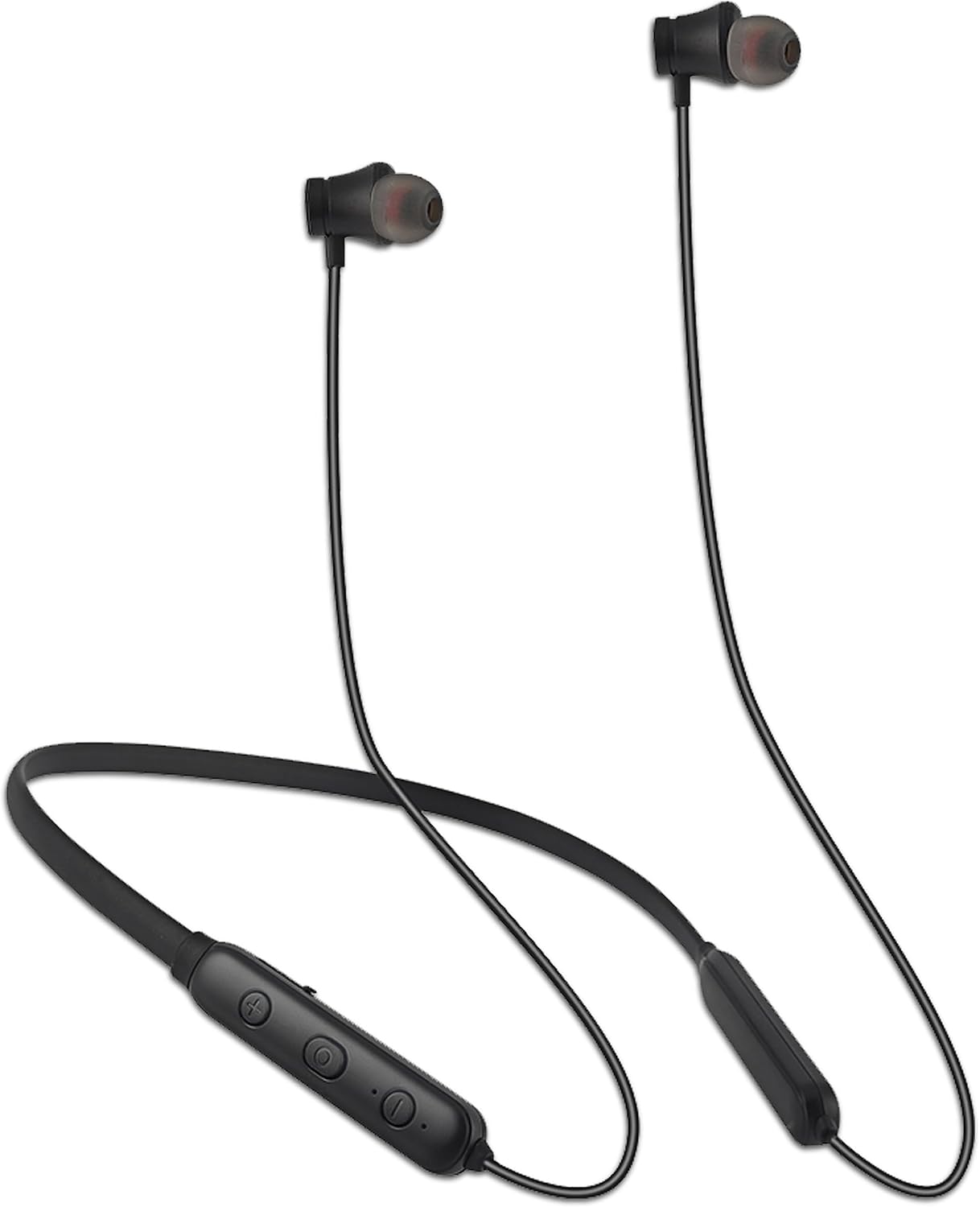
Image: The HomeSpot HS-JY100 neckband wireless earbuds, highlighting the flexible neckband and the integrated control panel with buttons.
Funzioni del pannello di controllo:
- Pulsante di accensione: Utilizzato per accendere/spegnere e per l'associazione Bluetooth.
- Volume su (+): Aumenta il volume.
- Volume basso (-): Diminuisce il volume.
- Pulsante multifunzione (centrale): Controlla la riproduzione (riproduci/pausa), la gestione delle chiamate (rispondi/termina) e l'attivazione dell'assistente vocale.
- Indicatore LED: Visualizza lo stato di alimentazione, lo stato di carica e lo stato di associazione Bluetooth.
- Porta di ricarica micro-USB: Per collegare il cavo di ricarica.
Impostare
1. Ricarica degli auricolari
Before first use, fully charge your earbuds. A full charge takes approximately 2 hours.
- Connect the Micro-USB charging cable to the charging port on the neckband.
- Collegare l'altra estremità del cavo a una fonte di alimentazione USB (ad esempio, una porta USB del computer, un adattatore USB da parete).
- L'indicatore LED diventerà rosso durante la ricarica e blu quando la carica sarà completa.
The earbuds provide up to 20 hours of listening time on a full charge and 240 hours of standby time.

Image: The HomeSpot HS-JY100 earbuds demonstrating their long battery life and working range.
2. Accoppiamento Bluetooth
Pair your earbuds with your device (smartphone, tablet, laptop) to enable wireless audio.
- Assicurarsi che gli auricolari siano spenti.
- Tenere premuto il pulsante di accensione per circa 5-7 secondi finché l'indicatore LED non lampeggia alternativamente in rosso e blu. Questo indica la modalità di associazione.
- Attiva il Bluetooth sul tuo dispositivo e cerca i dispositivi disponibili.
- Select "HomeSpot JY100" from the list of found devices.
- Una volta effettuato l'accoppiamento, l'indicatore LED lampeggerà lentamente in blu e potresti sentire un tono di conferma.
Una volta accesi, gli auricolari tenteranno automaticamente di riconnettersi all'ultimo dispositivo associato.
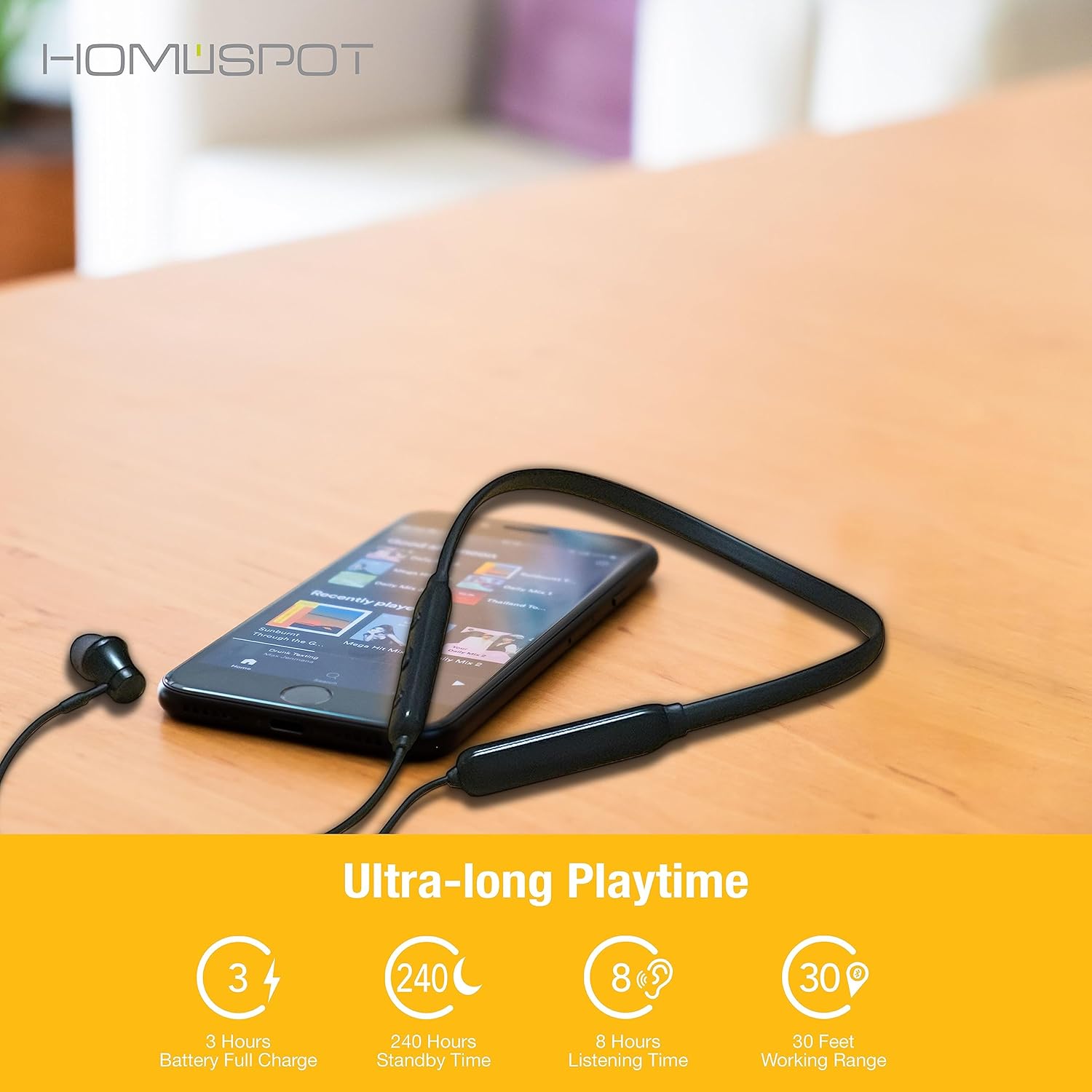
Image: Illustration of the HomeSpot HS-JY100 earbuds connecting wirelessly to two different mobile devices, demonstrating Bluetooth pairing.
Istruzioni per l'uso
Accensione/spegnimento
- Accensione: Tenere premuto il pulsante di accensione per 3 secondi finché l'indicatore LED non lampeggia in blu.
- Spegni: Press and hold the Power Button for 3 seconds until the LED indicator flashes red and then turns off.
Riproduzione musicale
- Riproduci/Pausa: Premere una volta il pulsante multifunzione.
- Traccia successiva: Tenere premuto il pulsante Volume su (+) per 2 secondi.
- Traccia precedente: Tenere premuto il pulsante Volume giù (-) per 2 secondi.
Gestione delle chiamate
- Rispondi/Termina chiamata: Premere una volta il pulsante multifunzione.
- Rifiuta chiamata: Tieni premuto il pulsante multifunzione per 2 secondi.
- Ricomponi l'ultimo numero: Premere due volte il pulsante multifunzione.
Controllo del volume
- Aumenta volume: Premere il pulsante Volume su (+).
- Diminuisci volume: Premere il pulsante Volume giù (-).
Assistente vocale
- Attiva l'assistente vocale: Premere tre volte il pulsante multifunzione.
Manutenzione
To ensure the longevity and optimal performance of your HomeSpot HS-JY100 Earbuds, follow these maintenance guidelines:
- Pulizia: Use a soft, dry cloth to clean the earbuds and neckband. Do not use harsh chemicals or abrasive materials.
- Magazzinaggio: When not in use, store the earbuds in a cool, dry place, away from direct sunlight and extreme temperatures. The magnetic earbuds help prevent tangling.
- Esposizione all'acqua: Avoid exposing the earbuds to excessive moisture or submerging them in water. While designed for active use, they are not fully waterproof.
- Ricarica: Use only the provided Micro-USB cable or a certified equivalent for charging.
Risoluzione dei problemi
Se riscontri problemi con gli auricolari, fai riferimento alle seguenti soluzioni comuni:
| Problema | Possibile soluzione |
|---|---|
| Gli auricolari non si accendono. | Ensure the earbuds are fully charged. Connect them to a power source using the Micro-USB cable. |
| Impossibile effettuare l'associazione con un dispositivo. |
|
| Nessun suono o volume basso. |
|
| La connessione è instabile o si interrompe frequentemente. |
|
Specifiche
| Caratteristica | Dettaglio |
|---|---|
| Nome del modello | HS-JY100 |
| Versione Bluetooth | 5.1 |
| Portata Bluetooth | 10 metri (33 piedi) |
| Dimensioni del driver audio | 10 millimetri |
| Durata della batteria | Up to 20 Hours (listening time) |
| Tempo di standby | 240 ore |
| Tempo di ricarica | 2 ore (carica completa) |
| Controllo del rumore | Cancellazione passiva del rumore |
| Gamma di frequenza | 20 Hz - 20,000 Hz |
| Impedenza | 16 Ohm |
| Tecnologia di connettività | Senza fili |
| Materiale | Plastica |
| Peso dell'articolo | 3.52 once |
| Dimensioni del prodotto | 5 x 6.8 x 1.6 pollici |
Garanzia e supporto
HomeSpot provides a standard warranty for its products. For specific warranty details and to register your product to extend the warranty from 12 to 18 months, please visit the official HomeSpot website. For technical support or customer service inquiries, refer to the contact information provided on the HomeSpot websito o la documentazione di acquisto.
You can visit the HomeSpot store on Amazon for more information: HomeSpot Store