
Introduzione
This manual provides essential instructions for the installation, operation, maintenance, and troubleshooting of your HIKSEMI Hikvision Wave SATA 3.0 512GB Solid State Drive. Please read this manual thoroughly before using the product to ensure proper functionality and longevity.
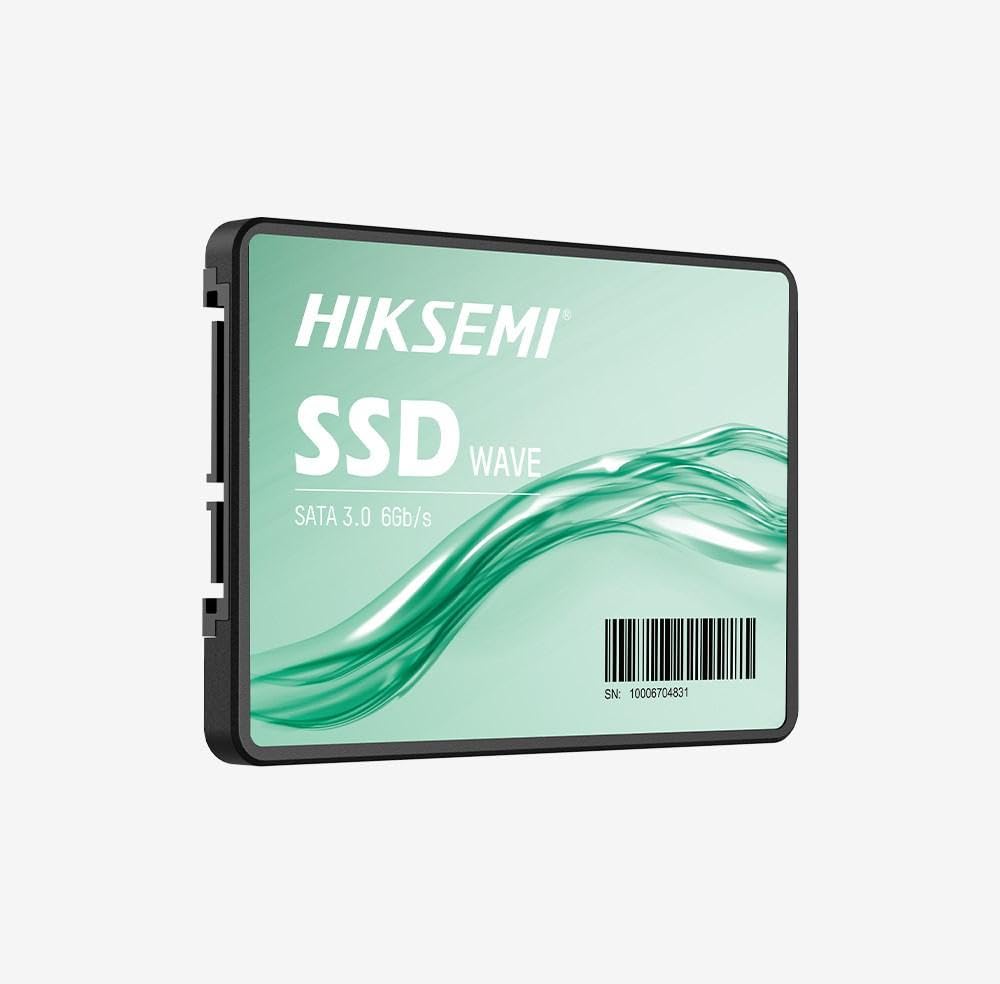
Image: HIKSEMI Hikvision Wave SATA 3.0 512GB Solid State Drive. This image displays the compact 2.5-inch form factor of the SSD, highlighting its sleek design and standard SATA interface connectors.
Informazioni sulla sicurezza
Observe the following safety precautions to prevent damage to the drive or injury to yourself:
- Always handle the SSD by its edges to avoid touching the circuit board or connectors.
- Prima dell'installazione, assicurarsi che il computer sia spento e scollegato.
- Discharge static electricity by touching a grounded metal object before handling the SSD.
- Do not expose the SSD to moisture, extreme temperatures, or strong magnetic fields.
- Non tentare di smontare o modificare l'SSD. Ciò invaliderà la garanzia.
Contenuto della confezione
Verificare che tutti gli articoli siano presenti nel pacco:
- HIKSEMI Hikvision Wave SATA 3.0 512GB Solid State Drive (HS-SSD-WAVE-S-512G)
- Guida rapida (se inclusa)
Note: SATA data and power cables are typically not included and must be purchased separately if not already present in your system.
Configurazione e installazione
1. Physical Installation (Desktop PC)
- Prepara il tuo sistema: Spegnere il computer e scollegare il cavo di alimentazione. Aprire il case del computer.
- Individuare un alloggiamento per unità: Find an available 2.5-inch drive bay. If only 3.5-inch bays are available, you may need a 2.5-inch to 3.5-inch adapter bracket (not included).
- Montare l'SSD: Fissare l'SSD nell'alloggiamento dell'unità utilizzando le viti.
- Collegare i cavi:
- Collegare un'estremità del cavo dati SATA all'SSD e l'altra estremità a una porta SATA disponibile sulla scheda madre.
- Collegare un cavo di alimentazione SATA dall'alimentatore (PSU) all'SSD.
- Chiudi il caso: Reassemble your computer case and reconnect the power cord.
2. Physical Installation (Laptop)
- Prepare your laptop: Power off your laptop, unplug the power adapter, and remove the battery (if removable). Consult your laptop's manual for specific instructions on accessing the drive bay.
- Remove old drive (if applicable): Rimuovere con cautela il disco rigido o l'SSD esistente.
- Installare l'SSD: Insert the HIKSEMI Wave SSD into the drive bay. Secure it with any screws or brackets that held the previous drive.
- Rimontare: Close the drive bay cover, reinsert the battery, and reconnect the power adapter.
3. Initializing and Formatting the SSD (Windows)
- Boot your computer: Accendi il computer.
- Apri Gestione disco: Right-click on the Start button (Windows 10/11) or search for "Disk Management" (Windows 7/8). Select "Disk Management".
- Inizializzare il disco: A "Initialize Disk" window should appear automatically for new drives. Select GPT (tabella delle partizioni GUID) for drives larger than 2TB or for UEFI-based systems, or MBR (Master Boot Record) for older systems or drives 2TB or smaller. Click "OK".
- Crea un nuovo volume semplice: Locate your new SSD (it will likely show as "Unallocated Space"). Right-click on the unallocated space and select "New Simple Volume...".
- Follow the wizard: Follow the on-screen prompts to assign a drive letter, choose a file system (NTFS is recommended for Windows), and perform a quick format.
- Your SSD is now ready for use.
Utilizzo dell'SSD
Once installed and formatted, your HIKSEMI Wave SSD functions like any other storage drive. You can use it for:
- Installazione del sistema operativo: Install your operating system (Windows, macOS, Linux) for faster boot times and overall system responsiveness.
- Archiviazione delle applicazioni: Install frequently used applications and games to benefit from quicker loading times.
- Archiviazione dati: Archivia documenti, foto, video e altro files.
The SSD utilizes the SATA 3.0 interface, providing theoretical transfer speeds up to 6 Gbps. Actual performance may vary based on your system hardware, software, and workload.
Manutenzione
SSDs require less maintenance than traditional hard drives, but a few practices can help ensure optimal performance and longevity:
- Abilita TRIM: Ensure your operating system has TRIM enabled. TRIM helps the SSD manage deleted data blocks efficiently, maintaining performance over time. Modern operating systems (Windows 7+, macOS 10.6.8+, most Linux distributions) typically enable TRIM by default.
- Evitare la deframmentazione: Non deframmentare un SSD. La deframmentazione non è necessaria per gli SSD e può ridurne la durata di vita in modo increasing cicli di scrittura.
- Aggiornamenti del firmware: Periodically check the HIKSEMI official website for firmware updates for your specific SSD model. Firmware updates can improve performance, stability, and compatibility. Follow the manufacturer's instructions carefully when performing updates.
- Mantieni spazio libero: While not strictly necessary, keeping some free space (e.g., 10-15%) on your SSD can help maintain performance, especially for drives with smaller capacities.
- Backup dei dati: Regularly back up important data to another storage device. While SSDs are reliable, no storage device is immune to failure.
Risoluzione dei problemi
If you encounter issues with your HIKSEMI Wave SSD, refer to the following common troubleshooting steps:
- SSD non rilevato:
- Check all SATA data and power cable connections. Ensure they are securely seated.
- Try a different SATA port on your motherboard and a different SATA power connector from your PSU.
- Verify that the SATA controller mode in your system's BIOS/UEFI is set to AHCI (Advanced Host Controller Interface).
- Check Disk Management (Windows) or Disk Utility (macOS) to see if the drive is detected but uninitialized/unformatted.
- Prestazioni lente:
- Ensure TRIM is enabled (as described in the Maintenance section).
- Verify that the SSD is connected to a SATA 3.0 (6 Gbps) port on your motherboard, not an older SATA 2.0 (3 Gbps) port.
- Verifica la presenza di processi in background che consumano risorse di sistema.
- Ensure your system drivers (especially chipset drivers) are up to date.
- Errori/arresti anomali del sistema operativo:
- Eseguire un'utilità di controllo del disco (ad esempio,
chkdskin Windows) to scan for file errori di sistema. - Consider reinstalling the operating system if issues persist after checking hardware connections and drivers.
- Eseguire un'utilità di controllo del disco (ad esempio,
Specifiche
| Caratteristica | Specificazione |
|---|---|
| Numero di modello | HS-SSD-WAVE-S-512G |
| Capacità di archiviazione digitale | 512 GB |
| Interfaccia del disco rigido | Serial ATA (SATA 3.0) |
| Fattore di forma | 2.5 pollici |
| Velocità di lettura (massima) | 560 Megabyte al secondo |
| Velocità di scrittura (massima) | 490 Megabyte al secondo |
| Dispositivi compatibili | Desktop, portatile |
| Caratteristica speciale | Leggero |
| Peso dell'articolo | 0.02 chilogrammi |
| Produttore | Hangzhou Hikvision Digital Technology Co., Ltd. |
Informazioni sulla garanzia
The HIKSEMI Hikvision Wave SATA 3.0 512GB Solid State Drive comes with a Garanzia limitata di 3 anni from the date of purchase. This warranty covers defects in materials and workmanship under normal use. It does not cover damage caused by misuse, accident, modification, unauthorized repair, or improper installation.
Conservare la prova d'acquisto per eventuali richieste di garanzia.
Assistenza clienti
For technical assistance, warranty claims, or further inquiries, please visit the official HIKSEMI support websito o contattare il servizio clienti. Fare riferimento alla confezione del prodotto o al sito ufficiale websito per le informazioni di contatto più aggiornate.
Online resources may include FAQs, driver downloads, and firmware updates.
Informazioni sullo smaltimento
This product contains electronic components and should not be disposed of with household waste. Please follow local regulations for the proper disposal of electronic waste. Recycling helps protect the environment and human health.