
1. Prodotto finitoview
The Montech RX 120 ARGB Reversed Fan 1600PWM is a high-performance 120mm cooling fan designed for computer cases, radiators, and graphic cards. It features a unique reverse fan blade design, allowing for optimal airflow direction while maintaining the aesthetic appeal of its integrated ARGB lighting. This fan combines efficient cooling with silent operation and customizable lighting to enhance your PC build.
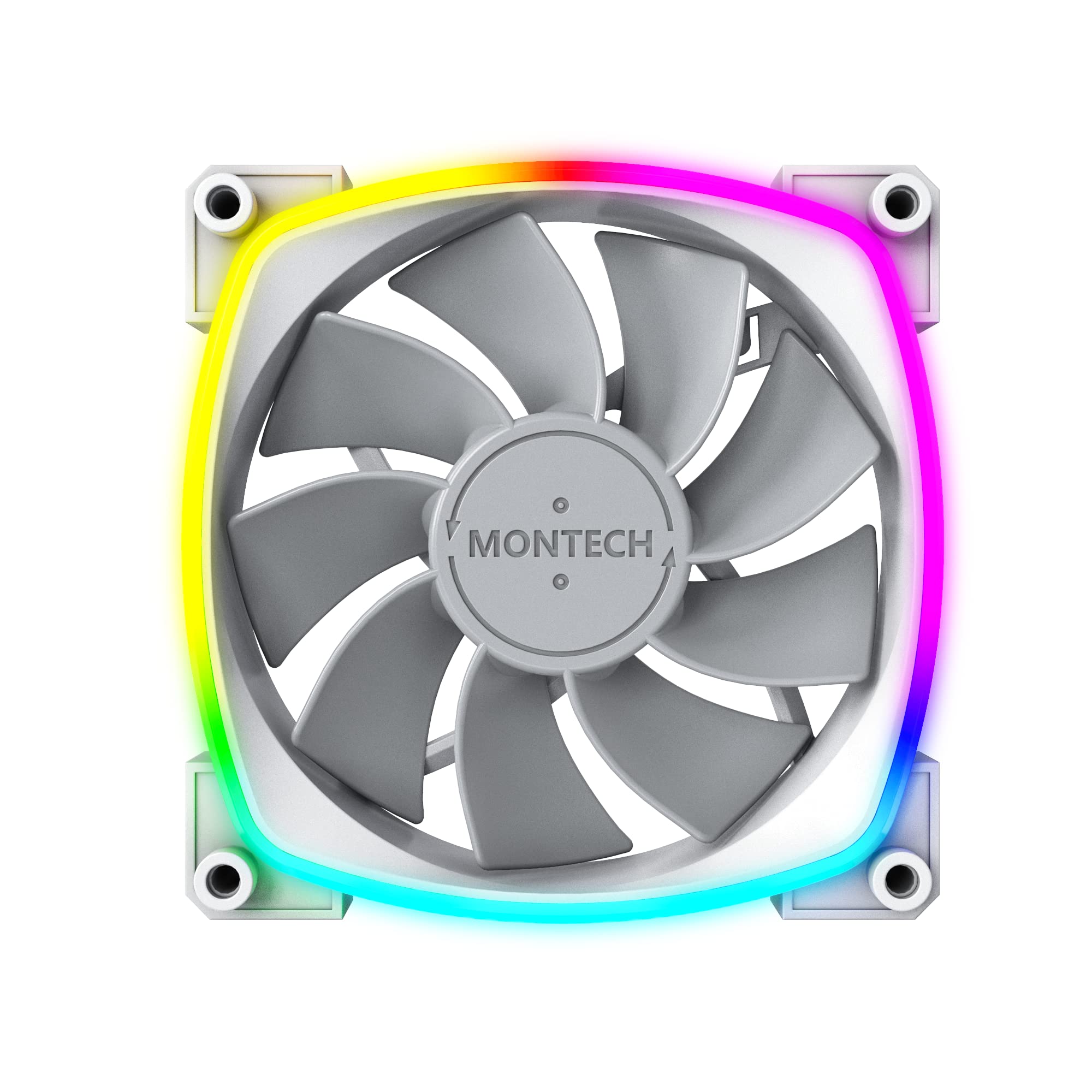
Figure 1: Montech RX 120 ARGB Reversed Fan, front view with illuminated RGB ring.
2. Caratteristiche principali
- 4-Pin PWM Smart Control: Allows for dynamic fan speed adjustment from 800 RPM up to 1600 RPM, based on system temperature, ensuring efficient cooling and reduced noise.
- Advanced ARGB Lighting: Integrates 20 LEDs with a hexagonal RGB ring, offering various lighting modes and supporting 5V3PIN motherboard connectors for software control and full customization.
- Optimized Airflow and Quietness: Features nine specialized wing-shaped blades and a tailored frame designed for maximum quietness, operating under 27 dB(A) even at peak RPM.
- Hydro Dynamic Bearing (HDB): Provides an extended lifespan of 40,000 hours, offering superior durability, longevity, and lower noise compared to traditional hydraulic bearings.
- Cuscinetti antivibranti: Equipped with 8 rounded anti-vibration pads to reduce resonance and noise.
- Reverse Fan Blade Design: Unique design allows the fan to be used as an intake fan while showcasing the ARGB lighting and design from the visible side, preventing obstruction by the fan frame.
3. Guida all'installazione
3.1 Precauzioni di sicurezza
- Prima dell'installazione, assicurarsi che il computer sia spento e scollegato dalla presa a muro.
- Scaricare l'elettricità statica toccando un oggetto metallico collegato a terra prima di maneggiare i componenti.
- Handle the fan by its frame, avoiding contact with the blades.
3.2 Montaggio della ventola
- Identify the desired mounting location within your PC case (e.g., front, top, rear, bottom, or on a radiator).
- Position the Montech RX 120 fan. Due to its reverse blade design, the side with the visible ARGB ring and Montech logo will be the intake side. This allows for clean aesthetics when pulling air into the case.
- Align the fan's screw holes with the mounting points on your case or radiator.
- Secure the fan using the provided screws. Do not overtighten.

Figura 2: Fronte view of the Montech RX 120 ARGB fan, typically facing inwards for intake.

Figura 3: Posteriore view of the Montech RX 120 ARGB fan, typically facing outwards for exhaust.
3.3 Collegamento dei cavi
- Connessione PWM: Connect the fan's 4-pin PWM cable to an available 4-pin fan header on your motherboard. This allows for speed control.
- Connessione ARGB: Connect the fan's 5V3PIN ARGB cable to an available 5V3PIN addressable RGB header on your motherboard. Ensure it is a 5V ARGB header and not a 12V RGB header to prevent damage.
- Disporre i cavi in modo ordinato per evitare interferenze con altri componenti e migliorare il flusso d'aria.
4. Funzionamento
4.1 Controllo della velocità della ventola (PWM)
The Montech RX 120 fan utilizes PWM (Pulse Width Modulation) technology for precise speed control. Once connected to a 4-pin fan header on your motherboard, the fan speed will automatically adjust based on your system's temperature, as monitored by the motherboard. You can typically fine-tune fan curves and set custom speed profiles through your motherboard's BIOS/UEFI settings or dedicated software provided by your motherboard manufacturer.
4.2 Controllo dell'illuminazione ARGB
The fan's ARGB lighting is controlled via the 5V3PIN addressable RGB header on your motherboard. To customize lighting effects, colors, and synchronization with other ARGB components, use the RGB control software provided by your motherboard manufacturer (e.g., ASUS Aura Sync, MSI Mystic Light Sync, GIGABYTE RGB Fusion, ASRock Polychrome Sync). Ensure the software is up-to-date for the best experience.
5. Manutenzione
Regular maintenance helps ensure optimal performance and longevity of your Montech RX 120 fan.
- Pulizia: Pulire periodicamente le pale e il telaio della ventola per rimuovere l'accumulo di polvere. Utilizzare aria compressa o un panno morbido e asciutto. Assicurarsi che la ventola sia spenta e scollegata prima di pulirla.
- Controllo del cavo: Occasionally inspect all cable connections (PWM and ARGB) to ensure they are securely seated and not damaged.
- Fattori ambientali: Operate the fan in a clean, dry environment to prevent dust accumulation and moisture damage.
6. Risoluzione Dei Problemi
6.1 La ventola non gira
- Verify the 4-pin PWM cable is securely connected to the motherboard fan header.
- Check your motherboard's BIOS/UEFI settings to ensure the fan header is enabled and configured correctly (e.g., not set to 0% duty cycle).
- Ensure the PC power supply is functioning correctly.
6.2 No ARGB Lighting
- Confirm the 5V3PIN ARGB cable is correctly connected to a 5V addressable RGB header on your motherboard. Do NOT connect to a 12V RGB header.
- Check your motherboard's ARGB control software to ensure lighting is enabled and configured.
- Ensure the ARGB header on the motherboard is functioning. Test with another ARGB device if possible.
6.3 Rumore eccessivo
- Ensure the fan is securely mounted and screws are tightened appropriately.
- Controllare che non vi siano cavi o ostruzioni che interferiscano con le pale della ventola.
- Se il rumore è un problema, regola le impostazioni della velocità della ventola nel BIOS/UEFI o nel software della scheda madre su un RPM inferiore.
7. Specifiche
| Caratteristica | Specificazione |
|---|---|
| Marca | Montech |
| Modello | RX120PWM |
| Tipo di connettore di alimentazione | 4-Pin PWM |
| Voltage | 12 Volt |
| Cosatage | 2.16 watt |
| Metodo di raffreddamento | Aria forzata |
| Dispositivi compatibili | Desktop, Radiatore, Schede grafiche |
| Livello di rumore | 27 decibel (massimo) |
| Materiale | Copper (Internal components) |
| Massima velocità di rotazione | 1600 giri al minuto |
| Tipo di cuscinetto | HDB (cuscinetto idrodinamico) |
| Durata | 40,000 ore |
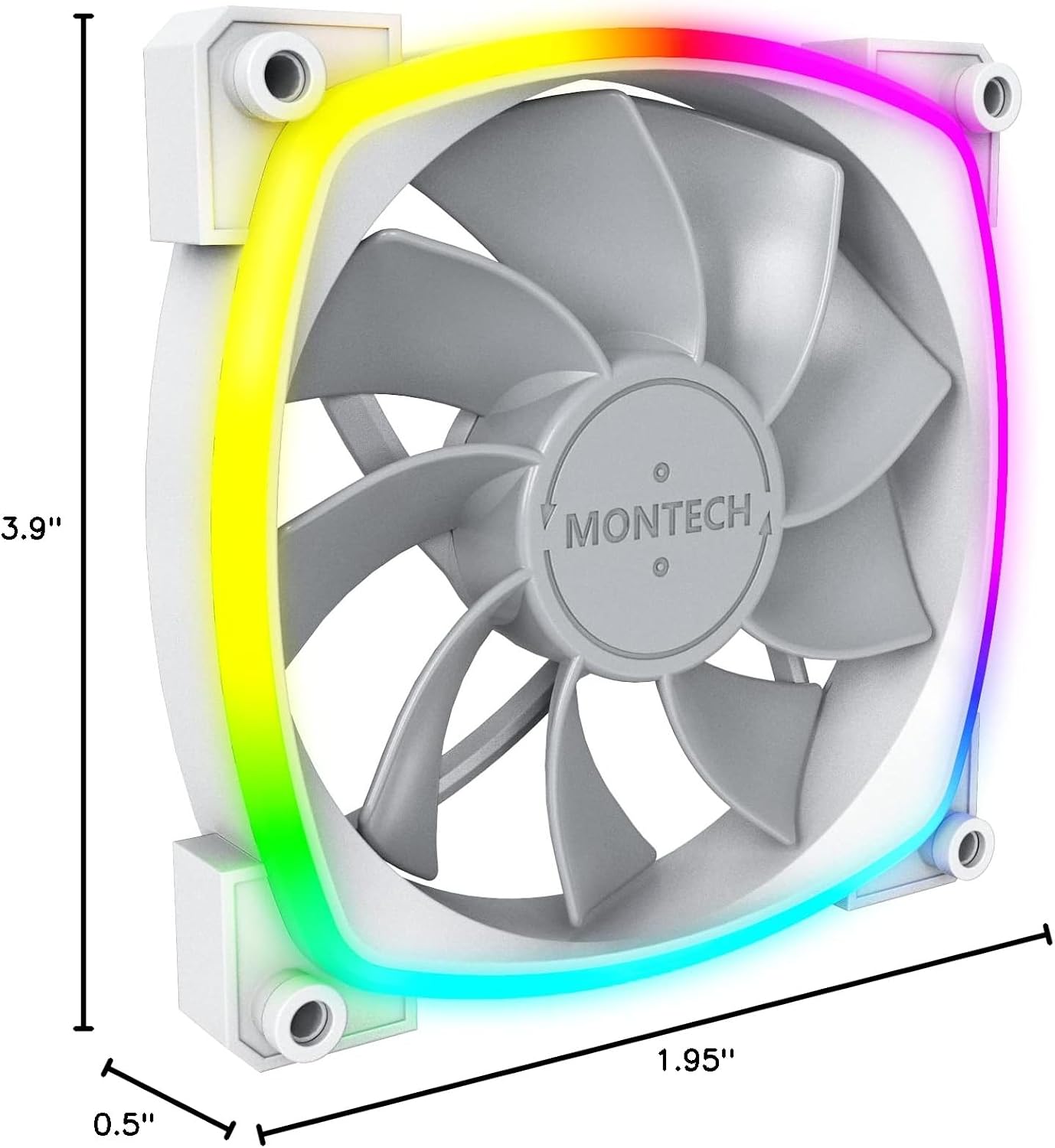
Figure 4: Montech RX 120 ARGB Fan Dimensions.
8. Garanzia e supporto
For warranty information, technical support, or any product-related inquiries, please refer to the official Montech website or contact Montech customer service directly. Keep your proof of purchase for warranty claims.