
1. Introduzione
Thank you for choosing the UpBright 12V AC/DC Adapter. This power supply is designed to provide reliable and stable power to your compatible Crua monitors, including models G220A, CR240CM, CR240DM, and CR240AM. This manual will guide you through the proper setup, operation, maintenance, and troubleshooting of your new adapter.

Image: The UpBright 12V AC/DC Adapter, a compact black power supply unit.
2. Informazioni sulla sicurezza
Si prega di leggere attentamente tutte le istruzioni di sicurezza prima di utilizzare questo prodotto. Il mancato rispetto di queste istruzioni può causare scosse elettriche, incendi o danni al prodotto o ai dispositivi collegati.
- Non esporre l'adattatore a pioggia, umidità o temperature estreme.
- Do not disassemble or modify the adapter. Refer all servicing to qualified personnel.
- Ensure the adapter is connected to a properly grounded power outlet.
- Evitare di posizionare oggetti pesanti sul cavo di alimentazione.
- Scollegare l'adattatore dalla presa di corrente quando non lo si utilizza per lunghi periodi.
- This adapter features built-in safety protections: Originale (oltre il voltage Output Protection), OCP (Over Current Output Protection), and SCP (Short Circuit Output Protection) to ensure safe operation.
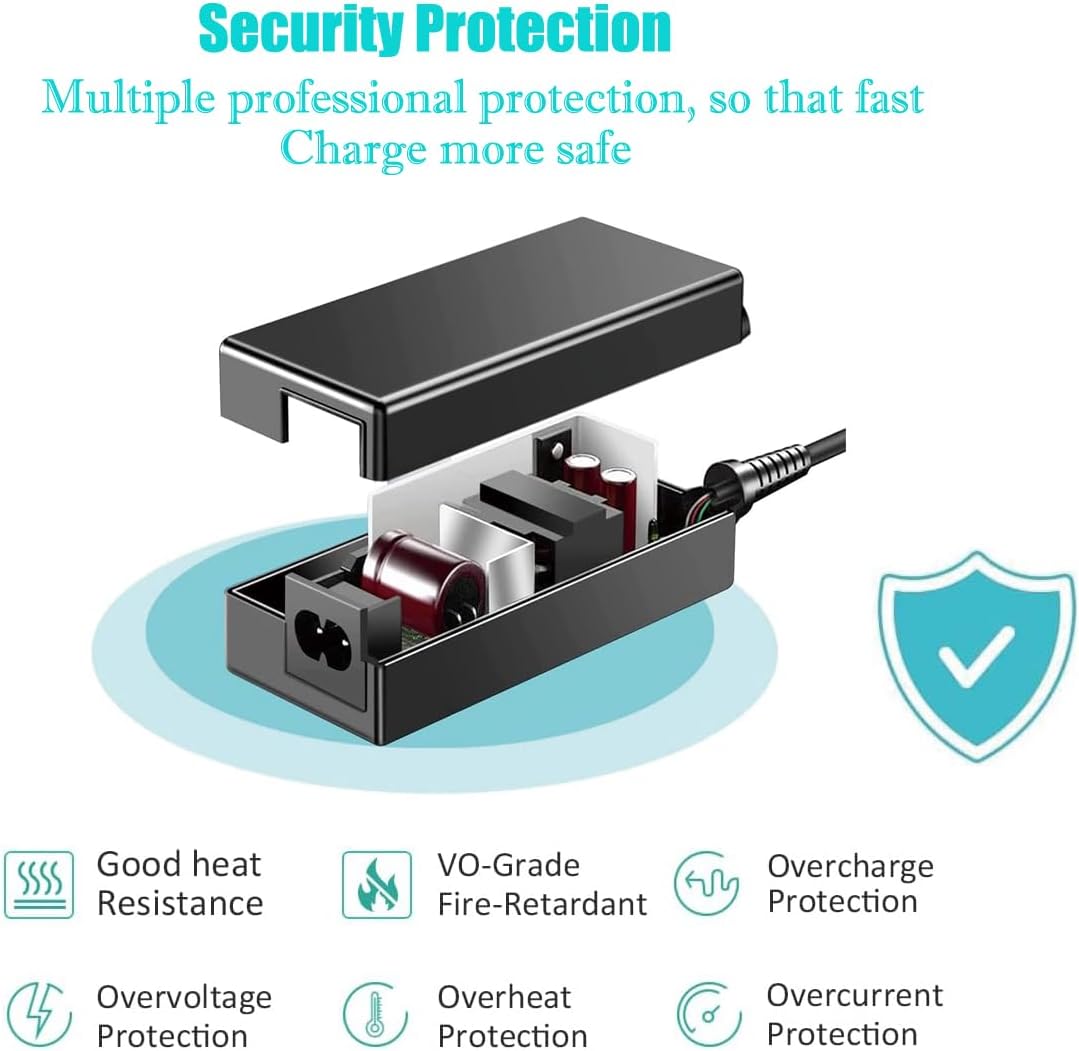
Image: Diagram illustrating the internal components and multiple protection features of the adapter, including overvoltage, overcurrent, overheat, and short circuit protection.
3. Contenuto della confezione
Verifica che tutti gli articoli siano presenti nel tuo pacco:
- 1 x UpBright 12V AC/DC Adapter
- 1 x AC Power Cord (suitable for your region)

Immagine: Examples of different AC power cord types (US, EU, UK, AU) that may be included with the adapter, along with a warranty certificate.
4. Impostazione
Follow these steps to connect your UpBright 12V AC/DC Adapter:
- Ensure your monitor is powered off and unplugged from any existing power source.
- Connect the DC output barrel connector of the UpBright adapter to the power input port on your Crua monitor.
- Connect the AC power cord to the adapter's AC input port.
- Collegare l'altra estremità del cavo di alimentazione CA a una presa a muro standard (100-240 V CA, 50/60 Hz).
- Once connected, you can power on your monitor.

Image: The UpBright 12V AC/DC Adapter shown with its DC output cable and AC input cable connected.
5. Istruzioni per l'uso
The UpBright 12V AC/DC Adapter operates automatically once connected to a power source and your compatible monitor. It provides a stable 12V DC output to power your device. No user intervention is required during normal operation.
6. Manutenzione
Per garantire la longevità e le prestazioni ottimali del tuo adattatore:
- Mantenere l'adattatore pulito e privo di polvere. Utilizzare un panno morbido e asciutto per la pulizia.
- Non utilizzare detergenti liquidi o spray.
- Quando non lo si utilizza, conservare l'adattatore in un luogo fresco e asciutto.
- Avoid bending or crimping the power cords excessively.
7. Risoluzione Dei Problemi
If you encounter issues with your UpBright adapter, refer to the following common solutions:
- Nessuna alimentazione per monitorare:
- Ensure all connections are secure between the adapter, AC cord, and monitor.
- Verificare che la presa a muro funzioni collegandovi un altro dispositivo.
- Check for any visible damage to the adapter or cables.
- Monitor Flickering or Unstable:
- Confirm the adapter specifications match your monitor's power requirements.
- Ensure the adapter is not overheating. Allow for adequate ventilation.
- Surriscaldamento dell'adattatore:
- Unplug the adapter immediately.
- Ensure it is not covered or in an enclosed space.
- Se il surriscaldamento persiste, interrompere l'uso e contattare l'assistenza.
8. Specifiche
| Caratteristica | Specificazione |
|---|---|
| Marca | UPBRIGHT |
| Ingresso volumetage | 100-240VAC (World Wide Input Voltage) |
| Gamma di frequenza | Frequenza 50/60 Hz |
| Volume di uscitatage | 12V CC |
| Tipo di connettore | Barrel Round Connector |
| Dispositivi compatibili | Crua G220A 22", CR240CM, CR240DM, CR240AM Monitors |
| Caratteristiche speciali | OVP, OCP, SCP Protection (Over Voltage, protezione da sovracorrente e cortocircuito) |
| Colore | Nero |
| Materiale | Plastica |
9. Garanzia e supporto
The UpBright 12V AC/DC Adapter comes with a comprehensive warranty:
- Politica di rimborso: Rimborso entro 30 giorni
- Politica di cambio: 24 Months Exchange
For technical support or warranty claims, please contact the manufacturer, UpBright, through your purchase platform or their official websito.