
1. Introduzione
The ATN Odin LT 640x480 2-8x is a compact, lightweight thermal monocular designed for versatile observation in various conditions. Powered by ATN's Obsidian LT core, this device provides advanced thermal imaging capabilities, allowing users to detect heat signatures in complete darkness or challenging environments. Its ergonomic design ensures comfortable handling and ease of use for extended periods.
2. Cosa c'è nella scatola
Carefully unpack your ATN Odin LT thermal monocular and ensure all components are present:
- ATN Odin LT 640x480 2-8x Monoculare termico
- Cavo di ricarica USB-C
- Cinturino da polso
- Custodia morbida
- Guida rapida
3. Prodotto finitoview
Familiarize yourself with the key components and controls of your ATN Odin LT monocular.

Immagine 3.1: Sopraview of the ATN Odin LT thermal monocular, highlighting its compact design, USB-C port, and control buttons. The image also shows a simulated monocular view of a distant scene.
3.1. componenti
- Lente obiettivo: Lente frontale per l'acquisizione di immagini termiche.
- Oculare: Regolabile per un comfort ottimale viewing.
- Pulsanti di controllo: Per accensione, navigazione nei menu e zoom.
- Porta USB-C: Per la ricarica e il trasferimento dei dati.
- Vano batteria: Contiene la fonte di alimentazione.
3.2. Controlli
- Pulsante di accensione: Press and hold to turn the device On/Off. A short press may activate standby mode.
- Pulsante Menu: Accede alle impostazioni e alle opzioni del dispositivo.
- Pulsanti di zoom: Adjusts the magnification level (Step Zoom).
- Anello di messa a fuoco: Located on the objective lens, used for manual focus adjustment.
4. Impostazione
4.1. Installazione e ricarica della batteria
- Locate the battery compartment cover, typically on the side or bottom of the monocular.
- Open the cover and insert the required 123A batteries, ensuring correct polarity (+/-).
- Chiudere saldamente il coperchio del vano batterie.
- For initial use or if the battery is low, connect the USB-C charging cable to the monocular's USB-C port and a power source. The charging indicator will show the charging status.
4.2. Accensione iniziale
- Press and hold the Power Button for approximately 3-5 seconds until the ATN logo appears on the display.
- Consentire l'inizializzazione del dispositivo. L'operazione potrebbe richiedere alcuni secondi.
4.3. Regolazione della messa a fuoco
- Guarda attraverso l'oculare.
- Rotate the focus ring on the objective lens until the image appears sharp and clear.
5. Istruzioni per l'uso
5.1. Accensione/spegnimento e standby
- Accensione: Press and hold the Power Button until the display activates.
- Spegni: Tenere premuto il pulsante di accensione finché il dispositivo non si spegne.
- Modalità standby: A short press of the Power Button will put the device into standby, conserving battery while allowing for quick reactivation.
5.2. Changing Color Palettes (White Hot/Black Hot)
The Odin LT offers different color palettes to suit various observation needs:
- Bianco caldo: Hot objects appear white, and colder objects appear black. This is a common and often preferred mode for general detection.
- Nero caldo: Hot objects appear black, and colder objects appear white. This mode can be useful for reducing eye strain during prolonged observation.
To switch between palettes, navigate through the menu using the Menu Button and select the desired option.
5.3. Operazione Zoom
The monocular features a 2-8x magnification range with a Step Zoom function.
- Use the dedicated Zoom Buttons to increase or decrease the magnification in predefined steps.
- Adjust the zoom level to optimize your field of view and target identification.

Immagine 5.1: A user demonstrating handheld operation of the ATN Odin LT thermal monocular in an outdoor setting.
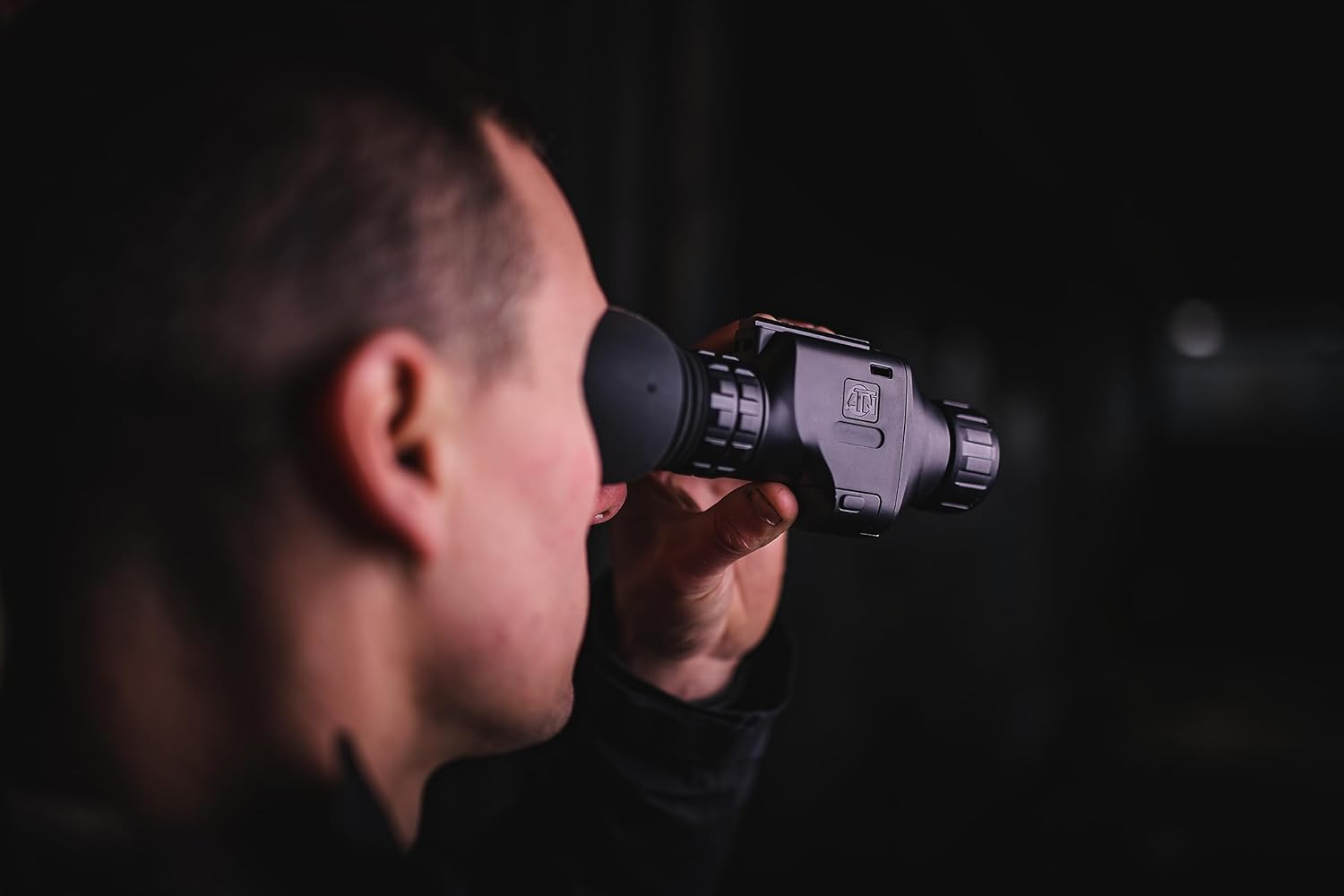
Immagine 5.2: Close-up of a user observing through the ATN Odin LT thermal monocular, highlighting its ergonomic design for eye-level use.
5.4. Opzioni di montaggio
The ATN Odin LT is designed for versatile use:
- Portatile: The compact and lightweight design allows for comfortable handheld observation.
- Helmet Mounted: Compatible with various helmet mounts for hands-free operation.
- Head Mounted: Can be attached to head mounts for extended comfortable observation.
6. Manutenzione
6.1. Pulizia delle lenti
To maintain optimal image quality, keep the objective and eyepiece lenses clean.
- Use a soft, lint-free cloth specifically designed for optics.
- Gently wipe the lens surfaces to remove dust and smudges.
- For stubborn dirt, use a small amount of lens cleaning solution applied to the cloth, not directly to the lens.
- Avoid abrasive materials or harsh chemicals, as these can damage the lens coatings.
6.2. Cura della batteria
- Always use high-quality 123A batteries.
- Rimuovere le batterie se il dispositivo non verrà utilizzato per un periodo prolungato per evitare perdite.
- Recharge optional rechargeable batteries as needed, avoiding complete discharge for optimal battery life.
6.3. Conservazione
Store the monocular in its protective carrying case in a cool, dry place away from direct sunlight and extreme temperatures. Ensure the lenses are covered to prevent dust accumulation.
7. Risoluzione Dei Problemi
Se riscontri problemi con il tuo ATN Odin LT, fai riferimento ai seguenti problemi comuni e alle relative soluzioni:
| Problema | Possibile causa | Soluzione |
|---|---|---|
| Il dispositivo non si accende. | Batterie scariche o scariche; batterie installate in modo errato. | Replace batteries with fresh ones or recharge if using rechargeable batteries. Ensure correct polarity. |
| L'immagine è sfocata o fuori fuoco. | Regolazione della messa a fuoco errata. | Adjust the focus ring on the objective lens until the image is clear. |
| Display shows artifacts or dead pixels. | Manufacturing defect or sensor issue. | Contact ATN customer support for assistance. |
| Durata breve della batteria. | Old or low-quality batteries; frequent use of high brightness/zoom. | Use new, high-quality batteries. Reduce brightness or zoom when not critical. |
If the problem persists after attempting these solutions, please contact ATN customer support.
8. Specifiche
Detailed technical specifications for the ATN Odin LT 640x480 2-8x Thermal Monocular:
| Caratteristica | Descrizione |
|---|---|
| Marca | ATN |
| Nome del modello | ATN ODIN LT 640 2-8x |
| Diametro della lente dell'obiettivo | 25 millimetri |
| Dimensioni del prodotto (P x L x A) | 5.16"P x 2.8"L x 1.81"A |
| Tipo di messa a fuoco | Messa a fuoco manuale |
| cercatore | Riflesso |
| Peso dell'articolo | 1 libbra |
| Dispositivi compatibili | Rifle, Shotgun, Handgun (for mounting purposes) |
| Descrizione della lunghezza focale | 2-8x |
| campo di View | 22.27 gradi |
| Rapporto di zoom | 2x-8x |
| Caratteristiche aggiuntive | Advanced Thermal Imaging with Long-Distance Target Identification and High-Resolution Display, Head/Helmet Mountable |
| Numero di identificazione commerciale globale (GTIN) | 00658175123729 |
| Produttore | ATN Corporation |
| Codice UPC | 658175123729 |
| Numero di modello | TIMNODN625X |
| Media integrati | Monoculare |
9. Garanzia e supporto
9.1. Garanzia del produttore
The ATN Odin LT 640x480 2-8x Thermal Monocular is covered by a Garanzia del produttore di 3 anniLa presente garanzia copre i difetti di materiali e fabbricazione in condizioni di normale utilizzo. Si prega di conservare la prova d'acquisto per eventuali reclami in garanzia.
9.2. Assistenza clienti
For technical assistance, warranty claims, or any questions regarding your ATN Odin LT monocular, please contact ATN customer support through their official websito o le informazioni di contatto fornite sulla confezione del prodotto.