
1. Introduzione e oltreview
This manual provides detailed instructions for the GOLD Pro FN-B08 Wireless Sports Bluetooth Earphones. Designed for maximum comfort and stability, these earphones are ideal for various activities, including sports, work, and daily tasks. Featuring an open-ear, ear-hook design, they allow you to enjoy audio while remaining aware of your surroundings, promoting safety and preventing discomfort often associated with in-ear designs.
2. Contenuto della confezione
Si prega di verificare che tutti gli articoli elencati di seguito siano inclusi nel pacchetto:
- GOLD Pro FN-B08 Wireless Sports Bluetooth Earphones
- Custodia di ricarica
- Cavo di ricarica USB di tipo C.
- Extra Ear Tips (if applicable to the specific design)
- Manuale dell'utente (questo documento)
The GOLD Pro FN-B08 earphones neatly stored within their compact charging case, alongside the product packaging, illustrating the complete set.
3. Caratteristiche del prodotto
- Massimo comfort: Constructed with high-quality materials for extended comfortable wear.
- Design Open-Head: Allows external sounds to be heard, promoting situational awareness and protecting eardrums.
- Stable Ear-Hook Fit: Ergonomic design ensures the earphones remain securely in place during any activity.
- Practicality: Suitable for home, gym, or work, keeping your hands free.
- Advanced Bluetooth v5.3: Fornisce una connessione wireless stabile ed efficiente.
- Batteria a lunga durata: Up to 120 hours standby time, 6 hours talk time, and 5 hours music playback.
- Ricarica rapida: Si ricarica completamente in circa 1.5 ore.
- Durable Charging Case: Rubberized case with zipper closure and a digital battery level display.
- Resistente all'acqua e al sudore: Designed to withstand sweat and light splashes, ideal for sports.

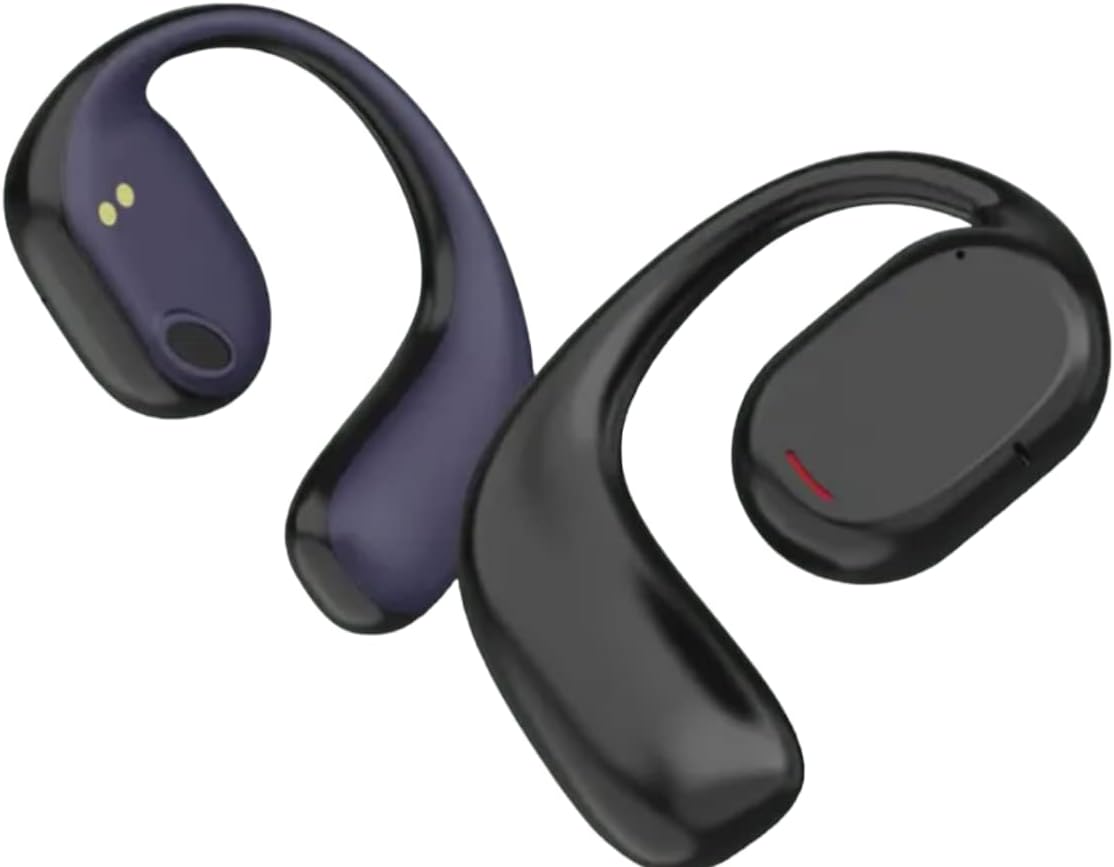
Un dettagliato view of the GOLD Pro FN-B08 earphones, showcasing the flexible ear-hook and the main earpiece with its charging contacts.
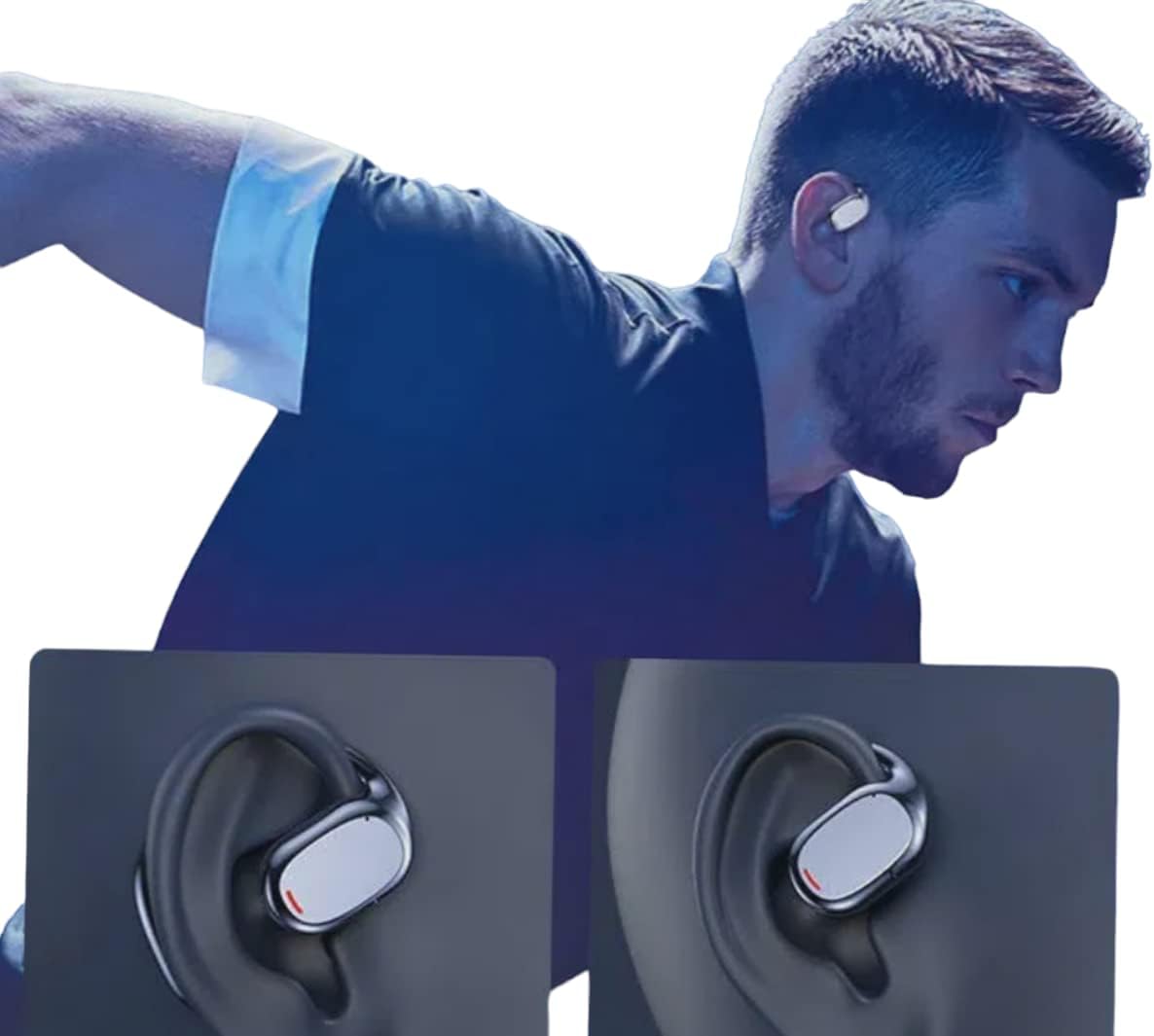
An individual wearing the GOLD Pro FN-B08 earphones, demonstrating their secure and comfortable fit during physical activity.
4. Impostazione
4.1 Carica iniziale
Before first use, fully charge the earphones and their charging case. Connect the provided USB Type-C cable to the charging port on the case and a compatible USB power source. The digital display on the case will indicate the battery level during charging.
4.2 Associazione Bluetooth
- Rimuovi entrambi gli auricolari dalla custodia di ricarica. Si accenderanno automaticamente ed entreranno in modalità di associazione.
- Sul tuo smartphone, tablet o altro dispositivo abilitato Bluetooth, vai alle impostazioni Bluetooth.
- Cercare dispositivi disponibili e seleziona 'FN-B08' dall'elenco.
- Once connected, you will hear an audible confirmation, and the earphones are ready for use.
5. Istruzioni per l'uso
5.1 Accensione/spegnimento
- Accensione: Gli auricolari si accendono automaticamente quando vengono rimossi dalla custodia di ricarica.
- Spegni: Place the earphones back into the charging case to automatically power them off and begin charging.
5.2 Riproduzione di musica
- Riproduci/Pausa: Tap once on either the left or right earphone.
- Traccia successiva: Tocca due volte l'auricolare destro.
- Traccia precedente: Tocca due volte l'auricolare sinistro.
5.3 Gestione delle chiamate
- Rispondi/Termina chiamata: Tap once on either the left or right earphone.
- Rifiuta chiamata: Tenere premuto uno degli auricolari per 2 secondi.
6. Manutenzione
- Pulizia: Use a soft, dry cloth to clean the earphones and charging case. Avoid using liquids, solvents, or abrasive cleaners.
- Magazzinaggio: Always store the earphones in their charging case when not in use to protect them from damage and keep them charged.
- Resistenza all'acqua: The earphones are designed to be resistant to sweat and light splashes (e.g., light rain). They are not waterproof and should not be submerged in water or exposed to heavy rain or direct water jets. Ensure the charging port is dry before charging.
- Temperatura: Evitare di esporre gli auricolari a temperature estreme (calde o fredde) o a elevata umidità.
7. Risoluzione Dei Problemi
- Gli auricolari non si associano:
- Assicurarsi che entrambi gli auricolari siano completamente carichi.
- Place earphones back in the case, then remove them again to re-enter pairing mode.
- Disattiva e riattiva il Bluetooth sul tuo dispositivo.
- Prova ad associarlo a un dispositivo diverso per escludere problemi specifici del dispositivo.
- Nessun suono:
- Controlla il livello del volume sia sul dispositivo connesso sia sugli auricolari.
- Assicurati che gli auricolari siano correttamente collegati al tuo dispositivo tramite Bluetooth.
- Breve durata della batteria:
- Ensure earphones are fully charged before each use.
- Battery life can vary based on volume levels and usage patterns. High volume typically consumes more power.
- Gli auricolari non si caricano:
- Assicurarsi che il cavo di ricarica sia collegato saldamente sia alla custodia sia alla fonte di alimentazione.
- Controllare che i contatti di ricarica sugli auricolari e all'interno della custodia siano puliti e privi di detriti.
- Prova a utilizzare un cavo USB Type-C o un adattatore di alimentazione diverso.
8. Specifiche
| Modello | FN-B08 |
| Marca | ORO |
| Tecnologia di connettività | Bluetooth v5.3 |
| Distanza di trasmissione wireless | Fino a 5 metri |
| Tempo di ricarica | Circa 1.5 ore |
| Tempo di riproduzione della musica | Fino a 5 ore |
| Tempo di conversazione | Fino a 6 ore |
| Tempo di standby | Fino a 120 ore |
| Impedenza | 32 ohm |
| Unità di guida | 9mm |
| Risposta in frequenza | Frequenza |
| Sensibilità | -81 dB ± 3dB |
| Peso del prodotto | 200 grammi |
| Dimensioni del prodotto | Dimensioni: 20 x 15 x 10 cm |
| Stile | Sporty, Open-Ear Ear-Hook |
| Metodo di controllo | Telecomando (comandi touch) |
9. Garanzia e supporto
9.1 Informazioni sulla garanzia
This product comes with a standard manufacturer's warranty. Please refer to your purchase documentation or contact your retailer for specific warranty terms and conditions, including duration and coverage details.
9.2 Assistenza clienti
For technical assistance, troubleshooting, or any other customer service inquiries, please contact your retailer or the manufacturer directly. Have your product model number (FN-B08) and proof of purchase ready when contacting support.