
1. Introduzione
Grazie per l'acquistoasing the Akozon Portable DV Camcorder. This manual provides essential information for the safe and effective operation of your device. Please read it thoroughly before use and retain it for future reference.
This camcorder is designed for capturing video and still images, featuring a 1080P video resolution, 16MP photo capability, a 2.7-inch rotating TFT screen, and 16x digital zoom. It is suitable for various recording scenarios, including family events, travel, and personal vlogging.
2. Prodotto finitoview
2.1 Caratteristiche principali
- Risoluzione video: 1080P (1920x1080), HD (1280x720), 640x480
- Risoluzione dell'immagine: 16MP (4608x3456), 12MP, 5MP, 1MP, VGA
- Display: 2.7-inch TFT rotating screen
- Ingrandisci: Zoom digitale 16x
- Magazzinaggio: Supporta fino a 32 GB di scheda Micro SD (non inclusa)
- Connettività: USB port for PC connection and charging
- Caratteristiche speciali: Selfie fill light, self-timer (2s/10s), built-in speakers, HD output, recording while charging
2.2 Contenuto della confezione
- Akozon Portable DV Camcorder
- Batteria al litio (1020 mAh)
- Cavo USB
- Cinturino da polso
- Manuale dell'utente (questo documento)
2.3 Componenti della videocamera

Figure 2.3.1: Akozon Portable DV Camcorder with included battery and USB cable. This image shows the camcorder, a rechargeable battery, and a USB charging cable, providing a complete view del prodotto e dei suoi accessori essenziali.
- Obiettivo video: Main lens for capturing images and videos.
- 2.7-inch TFT Rotating Screen: Per viewing, playback, and menu navigation. Can be rotated for selfie mode.
- Selfie Fill Light: Provides additional illumination for close-up shots and selfies.
- Pulsante di accensione: Per accendere o spegnere la videocamera.
- Pulsante di registrazione/otturatore: To start/stop video recording or take a photo.
- Controlli dello zoom: For digital zoom in/out.
- Pulsante Menu: To access settings and options.
- Pulsanti di navigazione: For moving through menus and selections.
- Porta USB: Per la ricarica e il collegamento al computer.
- Vano batteria: Contiene la batteria al litio ricaricabile.
- Slot per scheda microSD: Per inserire la scheda di memoria.

Figura 2.3.2: primo piano view of the Akozon DV Camcorder's video lens. This image highlights the camcorder's lens, showing details like "VIDEO LENS" and "Aperture 5.0".
3. Impostazione
3.1 Installazione della batteria
- Locate the battery compartment cover on the camcorder.
- Far scorrere il coperchio per aprirlo.
- Insert the provided 1020mAh lithium battery, ensuring the correct polarity (+/-) as indicated inside the compartment.
- Chiudere saldamente il coperchio del vano batterie.
3.2 Installazione della scheda di memoria
The camcorder requires a Micro SD card (up to 32GB, not included) to store videos and photos.
- Locate the Micro SD card slot, usually near the battery compartment or on the side.
- Insert the Micro SD card with the gold contacts facing down (or as indicated by a diagram near the slot) until it clicks into place.
- To remove, gently push the card in until it clicks again, then release, and it will spring out.
Nota: Ensure the camcorder is powered off before inserting or removing the memory card.
3.3 Carica iniziale
Before first use, fully charge the camcorder battery.
- Connect the small end of the USB cable to the camcorder's USB port.
- Collegare l'estremità più grande del cavo USB a un adattatore di alimentazione USB (non incluso) o alla porta USB di un computer.
- La spia di carica si illuminerà. Si spegnerà o cambierà colore quando la carica sarà completa.
Nota: La videocamera supporta la registrazione durante la ricarica.
4. Istruzioni per l'uso
4.1 Accensione/spegnimento
- Per accendere: Tenere premuto il pulsante di accensione finché lo schermo non si illumina.
- Per spegnere: Tieni premuto il pulsante di accensione finché lo schermo non si spegne.
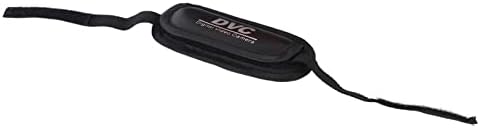
Figure 4.1.1: Akozon DV Camcorder screen displaying the 'Digital Camcorder' startup message. This image shows the camcorder's screen powered on, displaying the initial "Digital Camcorder" text.
4.2 Registrazione video
- Ensure the camcorder is in video recording mode (check the icon on the screen). If not, use the Mode button (if available) or menu to switch.
- Frame your subject using the rotating TFT screen.
- Press the Record/Shutter button once to start recording. A red indicator or recording timer will appear on the screen.
- Press the Record/Shutter button again to stop recording. The video file verrà salvato sulla scheda Micro SD.
4.3 Scattare foto
- Ensure the camcorder is in photo capture mode.
- Inquadra il soggetto.
- Press the Record/Shutter button once to take a photo. The image will be saved to the Micro SD card.
4.4 Selfie Mode and Fill Light
The rotating screen allows for easy selfie capture. The front-facing fill light can be used for additional illumination.
- Rotate the TFT screen 180 degrees towards yourself.
- To activate the fill light, navigate to the menu settings or use a dedicated button (if available).
- Utilize the self-timer function (2 seconds or 10 seconds) for hands-free photo or video capture. Access this setting via the menu.

Figure 4.4.1: Akozon Portable DV Camcorder with rotating screen displaying a selfie. This image shows the camcorder's screen rotated, capturing a group selfie, demonstrating its selfie capability.
4.5 Riproduzione
- Enter Playback mode via the Mode button or menu.
- Use the navigation buttons to browse through your recorded videos and photos.
- Press the Record/Shutter button (or a dedicated Play button) to view un selezionato file.
4.6 Connecting to a Computer (PC Mode)
You can connect the camcorder to a computer to transfer fileoppure utilizzarlo come webcam per PC.
- Assicuratevi che la videocamera sia accesa.
- Collegare la videocamera al computer utilizzando il cavo USB in dotazione.
- The camcorder screen may display options like "Mass Storage" (for file transfer) or "PC Camera". Select the desired mode using the navigation buttons and confirm.
- If "Mass Storage" is selected, the camcorder will appear as a removable drive on your computer, allowing you to copy files.
- If "PC Camera" is selected, the camcorder can be used as a webcam with compatible software.
5. Manutenzione
- Pulizia: Utilizzare un panno morbido e asciutto per pulire il corpo della videocamera. Per l'obiettivo, utilizzare un panno e una soluzione specifici per la pulizia delle lenti. Evitare prodotti chimici aggressivi.
- Magazzinaggio: Conservare la videocamera in un luogo fresco e asciutto, lontano dalla luce solare diretta e da temperature estreme. Rimuovere la batteria se si prevede di non utilizzarla per periodi prolungati.
- Cura della batteria: Do not expose the battery to high temperatures or disassemble it. Recharge the battery regularly, even if not in use, to maintain its lifespan.
- Scheda di memoria: Periodically back up your files from the Micro SD card to a computer or other storage device.
6. Risoluzione Dei Problemi
| Problema | Possibile causa | Soluzione |
|---|---|---|
| La videocamera non si accende. | La batteria è scarica o non è installata correttamente. | Caricare completamente la batteria. Assicurarsi che la batteria sia inserita con la polarità corretta. |
| Impossibile registrare video/scattare foto. | Nessuna scheda Micro SD inserita, scheda piena o errore della scheda. | Inserisci una scheda Micro SD. Elimina le informazioni non necessarie fileoppure sostituire la scheda. Formattare la scheda (questa operazione cancellerà tutti i dati). |
| Computer does not recognize camcorder via USB. | Incorrect USB mode selected, faulty cable, or driver issue. | Ensure "Mass Storage" or "PC Camera" mode is selected on the camcorder. Try a different USB port or cable. Restart both camcorder and computer. |
| Scarsa qualità delle immagini/video. | Illuminazione insufficiente, obiettivo sporco o impostazioni errate. | Assicurare un'illuminazione adeguata. Pulire l'obiettivo. Controllare le impostazioni di risoluzione nel menu. |
7. Specifiche
| Caratteristica | Specificazione |
|---|---|
| Numero di modello | Akozon3v6tcg2u7b-12 |
| Marca | Akozon |
| Tecnologia del sensore di immagine | CMOS |
| Risoluzione di registrazione video | 1080p (FHD), HD, 640x480 |
| Effective Capture Resolution | 16 Megapixel |
| Tipo di memoria flash | Micro SD (supporta fino a 32 GB) |
| Formato di acquisizione video | AVI |
| Formato immagine | Formato JPEG |
| Dimensioni dello schermo | 2.7 Inches (TFT rotating screen) |
| Digital Zoom | 16x |
| Tecnologia di connettività | USB |
| Caratteristiche speciali | Selfie fill light, Rotating screen |
| Batteria | Batteria al litio da 1020 mAh (inclusa) |
| Autoscatto | 2 secondi, 10 secondi |
| USCITA TV | NTSC 30fps, PAL 25fps |
| Dimensioni del prodotto | 12.5 x 10.5 x 7.2 cm; 210 grammi |
| Paese di origine | Cina |
8. Garanzia e supporto
For warranty information and technical support, please refer to the documentation provided at the time of purchase or contact your retailer. You may also visit the official Akozon websito per ulteriore assistenza.
Si prega di conservare la prova d'acquisto per eventuali reclami in garanzia.