
EK Nucleus - CR240 (240mm), 3831109851678
Manuale utente del dissipatore di calore a liquido per CPU EK Nucleus AIO
Model: Nucleus - CR240 (240mm)
1. Introduzione
This manual provides comprehensive instructions for the installation, operation, and maintenance of your EK Nucleus AIO All-in-One Liquid CPU Cooler. Designed for efficient thermal management, this cooler ensures optimal performance for your Intel or AMD CPU. Please read this manual thoroughly before installation to ensure proper setup and safe operation.
2. Informazioni sulla sicurezza
Always observe the following safety precautions to prevent injury or damage to your system components:
- Prima di iniziare l'installazione, assicurarsi che il computer sia spento e scollegato dalla presa a muro.
- Maneggiare tutti i componenti con cura per evitare danni fisici.
- Do not open the liquid cooling loop; it is a sealed system.
- Avoid contact with the pre-applied thermal paste or any liquid. If contact occurs, wash thoroughly with water.
- Tenere fuori dalla portata dei bambini.
3. Contenuto della confezione
Verify that all components are present in your EK Nucleus AIO package:
- EK Nucleus AIO Liquid CPU Cooler (Radiator, Pump/Coldplate, Tubing)
- 2x EK FPT 120mm Fans
- Mounting Hardware for Intel Sockets (LGA 115x, 1200, 1700, 2011, 2066)
- Hardware di montaggio per socket AMD (AM4, AM5)
- Viti di montaggio per ventola e radiatore
- Pasta termica (pre-applicata o in tubetto)
- Manuale dell'utente (questo documento)
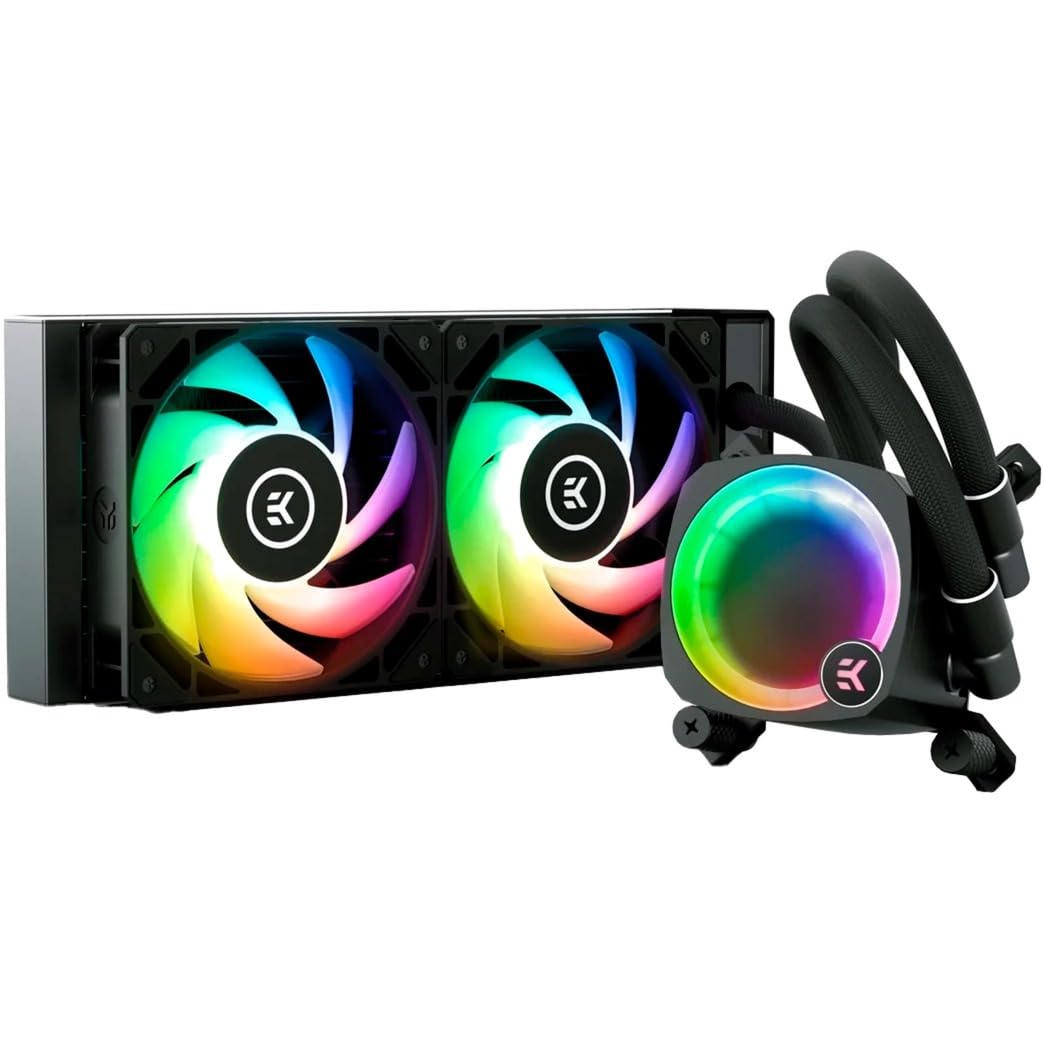
Figure 3.1: Complete EK Nucleus AIO Liquid CPU Cooler assembly.
4. Guida all'installazione
4.1. Preparazione
- Ensure your motherboard is compatible with the cooler's mounting system (Intel LGA 115x/1200/1700/2011/2066 or AMD AM4/AM5).
- Clean the CPU surface thoroughly if thermal paste is not pre-applied or if replacing an existing cooler.
- Identify the optimal mounting location for the radiator in your PC case (front, top, or rear).
4.2. Mounting the Coldplate
Select the appropriate mounting brackets for your CPU socket (Intel or AMD) and attach them to the pump unit according to the included hardware guide. Carefully align the coldplate with your CPU, ensuring the pre-applied thermal paste makes full contact, and secure it with the provided thumb nuts or screws.

Figure 4.2.1: Coldplate installation on a motherboard.
The pump top features a rotatable design, allowing you to re-orient the EK badge for optimal aesthetic alignment regardless of the cooler's installation angle.
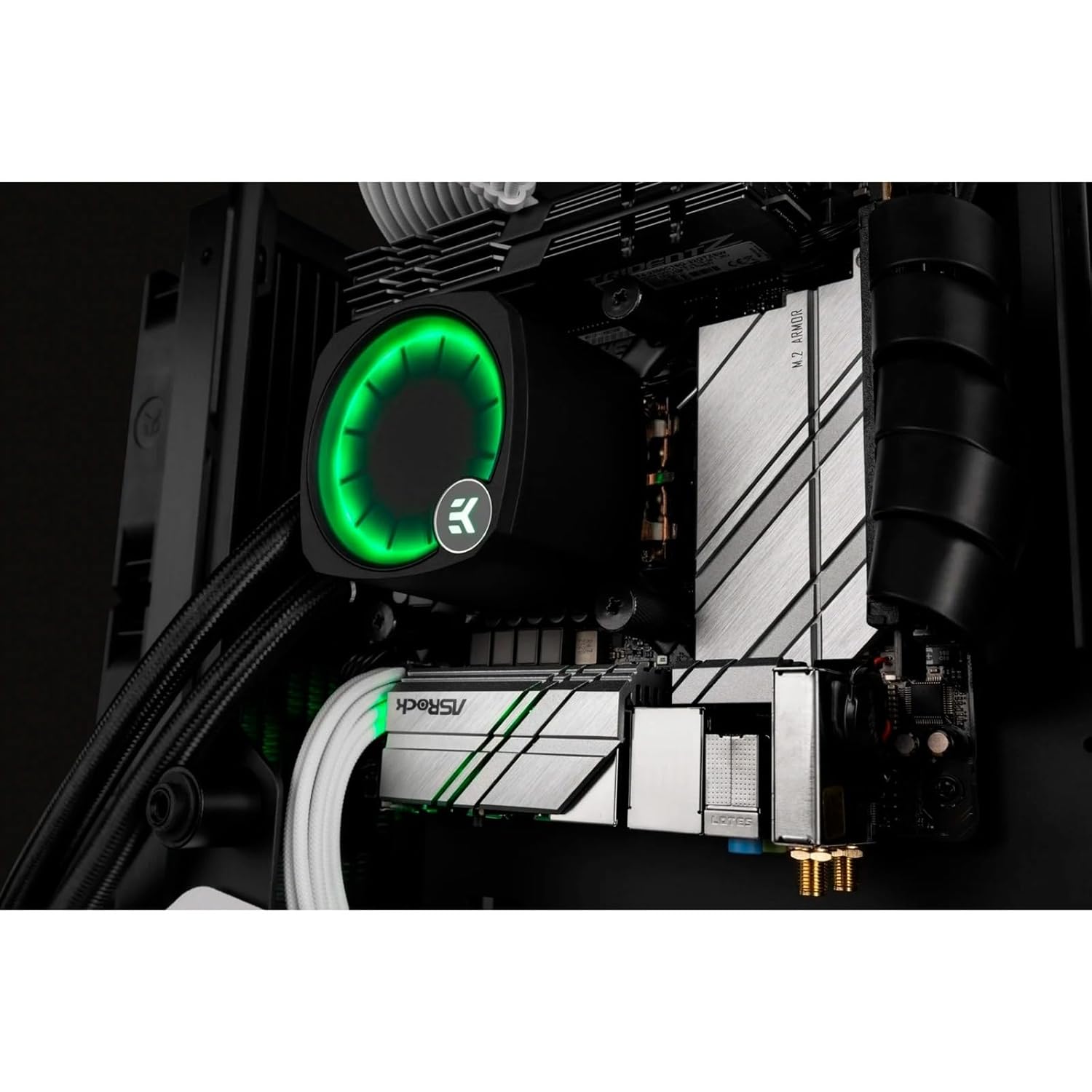
Figure 4.2.2: Rotatable pump top for aesthetic alignment.
4.3. Installazione del radiatore e della ventola
Attach the two EK FPT fans to the radiator using the longer fan screws. Ensure the fan airflow direction is appropriate for your case's cooling configuration (intake or exhaust). Mount the radiator assembly to your chosen location in the PC case using the shorter radiator screws.

Figure 4.3.1: Radiator and fan assembly.
4.4. Gestione dei cavi
Connect the pump's 4-pin PWM cable to the CPU_FAN or AIO_PUMP header on your motherboard. Connect the fan cables to available fan headers, or daisy-chain them if supported by your motherboard. Connect the RGB cables to a compatible 3-pin 5V addressable RGB header on your motherboard (e.g., ASUS Aura Sync, GIGABYTE RGB Fusion, MSI Mystic Light Sync, ASRock Polychrome Sync).
5. Istruzioni per l'uso
5.1. Prima accensione
After completing installation, power on your system. Monitor CPU temperatures and fan/pump speeds through your motherboard's BIOS or monitoring software. The pump and fans will automatically adjust based on CPU load and temperature, controlled by your motherboard's PWM settings.
5.2. Fan and Pump Control
The EK Nucleus AIO utilizes PWM (Pulse Width Modulation) for precise control of fan and pump speeds. You can configure fan curves and pump speeds via your motherboard's BIOS settings or dedicated software utilities provided by your motherboard manufacturer. Adjusting these settings can optimize for either quiet operation or maximum cooling performance.
5.3. Illuminazione RGB
The integrated RGB lighting on the pump and fans can be customized using your motherboard's RGB synchronization software. Connect the RGB cables to the appropriate 3-pin 5V addressable RGB header on your motherboard and use software such as ASUS Aura Sync, GIGABYTE RGB Fusion, MSI Mystic Light Sync, or ASRock Polychrome Sync to control lighting effects and colors.
6. Manutenzione
Regular maintenance ensures the longevity and optimal performance of your EK Nucleus AIO cooler:
- Pulizia della polvere: Pulire periodicamente le alette del radiatore e le pale della ventola dalla polvere utilizzando aria compressa o una spazzola morbida. Assicurarsi che le ventole non siano in funzione durante la pulizia.
- Ispezione del tubo: Visually inspect the tubing for any signs of kinks, wear, or leaks. While the system is sealed, regular checks are recommended.
- Pasta termica: The pre-applied thermal paste is designed for long-term use. If you ever remove the coldplate, clean off old thermal paste and apply new high-quality thermal paste before reinstallation.
7. Risoluzione Dei Problemi
If you encounter issues with your EK Nucleus AIO, refer to the following common problems and solutions:
| Problema | Possibile causa | Soluzione |
|---|---|---|
| Temperature elevate della CPU | Improper coldplate mounting, insufficient thermal paste, low fan/pump speed, dust buildup. | Re-seat coldplate, check thermal paste application, ensure fan/pump speeds are adequate in BIOS, clean radiator fins. |
| Unusual Noise (Pump/Fans) | Air bubbles in pump, fan imbalance, high fan/pump speed. | Gently tilt case to dislodge air bubbles, check fan mounting, reduce fan/pump speed if temperatures allow. |
| Illuminazione RGB non funzionante | Incorrect cable connection, incompatible motherboard header, software issue. | Verify RGB cable connection to a 3-pin 5V addressable RGB header, ensure motherboard software is installed and updated. |
| Cooler Not Powering On | Pump power cable disconnected, faulty motherboard header. | Ensure pump's 4-pin PWM cable is securely connected to the CPU_FAN or AIO_PUMP header. |
8. Specifiche
Key technical specifications for the EK Nucleus AIO CR240 Liquid CPU Cooler:
| Caratteristica | Specificazione |
|---|---|
| Numero di modello | 3831109851678 |
| Dimensioni del radiatore | 240mm |
| Dimensioni del prodotto (L x P x A) | 19.69" x 19.69" x 11.02" |
| Peso | 2.2 libbre |
| Metodo di raffreddamento | Acqua |
| Dispositivi compatibili | CPU desktop |
| Prese compatibili | Intel: LGA 115x, 1200, 1700, 2011, 2066 Processore: AM4, AM5 |
| Dimensioni della ventola | 120mm |
| Velocità massima di rotazione della ventola | 2200 giri al minuto |
| Noise Level (Fans) | 21 dB (at specified conditions) |
| Tipo di connettore di alimentazione | 4-Pin PWM |
| Voltage | 12 Volt |
| Cosatage | 25 watt |
| Materiale | Rubber (tubing) |
9. Garanzia e supporto
EK products are manufactured to the highest standards and come with a limited warranty. For detailed warranty information, terms, and conditions, please refer to the official EK website or contact EK customer support directly. If you require technical assistance or have questions not covered in this manual, please reach out to EK support for expert guidance.
Ask a question about this manual
Ask about setup, troubleshooting, compatibility, parts, safety, or missing instructions. Manuals+ will review the question and use this page’s manual context to help answer it.