
Bolyguard BG310m(4)
Manuale utente della telecamera da pista Bolyguard BG310m(4) 4G (18 MP, 720P HD)
Model: BG310m(4)
Introduzione
This manual provides detailed instructions for the setup, operation, and maintenance of your Bolyguard BG310m(4) 4G Trail Camera. Designed for outdoor use, this camera captures high-quality images and videos, featuring 4G communication capabilities for remote monitoring. Please read this manual thoroughly before using the camera to ensure optimal performance and longevity.
Contenuto della confezione
Si prega di controllare il contenuto della confezione per assicurarsi che siano presenti tutti gli articoli:
- Bolyguard BG310m(4) 4G Trail Camera
- Antenna
- Cinghia di montaggio
- Cavo USB
- Manuale d'uso
- (Note: 18650 batteries and SIM card are not included and must be purchased separately.)
Prodotto finitoview
Familiarizzare con i componenti e i comandi della fotocamera.
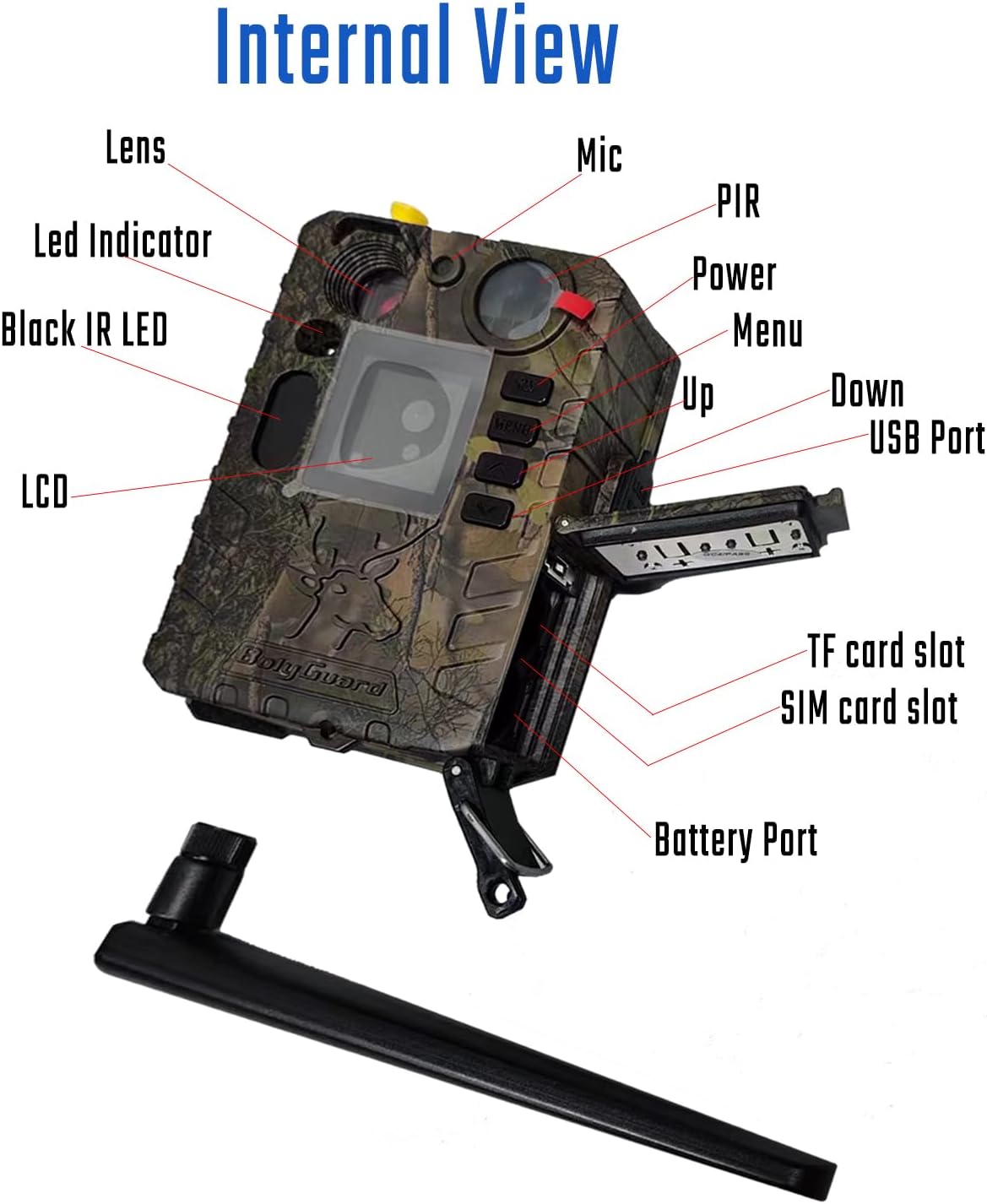
Figura 1: Interno View of Bolyguard BG310m(4) Trail Camera
This image displays the internal components of the Bolyguard BG310m(4) trail camera, including the lens, LED indicator, black IR LEDs, LCD screen, microphone, PIR sensor, power button, menu button, up/down navigation buttons, USB port, TF card slot, SIM card slot, and battery compartment.
- Lente: Cattura immagini e video.
- Indicatore LED: Fornisce feedback sullo stato.
- Black IR LED: Invisible infrared illumination for night vision.
- Schermo LCD: Visualizza menu, impostazioni e riproduzione.
- Mic: Records audio with video.
- Sensore PIR: Sensore a infrarossi passivi per il rilevamento del movimento.
- Control Buttons (Power, Menu, Up, Down): Per navigare tra le impostazioni della fotocamera.
- Porta USB: For connecting to a computer or external power source (e.g., solar panel).
- Slot per schede TF: For inserting a MicroSD (TF) card for storage.
- Slot per scheda SIM: For inserting a 4G/3G/5G compatible SIM card for communication.
- Porta batteria: Compartment for 2x18650 lithium batteries.
Impostare
1. Installazione della batteria
The BG310m(4) requires two 18650 lithium batteries (67-69mm length) for operation. These batteries are rechargeable and recyclable, offering extended usage. Ensure correct polarity when inserting.
- Aprire il fermo del vano batteria.
- Insert two 18650 batteries according to the polarity indicators (+/-).
- Chiudere bene il vano batteria per mantenere la tenuta stagna IP66.
2. Installazione della scheda SIM
For 4G communication features, a compatible SIM card is required.
- Locate the SIM card slot inside the camera.
- Insert the SIM card into the slot until it clicks into place.
- Ensure the SIM card is active and has a data plan compatible with 4G/3G/5G networks.
3. Installazione della carta di TF
A MicroSD (TF) card is necessary for storing photos and videos.

Figure 2: Bolyguard BG310m(4) Trail Camera with MicroSD Card
This image shows the Bolyguard BG310m(4) trail camera, highlighting the inclusion of a Lexar 32GB MicroSD card, which is used for storing captured images and videos.
- Individuare lo slot per la scheda TF.
- Insert the TF card with the gold contacts facing the correct direction until it clicks.
- It is recommended to format the TF card using the camera's menu before first use.
4. Montaggio della fotocamera
The camera is designed for outdoor use with an IP66 waterproof rating, allowing it to withstand various weather conditions.
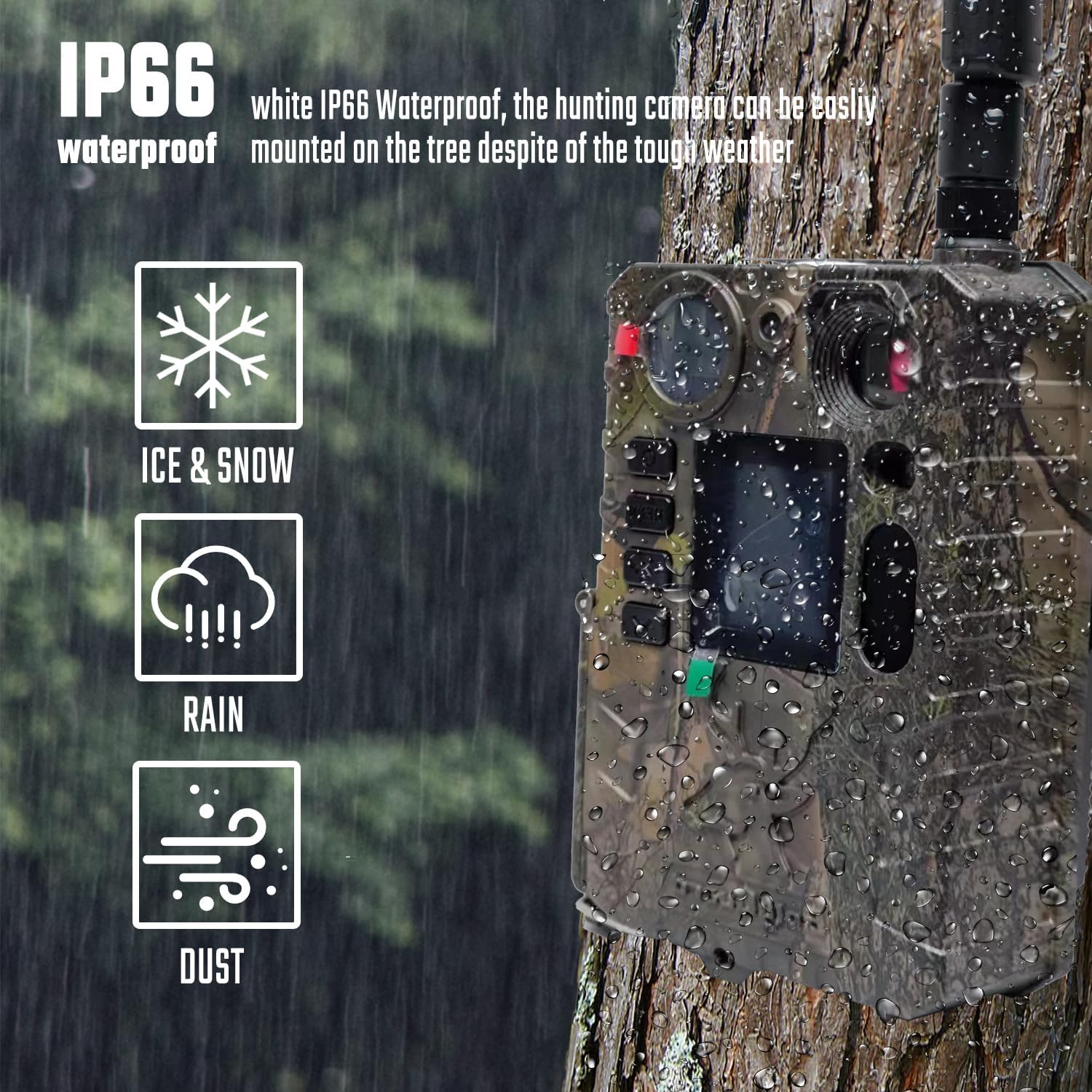
Figura 3: Grado di impermeabilità IP66
This image illustrates the Bolyguard BG310m(4) trail camera mounted on a tree during rainfall, emphasizing its IP66 waterproof and dustproof capabilities, suitable for harsh weather conditions including ice, snow, rain, and dust.
- Utilizzare la cinghia di montaggio in dotazione per fissare la telecamera a un albero o a un palo.
- Position the camera at an appropriate height and angle to cover the desired monitoring area.
- Ensure the camera is stable and not easily dislodged by wind or animals.
Istruzioni per l'uso
1. Accensione/Spegnimento
- Per accendere, tieni premuto il tasto Energia pulsante finché lo schermo non si illumina.
- Per spegnere, tenere premuto il pulsante Energia pulsante finché lo schermo non si spegne.
2. Impostazioni di base
Access the camera's menu to configure settings such as date/time, capture mode (photo, video, photo+video), resolution, trigger interval, and sensitivity.
- Premere il tasto Menu pulsante per accedere all'interfaccia delle impostazioni.
- Utilizzare il Up E Giù pulsanti per navigare tra le opzioni.
- Premere OK (often the Menu button again or a dedicated OK button) to confirm selections.
- For advanced network settings, the BMC Config software on a computer may be required.
3. Acquisizione di foto e video
The camera features 18MP image resolution and 720P HD video recording, with a fast trigger speed.

Figure 4: Fast Trigger Time
This image shows the Bolyguard BG310m(4) trail camera positioned near a tiger, illustrating its rapid 0.7-second trigger time, which ensures quick capture of moving subjects.
- Velocità di innesco: An ultra-fast trigger speed of less than 0.7 seconds ensures that detected movements are captured promptly.
- Risoluzione: The camera supports 18MP for still images and 720P for high-definition video.
4. Visione notturna
Equipped with 940nm invisible infrared technology, the camera captures clear night images and videos without disturbing wildlife.

Figure 5: 940nm Invisible Infrared Night Vision
This image depicts the Bolyguard BG310m(4) trail camera capturing a fox at night, demonstrating its 940nm "no glow" black IR LED lights, which allow for clear black and white photos and videos in complete darkness without startling animals.
- The automatic infrared filter activates in low-light conditions.
- Detection range for night vision is up to 30 meters (103 feet).
5. Data Transmission (4G Communication)
The 4G communication feature allows the camera to send photos or videos to your mobile devices via email, MMS, or the Molnus cloud platform.
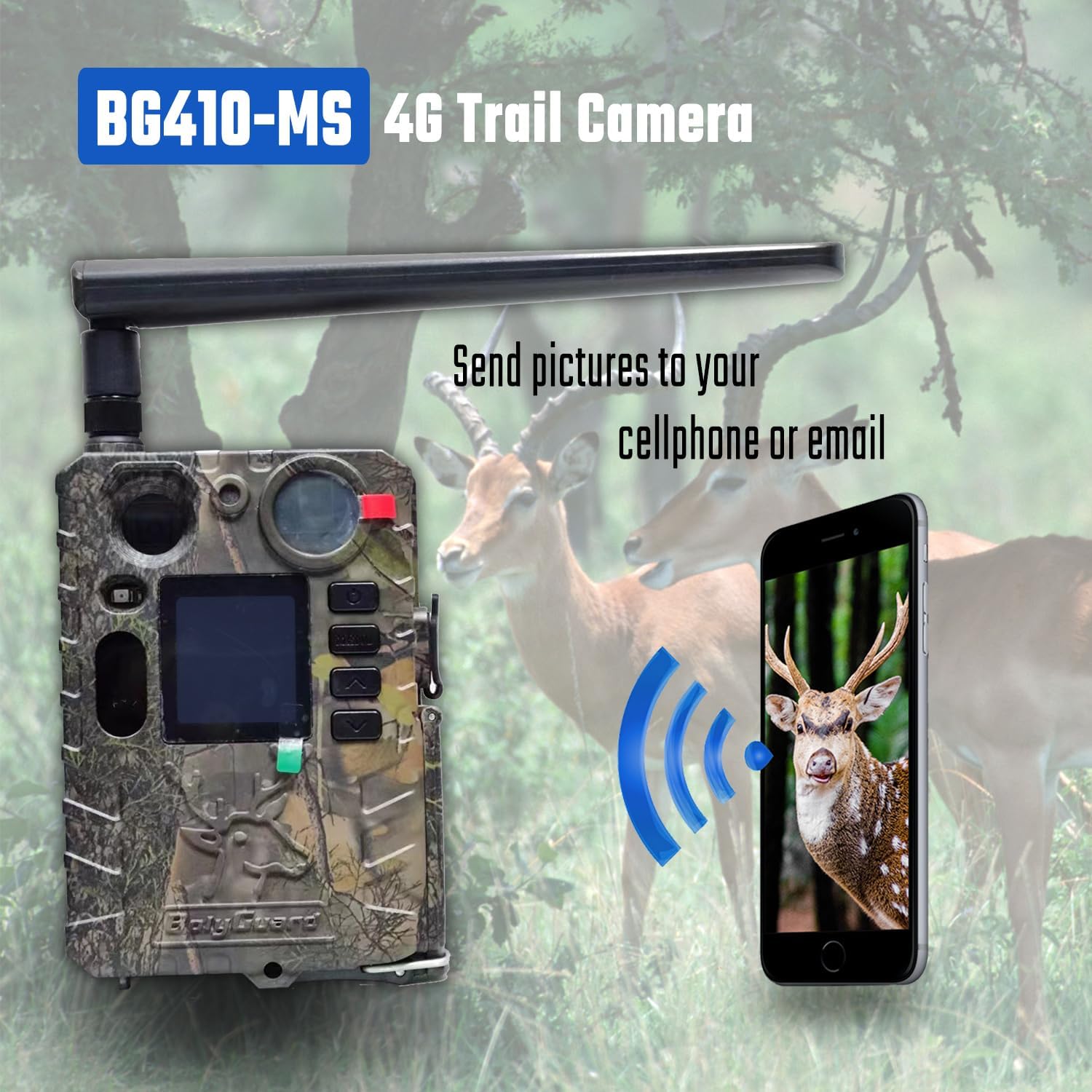
Figura 6: Trasmissione di immagini 4G
This image illustrates the Bolyguard BG310m(4) trail camera (labeled as BG410-MS in the image, but functionality applies to BG310m(4)) wirelessly sending captured images to a smartphone, demonstrating its 4G communication capability for remote monitoring.
- Assicurati che la tua scheda SIM abbia un piano dati attivo.
- Configure transmission settings in the camera's menu or via the BMC Config software.
- The Molnus cloud platform offers significant storage and convenient access to your media.
Manutenzione
1. Cura della batteria
- Use only 18650 lithium batteries.
- Recharge batteries regularly, especially if the camera is in an area with high activity.
- The camera's low power consumption allows for up to 9 months of standby time.
- The USB port can be used to connect to a solar panel for charging 18650 batteries (solar panel sold separately).
2. Pulizia
- Gently wipe the lens and PIR sensor with a soft, dry cloth to remove dust and debris.
- Non utilizzare detergenti abrasivi o solventi.
- Ensure the camera's seals are free from dirt to maintain its IP66 waterproof rating.
Risoluzione dei problemi
| Problema | Possibile causa | Soluzione |
|---|---|---|
| La fotocamera non si accende | Low or depleted batteries; incorrect battery insertion. | Replace or recharge 18650 batteries. Check battery polarity. |
| Nessuna foto/video catturato | TF card full or not inserted correctly; incorrect settings; PIR sensor blocked. | Check TF card, format if necessary. Verify camera settings (mode, sensitivity). Ensure PIR sensor is clear. |
| No 4G transmission (MMS/Email/Molnus) | SIM card not active or no data plan; incorrect network settings; poor signal. | Verify SIM card status and data plan. Check network configuration using BMC Config software. Relocate camera to an area with better signal. |
| Scarsa qualità della visione notturna | IR LEDs blocked; objects too far or too close. | Ensure IR LEDs are clear. Adjust camera placement for optimal range. |
| Settings difficult to configure | Complexity of menu or software. | Refer to the detailed instructions in this manual. Utilize the BMC Config software for easier setup of network parameters. |
Specifiche
| Caratteristica | Dettaglio |
|---|---|
| Modello | BG310m(4) |
| Risoluzione dell'immagine | 18MP |
| Risoluzione video | Up to 4K (720P HD as standard recording option) |
| Visione notturna | 940nm Invisible Infrared LEDs, up to 30m (103ft) detection range |
| Trigger Speed | Meno di 0.7 secondi |
| Comunicazione | 4G/3G/5G via SIM card (MMS, GPRS, Molnus cloud) |
| Fonte di alimentazione | 2x18650 Lithium Batteries (not included), USB port for solar panel charging |
| Grado di impermeabilità | Grado di protezione IP66 |
| Dimensioni | Dimensioni: 10 x 8 x 5 cm |
| Peso | 400 grammi |
| Produttore | Boly Media Communications |
| Uso consigliato | Game & Trail, Hunting, Wildlife Monitoring, Farm Security, Home Security |
Garanzia e supporto
Bolyguard offers a one-year replacement and refund warranty for this product. Dedicated customer service and professional technical support are available to assist with any issues or questions you may have.
- Periodo di garanzia: One year for replacement and refund.
- Contatta l'assistenza: For assistance, please contact Bolyguard customer service.
Ask a question about this manual
Ask about setup, troubleshooting, compatibility, parts, safety, or missing instructions. Manuals+ will review the question and use this page’s manual context to help answer it.