
Introduzione
This manual provides instructions for the setup, operation, maintenance, and troubleshooting of your AWOW AiBook 10 detachable 2-in-1 laptop. The AiBook 10 functions as both a tablet and a laptop, featuring a 10.1-inch touchscreen display and running Windows 11. It is equipped with an Intel Celeron N4120 processor, 8GB RAM, and 256GB SSD storage.
Cosa c'è nella scatola
Dopo aver disimballato, verificare che siano presenti tutti gli articoli:
- AWOW AiBook 10 Detachable 2-in-1 Laptop
- Tastiera rimovibile
- Adattatore di alimentazione (adattatore CA)
Prodotto finitoview
The AWOW AiBook 10 is designed for versatility, allowing seamless transition between tablet and laptop modes. Familiarize yourself with the device's components and ports.

Image: The AWOW AiBook 10 in laptop configuration, showcasing the main unit and attached keyboard.

Immagine: dettagliata view of the AiBook 10, highlighting its dimensions and port locations.
Porte e connettori:
- Porta USB 3.0: For connecting USB devices such as external storage, mice, or printers.
- Porta Micro HDMI: Per il collegamento a display o proiettori esterni.
- Slot per schede TF: Per espandere la memoria con una scheda microSD (fino a 512 GB).
- Jack per cuffie (3.5 mm): Per collegare cuffie o altoparlanti esterni.
- DC 12V/3A Jack: Per collegare l'adattatore di alimentazione per caricare il dispositivo.
Telecamere:
- Fotocamera frontale: 2.0MP, suitable for video calls.
- Telecamera posteriore: 5.0MP, for capturing photos and videos.

Image: Illustration of the 2MP front camera and 5MP rear camera on the AiBook 10.
Impostare
1. Ricarica iniziale
Before first use, fully charge the AiBook 10. Connect the provided power adapter to the DC 12V/3A jack on the device and plug it into a power outlet. The charging indicator will illuminate.
2. Collegamento della tastiera
Align the magnetic connector of the detachable keyboard with the corresponding port at the bottom edge of the tablet. The keyboard will snap into place magnetically.

Image: The detachable keyboard being connected to the AiBook 10 tablet.
3. Accensione
Press and hold the power button located on the side of the tablet until the screen illuminates. The device will boot into Windows 11.
4. Installazione iniziale di Windows
Follow the on-screen prompts to complete the Windows 11 setup process. This includes selecting your language, region, connecting to a Wi-Fi network, and creating a user account.
Operativo
Switching Between Tablet and Laptop Modes
The AiBook 10 automatically detects the presence of the detachable keyboard. When the keyboard is attached, it functions as a laptop. When detached, it operates as a tablet, and Windows 11 will adjust its interface accordingly.
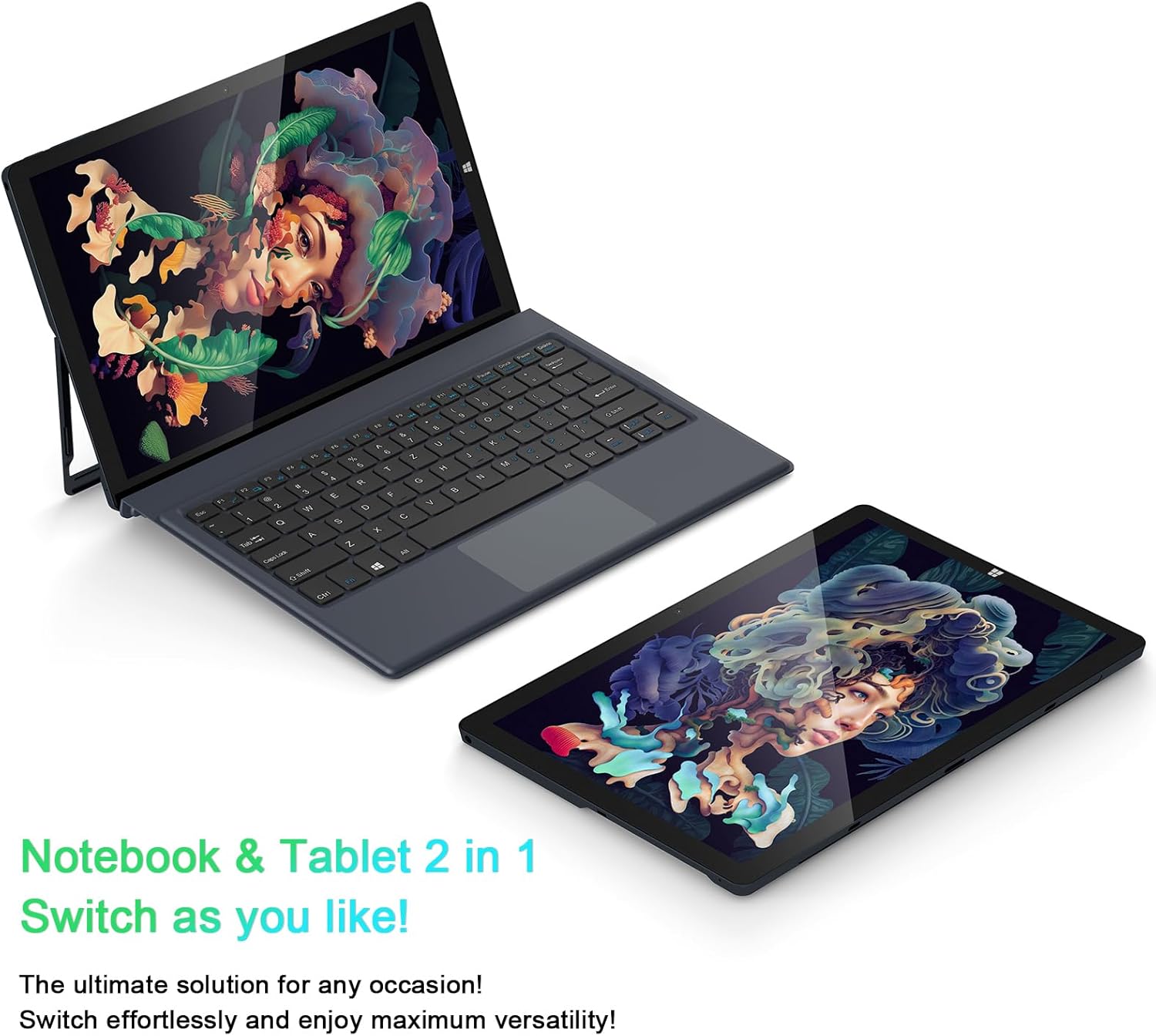
Image: The AiBook 10 displayed in both its laptop and tablet configurations.
Utilizzo del touchscreen
The 10.1-inch IPS display supports multi-touch gestures. Use your fingers to navigate, tap, swipe, and pinch-to-zoom.
Collegamento delle periferiche
- Bluetooth: Enable Bluetooth in Windows settings to pair with compatible devices such as headphones, mice, or keyboards. The device supports Bluetooth 4.2.
- Dispositivi USB: Plug USB devices into the USB 3.0 port.
- Display esterno: Connect an external monitor using the Micro HDMI port. An appropriate adapter or cable may be required.
Regolazione del supporto
The integrated stand bracket allows you to adjust the viewing angle of the tablet up to 145 degrees. Carefully extend the stand from the back of the tablet to your desired position.
Manutenzione
Pulizia del dispositivo
Utilizzare un panno morbido e privo di lanugine per pulire lo schermo e le superfici esterne. Per macchie ostinate, strofinare leggermenteampImmergere il panno in acqua o in una soluzione detergente per schermi. Evitare prodotti chimici aggressivi o materiali abrasivi.
Cura della batteria
To prolong battery life, avoid fully discharging the battery frequently. Store the device in a cool, dry place when not in use for extended periods. The device features a 6500mAh Lithium Polymer battery.

Immagine: rappresentazione visiva della capacità della batteria da 6500 mAh.
Aggiornamenti software
Controlla e installa regolarmente gli aggiornamenti di Windows per garantire prestazioni e sicurezza ottimali. Accedi a Windows Update tramite il menu Impostazioni.
Risoluzione dei problemi
This section addresses common issues you might encounter with your AiBook 10.
Il dispositivo non si accende
- Assicurati che il dispositivo sia carico. Collega l'adattatore di alimentazione e attendi qualche minuto prima di riprovare ad accenderlo.
- Per eseguire un hard reset, tenere premuto il pulsante di accensione per 10-15 secondi.
Screen Flickering or Display Issues
- Riavviare il dispositivo.
- Check for updated display drivers through Windows Update or the device manufacturer's websito.
- If connected to an external display, ensure the cable is securely connected.
La tastiera o il touchpad non rispondono
- Ensure the detachable keyboard is securely attached to the tablet.
- Riavviare il dispositivo.
- Check Windows settings for keyboard and touchpad functionality.
Wi-Fi or Bluetooth Connectivity Problems
- Assicurati che il Wi-Fi o il Bluetooth siano abilitati nelle impostazioni di Windows.
- Riavvia il router/modem per problemi con il Wi-Fi.
- Per il Bluetooth, prova a disaccoppiare e riassociare il dispositivo.
- Verificare la presenza di driver di rete aggiornati.
Prestazioni lente
- Chiudere le applicazioni non necessarie in esecuzione in background.
- Assicurarsi che ci sia sufficiente spazio di archiviazione libero sull'SSD.
- Run a disk cleanup and optimize drives in Windows.
- Controlla e installa eventuali aggiornamenti di Windows in sospeso.
Specifiche
| Marca | AWOW |
| Nome del modello | AiBook 10 |
| Dimensioni dello schermo | 10.1 pollici |
| Risoluzione dello schermo | 1280 x 800 pixel (Full HD IPS) |
| Sistema operativo | Finestre 11 |
| Modello CPU | Intel Celeron N4120 (fino a 2.6 GHz) |
| Memoria RAM | 8 GB LPDDR4 |
| Dimensioni del disco rigido | SSD da 256 GB (eMMC) |
| Scheda grafica | Grafica Intel UHD 600 integrata |
| Connettività | 2.4G+5G WiFi, Bluetooth 4.2, USB 3.0, Micro HDMI |
| Telecamere | Anteriore 2.0MP, Posteriore 5.0MP |
| Batteria | Polimero di litio da 6500 mAh |
| Peso dell'articolo | 1.4 Pounds (tablet only) |
| Dimensioni (L x P x Spessore) | 10.1" x 6.8" x 0.38" (tablet only) |
Garanzia e supporto
Informazioni sulla garanzia
The AWOW AiBook 10 comes with a Garanzia limitata di 1 annoSi prega di conservare la prova d'acquisto per eventuali reclami in garanzia. La garanzia copre i difetti di fabbricazione in normali condizioni d'uso.
Assistenza clienti
For technical assistance, troubleshooting beyond this manual, or warranty inquiries, please contact AWOW customer support. Refer to the product packaging or the official AWOW websito per le informazioni di contatto più aggiornate.