
Pyle PKBRD6139BT
PYLE 61 Key Electric Keyboard Piano User Manual
Model: PKBRD6139BT - Melody Master
Introduzione
This manual provides detailed instructions for the setup, operation, and maintenance of your Pyle 61 Key Electric Keyboard Piano, Model PKBRD6139BT. Please read this manual thoroughly before using the product to ensure proper function and longevity.

Image: The Pyle 61 Key Electric Keyboard Piano, shown with its included adjustable stand, padded stool, and headphones, ready for use.
Cosa c'è nella scatola
Verify that all components are present before beginning assembly or operation.
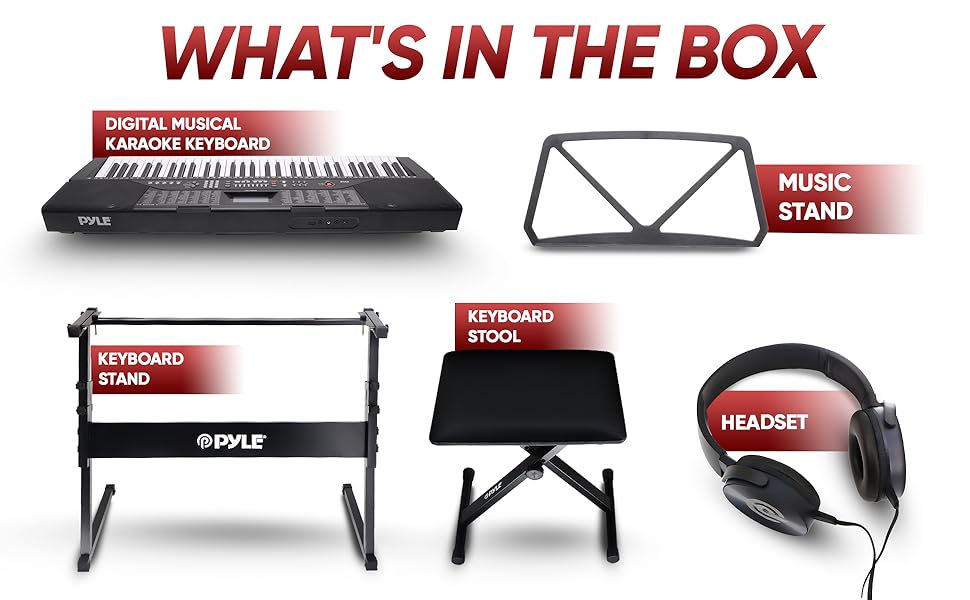
Image: An illustration detailing the contents of the product package, including the keyboard, music stand, keyboard stand, keyboard stool, and headset.
- Pyle 61 Key Electric Keyboard Piano
- Supporto per tastiera regolabile
- Sgabello imbottito per tastiera
- Music Book Rack
- Cuffie
- Adattatore di alimentazione
- Cavo USB
Impostare
1. Montaggio del supporto per tastiera
The adjustable keyboard stand provides stable support for your instrument. Follow these steps for assembly:
- Unfold the main frame of the stand.
- Attach the crossbars securely.
- Adjust the height using the adjustable height knob to a comfortable playing position. Ensure the rubber feet are firmly on the ground for secure grip.

Immagine: Un dettaglio view of the adjustable keyboard stand, highlighting its key features and dimensions for proper assembly and stability.
2. Assembling the Keyboard Stool
The padded stool offers comfort during extended playing sessions. Assembly is straightforward:
- Unfold the stool legs until they lock into place.
- Adjust the stool height using the knob on the side for optimal comfort relative to the keyboard.
- Ensure the rubber feet are stable on the floor.

Image: A close-up of the adjustable keyboard stool, showing its padded seat, height adjustment mechanism, and non-slip rubber feet.
3. Collegamento dell'alimentazione e degli accessori
Once the stand and stool are set up, place the keyboard on the stand and connect the necessary cables.
- Energia: Connect the power adapter to the DC IN port on the back of the keyboard and then to a wall outlet.
- Cuffie: For private practice, plug the included headphones into the 3.5mm headphone jack.
- Microfono: If using the karaoke function, connect a microphone to the dedicated mic input jack.
- USB: For connecting to a computer or other devices, use the USB port.
- Leggio: Insert the music book rack into the designated slots on the top of the keyboard.

Immagine: Un dettaglio view of the keyboard's rear panel, illustrating the various input and output ports for connecting headphones, microphones, and USB devices.
Istruzioni per l'uso
Funzioni di base
- Accensione/spegnimento: Premere il tasto ENERGIA pulsante per accendere o spegnere la tastiera.
- Controllo del volume: Utilizzare il VOLUME knob or buttons to adjust the overall sound level.
- Schermo LCD: The integrated LCD display shows current settings, selected styles, sounds, and other operational information.

Immagine: Un overview of the keyboard's control panel, illustrating the various buttons and features for sound selection, rhythm control, and special functions.
Sound and Style Selection
- Sounds (Tones): The keyboard features 255 different sounds. Use the TONO selection buttons to browse and select desired instrument sounds.
- Styles (Rhythms): Choose from 255 preset rhythm styles using the STILE selection buttons. These provide backing tracks for your playing.
- Brani demo: Access 50 built-in demo songs to listen or play along with.
Funzioni speciali
- Funzione karaoke: Connect a microphone to the mic input and use the built-in karaoke features to sing along with your playing or streamed music.
- Connettività Bluetooth: Pair your mobile device via Bluetooth to stream music through the keyboard's built-in speakers. This allows you to play along with your favorite songs.
- Registrazione e riproduzione: Utilizza la funzione di registrazione per catturare le tue performance e la funzione di riproduzione per riascoltarle.view them. This is useful for practice and self-assessment.
- Funzioni didattiche: The keyboard includes various teaching modes designed to assist beginners in learning to play. Refer to the on-screen prompts and specific teaching mode instructions for details.
- Tastiera divisa: This function allows the keyboard to be divided into two sections, each with its own tone, enabling two players or different instrument sounds on each half.
- Funzione di mantenimento: Adds a decaying effect to notes, similar to a piano's sustain pedal.
- Vibrato Function: Adds a slight, rapid fluctuation in pitch to notes, creating a wavering effect.
- Funzione di accordi automatici: Simplifies playing chords by automatically generating full chords from single key presses.
- Metronomo: Provides a steady beat to help with rhythm and timing during practice.
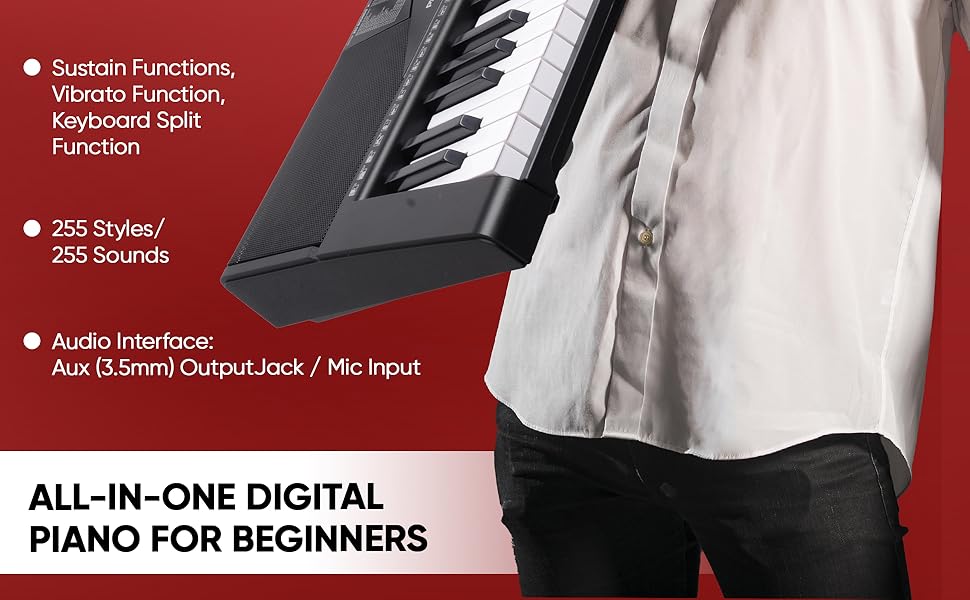
Image: A visual representation of the keyboard's advanced features, including sustain, vibrato, split keyboard, and the extensive library of sounds and styles.
Uscita audio
- Altoparlanti incorporati: The keyboard features 4-inch 20W stereo surround sound speakers for clear audio output.
- Altoparlanti esterni: For louder sound or larger performances, the keyboard can be connected to external speakers via the Aux 3.5mm output.

Image: A close-up of one of the keyboard's built-in speakers, emphasizing its stereo surround sound capability.
Manutenzione
- Pulizia: Use a soft, dry cloth to clean the surface of the keyboard. Avoid using abrasive cleaners or solvents.
- Magazzinaggio: Quando non viene utilizzata, conservare la tastiera in un luogo fresco e asciutto, lontano dalla luce solare diretta e da temperature estreme.
- Gestione: Handle the keyboard with care to prevent damage to keys, buttons, and internal components. Avoid dropping or subjecting it to strong impacts.
- Disconnessione dell'alimentazione: Always disconnect the power adapter from the wall outlet when the keyboard is not in use for extended periods or during electrical storms.
Risoluzione dei problemi
| Problema | Possibile causa | Soluzione |
|---|---|---|
| Nessun suono dalla tastiera. | Volume troppo basso; cuffie collegate; problema di alimentazione. | Increase volume; unplug headphones; ensure power adapter is securely connected and outlet is functional. |
| Il Bluetooth non si connette. | Tastiera non in modalità di associazione; dispositivo troppo lontano; interferenza. | Ensure keyboard's Bluetooth is active and in pairing mode; move device closer; restart both devices. |
| I tasti non rispondono. | Keyboard may be in a specific mode (e.g., demo mode); power issue. | Restart the keyboard; check if any specific function is active that disables normal key play. |
Specifiche tecniche
| Caratteristica | Specificazione |
|---|---|
| Nome del modello | electric piano |
| Numero modello articolo | PKBRD6139BT |
| Numero di chiavi | 61 |
| Stili | 255 |
| Suoni | 255 |
| Canzoni demo | 50 |
| Uscita audio | Ausiliario 3.5 mm |
| Ingresso microfono | SÌ |
| Livello sonoro massimo | 110 dB |
| Tecnologia di connettività | Bluetooth, USB |
| Fonte di alimentazione | Elettrico con cavo |
| Dimensioni del prodotto (P x L x A) | 36.6" x 11.97" x 3.7" |
| Peso dell'articolo | 24.2 libbre (11 chilogrammi) |
| Materiale del corpo | Acrilonitrile-butadiene-stirene |
| Colore | Nero |
| Codice UPC | 842893151632 |
Garanzia e supporto
I prodotti Pyle sono progettati per garantire affidabilità e prestazioni. Per informazioni sulla garanzia e supporto tecnico, consultare il sito ufficiale Pyle. webo contattare direttamente il servizio clienti. Conservare la ricevuta d'acquisto come prova d'acquisto per eventuali reclami in garanzia.
Per ulteriore assistenza, puoi visitare il Negozio Pyle su Amazon.
Video ufficiali dei prodotti
Non sono stati ritenuti pertinenti i video ufficiali del prodotto forniti dal venditore da includere in questo manuale di istruzioni.