
secucore 2K HD WiFi Outdoor Security Camera (ASIN: B0C8LRWYD1)
secucore 2K HD WiFi Outdoor Security Camera User Manual
Model: 2K HD WiFi Outdoor Security Camera (ASIN: B0C8LRWYD1)
1. Introduzione
Thank you for choosing the secucore 2K HD WiFi Outdoor Security Camera. This manual provides detailed instructions for the installation, operation, and maintenance of your new security camera. Please read this manual thoroughly before use to ensure proper functionality and to maximize the benefits of your device.
This camera is designed for both indoor and outdoor use, offering high-definition 2K resolution, motion detection, two-way audio, and various recording options to enhance your security.
2. Caratteristiche principali
- 2K HD Resolution (4 Megapixels): Fornisce video chiari e dettagliatitage.
- Funzionalità di panoramica e inclinazione: Allows horizontal and vertical movement for wide area coverage.
- 2.4 GHz WiFi Connectivity: Ensures stable wireless connection to your network.
- Rilevamento del movimento: Ti avvisa del movimento rilevato all'interno del campo visivo della telecamera view.
- Visione notturna a colori: Equipped with IR and white LEDs for clear, full-color surveillance even in low-light conditions.
- Audio bidirezionale: Il microfono e l'altoparlante integrati consentono la comunicazione in tempo reale.
- Tracciamento automatico delle persone: The camera can automatically follow detected human figures.
- Programmed Patrols: Set specific routes for the camera to automatically monitor large areas.
- Molteplici opzioni di archiviazione: Supports cloud storage and local recording via Micro SD card.
- Monitoraggio remoto: Accedi in diretta view and recordings from your smartphone, tablet, or PC.
3. Contenuto della confezione
Si prega di controllare la confezione per verificare la presenza dei seguenti elementi:
- secucore 2K HD WiFi Outdoor Security Camera
- Adattatore di alimentazione
- Viti di montaggio e tasselli
- Modello di montaggio
- Manuale d'uso
Note: Micro SD card is not included and must be purchased separately if local storage is desired.
4. Guida all'installazione
4.1 Installazione fisica
Scegli una posizione adatta per la tua telecamera, assicurandoti che abbia una visuale libera view of the area you wish to monitor and is within range of your 2.4 GHz WiFi network. The camera can be mounted on a wall or ceiling.
- Utilizzare la dima di montaggio fornita per contrassegnare i fori sulla superficie desiderata.
- Praticare i fori e inserire i tasselli.
- Fissare la staffa di montaggio della telecamera alla superficie utilizzando le viti.
- Fissare la telecamera alla staffa di montaggio.

Image: The secucore 2K HD WiFi Outdoor Security Camera, showing its design and mounting capabilities.
4.2 Collegamento di alimentazione
Collegare l'adattatore di alimentazione alla porta di ingresso alimentazione della fotocamera e quindi collegarlo a una presa elettrica standard. La fotocamera si accenderà e inizierà la sequenza di avvio.
4.3 Installazione della scheda Micro SD (facoltativa)
If you plan to use local storage, insert a Class 10 or higher Micro SD card (up to 128GB, not included) into the designated slot on the camera. Ensure the camera is powered off before inserting or removing the SD card.

Image: Icons representing cloud storage and Micro SD card storage options for the camera.
4.4 App Download and Network Configuration
- Download the official secucore app from your smartphone's app store (iOS or Android).
- Registra un nuovo account o accedi se ne hai già uno.
- Follow the in-app instructions to add your camera. This typically involves scanning a QR code on the camera or connecting to its temporary WiFi hotspot.
- Ensure your smartphone is connected to a 2.4 GHz WiFi network during the setup process. The camera does not support 5 GHz WiFi.
5. Utilizzo della fotocamera
5.1 Vivere View e riproduzione
Once connected, open the secucore app to access the live video feed from your camera. You can view pippo in tempo realetage and playback recorded events from your Micro SD card or cloud storage.

Image: Demonstrates remote monitoring of multiple camera feeds via laptop and smartphone applications.
5.2 Audio bidirezionale
The camera features a built-in microphone and speaker, allowing you to listen to the camera's surroundings and speak through the camera using the app. This is useful for communicating with visitors or deterring intruders.

Image: Illustrates the two-way audio feature, showing a person communicating through the camera.
5.3 Controllo Pan, Tilt e Zoom (PTZ)
Utilizzare i controlli all'interno dell'app per regolare da remoto la telecamera viewing angle. Pan (horizontal rotation) and Tilt (vertical rotation) allow you to cover a wide area. Digital zoom is also available.

Image: Shows the camera's ability to pan and tilt, indicated by red arrows.
5.4 Rilevamento del movimento e avvisi
Configure motion detection sensitivity and areas within the app. When motion is detected, the camera will record footage invia avvisi immediati al tuo smartphone.
5.5 Modalità di visione notturna
The camera automatically switches to night vision in low-light conditions. It features both infrared (IR) LEDs for standard black-and-white night vision and powerful white LEDs for full-color night vision, which can also serve as a deterrent.

Image: Depicts the camera's color night vision capability, illuminating a scene at night.
5.6 Automatic Human Tracking
Enable this feature in the app, and the camera will automatically detect and follow human figures moving within its field of view, ensuring continuous surveillance of potential threats.
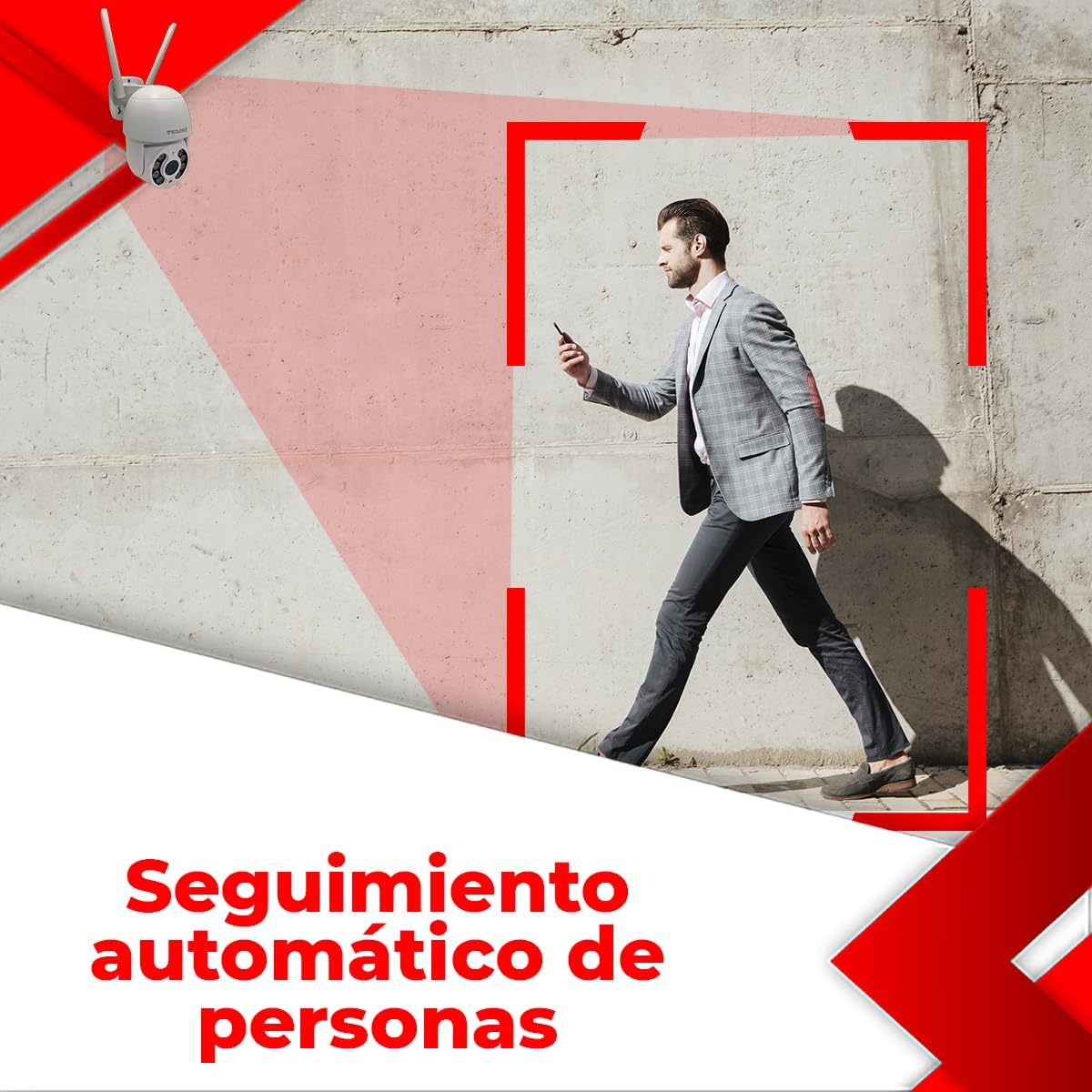
Image: Illustrates the automatic human tracking feature, showing the camera's focus on a moving person.
5.7 Programmed Patrols
Set up specific patrol routes for the camera to automatically scan predefined areas. This is ideal for monitoring large properties or multiple points of interest.

Image: Demonstrates programmed patrol routes, indicating how the camera can cover large areas automatically.
6. Manutenzione
6.1 Pulizia
Pulisci regolarmente l'obiettivo della fotocamera con un panno morbido e asciutto per garantire una qualità dell'immagine nitida. Non utilizzare prodotti chimici aggressivi o materiali abrasivi.
6.2 Aggiornamenti firmware
Controlla periodicamente l'app per verificare la disponibilità di aggiornamenti firmware. Mantenere aggiornato il firmware della fotocamera garantisce prestazioni ottimali, sicurezza e accesso a nuove funzionalità.
6.3 Gestione dell'archiviazione
Se si utilizza una scheda Micro SD, eseguire regolarmente il backup dei dati importantitage and format the card periodically to maintain performance. For cloud storage, manage your subscription and storage space through the app.
7. Risoluzione Dei Problemi
If you encounter issues with your camera, please refer to the following table for common problems and solutions:
| Problema | Possibile causa | Soluzione |
|---|---|---|
| Fotocamera offline / Impossibile connettersi al Wi-Fi | Incorrect WiFi password; Camera too far from router; 5 GHz WiFi network used; Router issues. | Ensure correct 2.4 GHz WiFi password. Move camera closer to router. Restart router. Re-add camera in the app. |
| Scarsa qualità dell'immagine | Lente sporca; Illuminazione insufficiente; Problemi di larghezza di banda della rete. | Clean the camera lens. Ensure adequate lighting or enable color night vision. Check network speed. |
| Recording errors / Cannot view registrazioni | Faulty or incompatible Micro SD card; SD card full; Cloud storage issues. | Ensure Micro SD card is Class 10 or higher and formatted correctly. Check if SD card is full and delete old footage or replace. Verify cloud subscription status. |
| L'audio bidirezionale non funziona | Microphone/speaker blocked; App permissions; Volume settings. | Ensure nothing is obstructing the microphone or speaker. Check app permissions for microphone access. Adjust volume settings in the app. |
| Il rilevamento del movimento non si attiva | Sensitivity too low; Detection area not set; Environmental factors. | Increase motion detection sensitivity. Define detection zones in the app. Avoid placing camera where trees or shadows cause false alarms. |
If the problem persists after trying these solutions, please contact secucore technical support.
8. Specifiche tecniche
| Caratteristica | Specificazione |
|---|---|
| Risoluzione | 2K (4 Megapixel) |
| Connettività | WiFi a 2.4 GHz |
| Fonte di alimentazione | Wired Electric Cable |
| Materiale | Plastica |
| Dimensioni (L x P x A) | 19 x 19 x 12 cm (7.5" x 7.9" x 4.8") |
| Peso | 500 grammi |
| Caratteristiche speciali | Two-Way Audio, Motion Detection, Color Night Vision, Automatic Tracking |
| Opzioni di archiviazione | Archiviazione cloud, scheda Micro SD (fino a 128 GB) |
| Ambiente di utilizzo | All'aperto |
| Tipo di montaggio | Montaggio a parete |
9. Garanzia e supporto
This secucore product comes with a warranty and technical support provided directly by the brand in Mexico. For any warranty claims, technical assistance, or product inquiries, please contact secucore Mexico support. Refer to the product packaging or the official secucore websito per le informazioni di contatto più aggiornate.
We are committed to providing excellent customer service and support for your secucore security camera.
Ask a question about this manual
Ask about setup, troubleshooting, compatibility, parts, safety, or missing instructions. Manuals+ will review the question and use this page’s manual context to help answer it.