
Introduzione
This manual provides essential information for the safe and effective use of your Dragonhawk Wireless Tattoo Gun Kit SZXDB. Please read these instructions thoroughly before operating the device to ensure proper function and longevity.
The Dragonhawk Wireless Tattoo Gun Kit SZXDB is designed for both beginners and experienced artists, offering a complete set of tools for tattoo practice and application. Its ergonomic design and wireless operation provide comfort and flexibility during use.
Contenuto del kit
Your Dragonhawk Wireless Tattoo Gun Kit SZXDB includes the following components:
- 1 x S11 Tattoo Pen
- 2 x 1300mAh Rechargeable Batteries (B2 Tattoo Battery)
- 20 x Tattoo Cartridge Needles (10pcs 1203RL, 10pcs 1205RM)
- 1 x Tattoo Grip Cover
- 10 x Ink Caps
- 1 x Pelle di pratica
- 1 x carta da trasferimento
- 1 x Black Tattoo Ink
- 1 paio di guanti per tatuaggi
- Altri piccoli accessori

Immagine: Oltreview of the Dragonhawk S11 Tattoo Kit components.
Istruzioni di installazione
- Caricare le batterie: Ensure both 1300mAh batteries are fully charged before first use. The batteries feature an LED display for real-time power monitoring.
- Collegare la batteria: Connect one of the rechargeable batteries to the top of the S11 Tattoo Pen. The battery is precisely weight-matched to the machine for balanced feel.
- Inserire l'ago della cartuccia: Carefully attach the desired cartridge needle (e.g., 1203RL for lining or 1205RM for shading) to the machine. The pen is compatible with all standard cartridge needles on the market.
- Regola la lunghezza dell'ago: Rotate the grip of the tattoo pen to adjust the needle length to your preference. The pen has a 3.5mm stroke.
- Preparare l'inchiostro: Pour a small amount of black tattoo ink into an ink cap.
- Practice Skin Preparation: For practice, use the provided practice skin. If tattooing on human skin, ensure the area is cleaned and shaved as necessary.

Image: Dragonhawk tattoo pen with battery attached.

Image: Adjusting the needle length by rotating the grip.
Video: An official Dragonhawk video demonstrating the setup and components of the S11 Tattoo Gun kit.
Istruzioni per l'uso
- Accensione: Press and hold the power button on the battery to turn on the tattoo pen. The LED display will show the current voltage.
- Regola voltage: Use the '+' and '-' buttons on the battery to adjust the voltage tra 5V e 12V. Inizia con un vol più bassotage for practice and gradually increase as needed.
- Inizia il tatuaggio: Dip the needle into the ink cap to load ink. Carefully apply the needle to the practice surface or prepared skin.
- Practice Techniques: The 3.5mm stroke and included needles (1203RL for lines, 1205RM for shading) allow for various tattoo styles. Practice line work and shading techniques on the provided practice skin.
- Monitorare la batteria: Keep an eye on the LED display for battery level. The consistent power output ensures no performance loss as the battery depletes.
- Spegni: Dopo l'uso, tenere premuto il pulsante di accensione per spegnere il dispositivo.

Image: LED voltage display and control buttons on the battery.
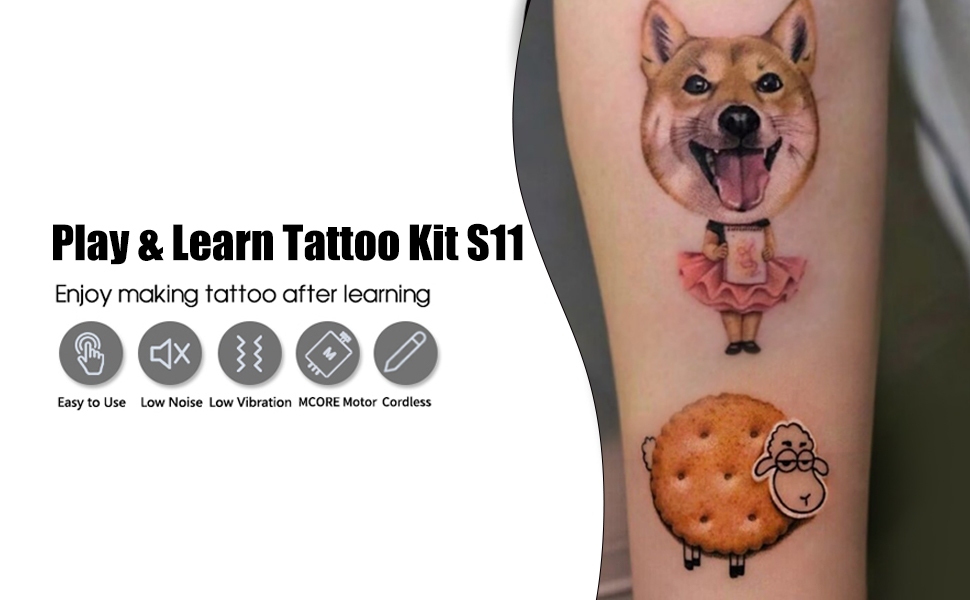
Image: Dragonhawk S11 tattoo pen in wireless operation.
Manutenzione
- Pulizia: After each use, clean the tattoo pen with mild soap and water. Ensure no moisture enters the internal components.
- Smaltimento degli aghi: Always dispose of used tattoo needles properly according to local regulations for sharps waste. Never reuse needles.
- Magazzinaggio: Store the tattoo pen and accessories in a clean, dry place away from direct sunlight and extreme temperatures.
- Cura della batteria: Charge batteries regularly, even if not in frequent use, to maintain their lifespan. Avoid overcharging or completely draining the batteries.
Risoluzione dei problemi
| Problema | Possibile causa | Soluzione |
|---|---|---|
| Tattoo pen does not turn on. | La batteria non è carica o non è collegata correttamente. | Ensure batteries are fully charged. Reconnect the battery securely to the pen. |
| Ink pooling or not releasing correttamente. | Incorrect needle depth, voltage setting, or clogged needle. | Adjust needle depth. Increase voltage slightly. Replace the cartridge needle if clogged. Ensure ink is not too thick. |
| Machine feels unbalanced during use. | Mismatched battery or grip. | The provided battery is weight-matched. Ensure you are using the original Dragonhawk battery and grip for optimal balance. |
| Reduced performance or inconsistent power. | Batteria scarica. | Recharge the battery. The LED display will indicate power level. |
Specifiche
| Caratteristica | Dettaglio |
|---|---|
| Numero di modello | SZXDB |
| Nome del marchio | Dragonhawk |
| Dimensioni della penna | 22mm (Diameter) x 112mm (Length) / 0.87 x 4.4 inches |
| Peso della penna | 148g |
| Capacità della batteria | 1300 mAh (ciascuno) |
| Volume di eserciziotage | 5-12 V (regolabile) |
| Colpo | 3.5mm |
| Velocità | 8 V/6500 giri/min |
| Metodo di ricarica | Porta di ricarica di tipo C |
| Livello di resistenza all'acqua | Resistente all'acqua |
| Number of Pieces in Kit | 19 |

Image: Product dimensions of the tattoo pen.

Image: Battery parameters table.
Garanzia e supporto
Dragonhawk provides coverage for your product for peace of mind. For any inquiries, issues with your order, or technical support, please reach out through Amazon's messaging system.
Additionally, for video tutorials, setup guides, and professional tips on machine maintenance and tattooing techniques, visit the official Dragonhawk YouTube channel at Youtube.com/@Dragonhawkofficial.