
Introduzione
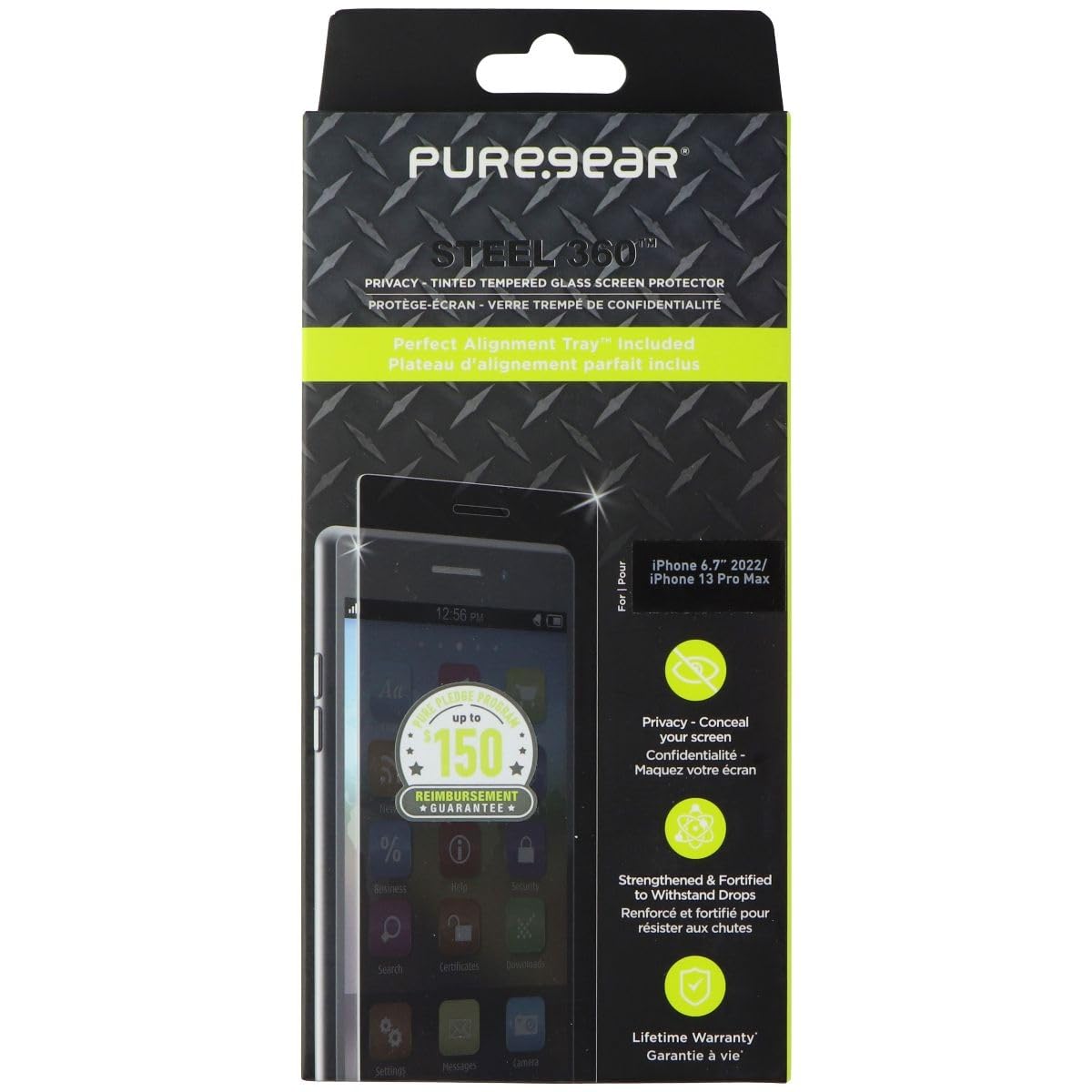
This manual provides instructions for the installation, use, and maintenance of your PureGear Steel 360 Privacy Glass Protector for Apple iPhone 14 Plus and iPhone 13 Pro Max. This tempered glass screen protector is designed to offer privacy, scratch resistance, and antimicrobial protection for your device's screen.
Contenuto della confezione
- PureGear Steel 360 Privacy Glass Protector
- Perfect Alignment Tray™
- Cleaning Kit (wipes, dust removal sticker)
Configurazione e installazione
Follow these steps carefully for optimal installation of your screen protector:
- Clean Your Device Screen: Use the provided cleaning wipes to thoroughly clean your iPhone screen. Ensure all dust, smudges, and fingerprints are removed. Use the dust removal sticker to pick up any remaining particles. A clean screen is essential for a bubble-free application.
- Position the Alignment Tray: Place the Perfect Alignment Tray™ over your iPhone. This tray is designed to guide the screen protector into the correct position, ensuring a precise and easy application.
- Applicare la pellicola protettiva per lo schermo: Carefully peel off the protective film from the adhesive side of the glass protector. Align the protector with the top edge of the alignment tray and gently lower it onto your phone screen. The alignment tray will help ensure perfect placement.
- Rimuovere le bolle d'aria: Once the protector is in place, gently press down on the center of the screen. The adhesive will spread. Use a soft cloth or squeegee (if provided) to push any remaining air bubbles towards the edges of the screen. Small bubbles should disappear within 24-48 hours.
- Controllo finale: Remove the alignment tray and inspect the screen protector for proper adhesion and alignment.
Caratteristiche di funzionamento
- Privacy Tint: The screen protector features a privacy tint that limits the viewing angle, helping to conceal your screen content from onlookers.
- Resistenza ai graffi: Made from tempered glass with a 9H hardness rating, this protector offers robust protection against scratches and minor impacts.
- Protezione antimicrobica: The screen protector incorporates Nano Silver Technology to guard against various germs, making it easier to maintain a hygienic device surface.
Manutenzione
To keep your PureGear Steel 360 Privacy Glass Protector clean and effective:
- Wipe the screen regularly with a soft, lint-free cloth.
- For deeper cleaning, use a screen cleaner solution specifically designed for electronics or a damp panno con sapone neutro, quindi asciugare accuratamente.
- Avoid using harsh chemicals or abrasive materials, as these can damage the privacy tint or the antimicrobial coating.
Risoluzione dei problemi
- Bubbles Under the Protector: If small bubbles remain after installation, try gently pushing them towards the edges with a soft cloth. Most small bubbles will dissipate within 24-48 hours. For larger, persistent bubbles, it may indicate dust trapped underneath. In such cases, carefully lift a corner of the protector, remove the dust with a dust removal sticker, and reapply.
- Disallineamento: If the screen protector is misaligned, carefully lift it from one corner and reposition it using the alignment tray. Ensure your hands are clean to avoid leaving fingerprints on the adhesive.
- Blurry Selfies/Front Camera Issues: Some privacy screen protectors can affect front-facing camera clarity due to the tint or specific cutouts. Ensure the camera cutout on the protector is perfectly aligned with your phone's front camera. If issues persist, it might be an inherent characteristic of the privacy feature.
- Sensibilità al tocco ridotta: If you experience reduced touch sensitivity, check your phone's settings for a "Touch Sensitivity" or "Glove Mode" option and enable it. This can often compensate for the added layer of the screen protector.
Specifiche
| Caratteristica | Dettaglio |
|---|---|
| Marca | Attrezzatura pura |
| Numero di modello | 64115PG |
| Dispositivi compatibili | Apple iPhone 14 Plus, Apple iPhone 13 Pro Max |
| Materiale | Vetro temperato |
| Durezza dell'oggetto | 9H |
| Caratteristiche speciali | Privacy Tint, Scratch Resistant, Antimicrobial (Nano Silver Technology) |
| Dimensioni dello schermo | 6.7 pollici |
| Dimensioni del prodotto | 9.25 x 4.25 x 0.5 pollici |
| Peso dell'articolo | 2.46 once |
Garanzia e supporto
PureGear offers a "Pure Pledge Program" with up to $150 reimbursement guarantee. Please refer to the official PureGear website or the product packaging for full details and terms of this guarantee.
For further assistance, product registration, or warranty claims, please visit the official PureGear support websito o contattare il servizio clienti. Conservare la prova d'acquisto per motivi di garanzia.