
MCGOR GLS-C010
Manuale di istruzioni per l'illuminazione sottopensile MCGOR
Model: GLS-C010
Introduzione
Thank you for choosing the MCGOR Under Cabinet Lighting. This 14.7-inch rechargeable motion sensor light is designed to provide convenient and efficient illumination for various indoor spaces such as kitchens, closets, stairs, and hallways. Featuring magnetic installation, dimmable brightness, and a long-lasting rechargeable battery, this light offers a versatile lighting solution.

Image: The MCGOR Under Cabinet Lighting, showing two units and their packaging.
Caratteristiche del prodotto
- Modalità sensore di movimento: Automatically turns on when motion is detected within 120° and 10ft in dark or low-light environments, and turns off after approximately 20 seconds of no motion.
- Modalità sempre attiva: Allows the light to remain continuously on for extended tasks or as a constant light source.
- Luminosità dimmerabile: Features 5 levels of brightness adjustment to suit different lighting needs, from bright task lighting to a soft night light.
- Batteria ricaricabile USB-C: Built-in 2500mAh rechargeable battery, easily charged via a Type-C cable. Eliminates the need for wiring or frequent battery replacement.
- Facile installazione magnetica: Strong built-in magnets allow direct attachment to ironwork surfaces. Adhesive metal plates are included for installation on non-metallic surfaces.

Image: Illustration of the motion and light sensor design, detecting motion up to 10ft within a 120-degree angle and auto-off after 20 seconds.

Immagine: dettagliata view of the light's control panel, highlighting the ON, OFF, and AUTO modes, brightness adjustment button, PIR sensor, and USB-C charging port.

Image: Visual representation of the 2500mAh rechargeable battery and USB-C charging, indicating battery life in motion sensor and always-on modes.

Image: Depiction of the two installation methods: direct magnetic attachment to metal surfaces and using adhesive metal plates for other surfaces.
Cosa c'è nella scatola
- 2 x Cabinet Lights (14.7 inch)
- 2 cavi di ricarica USB-C
- 6 x piastre di ferro adesive
- 6 x Viti
- 1 x Manuale di istruzioni
Configurazione e installazione
The MCGOR Under Cabinet Lights offer two convenient installation methods:
- Attacco magnetico diretto: If the desired installation surface is metallic (e.g., a refrigerator, metal shelf), the light can be directly adsorbed onto it using its built-in strong magnets.
- Piastre metalliche adesive: For non-metallic surfaces (e.g., wood cabinets, walls), use the included adhesive metal plates.
- Clean the surface where you intend to install the light to ensure it is dry and free of dust.
- Staccare la pellicola protettiva da un lato di una piastra metallica adesiva.
- Attach the adhesive side of the metal plate firmly to the desired surface.
- Align the light with the metal plate and allow its built-in magnets to secure it in place.
L'attacco magnetico consente di rimuovere facilmente la luce per ricaricarla o riposizionarla.
Istruzioni per l'uso
The light features a multi-function switch and brightness adjustment button.
Cambia modalità:
- ON (Always-on Mode): Slide the switch to the "ON" position for continuous illumination. This mode is suitable for tasks requiring constant light.
- OFF (Turn Off): Slide the switch to the "OFF" position to turn the light off completely.
- AUTO (Motion Sensor Mode): Slide the switch to the "AUTO" position. In this mode, the light will automatically turn on when motion is detected in a dark or low-light environment and turn off after approximately 20 seconds of no motion.
Regolazione della luminosità:
The light offers 5 levels of brightness. To adjust the brightness, press the dedicated brightness adjustment button (refer to the control panel image in the Product Features section). Each press will cycle through the available brightness levels.
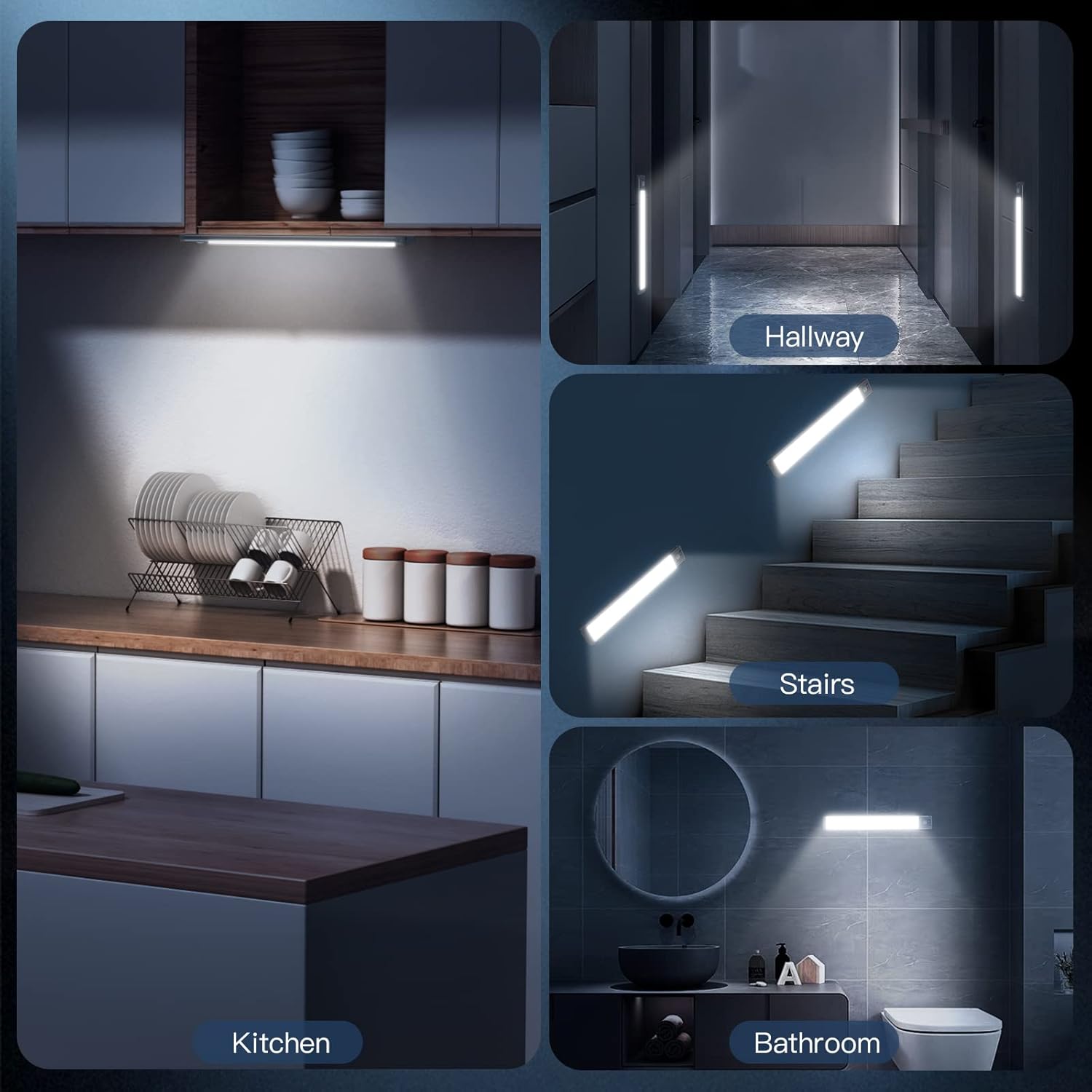
Immagine: Examples of the MCGOR light in various applications, including kitchen, hallway, stairs, and bathroom.
Manutenzione
Carica della batteria:
The light is equipped with a built-in 2500mAh rechargeable battery. When the battery is low, the light's performance may diminish. To charge:
- Staccare con cautela la luce dalla sua posizione di installazione (se si utilizza un attacco magnetico).
- Connect the included USB-C charging cord to the light's USB-C port.
- Connect the other end of the USB-C charging cord to a standard USB wall adapter (not included), power bank, or computer USB port.
- A charging indicator light will illuminate during charging. Once fully charged, the indicator light will change (e.g., from red to green).
A full charge can last up to 7-30 days in Motion Sensor Mode (depending on usage frequency) and approximately 8 hours in Always-on Mode at 100% brightness.
Pulizia:
Wipe the light with a soft, dry cloth. Do not use abrasive cleaners or immerse the light in water.
Risoluzione dei problemi
- La luce non si accende:
- Assicurarsi che la batteria sia carica. Collegare a una fonte di alimentazione e controllare l'indicatore di carica.
- Verify the switch is in the correct position (ON for continuous, AUTO for motion sensing).
- In AUTO mode, ensure the environment is dark enough for the sensor to activate.
- Motion sensor not working effectively:
- Check if the light is in AUTO mode.
- Assicurarsi che non vi siano ostacoli che bloccano il sensore PIR.
- Confirm the ambient light is low enough for the sensor to trigger.
- Luce tremolante o fioca:
- La batteria potrebbe essere scarica. Ricaricare completamente la luce.
- Check the brightness setting and adjust if necessary.
- L'adesivo non tiene:
- Prima dell'applicazione, assicurarsi che la superficie sia pulita e asciutta.
- Apply firm pressure for several seconds when attaching the adhesive metal plate.
- Allow sufficient time for the adhesive to bond before mounting the light.
Specifiche
| Marca | MCGOR |
| Nome del modello | GLS-C010 |
| Colore | Luce bianca |
| Materiale | Alluminio, Plastica |
| Dimensioni del prodotto | 14.7 cm L x 1.37 cm P x 0.57 cm A |
| Peso dell'articolo | 15.04 once |
| Fonte di alimentazione | Alimentato a batteria (polimero di litio da 2500 mAh) |
| Tipo di sorgente luminosa | LED (63 LED) |
| Luminosità | 180 lumen |
| Temperatura del colore | 7000 Kelvin (bianco freddo) |
| Caratteristiche speciali | Dimmerabile, sensore di movimento |
| Metodo di controllo | Premere il pulsante |
| Tipo di installazione | Montaggio magnetico |
| Uso interno/esterno | Al chiuso |
Garanzia e supporto
For any questions, concerns, or support regarding your MCGOR Under Cabinet Lighting, please refer to the contact information provided with your purchase or visit the official MCGOR store on Amazon:
Please retain your proof of purchase for any warranty claims. Specific warranty details may vary and are typically outlined in the product packaging or on the manufacturer's websito.
Ask a question about this manual
Ask about setup, troubleshooting, compatibility, parts, safety, or missing instructions. Manuals+ will review the question and use this page’s manual context to help answer it.