
1. Introduzione
This manual provides essential information for the safe and effective use of your ALITOVE 12V 3A 36W AC/DC Power Adapter (Model ALT-1203). Please read these instructions carefully before installation and operation. This power adapter is designed to convert AC household current to a stable 12V DC output, suitable for various electronic devices requiring up to 3A of current.

Image 1.1: ALITOVE 12V 3A 36W AC/DC Power Adapter. This image shows the compact black power adapter with its attached DC output cable and standard AC input plug.
2. Caratteristiche del prodotto
The ALITOVE 12V 3A 36W AC/DC Power Adapter incorporates several features for reliable and safe operation:
- Ingresso universale Voltage: Accepts AC 100-240V, 50/60Hz, making it suitable for international use with appropriate plug adapters.
- Stable DC Output: Provides a consistent 12V DC output with a maximum current of 3A (36W).
- Ampia compatibilità: Features a 5.5mm x 2.5mm DC plug, also compatible with 5.5mm x 2.1mm ports. The plug polarity is center positive (+), outer negative (-).
- Molteplici protezioni di sicurezza: Includes automatic overload protection, over-voltage protection, over-current protection, over-temperature protection, and short circuit protection.
- Costruzione durevole: Made with flame-retardant and high-temperature resistant PC & ABS synthetic materials.
- Anti-interference Magnetic Ring: Designed to reduce electromagnetic interference (EMI) for stable current transmission.
- High-Quality Power Cord: Utilizes oxygen-free copper for better conductivity and a superior PVC cable jacket to prevent leakage.
- Punti di stress rinforzati: Designed to withstand wear and tear at cable connections.
- Optional Female Terminal Connector: Some packages may include a female terminal connector for screw-in wire connections, expanding application range without soldering.

Image 2.1: Detailed features of ALITOVE power adapter construction. This image highlights the solid PC & ABS shell, anti-interference magnetic ring, safe & reliable power cord, reinforced stress point, and the optional female terminal connector.

Image 2.2: Internal circuit board with multiple safety protections. This image displays the internal components of the power adapter, illustrating the design for over-voltage, over-current, short circuit, over-temperature, anti-EMI, and surge protection.
3. Specifiche
Refer to the table below for detailed technical specifications of the ALITOVE 12V 3A 36W AC/DC Power Adapter.
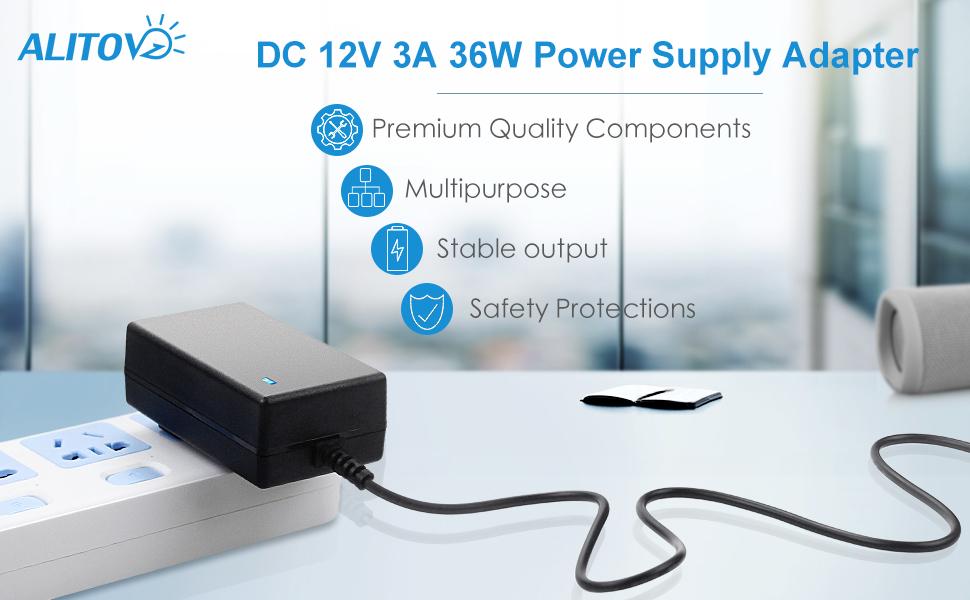
Image 3.1: Product parameters table for ALITOVE 12V 3A power adapter. This image presents a clear table outlining the product name, brand, input voltage, volume di uscitatage, output current, output wattage e dimensioni del connettore CC.
| Parametro | Valore |
|---|---|
| Nome del prodotto | Adattatore di alimentazione CA/CC |
| Marca | ALITOVE |
| Numero di modello | ALT-1203 |
| Ingresso volumetage | CA 100-240 V, 50/60 Hz |
| Volume di uscitatage | CC 12V |
| Corrente di uscita | 3A massimo |
| Uscita Wattage | 36W max |
| DC Connector Size | 5.5 mm x 2.5 mm (compatibile con 5.5 mm x 2.1 mm) |
| DC Plug Polarity | Inner positive (+), Outer negative (-) |
| Dimensioni del prodotto | 4.72 x 1.57 x 1.18 pollici (12 x 4 x 3 cm) |
| Peso dell'articolo | Circa 3.09 libbre (per una confezione da 10) |
| Standard di sicurezza | Certificazione FCC, CE, RoHS |

Image 3.2: Universal DC Output Tip dimensions and polarity. This image illustrates the physical dimensions of the DC plug (5.5mm outer, 2.1/2.5mm inner) and clearly indicates the inner positive, outer negative polarity.
4. Configurazione e installazione
Follow these steps to properly set up your ALITOVE power adapter:
- Verifica la compatibilità del dispositivo: Ensure your device requires a 12V DC input and draws no more than 3A (36W) of power. Check your device's power port to confirm it is compatible with a 5.5mm x 2.5mm or 5.5mm x 2.1mm DC plug with center positive polarity.
- Connetti al dispositivo: Insert the DC output plug of the power adapter into the power input port of your electronic device.
- Collegare alla presa di corrente: Plug the AC input plug of the power adapter into a standard AC 100-240V wall outlet.
- Accensione: Una volta connesso, il dispositivo dovrebbe ricevere alimentazione.

Image 4.1: DC plug size comparison. This image shows the 5.5mm x 2.5mm DC plug and indicates its compatibility with 5.5mm x 2.1mm ports.

Image 4.2: Power adapter connected to a security camera. This image demonstrates the power adapter plugged into a wall outlet and supplying power to a security camera, illustrating a typical application.
5. Istruzioni per l'uso
The ALITOVE 12V 3A 36W AC/DC Power Adapter is designed for simple plug-and-play operation. Once correctly connected to a compatible device and a power outlet, it will provide continuous 12V DC power.
- Capacità di carico: For optimal performance and longevity, it is recommended that the connected device's power consumption does not exceed 80% of the adapter's maximum load (i.e., less than 29W for a 36W adapter).
- Solo per uso interno: This power adapter is intended for indoor use in dry environments. Do not expose it to water, moisture, or high humidity.
- Compatibilità universale: This adapter is suitable for a wide range of 12V DC devices under 3A/36W, including LED strips, ham radio transceivers, CCTV cameras, car subwoofer amplificatori, audio amplifiers, wireless routers, ADSL modems, and DVR/NVR security cameras.
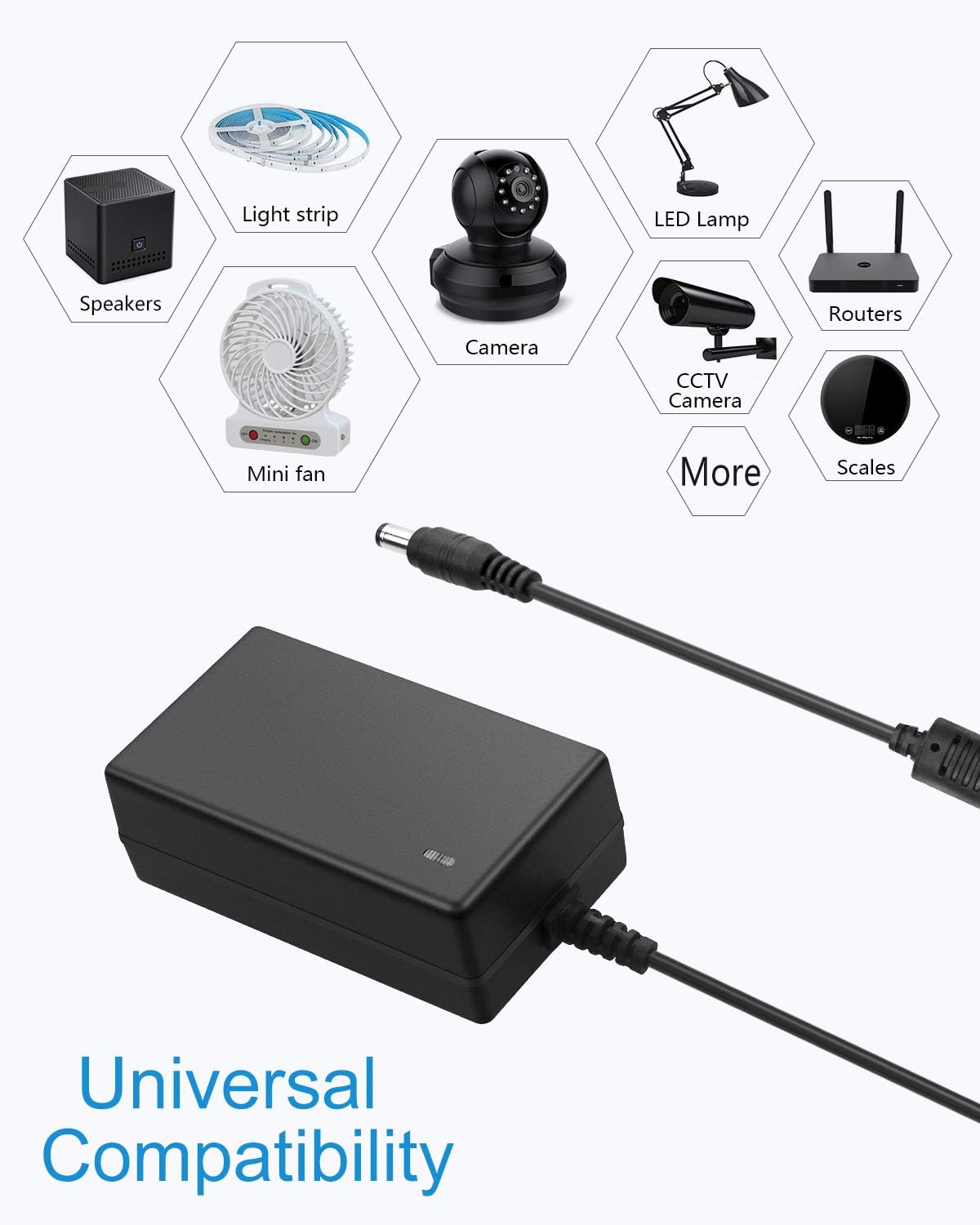
Image 5.1: Icons representing universal compatibility with various devices. This image displays icons for speakers, light strips, cameras, LED lamps, mini fans, routers, and scales, indicating the broad range of devices compatible with the power adapter.
6. Manutenzione
Per garantire la longevità e il corretto funzionamento dell'adattatore di alimentazione, seguire queste linee guida per la manutenzione:
- Pulizia: Disconnect the adapter from the power outlet and the device before cleaning. Use a dry, soft cloth to wipe the exterior. Do not use liquid cleaners or solvents.
- Magazzinaggio: Quando non viene utilizzato, conservare l'adattatore in un luogo fresco e asciutto, lontano dalla luce solare diretta e da temperature estreme.
- Cura del cavo: Avoid bending or crimping the power cord excessively. Do not place heavy objects on the cable.
- Ispezione: Periodically inspect the adapter and cables for any signs of damage, such as frayed wires, cracks, or loose connections. If damage is found, discontinue use immediately.
7. Risoluzione Dei Problemi
If you encounter issues with your power adapter, refer to the following common troubleshooting steps:
| Problema | Possibile causa | Soluzione |
|---|---|---|
| Nessuna alimentazione al dispositivo | 1. Adapter not plugged in correctly. 2. Wall outlet has no power. 3. Device requires different voltage/corrente. 4. DC plug not fully inserted or incompatible. 5. Adapter or device is faulty. | 1. Ensure both AC and DC plugs are securely connected. 2. Test the wall outlet with another device. 3. Verify device specifications match adapter (12V, max 3A). 4. Check DC plug size and polarity (5.5mm x 2.5mm/2.1mm, center positive). 5. If all else fails, contact support. |
| Adapter gets excessively hot | 1. Overload (device draws too much power). 2. Scarsa ventilazione. | 1. Ensure device power consumption is within adapter limits (max 3A/36W, recommended <29W). Disconnect and allow to cool. 2. Ensure the adapter is in a well-ventilated area and not covered. |
| Device flickers or malfunctions | 1. Insufficient power (device draws more than 3A). 2. Alimentazione instabile. | 1. Confirm device power requirements. If it exceeds 3A, a higher-rated adapter is needed. 2. Ensure the adapter is not overloaded and is connected to a stable power source. |
If the problem persists after attempting these solutions, please contact ALITOVE customer support.
8. Informazioni sulla sicurezza
Per evitare lesioni o danni, osservare le seguenti precauzioni di sicurezza:
- Do not disassemble or modify the power adapter.
- Keep the adapter away from water, fire, and high temperatures.
- Do not use the adapter if the casing o il cavo è danneggiato.
- Garantire un'adeguata ventilazione attorno all'adattatore durante il funzionamento.
- Questo adattatore è solo per uso interno.
- Tenere fuori dalla portata dei bambini.
9. Garanzia e supporto
ALITOVE provides the following support for this product:
- Politica di rimborso di 60 giorni: Se non sei soddisfatto del tuo acquisto, potresti avere diritto a un rimborso entro 60 giorni.
- 24-Month Exchange: The product is covered by a 24-month exchange policy for manufacturing defects.
- Assistenza clienti: For any issues or inquiries, ALITOVE aims to respond to emails within 6 hours. All issues can typically be resolved via email support.
For support, please refer to the contact information provided with your purchase or visit the official ALITOVE websito.