
1. Introduzione
This manual provides essential information for the proper installation, operation, and maintenance of your ENDORFY Arx 500 ARGB ATX Computer Case. Please read this manual thoroughly before beginning installation to ensure optimal performance and safety.
The ENDORFY Arx 500 ARGB is a high-performance ATX computer case designed for efficient cooling and spacious component compatibility. Key features include:
- Pannello laterale in vetro temperato per vetrinaasing componenti interni.
- Spacious interior for easy component installation and cable management.
- Compatibility with various radiator sizes for advanced cooling solutions.
- Airy and easily accessible front panel for optimal airflow.
- Efficient cooling design to maintain low component temperatures.
- Convenient cable management features for a clean build.
2. Informazioni sulla sicurezza
Please observe the following safety precautions to prevent damage to the product or injury to yourself.
- Disconnessione dell'alimentazione: Scollegare sempre l'alimentatore dalla presa a muro prima di installare o rimuovere qualsiasi componente all'interno del case del computer.
- Elettricità statica: Indossare un braccialetto antistatico o toccare frequentemente un oggetto metallico collegato a terra per scaricare l'elettricità statica prima di maneggiare i componenti interni.
- Bordi taglienti: Be cautious of sharp edges inside the case during installation.
- Vetro temperato: Handle the tempered glass side panel with care. It is fragile and can break if dropped or subjected to impact. Place it on a soft, flat surface when removed.
- Ventilazione: Ensure adequate ventilation around the case to prevent overheating. Do not block air vents.
- Contatto con liquidi: Keep the computer case away from liquids and moisture.
3. Contenuto della confezione
Verifica che tutti gli articoli siano presenti nel pacco. Se alcuni articoli risultano mancanti o danneggiati, contatta il rivenditore.
- ENDORFY Arx 500 ARGB ATX Computer Case
- 4 x 140 mm ARGB Fans (pre-installed)
- Accessory Box (containing screws, cable ties, and other mounting hardware)
- Manuale dell'utente (questo documento)

Figura 3.1: Esploso view showing the computer case, fans, and various panels.
4. Configurazione e installazione
Follow these steps to install your components into the ENDORFY Arx 500 ARGB case.
4.1 Preparazione del caso
- Rimuovere i pannelli laterali: Carefully remove the tempered glass side panel and the solid metal side panel. Place them on a soft, non-abrasive surface to prevent scratches.
- Scatola degli accessori: Individuare la scatola degli accessori all'interno della custodia, che contiene tutte le viti e l'hardware di montaggio necessari.
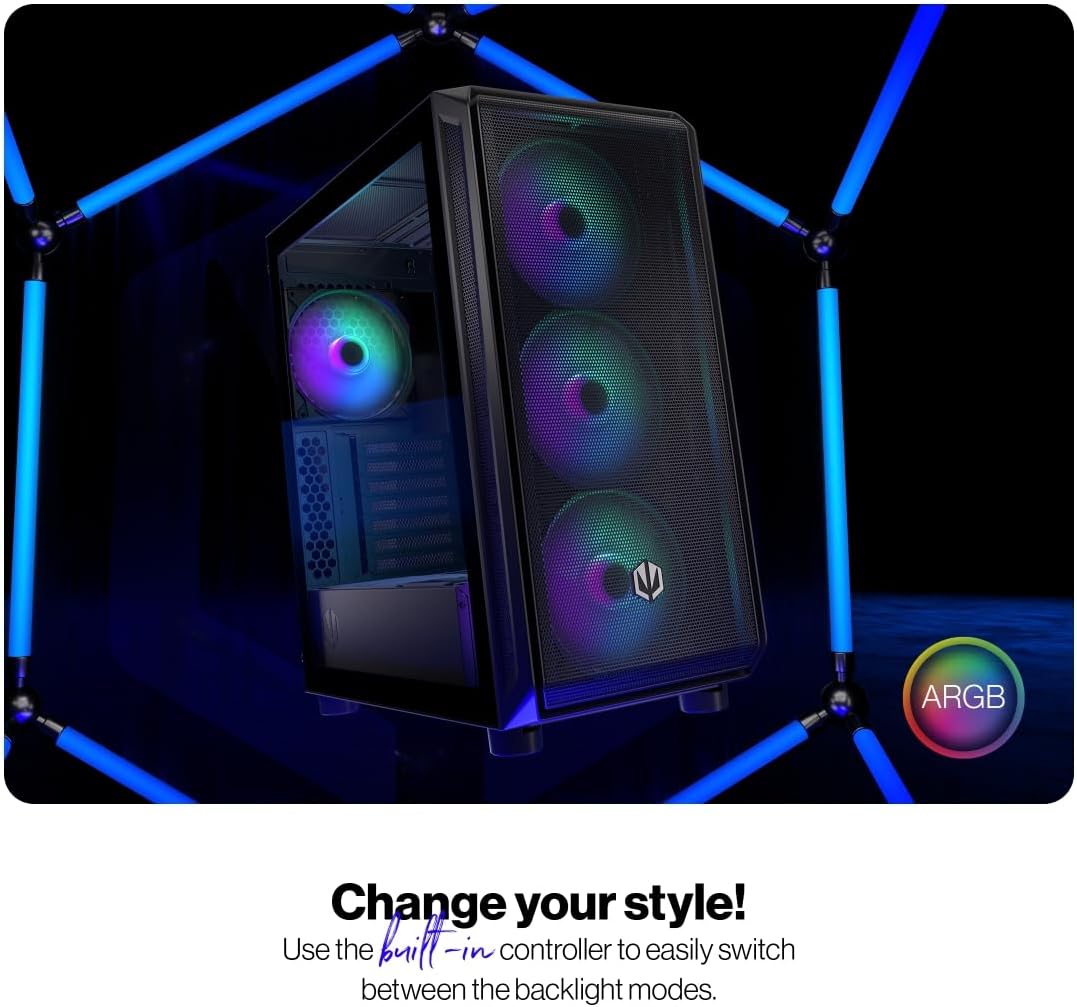
Figure 4.1: The tempered glass side panel allows for a clear view dei componenti interni.
4.2 Installazione della scheda madre
- Installare i distanziatori: Ensure the correct standoffs are installed for your ATX motherboard. The case supports ATX motherboards.
- Montare la scheda madre: Posizionare con attenzione la scheda madre sui distanziatori e fissarla con le viti fornite.

Figura 4.2: L'interno spazioso offre ample room for motherboard and other component installation.
4.3 Installazione dell'alimentazione e dell'archiviazione
- Alimentazione elettrica: Install your power supply unit (PSU) into the dedicated bottom mount area. Secure it with screws from the rear of the case.
- Unità di archiviazione: Install your 2.5" SSDs or 3.5" HDDs into the designated drive bays. Refer to the case's internal structure for specific mounting points.
4.4 Scheda grafica e schede di espansione
- Rimuovere le coperture degli slot: Rimuovere le coperture degli slot PCI-E necessari dalla parte posteriore del case.
- Installa le schede: Insert your graphics card and other expansion cards into the motherboard's PCI-E slots and secure them with screws.
4.5 Cooling System (Fans and Radiators)
The case comes with 4 pre-installed 140mm ARGB fans. Additional fans or radiators can be installed for enhanced cooling.
- Capacità della ventola: The case accommodates up to 7 fans.
- Compatibilità radiatore: The design supports various radiator sizes for liquid cooling solutions.

Figure 4.3: The case features pre-installed 140mm ARGB fans for optimal airflow.

Figure 4.4: Perforated front and top panels ensure maximum airflow and dust protection.
4.6 Gestione dei cavi
Utilize the dedicated cable management space and tie-down points behind the motherboard tray to route and secure cables for a clean build and improved airflow.
4.7 Collegamenti del pannello I/O frontale
Connect the front panel cables (USB, audio, power, reset, LEDs) to the corresponding headers on your motherboard. Refer to your motherboard manual for header locations.

Figure 4.5: Front I/O panel with USB-C, USB-A, headphone, microphone, reset, and power buttons/LEDs.
- Porta USB-C: Connects to a USB 3.x Type-C header on your motherboard.
- Porte USB-A: Connects to USB 3.x and USB 2.0 headers on your motherboard.
- Headphones Port: Connects to the audio header on your motherboard.
- Porta microfono: Connects to the audio header on your motherboard.
- Pulsante di reset: Connects to the reset header on your motherboard.
- LED di potenza: Connects to the power LED header on your motherboard.
- Storage Activity LED: Connects to the HDD LED header on your motherboard.
- Pulsante di accensione: Connects to the power switch header on your motherboard.
5. Istruzioni per l'uso
Una volta installati e collegati tutti i componenti, è possibile accendere il sistema.
- Accensione: Press the Power Button on the front I/O panel to turn on your computer. The Power LED will illuminate.
- Controllo ventola ARGB: The pre-installed ARGB fans can be controlled via a built-in controller or synchronized with compatible motherboard software. Use the built-in controller to switch between various backlight modes.

Figure 5.1: The ARGB fans offer customizable lighting effects, controlled via the built-in controller.
6. Manutenzione
Una manutenzione regolare aiuta a garantire prestazioni ottimali e longevità del case e dei componenti del computer.
- Filtri antipolvere: Rimuovere e pulire periodicamente i filtri antipolvere situati nella parte anteriore, superiore e inferiore del case. Utilizzare aria compressa o una spazzola morbida per rimuovere la polvere accumulata.
- Pulizia esterna: Pulisci le superfici esterne della custodia con un panno morbido eamp panno. Evitare detergenti abrasivi o solventi.
- Pulizia interna: With the system powered off and unplugged, use compressed air to gently remove dust from internal components and fan blades.
- Vetro temperato: Clean the tempered glass panel with a microfiber cloth and a glass cleaner designed for electronics.
7. Risoluzione Dei Problemi
If you encounter issues with your computer case, refer to the following common troubleshooting steps.
- Il sistema non si accende:
- Assicurarsi che l'alimentatore sia correttamente collegato alla presa a muro e acceso.
- Verificare che tutti i cavi di alimentazione dell'alimentatore siano collegati correttamente alla scheda madre e ai componenti.
- Check that the front panel power button cable is correctly connected to the motherboard's power header.
- Le ventole non girano/ARGB non si accende:
- Ensure fan power cables are securely connected to the fan hub or motherboard headers.
- Verify ARGB cables are connected to the built-in controller or motherboard ARGB header.
- Check the built-in controller or motherboard software for fan speed and lighting settings.
- Front USB/Audio Ports Not Working:
- Confirm that the front panel USB and audio cables are correctly connected to the corresponding headers on your motherboard.
- Ensure motherboard drivers for USB and audio are installed.
If problems persist, consult your motherboard manual or contact ENDORFY customer support.
8. Specifiche
| Caratteristica | Dettaglio |
|---|---|
| Marca | ENDORFIA |
| Serie | Arx 500 ARGB |
| Numero di modello | EY2A011 |
| Tipo di caso | Torre Midi |
| Compatibilità della scheda madre | ATX |
| Dimensioni (LxWxH) | 16.89 x 8.98 x 19.13 pollici (429 x 228 x 486 mm) |
| Peso dell'articolo | 16.5 libbre |
| Materiale | Vetro temperato (pannello laterale) |
| Metodo di raffreddamento | Aria |
| Ventilatori inclusi | 4 x 140 mm ARGB fans |
| Dimensioni della ventola | 140 millimetri |
| Tipo di montaggio dell'alimentatore | Montaggio inferiore |
| Porte I / O anteriori | 2x USB 2.0, 1x USB-C, 1x Headphone, 1x Microphone, Reset Button, Power Button |

Figure 8.1: Front dimensions (228 mm width).

Figure 8.2: Side dimensions (429 mm depth, 486 mm height).
9. Garanzia e supporto
Per informazioni sulla garanzia, supporto tecnico o ulteriore assistenza, visitare il sito ufficiale ENDORFY websito o contattare il rivenditore locale.