
Introduzione
This manual provides comprehensive instructions for the Veho Kuzo Sports Smart Watch F1S. Please read this manual carefully before using your device to ensure proper operation and to maximize its features. Keep this manual for future reference.

Immagine: Frontale view of the Veho Kuzo Sports Smart Watch F1S, showcasing its round display and rugged design.
Informazioni sulla sicurezza
Always follow basic safety precautions when using this device to reduce the risk of injury, electric shock, fire, or damage to the product.
- Non tentare di smontare o modificare il dispositivo.
- Tenere il dispositivo lontano da temperature estreme e dalla luce solare diretta.
- Evitare di esporre il dispositivo a forti urti o cadute.
- Consultare un medico prima di iniziare un nuovo regime di allenamento, soprattutto se si hanno problemi di salute preesistenti.
- The device is water-resistant (IP68) but not waterproof for diving or high-pressure water activities.
Contenuto della confezione
Assicurarsi che tutti gli articoli siano presenti nella scatola:
- Veho Kuzo Sports Smart Watch F1S (Black)
- Magnetic Charging Cradle (USB-A)
- Manuale utente multilingue
Impostare
1. Ricarica dello Smart Watch
Before first use, fully charge your Veho Kuzo F1S Smart Watch.
- Connect the magnetic charging cradle to a USB-A power source (e.g., computer USB port, wall adapter).
- Align the magnetic pins of the cradle with the charging contacts on the back of the watch. The watch will snap into place and display a charging indicator.
- Charge for approximately 2 hours for a full charge. A full charge provides up to 15 days of typical use.

Image: Graphic illustrating the 15-day battery life of the Veho Kuzo F1S Smart Watch.
2. Installazione dell'app complementare
Per sbloccare tutte le funzionalità e sincronizzare i dati, scarica l'app ufficiale sullo smartphone.
- The app is compatible with Apple iOS and Android devices.
- Cercare "Kuzo" or "Veho Kuzo" in your device's app store.
- Installa l'app e segui le istruzioni sullo schermo per creare un account.
3. Associazione con lo smartphone
After installing the app, pair your watch with your phone via Bluetooth.
- Assicurati che il Bluetooth sia abilitato sul tuo smartphone.
- Open the companion app and navigate to the device pairing section.
- Turn on your Veho Kuzo F1S Smart Watch.
- Select your watch from the list of available devices in the app.
- Conferma la richiesta di associazione sia sull'orologio che sullo smartphone.

Image: A smartphone displaying the Veho Kuzo companion app, showing health and activity data.
Istruzioni per l'uso
Navigazione di base
The Veho Kuzo F1S features a 1.3-inch AMOLED touchscreen and physical buttons for navigation.
- Schermo tattile: Scorri verso l'alto, verso il basso, verso sinistra o verso destra per navigare tra menu e widget. Tocca per selezionare gli elementi.
- Pulsanti laterali: Use the physical buttons on the side of the watch to return to the home screen, access sports modes, or other quick functions.
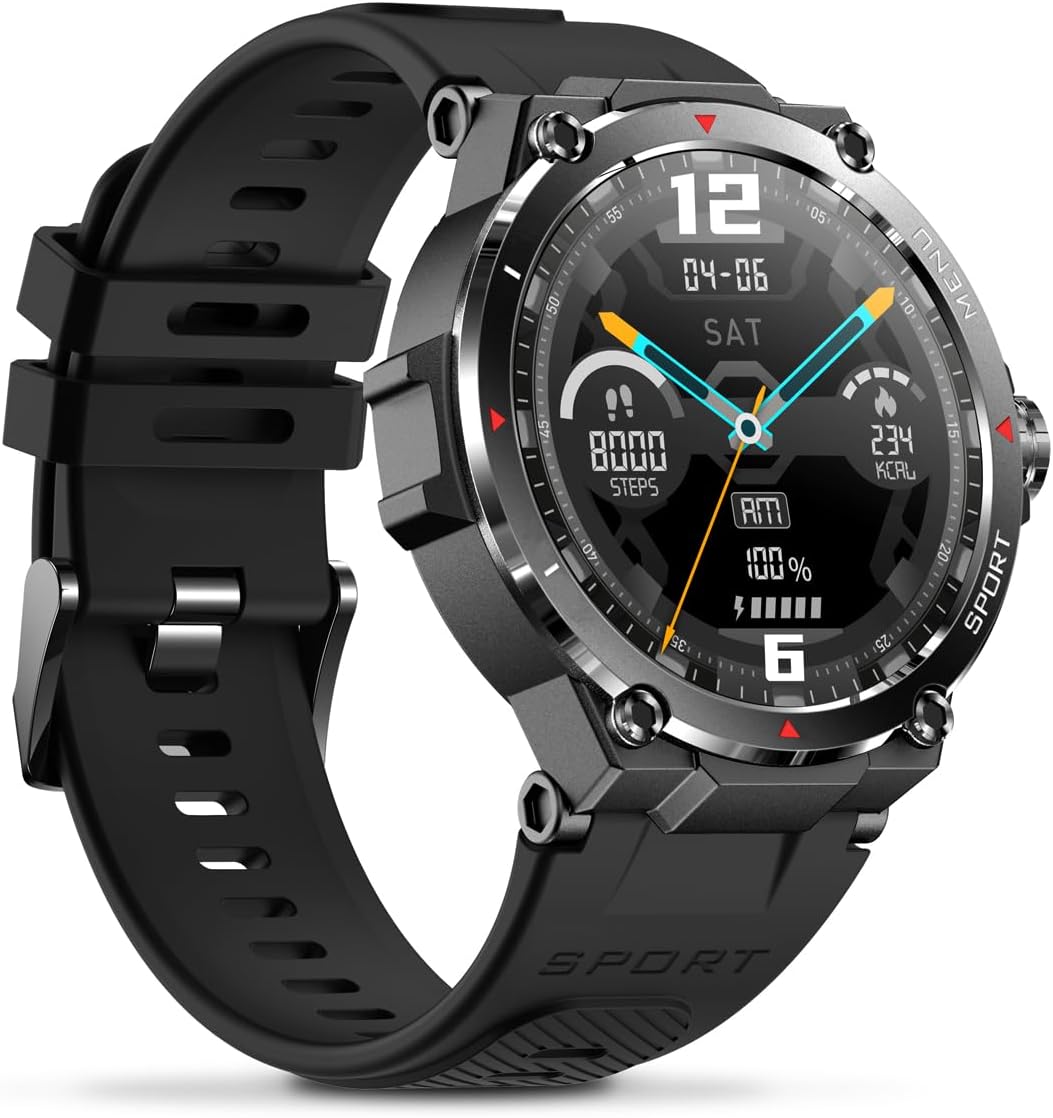
Immagine: Lato view of the Veho Kuzo F1S Smart Watch, highlighting the control buttons and rugged casing.
Monitoraggio della salute e del fitness
The watch continuously monitors various health and fitness metrics.
- Frequenza cardiaca: Monitoraggio della frequenza cardiaca 24 ore su 24, 7 giorni su 7. View dati in tempo reale sull'orologio o tendenze dettagliate nell'app.
- Ossigeno nel sangue: Misura i livelli di ossigeno nel sangue.
- Monitoraggio attività: Tracks steps, calories burned, and distance covered. Supports walking, running, and cycling.
- Monitoraggio del sonno: Monitors daily, weekly, and monthly sleep patterns, detailing deep sleep, light sleep, and awake times.
- Posizione GPS: Built-in 3-mode GPS (GPS+Beidou+Glonass) and Assisted GPS (AGPS) for accurate outdoor performance tracking and live map positioning. Compatible with STRAVA.

Image: The Veho Kuzo F1S Smart Watch displaying heart rate monitoring data.
Funzionalità intelligenti
- Notifiche: Receive push notifications from apps like WhatsApp, Twitter, Facebook, LinkedIn, Skype, YouTube, Messenger, and Instagram directly on your watch.
- Controllo della musica: Control music playback (volume, skip tracks, play/pause) on your paired smartphone directly from the watch.
- Funzioni temporali: Access alarm, timer, intermittent timer, stopwatch, and countdown functions.
- Trova telefono: Utilizza l'orologio per localizzare lo smartphone associato.
- News/Weather App: Integrated news and weather application functionality.
- Quadranti personalizzabili: Choose from hundreds of different watch face designs through the companion app.
Manutenzione
Pulizia
Per mantenere l'aspetto e la funzionalità dell'orologio:
- Pulisci regolarmente l'orologio e il cinturino con un panno morbido e asciutto.amp stoffa.
- Evitare l'uso di prodotti chimici aggressivi o detergenti abrasivi.
- Prima di procedere alla ricarica, assicurarsi che i contatti di ricarica siano puliti e asciutti.
Resistenza all'acqua (IP68)
The Veho Kuzo F1S Smart Watch has an IP68 rating, meaning it is water-resistant in fresh water up to a maximum depth of 1.5 meters for up to 30 minutes, and is protected from dust.
- Do not use the watch for diving, snorkeling, or high-speed water sports.
- Evitare di esporre l'orologio ad acqua calda, vapore o detergenti.
- Asciugare accuratamente l'orologio dopo averlo esposto all'acqua.
Cura della batteria
- Caricare regolarmente l'orologio per preservare la salute della batteria.
- Evitare di scaricare completamente la batteria frequentemente.
- Se non si utilizza l'orologio per lunghi periodi, conservarlo in un luogo fresco e asciutto.
Risoluzione dei problemi
If you encounter issues with your Veho Kuzo F1S Smart Watch, refer to the following common solutions:
- L'orologio non si accende: Ensure the watch is fully charged. Connect it to the charging cradle and check for the charging indicator.
- Impossibile associare il telefono:
- Assicurati che il Bluetooth sia abilitato sul telefono e sull'orologio.
- Assicurati che l'orologio si trovi nel raggio d'azione del tuo telefono.
- Riavvia sia l'orologio che il telefono.
- Prova a disaccoppiare e riassociare il dispositivo tramite l'app.
- Dati sanitari inesatti:
- Assicurati che l'orologio sia indossato comodamente al polso, ma non troppo stretto.
- Pulisci il sensore sul retro dell'orologio.
- Fattori ambientali e condizioni della pelle possono influire sulla precisione.
- Notifiche non visualizzate:
- Controlla le impostazioni di notifica dell'app sul tuo telefono e all'interno dell'app complementare.
- Assicurati che l'orologio sia connesso al telefono tramite Bluetooth.
Per ulteriore assistenza, consultare la sezione supporto o contattare il servizio clienti.
Specifiche
| Nome del modello | F1S |
| Numero di modello | VSW-001-F1S-B (164426) |
| Display | Schermo touchscreen AMOLED da 1.3" |
| Risoluzione | 360 x 360 pixel |
| Chipset | Dialogue14695, PPGHX3690 |
| Memoria | ROM 128 MB + RAM 2 MB |
| Bluetooth | versione 5.1 |
| Capacità della batteria | 300mAh ai polimeri di litio |
| Orario di lavoro | Fino a 15 giorni |
| Tempo di standby | Fino a 21 giorni |
| Tempo di ricarica | Circa 2 ore |
| Tipo di ricarica | USB-A to Magnetic Charging Cradle |
| Resistenza all'acqua | IP68 (up to 1.5 meters for 30 minutes in fresh water) |
| Sistema GPS | 3-mode (GPS+Beidou+Glonass) |
| Dimensioni | Dimensioni: 46 mm x 12.9 mm |
| Peso | 51g |
| Larghezza della cinghia | 22mm |
| Lunghezza del cinturino | 260mm |
| Compatibilità del sistema operativo | Androide, iOS |
| Lingue supportate | All major languages (replicates paired smartphone language) |
Garanzia e supporto
The Veho Kuzo Sports Smart Watch F1S comes with a limited warranty. Please refer to the warranty card included in your package or visit the official Veho websito per termini e condizioni di garanzia dettagliati.
Assistenza clienti
For technical support, troubleshooting, or warranty claims, please contact Veho customer service through their official websito o le informazioni di contatto fornite nella documentazione del prodotto.
- Supporto online: www.veho-world.com/support (Exampil collegamento (il collegamento effettivo può variare)
- E-mail: support@veho-world.com (Exampl'email (l'email effettiva potrebbe variare)