
Introduzione
Thank you for choosing the Mount-It! MI-2752 Dual Monitor Arm. This full-motion desk mount is designed to enhance your workspace by providing ergonomic positioning for two monitors, freeing up valuable desk space. This manual provides detailed instructions for safe installation, operation, and maintenance of your monitor arm.
Informazioni sulla sicurezza
- Capacità di peso: Do not exceed the maximum weight capacity of 19.8 lbs (9 kg) per monitor. Exceeding this limit may result in instability and potential injury.
- Dimensioni del monitor: This mount supports monitors from 13 to 32 inches. Ensure your monitors fit within this range.
- Compatibilità VESA: Compatible with VESA patterns 75x75mm and 100x100mm. Verify your monitor's VESA pattern before installation.
- Spessore della scrivania: Per C-clamp installation, the desk thickness must be between 0.39 inches (10mm) and 3.3 inches (85mm). For grommet installation, the desk thickness must be between 0.39 inches (10mm) and 1.6 inches (40mm).
- Superficie di installazione: Ensure the mounting surface (desk) is structurally sound and can support the combined weight of the mount and monitors. Do not install on drywall-only surfaces.
- Punti critici: Be aware of potential pinch points during assembly and adjustment. Keep hands clear of moving parts.
- Bambini: Tenere le parti di piccole dimensioni lontano dalla portata dei bambini.
Contenuto della confezione
Verify that all components are present and undamaged before proceeding with installation. If any parts are missing or damaged, contact Mount-It! customer support.

Image: All components of the Mount-It! MI-2752 Dual Monitor Arm laid out, including the pole, arms, VESA plates, C-clamp, grommet base, and hardware.
- Main Pole with Desk Clamp/Grommet Base
- Bracci a doppio monitor
- VESA Monitor Plates (2x)
- Kit hardware (viti, rondelle, chiavi a brugola)
- Clip di gestione dei cavi
Configurazione e installazione
Per una corretta installazione, seguire attentamente questi passaggi.
Step 1: Choose Mounting Option
The MI-2752 offers two installation methods: C-clamp or Grommet mount. Select the option suitable for your desk.

Image: A visual comparison of the C-clamp mounting option (left) and the grommet mounting option (right) for desk attachment.
- C-Clamp: Ideal for desks without a grommet hole. Attaches to the edge of the desk.
- Occhiello: Utilizes an existing hole in your desk for a more flush installation.
Step 2: Attach Mount to Desk
Secure the main pole to your desk using the chosen method. Ensure it is tightened firmly to prevent movement.
Passaggio 3: collegare le piastre VESA ai monitor
Attach the VESA plates to the back of your monitors using the appropriate screws from the hardware kit. Ensure the screws are not overtightened to avoid damaging the monitor.
Fase 4: montare i monitor sui bracci
Slide the monitors (with VESA plates attached) onto the monitor arms. Secure them with the provided locking mechanism.
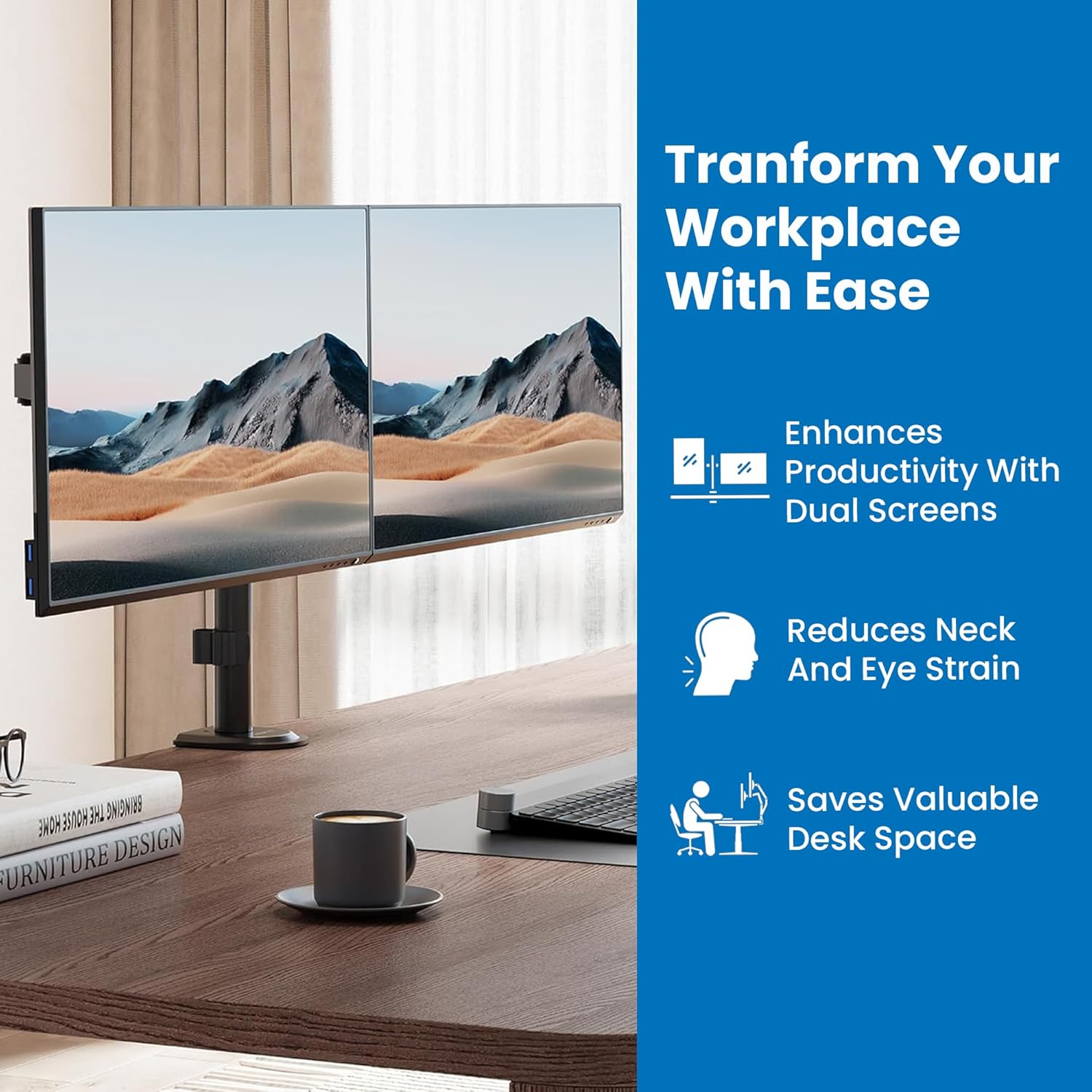
Immagine: un primo piano view of a monitor securely attached to one of the monitor arms, demonstrating the connection point.
Fase 5: Gestione dei cavi
Route monitor cables through the integrated cable management clips on the arms and pole for a tidy workspace.
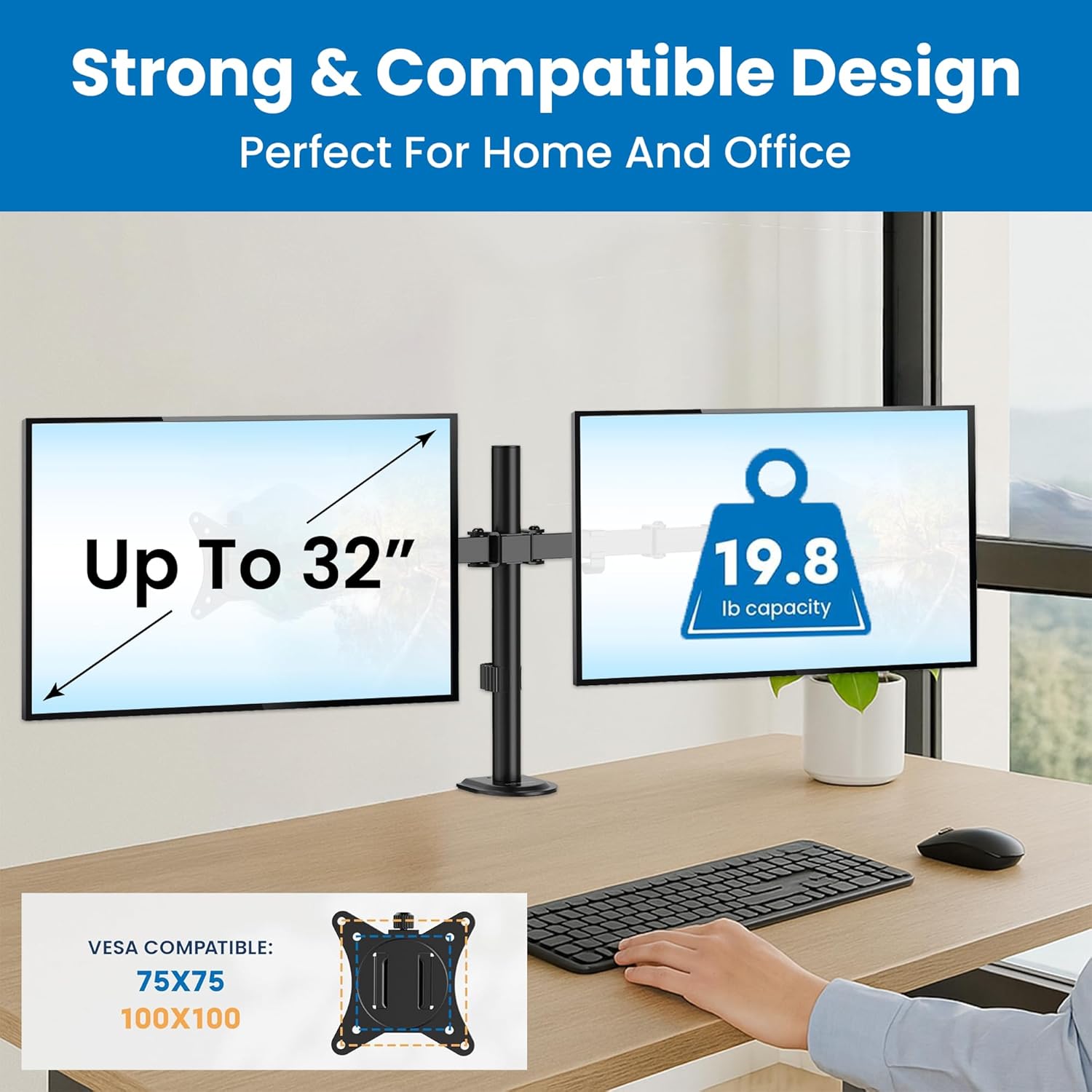
Immagine: A view of monitor cables neatly routed through the integrated cable management clips along the monitor arm and pole.
Istruzioni per l'uso e regolazioni
The Mount-It! MI-2752 offers extensive adjustability for optimal viewcomfort.
Regolazione dell'altezza
Monitors can be adjusted vertically along the main pole. Fine-tune individual monitor heights for perfect alignment using the adjustment screws on the VESA plate attachment points.
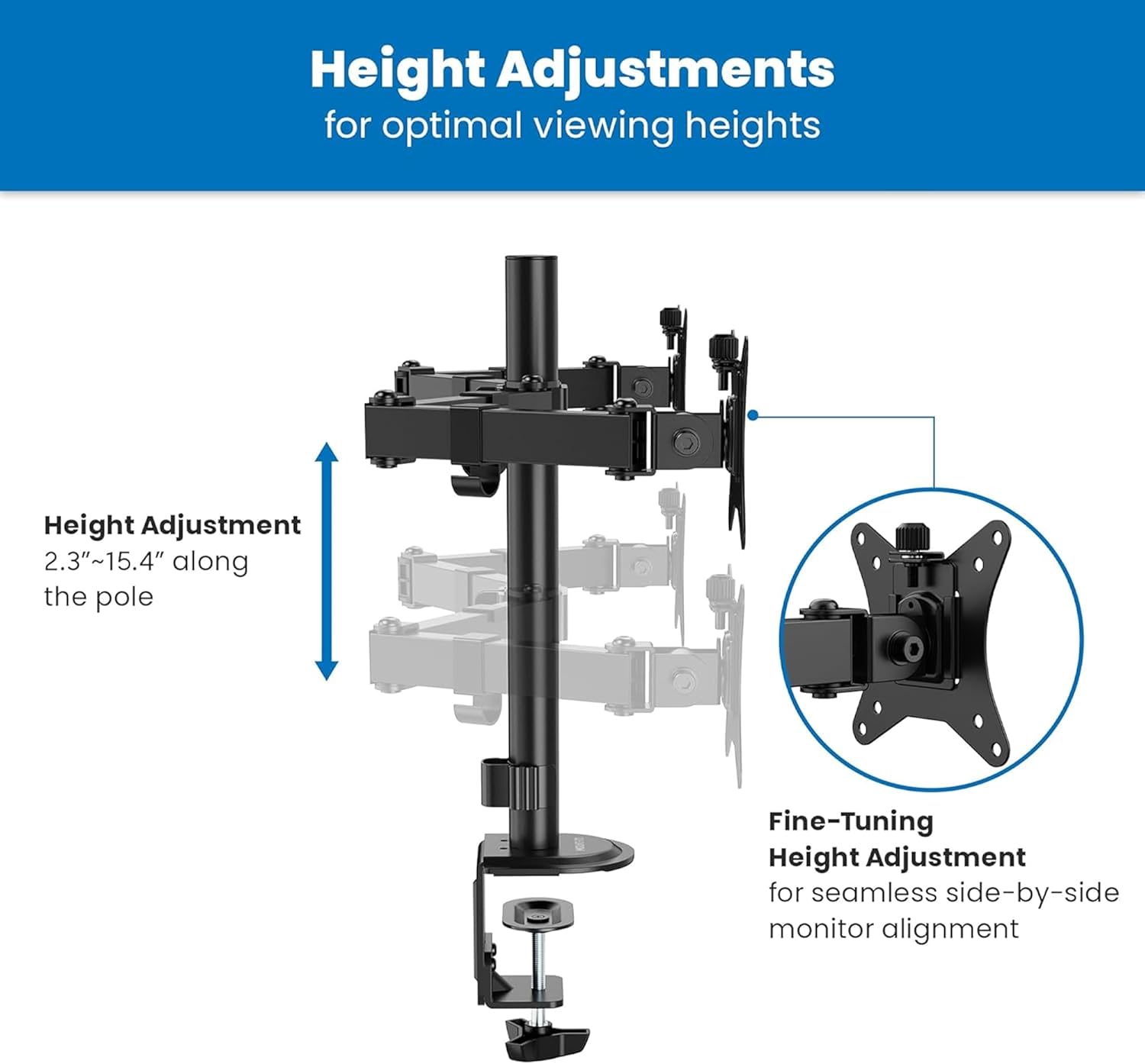
Image: A diagram illustrating the vertical height adjustment range of the monitor arm along the central pole, from 2.3 to 15.4 inches.
Inclinazione, rotazione e rotazione
Each monitor can be independently tilted, swiveled, and rotated to achieve your desired viewangolo di ing.
- Inclinazione: Adjust the screen angle +90°/-45° to reduce glare and optimize viewing.
- Girevole: Pivot the monitor 180° horizontally.
- Rotazione: Rotate the monitor 360° for landscape or portrait orientation.

Image: A diagram illustrating the tilt (+90°/-45°), swivel (±90°), and rotation (±180°) capabilities of the monitor arm.
Regolazione della tensione
If a monitor sags or does not hold its position, adjust the tension of the gas spring arms. Use the provided Allen wrench to turn the hex bolt at the top of the arm. Turn clockwise to increase tension for heavier monitors, and counter-clockwise to decrease tension for lighter monitors.
Manutenzione
- Pulizia: Pulisci il supporto con un panno morbido eamp panno. Evitare detergenti abrasivi o solventi.
- Controlli periodici: Controllare periodicamente tutte le viti e i collegamenti per assicurarsi che siano ben serrati e sicuri. Serrare nuovamente se necessario.
- Lubrificazione: Non è richiesta alcuna lubrificazione per le parti mobili.
Risoluzione dei problemi
Monitor Sags or Does Not Hold Position
- Soluzione: Adjust the gas spring tension. Turn the hex bolt on the arm clockwise to increase tension until the monitor holds its position.
Mount is Unstable or Wobbles
- Soluzione: Assicurare la scrivaniaamp or grommet base is securely tightened to the desk. Check that all connections on the pole and arms are firm.
Monitors Are Not Level
- Soluzione: Use the fine-tuning height adjustment screws on the VESA plate attachment points to align the monitors.
Specifiche

Image: A detailed technical drawing showing the dimensions and various adjustment ranges of the Mount-It! MI-2752 Dual Monitor Arm.
| Caratteristica | Specificazione |
|---|---|
| Numero di modello | MI-2752 |
| Compatibilità delle dimensioni del monitor | 13" - 32" (per screen) |
| Capacità di peso | Up to 19.8 lbs (9 kg) per screen |
| Compatibilità VESA | 75x75mm, 100x100mm |
| Gamma di inclinazione | +90° / -45° |
| Gamma girevole | 180° |
| Gamma di rotazione | 360° |
| Spessore della scrivania (C-Clamp) | 0.39" - 3.3" (10 mm - 85 mm) |
| Spessore della scrivania (passacavo) | 0.39" - 1.6" (10 mm - 40 mm) |
| Materiale | Metallo |
Garanzia e supporto
The Mount-It! MI-2752 Dual Monitor Arm is backed by a lifetime warranty, reflecting our commitment to quality and durability. For technical assistance, installation questions, or warranty claims, please contact our US-based technical specialists. Our team is available to provide support before, during, and after your installation.
For further assistance, please visit the official Mount-It! websito o contattare direttamente il servizio clienti.