1. Introduzione
Thank you for choosing the Sades Whisper Wireless Multiplatform Gaming Headset. This manual provides detailed instructions for setting up, operating, and maintaining your headset to ensure optimal performance and longevity. The Sades Whisper headset offers premium audio, long-lasting battery life, fast charging, and comfortable use, designed for an immersive gaming experience across multiple platforms.
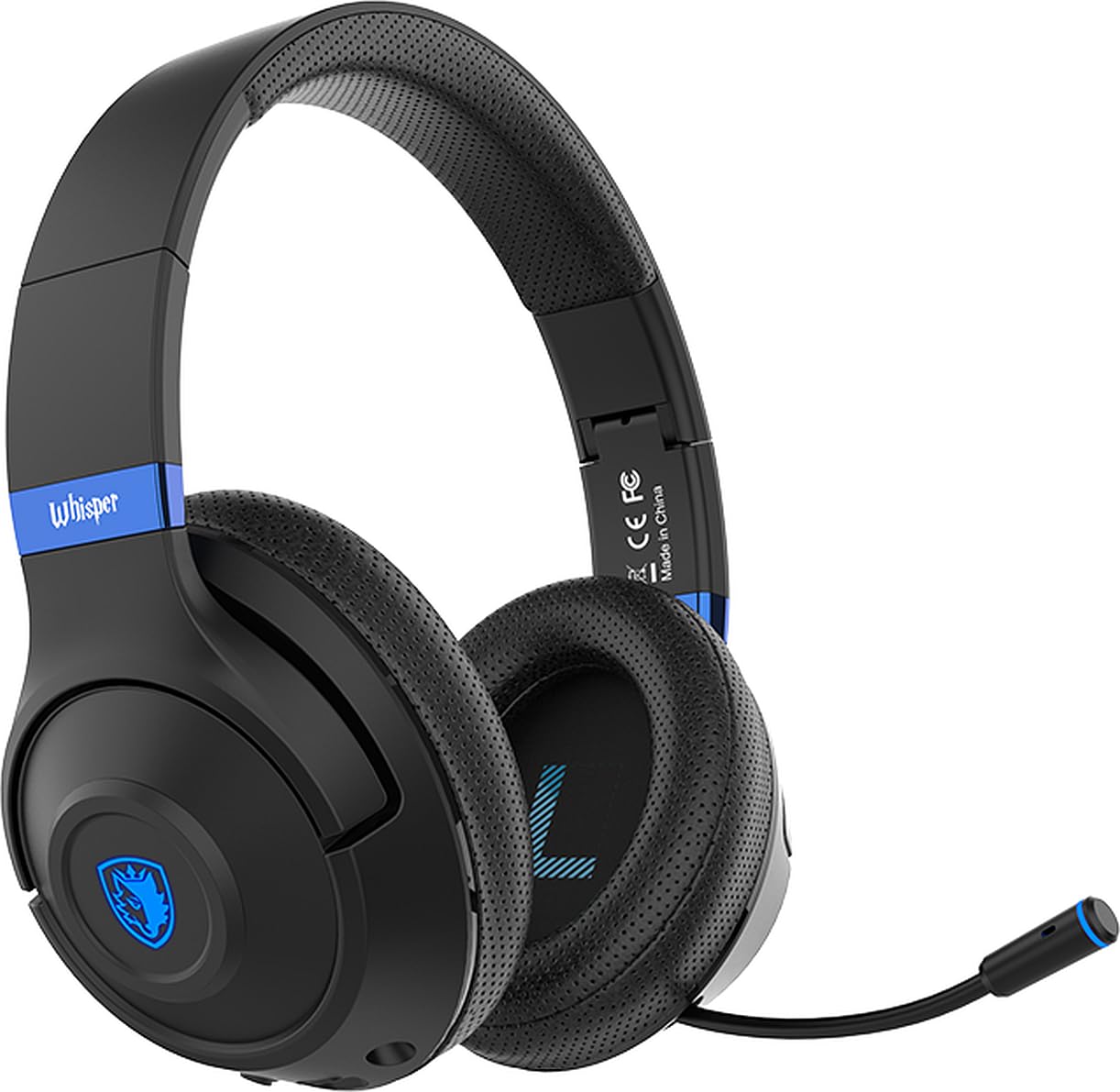
Image 1.1: Sades Whisper Wireless Gaming Headset. This image displays the overall design of the Sades Whisper headset, highlighting its sleek black finish and blue accents.
2. Prodotto finitoview
2.1 Caratteristiche principali
- Flexible Retractable Microphone: Per una comunicazione chiara.
- Fashion Blue Lights: Enhances the gaming environment.
- Ricarica rapida: Via Type-C port.
- Cuffie morbide: Per un comfort prolungato.
- Comfortable Tiara (Headband): Regolabile per una vestibilità sicura.
- Cuffie pieghevoli: Per una facile trasportabilità e conservazione.
- Fascia regolabile: Ensures a personalized fit.
2.2 Componenti e controlli delle cuffie
Familiarize yourself with the various parts and controls of your Sades Whisper headset.

Image 2.1: Headset Controls. This image provides a detailed view of the control buttons located on the earcup, including volume, multifunction, and power buttons, along with the Type-C charging port and 3.5mm audio jack.
- Controllo del volume: Regola il livello di uscita audio.
- Multifunction Button (M Button): Controls various functions such as play/pause, mute, game mode, and call management.
- Pulsante di accensione: Used for powering on/off, pairing, and other functions.
- Porta di tipo C: Per caricare l'auricolare.
- Jack audio da 3.5 mm: Per connessione cablata.
- Microfono retrattile: Can be extended for use and retracted for storage.
3. Impostazione
3.1 Carica iniziale
Before first use, fully charge your Sades Whisper headset. Connect the provided Type-C charging cable to the headset's Type-C port and a compatible USB power source. A full charge takes approximately 2 hours and provides up to 32 hours of battery life.
3.2 Accensione/Spegnimento
- Per accendere: Premere e tenere premuto il pulsante di accensione finché l'indicatore LED non si accende.
- Per spegnere: Tenere premuto il pulsante di accensione finché l'indicatore LED non si spegne.
4. Istruzioni per l'uso
4.1 Opzioni di connettività
The Sades Whisper headset supports both wireless (Bluetooth 5.3) and wired (3.5mm audio jack) connections.

Image 4.1: Dual Connection Options. This image illustrates the headset's ability to connect wirelessly via Bluetooth 5.3 and through a wired 3.5mm audio cable, showing compatibility with various devices.
4.1.1 Connessione Bluetooth (senza fili)
- Ensure the headset is powered on and in pairing mode (LED indicator will flash, typically blue). If not, press and hold the Power button or Multifunction button to initiate pairing.
- On your device (mobile phone, TV with Bluetooth, laptop, MAC, iPad, etc.), go to Bluetooth settings and search for available devices.
- Select "Sades Whisper" from the list of found devices to pair.
- Once connected, the LED indicator will typically show a steady blue light.
4.1.2 Connessione cablata da 3.5 mm
For devices without Bluetooth or when a wired connection is preferred (e.g., PS4, PS5, Xbox, phones with 3.5mm jack), use the included 3.5mm audio cable.
- Plug one end of the 3.5mm audio cable into the headset's 3.5mm audio jack.
- Plug the other end into the 3.5mm audio port of your device.
- The headset will operate in wired mode, bypassing Bluetooth functionality.
4.2 Utilizzo del microfono
The Sades Whisper features an omni-directional retractable microphone with noise reduction capabilities for clear voice capture.
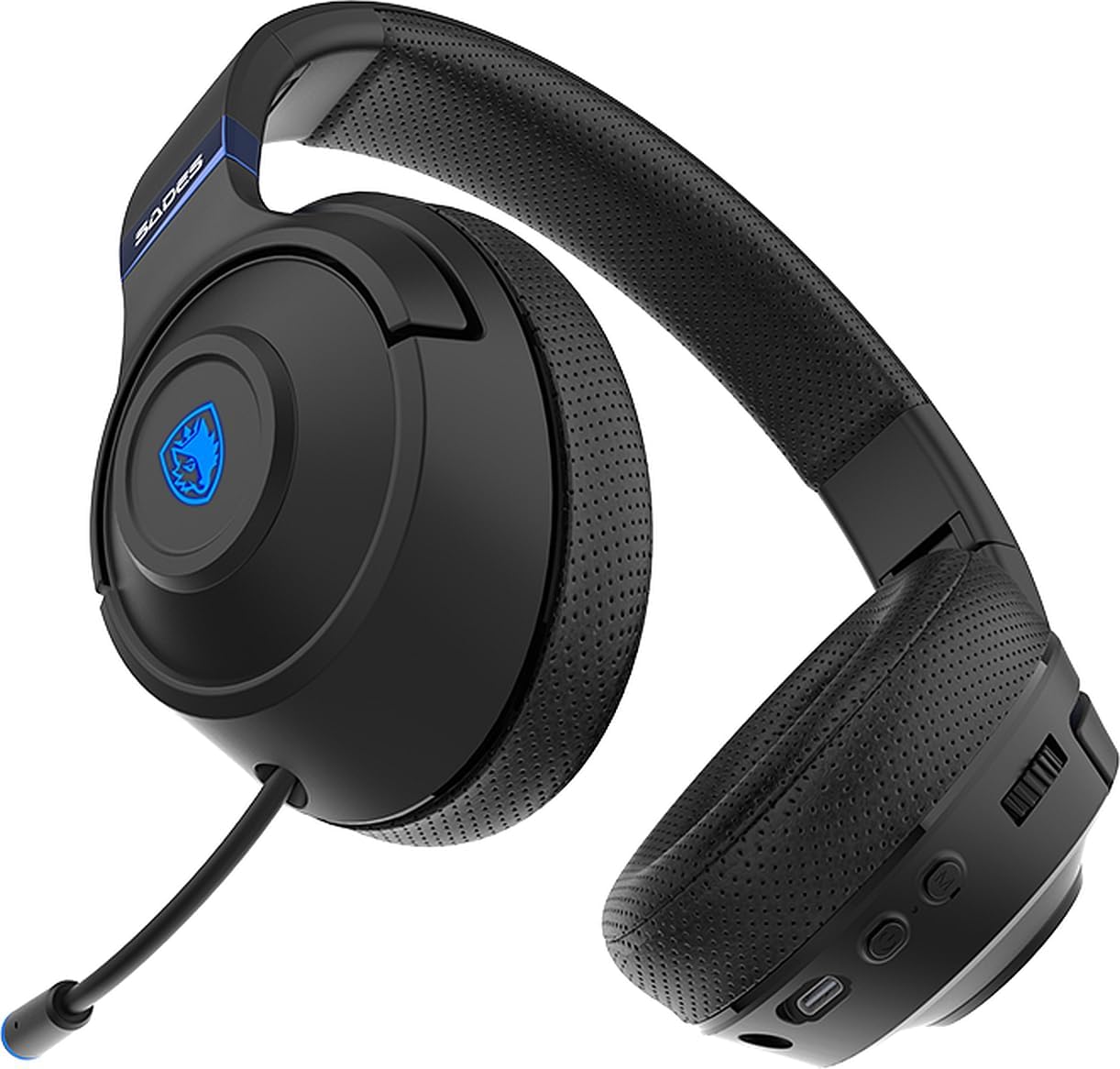
Image 4.2: Retractable Microphone. This image shows the flexible, retractable microphone extended from the headset, ready for use.
- Per utilizzare: Gently pull out the microphone from its housing until it is in position. Adjust its flexible arm for optimal voice pickup.
- Per conservare: Gently push the microphone back into its housing until it is fully retracted.
- Funzione muto: Use the multifunction button on the headset to mute or unmute the microphone during calls or gaming.
5. Manutenzione
Proper maintenance ensures the longevity and performance of your Sades Whisper headset.
- Pulizia: Use a soft, dry cloth to clean the headset. Do not use abrasive cleaners or solvents. For earcups, a slightly damp è possibile utilizzare un panno, ma assicurarsi che non penetri umidità nelle griglie degli altoparlanti.
- Magazzinaggio: When not in use, store the headset in a cool, dry place. The foldable design allows for compact storage.
- Cura della batteria: Evitare di scaricare completamente la batteria frequentemente. Caricare regolarmente le cuffie, anche se non vengono utilizzate costantemente, per preservare la salute della batteria.
- Evitare condizioni estreme: Non esporre l'auricolare a temperature estreme, umidità o luce solare diretta.

Image 5.1: Foldable Headset Design. This image demonstrates the headset's foldable earcups, illustrating its compact form factor for easy storage and transport.
6. Risoluzione Dei Problemi
If you encounter issues with your Sades Whisper headset, refer to the following common solutions:
6.1 Nessun suono o volume basso
- Controlla il volume: Ensure the volume control on the headset and your connected device is turned up.
- Connessione: Verify that the headset is properly connected via Bluetooth or the 3.5mm cable. For Bluetooth, ensure it is paired and connected.
- Uscita dispositivo: Confirm that your device's audio output is set to the Sades Whisper headset.
- Livello della batteria: A low battery can affect performance. Charge the headset fully.
6.2 Impossibile connettersi tramite Bluetooth
- Modalità di accoppiamento: Ensure the headset is in Bluetooth pairing mode (LED flashing).
- Dispositivo Bluetooth: Assicurati che il Bluetooth sia abilitato sul tuo dispositivo.
- Distanza: Keep the headset within 10 meters (33 feet) of your device.
- Interferenza: Allontanarsi da altri dispositivi wireless che potrebbero causare interferenze.
- Dimentica dispositivo: On your device, try forgetting "Sades Whisper" from the Bluetooth list and then re-pairing.
6.3 Il microfono non funziona
- Posizione del microfono: Assicurarsi che il microfono sia completamente esteso e posizionato correttamente.
- Funzione muto: Check if the microphone is muted using the headset's multifunction button.
- Impostazioni del dispositivo: Verify that the correct microphone input (Sades Whisper) is selected in your device's audio settings.
7. Specifiche
| Categoria | Specificazione |
|---|---|
| Numero di modello | SA-205 |
| Versione Bluetooth | V5.3 |
| Bluetooth professionalefile Supporto | A2DP, HFP, SP, AVRCP |
| Portata Bluetooth | 10 metri (33 piedi) |
| Diametro dell'altoparlante | 40mm |
| Sensibilità dell'altoparlante | 113±3dB/ 1kHz |
| Risposta in frequenza dell'altoparlante | Frequenza |
| Impedenza dell'altoparlante | 32 Ω/ 1 kHz |
| Speaker Handling Power Capacity | 20 mW |
| Dimensione microfono | 4mm |
| Sensibilità del microfono | -42 +/- 3 dB/ 1 kHz |
| Risposta in frequenza del microfono | Frequenza |
| Impedenza del microfono | <2.2 KΩ 1 kHz |
| Direttività per microfono | Omnidirezionale |
| Durata della batteria | Fino a 32 ore |
| Tempo di ricarica | Circa 2 ore (tramite Type-C) |
| Tipo di batteria | 602040 |
| Dimensioni (spedizione) | Dimensioni: 21.5 x 17.3 x 10 cm |
| Peso (spedizione) | 440 grammi |
| Compatibilità | Mobile phone, TV with Bluetooth, mobile devices with Bluetooth (laptop, MAC, iPad, etc.), 3.5mm audio devices (PS4, PS5, XBOX, phones) |
8. Garanzia e supporto
For warranty information and customer support, please refer to the documentation provided with your purchase or contact your retailer. You may also visit the official Sades websito per ulteriore assistenza e registrazione del prodotto.