
Introduzione
Grazie per l'acquistoasing the QFX BT-1960 Retro Car Bluetooth Speaker. This manual provides essential information for setting up, operating, and maintaining your speaker. Please read it thoroughly before use to ensure proper functionality and to maximize your listening experience.

Immagine: Frontale view of the QFX BT-1960 Retro Car Bluetooth Speaker in black.
Contenuto della confezione
- QFX BT-1960 Retro Car Bluetooth Speaker
- Cavo di ricarica USB
- Manuale dell'utente (questo documento)
Caratteristiche del prodotto
- Bluetooth Connectivity for wireless audio streaming
- Funzione True Wireless Stereo (TWS) per l'associazione di due altoparlanti
- Built-in FM Radio tuner
- USB and TF Card ports for direct media playback
- Hands-Free Link with built-in microphone for calls
- Integrated LED Party Lights
- Batteria ricaricabile per uso portatile
- Design compatto e portatile
Controlli e porte

Immagine: Posteriore view of the speaker showing the various ports and controls.
- Pulsante di accensione / modalità: Press and hold to power on/off. Short press to switch between Bluetooth, FM Radio, USB, and TF Card modes.
- Pulsante Play/Pausa: Riproduci o metti in pausa l'audio. In modalità FM, premi brevemente per eseguire la scansione automatica e salvare le stazioni.
- Brano precedente/Volume giù: Short press for previous track. Press and hold to decrease volume. In FM mode, short press for previous station.
- Traccia successiva/Alza volume: Short press for next track. Press and hold to increase volume. In FM mode, short press for next station.
- Porta USB: Inserire un'unità flash USB per la riproduzione audio.
- Slot per schede TF: Insert TF (MicroSD) card for audio playback.
- Porta di ricarica CC 5 V: Collegare qui il cavo di ricarica USB.
- Ingresso AUX: Collegare dispositivi audio esterni tramite un cavo audio da 3.5 mm (non incluso).
- Microfono: Per chiamate in vivavoce.
Impostare
1. Ricarica dell'altoparlante
Before first use, fully charge the speaker. Connect the supplied USB charging cable to the DC 5V port on the speaker and the other end to a USB power adapter (not included) or a computer USB port. The charging indicator light will illuminate during charging and turn off when fully charged.
2. Accensione/spegnimento
Premere e tenere premuto il tasto Potenza/Modalità button for approximately 3 seconds to turn the speaker on or off. The speaker will emit a car engine sound upon powering on and a locking sound when powering off.
Istruzioni per l'uso
1. Accoppiamento Bluetooth
- Accendi l'altoparlante. Entrerà automaticamente in modalità di associazione Bluetooth, indicata da una luce LED lampeggiante.
- Abilita il Bluetooth sul tuo dispositivo mobile (smartphone, tablet, ecc.).
- Cercare available Bluetooth devices and select "QFX BT-1960" from the list.
- Una volta effettuato l'accoppiamento, l'altoparlante emetterà un tono di conferma e la luce LED smetterà di lampeggiare.
- Ora puoi riprodurre l'audio dal tuo dispositivo tramite l'altoparlante.
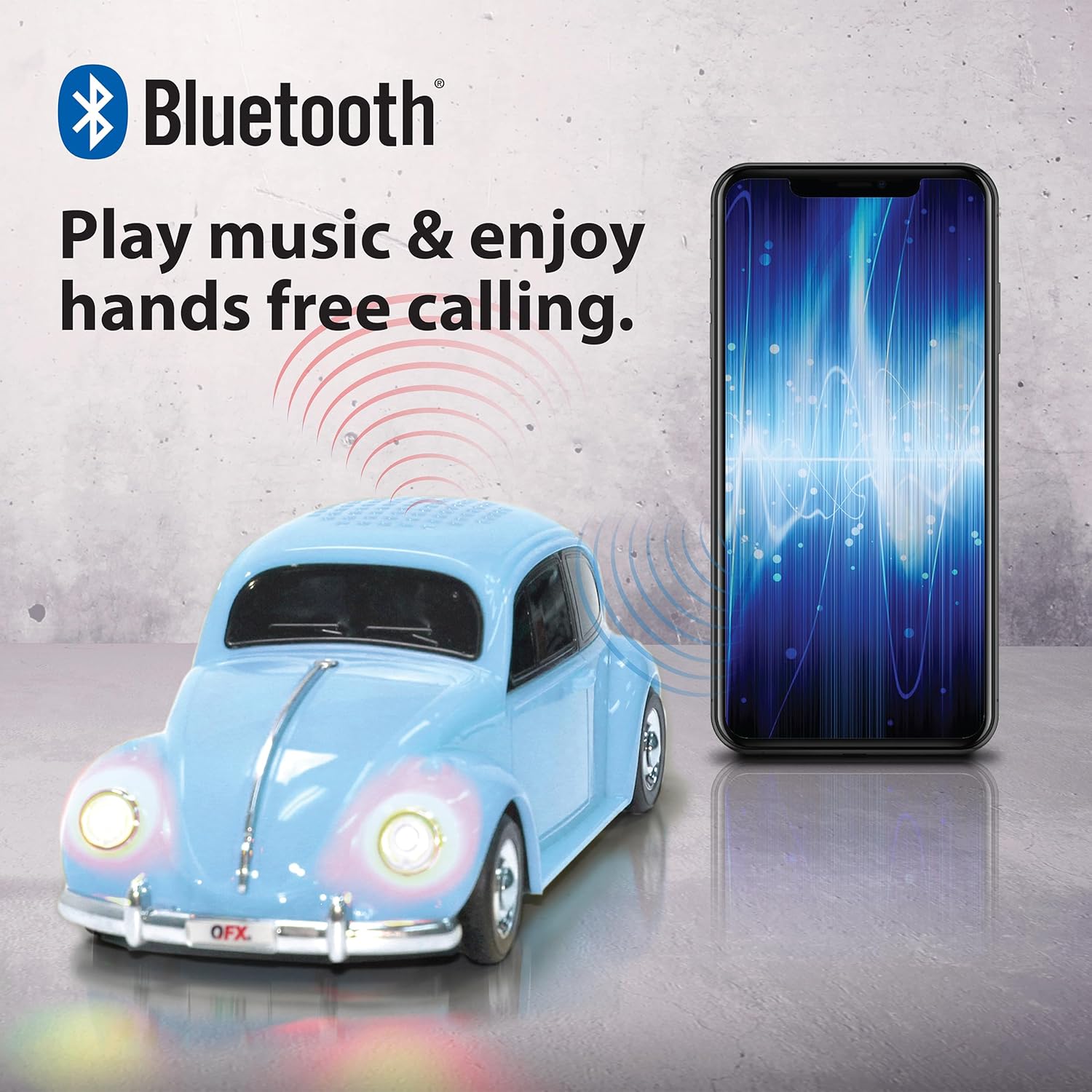
Image: A QFX BT-1960 speaker connected via Bluetooth to a smartphone.
2. Accoppiamento True Wireless Stereo (TWS)
The TWS function allows you to pair two BT-1960 speakers together for a stereo sound experience.
- Ensure both BT-1960 speakers are powered on and in Bluetooth mode, but not yet connected to any device.
- Su uno degli altoparlanti (questo sarà l'altoparlante principale), premere due volte il tasto Riproduci/Pausa button. It will search for the second speaker.
- Once connected, both speakers will emit a confirmation tone.
- Now, connect your mobile device to the master speaker via Bluetooth as described in the "Bluetooth Pairing" section.
- Ora l'audio verrà riprodotto in stereo attraverso entrambi gli altoparlanti.

Image: Two QFX BT-1960 speakers (yellow and red) paired together for TWS, with a smartphone in the center.
3. Funzionamento della radio FM
- Premere il tasto Potenza/Modalità button repeatedly until you hear the FM radio mode announcement.
- Premere brevemente il tasto Riproduci/Pausa pulsante per eseguire la scansione automatica e salvare le stazioni FM disponibili.
- Utilizzare il Traccia precedente / Volume giù E Traccia successiva / Aumenta volume pulsanti per navigare tra le stazioni salvate.
4. Riproduzione tramite scheda USB/TF
Insert a USB flash drive or TF (MicroSD) card into the corresponding port. The speaker will automatically switch to the correct mode and begin playing audio files (formato MP3 consigliato).
5. Chiamate in vivavoce
Se connesso allo smartphone tramite Bluetooth, l'altoparlante può essere utilizzato per chiamate in vivavoce:
- Rispondi alla chiamata: Premere brevemente il tasto Riproduci/Pausa pulsante.
- Termina chiamata: Premere brevemente il tasto Riproduci/Pausa di nuovo il pulsante.
- Rifiuta chiamata: Premere e tenere premuto il tasto Riproduci/Pausa pulsante.
6. Luci LED per feste
The speaker features integrated LED lights that illuminate during operation. These lights are designed to enhance the listening experience and cannot be turned off independently.

Image: A QFX BT-1960 speaker with its LED lights active.
Specifiche
| Caratteristica | Dettaglio |
|---|---|
| Nome del modello | BT-1960 |
| Connettività | Bluetooth |
| Dimensioni dell'altoparlante | 2 altoparlanti da 3 pollici |
| Portata Bluetooth | Fino a 10 metri (33 piedi) |
| Ingresso audio | Bluetooth, USB, scheda TF, AUX |
| Fonte di alimentazione | Batteria ricaricabile agli ioni di litio |
| Dimensioni (P x L x A) | 9" x 4" x 3" (circa) |
| Peso | 14.08 once (circa) |
| Caratteristiche aggiuntive | FM Radio, LED Lights, Built-in Microphone, TWS Function |

Image: The QFX BT-1960 speaker with its approximate dimensions labeled.
Risoluzione dei problemi
- Nessun potere: Ensure the speaker is fully charged. Connect the USB charging cable and allow it to charge for at least 2 hours.
- Nessun suono:
- Controlla il livello del volume sia sull'altoparlante che sul dispositivo collegato.
- Ensure the speaker is in the correct mode (Bluetooth, FM, USB, TF, AUX).
- Se si utilizza il Bluetooth, assicurarsi che l'altoparlante sia correttamente associato al dispositivo.
- If using USB/TF card, ensure the audio filesiano in un formato compatibile (ad esempio, MP3).
- Disconnessione Bluetooth:
- Assicurati che il tuo dispositivo si trovi entro un raggio di 10 metri dal Bluetooth.
- Check for obstacles between the speaker and your device.
- Prova a disaccoppiare e riassociare l'altoparlante al tuo dispositivo.
- La ricezione della radio FM è scarsa: Spostare l'altoparlante in un luogo con una migliore ricezione del segnale.
- LED Lights Cannot Be Turned Off: The LED lights are an integrated feature and cannot be independently disabled.
Manutenzione
- Pulire l'altoparlante con un panno morbido e asciutto. Non utilizzare detergenti abrasivi o solventi.
- Evitare di esporre l'altoparlante a temperature estreme, alla luce solare diretta o all'umidità.
- Conservare l'altoparlante in un luogo fresco e asciutto quando non viene utilizzato.
- Non tentare di smontare o riparare l'altoparlante da soli, poiché ciò invaliderebbe la garanzia.
Garanzia e supporto
The QFX BT-1960 Retro Car Bluetooth Speaker comes with a Garanzia limitata di 1 anno dalla data di acquisto. La presente garanzia copre i difetti di fabbricazione e di lavorazione in condizioni di normale utilizzo.
La garanzia non copre i danni causati da uso improprio, incidenti, modifiche non autorizzate o normale usura.
For warranty claims or technical support, please contact QFX customer service:
- Telefono: 800.864.2582
- E-mail: support@qfxusa.com
Please have your proof of purchase and product model number (BT-1960) ready when contacting support.


