
Headwolf FPad3 Ulta
Headwolf Fpad3 Mini Tablet
Manuale di istruzioni per l'utente
Introduzione
This manual provides comprehensive instructions for the Headwolf Fpad3 Mini Tablet. It covers essential information regarding product setup, operation, maintenance, and troubleshooting to ensure optimal performance and longevity of your device. Please read this manual thoroughly before using the tablet.

Immagine: Frontale view of the Headwolf Fpad3 Mini Tablet, showcasing il suo display.
Impostare
1. Contenuto della confezione
Upon unboxing, verify that the following items are included:
- Headwolf Fpad3 Mini Tablet
- Cavo di ricarica USB di tipo C.
- PD10W Charger
- Strumento di espulsione della SIM
- Manuale dell'utente (questo documento)
2. Fisico oltreview

Image: Diagram illustrating the location of the headphone jack, rear camera, volume button, reset button, power button, SIM/SD card slot, and Type-C port on the Headwolf Fpad3 Mini Tablet.
Familiarizzare con i componenti fisici del tablet:
- Pulsante di accensione: Situato sul lato, serve per accendere/spegnere o riattivare/sospendere il dispositivo.
- Pulsanti del volume: Regola il volume dell'audio.
- Porta USB di tipo C: Per la ricarica e il trasferimento dei dati.
- Jack per cuffie da 3.5 mm: Per collegare cuffie cablate.
- Slot per scheda SIM/MicroSD: For inserting Nano SIM cards and a MicroSD card.
- Fotocamera frontale: Situato sopra lo schermo.
- Telecamera posteriore: Situato sul retro del tablet.
3. Carica del dispositivo
Before first use, fully charge the tablet. Connect the provided USB Type-C cable to the tablet's Type-C port and the other end to the PD10W charger. Plug the charger into a power outlet. The charging indicator will typically appear on the screen.
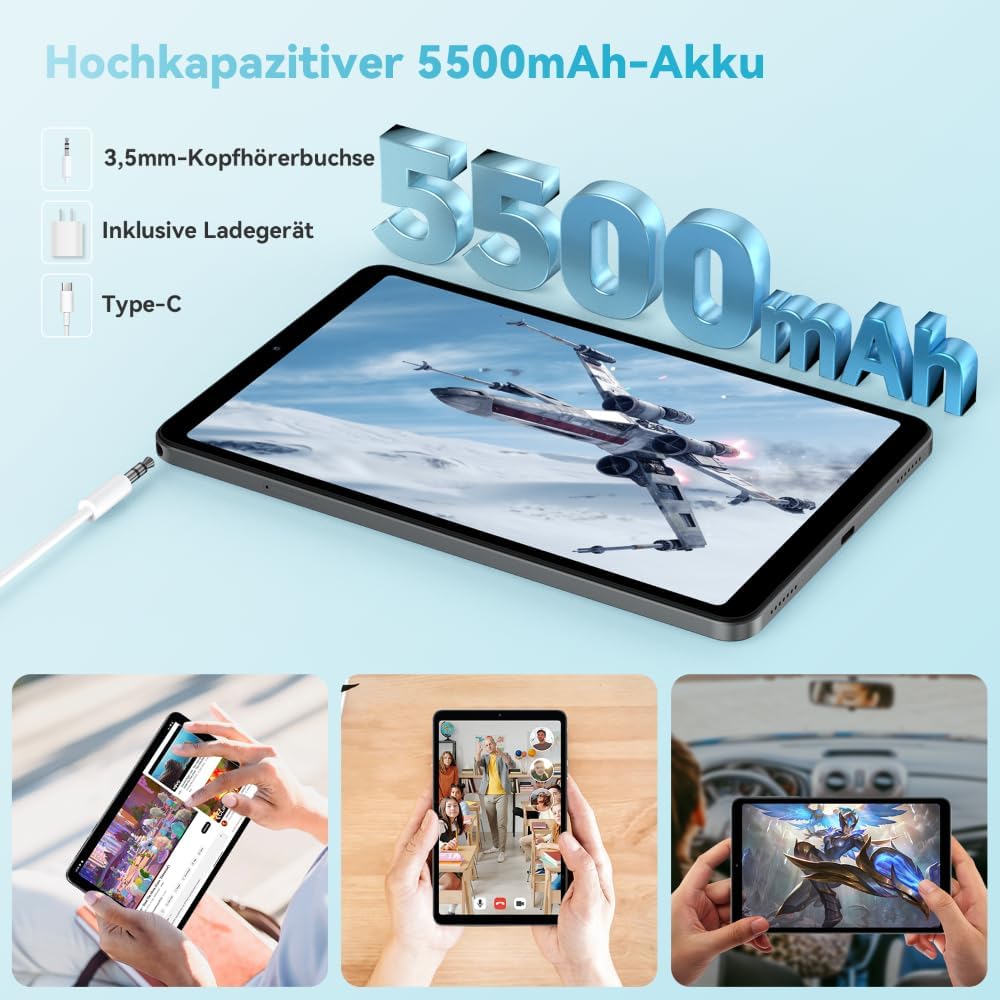
Image: The Headwolf Fpad3 Mini Tablet connected to a charger, highlighting its 5500mAh battery capacity and Type-C charging port.
4. Accensione/Spegnimento
- Per accendere: Press and hold the Power button until the Headwolf logo appears.
- Per spegnere: Tenere premuto il pulsante di accensione finché non viene visualizzato il menu delle opzioni di alimentazione, quindi selezionare "Spegni".
- Ricominciare: Tenere premuto il pulsante di accensione finché non viene visualizzato il menu delle opzioni di risparmio energia, quindi selezionare "Riavvia".
5. Configurazione iniziale
Upon first power-on, the tablet will guide you through the initial setup process. This includes selecting your language, connecting to a Wi-Fi network, setting up your Google account, and configuring security options. The tablet runs on Android 13 and is Google GMS certified, ensuring access to Google Play services.
6. Installazione della scheda SIM e della scheda MicroSD
The Headwolf Fpad3 supports dual Nano SIM cards for 4G LTE connectivity and a MicroSD card for expandable storage up to 2TB.
- Individuare lo slot per la scheda SIM/MicroSD sul lato del tablet.
- Inserire lo strumento di espulsione della SIM nel piccolo foro accanto al vassoio per aprirlo.
- Estrarre con cautela il vassoio.
- Inserire la/le scheda/e Nano SIM e/o la scheda MicroSD negli appositi slot sul vassoio, assicurandosi che siano orientati correttamente.
- Spingere delicatamente il vassoio nel tablet finché non scatta in posizione.
Istruzioni per l'uso
1. Visualizzazione ed esperienza visiva
The tablet features an 8.4-inch FHD IPS In-Cell display with a resolution of 1920 x 1200 pixels, offering clear and vibrant visuals. It supports Widevine L1 for high-definition streaming from compatible services.

Image: The Headwolf Fpad3 Mini Tablet display showing high-definition content, emphasizing Widevine L1 support for streaming services like YouTube, Prime Video, Disney+, Hulu, and HBO Max.
2. Prestazioni e archiviazione
Powered by an Unisoc T616 Octa-Core processor (2x A75 at 2.0GHz + 6x A55 at 1.8GHz) and 8GB of RAM (4GB + 4GB virtual expansion), the Fpad3 ensures smooth multitasking and efficient operation. It comes with 128GB of UFS 2.2 internal storage, which can be expanded up to 2TB using a MicroSD card.

Image: An illustration detailing the Headwolf Fpad3 Mini Tablet's powerful Octa-Core Unisoc T616 processor, Mali-G57 GPU, and Android 13 operating system, with a benchmark comparison.

Image: A visual representation of the Headwolf Fpad3 Mini Tablet's 8GB RAM (with 4GB virtual expansion) and 128GB ROM, highlighting its expandability up to 2TB via an SD card.
3. Connettività
The tablet offers versatile connectivity options:
- Wifi: Supports dual-band 2.4G/5G Wi-Fi for stable and fast internet access.
- 4G LTE: Dual Nano SIM support for cellular data and phone call functionality.
- Bluetooth 5.0: Per collegare periferiche wireless come cuffie, tastiere e mouse.
- Posizione GPS: Integrated GPS, Beidou, and Galileo for accurate navigation.
- OTG (in movimento): Allows connecting USB devices such as flash drives or external keyboards.
4. Telecamere
Cattura i momenti più belli con la doppia fotocamera del tablet:
- Telecamera posteriore: 13MP
- Fotocamera frontale: 8MP
The tablet also supports Face Unlock for convenient and secure access.

Immagine: Un esploso view of the Headwolf Fpad3 Mini Tablet's dual cameras (8MP front, 13MP rear) and the Face Unlock feature, with examples of usage scenarios.
5. audio
Experience immersive audio with dual box speakers. A 3.5mm headphone jack is also available for private listening.
6. Google Kids Space
The tablet includes support for Google Kids Space, providing a safe and engaging environment for children with access to over 10,000 real-time resources.
Manutenzione
1. Pulizia del dispositivo
Utilizzare un panno morbido e privo di lanugine per pulire lo schermo e il corpo del tablet. Evitare l'uso di prodotti chimici aggressivi o materiali abrasivi che potrebbero danneggiare la superficie.
2. Aggiornamenti software
Controlla e installa regolarmente gli aggiornamenti di sistema per assicurarti che il tuo tablet abbia le ultime funzionalità, patch di sicurezza e miglioramenti delle prestazioni. Vai a Impostazioni > Sistema > Aggiornamento di sistema per verificare la presenza di aggiornamenti.
3. Cura della batteria
- Evitare di esporre il tablet a temperature estreme.
- Non lasciare che la batteria si scarichi completamente frequentemente.
- Per una ricarica ottimale, utilizzare il caricabatterie e il cavo originali.
- Per una conservazione a lungo termine, caricare la batteria a circa il 50-60%.
Risoluzione dei problemi
Problemi comuni e soluzioni
| Problema | Possibile soluzione |
|---|---|
| Il dispositivo non si accende. | Ensure the battery is charged. Press and hold the Power button for at least 10-15 seconds. If unresponsive, connect to charger and try again. |
| Impossibile connettersi al Wi-Fi. | Check if Wi-Fi is enabled in settings. Restart the tablet and the Wi-Fi router. Ensure you are entering the correct password. |
| Le app si bloccano o si bloccano. | Clear the app's cache (Settings > Apps > [App Name] > Storage > Clear cache). Restart the tablet. Ensure the app is updated to its latest version. |
| Il tablet è lento o non risponde. | Close unnecessary background apps. Clear cache of frequently used apps. Restart the tablet. Consider performing a factory reset as a last resort (backup data first). |
| Scheda SIM non rilevata. | Assicurati che la scheda SIM sia inserita correttamente nel vassoio. Riavvia il tablet. Controlla che la scheda SIM sia attiva con il tuo operatore. |
Se i problemi persistono, contattare l'assistenza clienti.
Specifiche
| Caratteristica | Dettaglio |
|---|---|
| Marca | Testa di lupo |
| Numero di modello | FPad3 Ulta |
| Sistema operativo | Androide 13 |
| Marca del processore | Unisoc |
| Modello del processore | T616 Octa-Core |
| Memoria RAM | 8 GB (4 GB + 4 GB virtuali) |
| Memoria interna | 128 GB UFS 2.2 |
| Archiviazione espandibile | Fino a 2 TB tramite MicroSD |
| Dimensioni dello schermo | 8.4 pollici |
| Risoluzione dello schermo | 1920 x 1200 Pixels (FHD IPS In-Cell) |
| Marchio del chipset grafico | Braccio Mali G57 |
| Telecamera posteriore | 13 MP |
| Fotocamera frontale | 8 MP |
| Capacità della batteria | 5500 mAh ai polimeri di litio |
| Porta di ricarica | USB Type-C (PD10W Fast Charging) |
| Connettività wireless | 802.11a/b/g/n/ac (2.4G/5G WiFi), Bluetooth 5.0 |
| Connettività cellulare | Dual 4G LTE (Nano SIM) |
| Navigazione | GPS, Beidou, Galileo |
| Caratteristiche speciali | Stereo Speakers, Expandable Storage, Phone Call Functionality, Fast Charging, Card Reader, Face ID, Widevine L1 |
| Dimensioni (L x P x A) | Dimensioni: 25.4 x 15.24 x 7.62 cm |
| Peso | 610 grammi |
Garanzia e supporto
The Headwolf Fpad3 Mini Tablet comes with a one-year warranty from the date of purchase. For any technical assistance, product inquiries, or warranty claims, please contact Headwolf customer service. We offer 24/7 customer support to assist you.
Please refer to your purchase documentation for specific warranty terms and contact information, or visit the official Headwolf websito.
Ask a question about this manual
Ask about setup, troubleshooting, compatibility, parts, safety, or missing instructions. Manuals+ will review the question and use this page’s manual context to help answer it.