
1. Introduzione
This manual provides essential instructions for the safe operation and maintenance of your Cuifati S99 4K Camera Drone. Please read this manual thoroughly before operating the drone to ensure proper usage and to prevent damage or injury. Keep this manual for future reference.
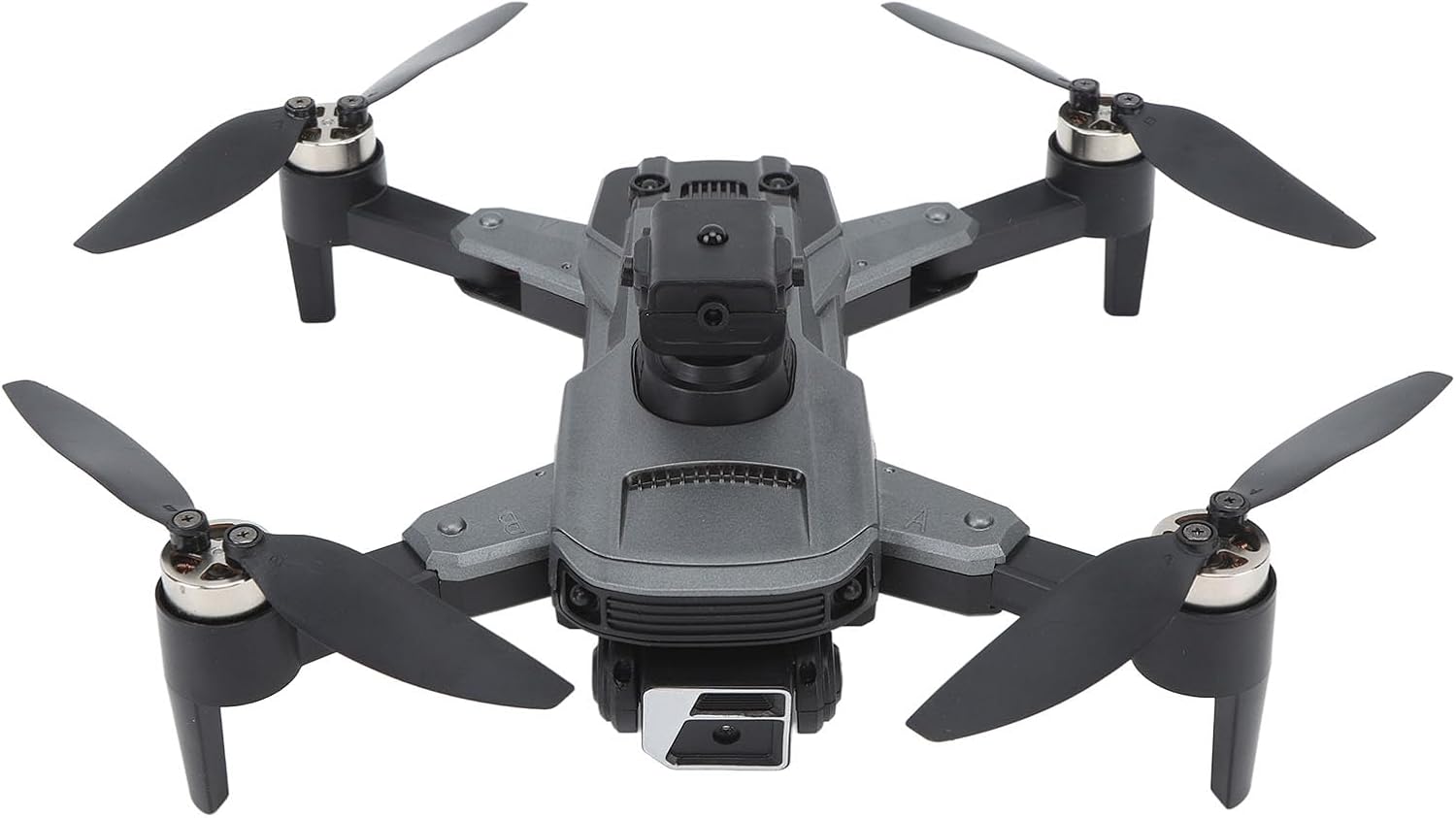
Image 1.1: The Cuifati S99 4K Camera Drone, showcasing its four propellers and central body with camera.
2. Informazioni sulla sicurezza
L'utilizzo di un drone richiede attenzione alla sicurezza. Attenersi alle seguenti linee guida:
- Controllo pre-volo: Ispezionare sempre il drone, le eliche e la batteria prima di ogni volo.
- Condizioni ambientali: Avoid flying in strong winds, rain, or snow. Maintain clear line of sight.
- Sicurezza della batteria: Utilizzare solo batterie e caricabatterie approvati. Non sovraccaricare o forare le batterie.
- Evitare gli ostacoli: Utilize the drone's obstacle avoidance features, but always remain vigilant of surroundings.
- Età consigliata: Questo prodotto è consigliato agli utenti dai 14 anni in su.
- Rispetta la privacy: Be mindful of privacy laws when using the camera feature.
3. Contenuto della confezione
Verificare che tutti gli articoli siano presenti nel pacco:
- Cuifati S99 Drone
- Telecomando
- Batteria ricaricabile
- Cavo di ricarica USB
- Eliche di ricambio
- Cacciavite
- Manuale d'uso

Image 3.1: Visual representation of the drone, remote control, battery, and accessories included in the package.
4. Impostazione
4.1. Installazione e ricarica della batteria
- Assicurarsi che il drone sia spento.
- Individuare il vano batteria sul drone.
- Insert the modular battery firmly until it clicks into place.
- To charge, remove the battery and connect it to the USB charging cable. Connect the cable to a suitable USB power source. The charging indicator will show the charging status.

Image 4.1: Illustration of the modular battery being inserted into the drone, highlighting its easy installation and removal.
4.2. Installazione dell'elica
If propellers are not pre-installed or need replacement, attach them according to the markings (A and B) on the propellers and motor arms. Use the provided screwdriver to secure them.
4.3. Impostazione del telecomando
- Install required batteries (not specified in product data, assume standard AA/AAA) into the remote control.
- Extend the phone holder on the remote control to mount your smartphone.
4.4. Installazione dell'app
Download the official Cuifati drone application from your smartphone's app store (iOS or Android). This app is essential for accessing advanced features and real-time viewing.
5. Istruzioni per l'uso
5.1. Accensione e associazione
- Posiziona il drone su una superficie piana e livellata.
- Accendi il drone, quindi accendi il telecomando.
- The drone and remote control will automatically pair. Refer to the remote control's indicator lights for pairing status.
- Open the drone app on your smartphone and connect to the drone's Wi-Fi network for real-time viewcontrolli avanzati e di qualità.
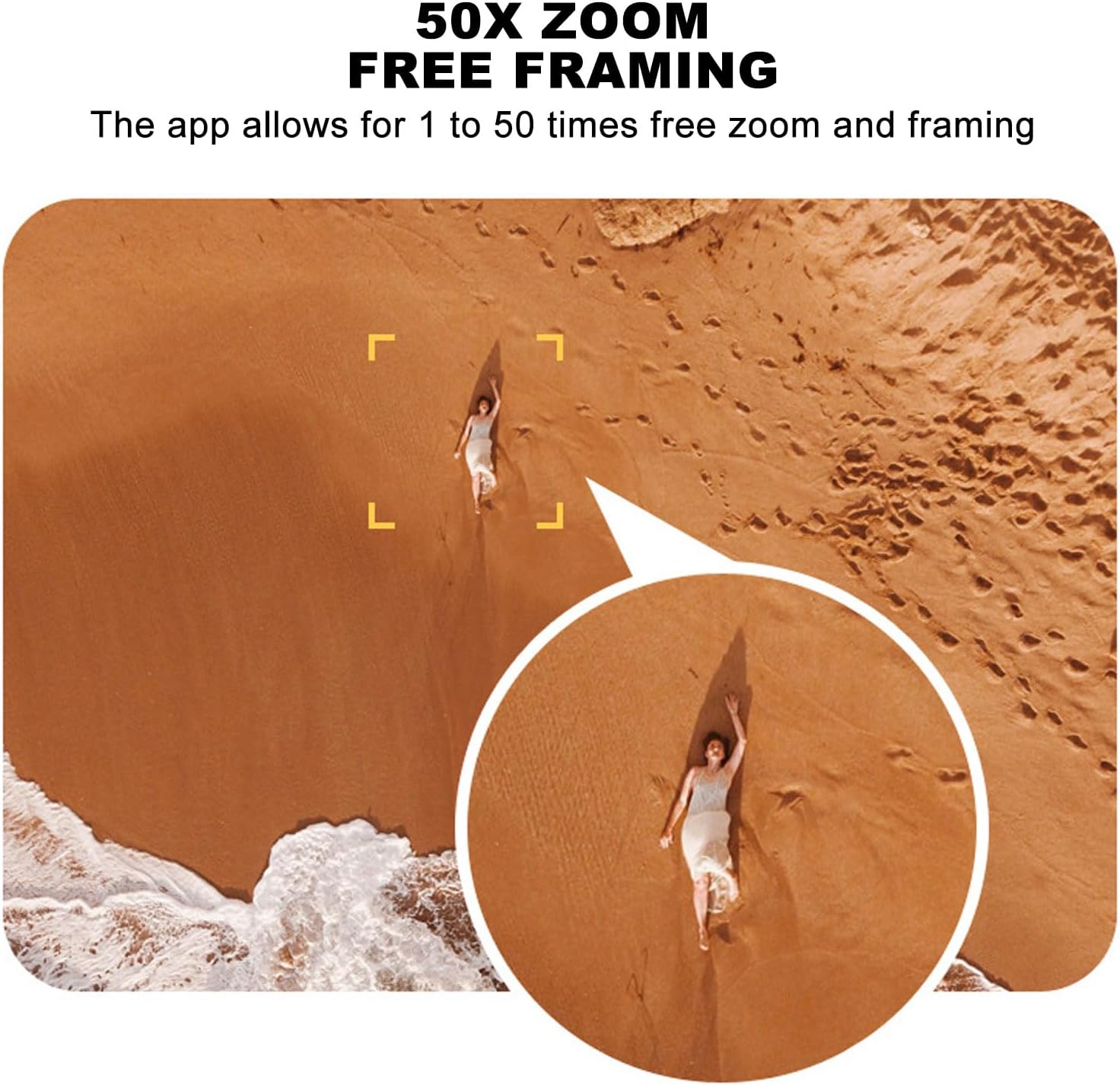
Image 5.1: A smartphone mounted on the remote control displaying real-time video feed from the drone's camera.
5.2. Decollo e atterraggio
- Decollo con una sola chiave: Press the designated one-key takeoff button on the remote control or in the app. The drone will automatically ascend to a safe hovering altitude.
- Atterraggio con una sola chiave: Press the designated one-key landing button. The drone will automatically descend and land.
5.3. Controlli di volo
- Telecomando: Use the joysticks on the remote control for directional flight (forward, backward, left, right, ascend, descend, rotate).
- Induzione gravitazionale: In the app, activate gravity induction mode to control flight by tilting your smartphone.
- Optical Visual Hovering: The S99 drone features optical visual hovering, allowing it to maintain a stable position without constant throttle input.
- Rotazione a 360 gradi: Execute aerial stunts with a single button press for a 360-degree roll.
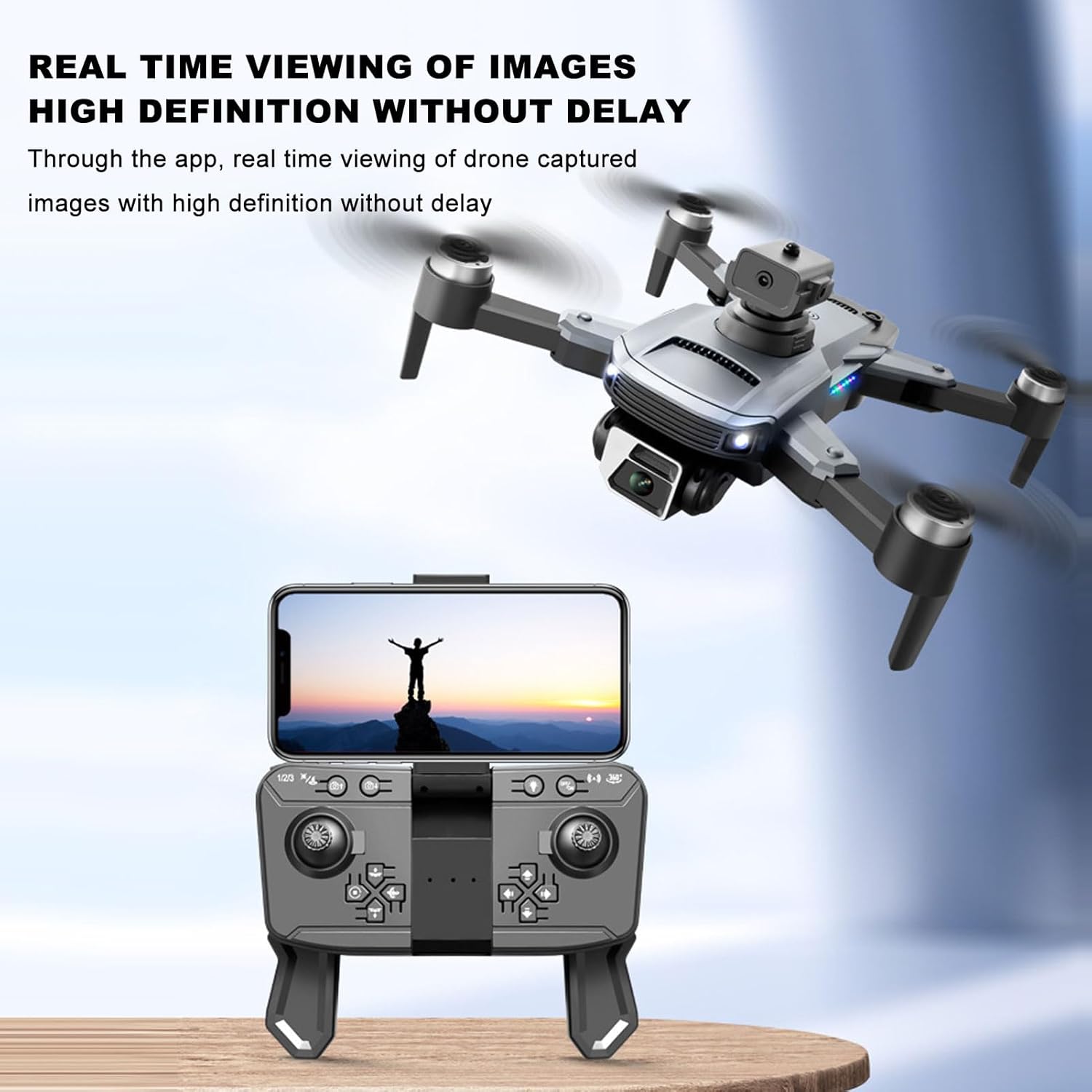
Image 5.2: A user demonstrating gravity induction control by tilting a smartphone to maneuver the drone.
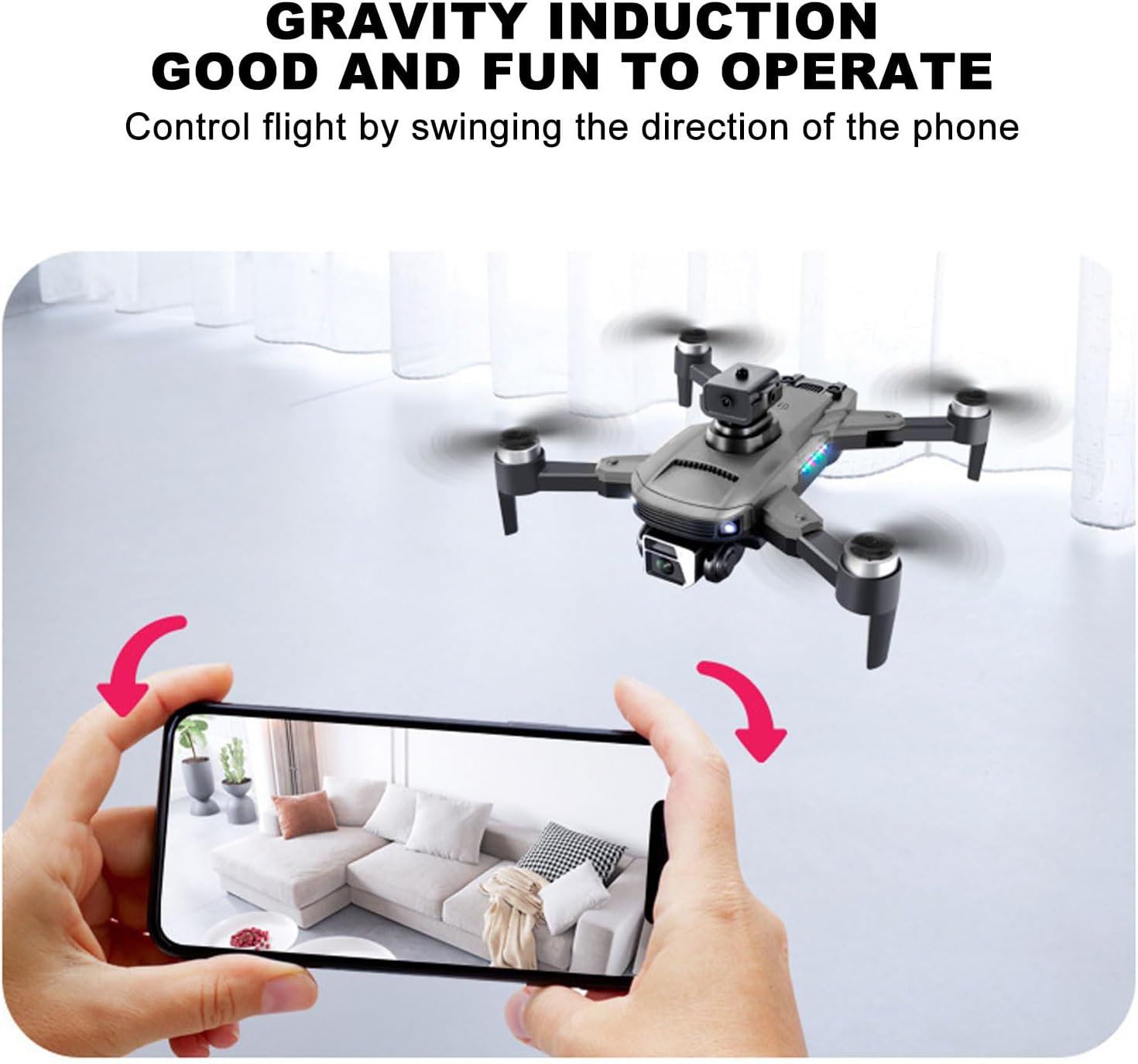
Image 5.3: Multiple drones performing a synchronized 360-degree roll, illustrating the stunt capability.
5.4. Funzionamento della fotocamera
- Doppia fotocamera 4K: The drone is equipped with a high-definition 4K camera.
- 90-Degree Electric Angle Adjustment: Adjust the camera angle remotely via the app or remote control.
- Zoom digitale 50x: Utilize the app to zoom up to 50 times for detailed shots.
- Fotografia gestuale: Esegui specifici gesti delle mani per attivare la registrazione di foto o video.
- Real-Time FPV: View cibo vivotage dalla telecamera del drone direttamente sul tuo smartphone tramite l'app.
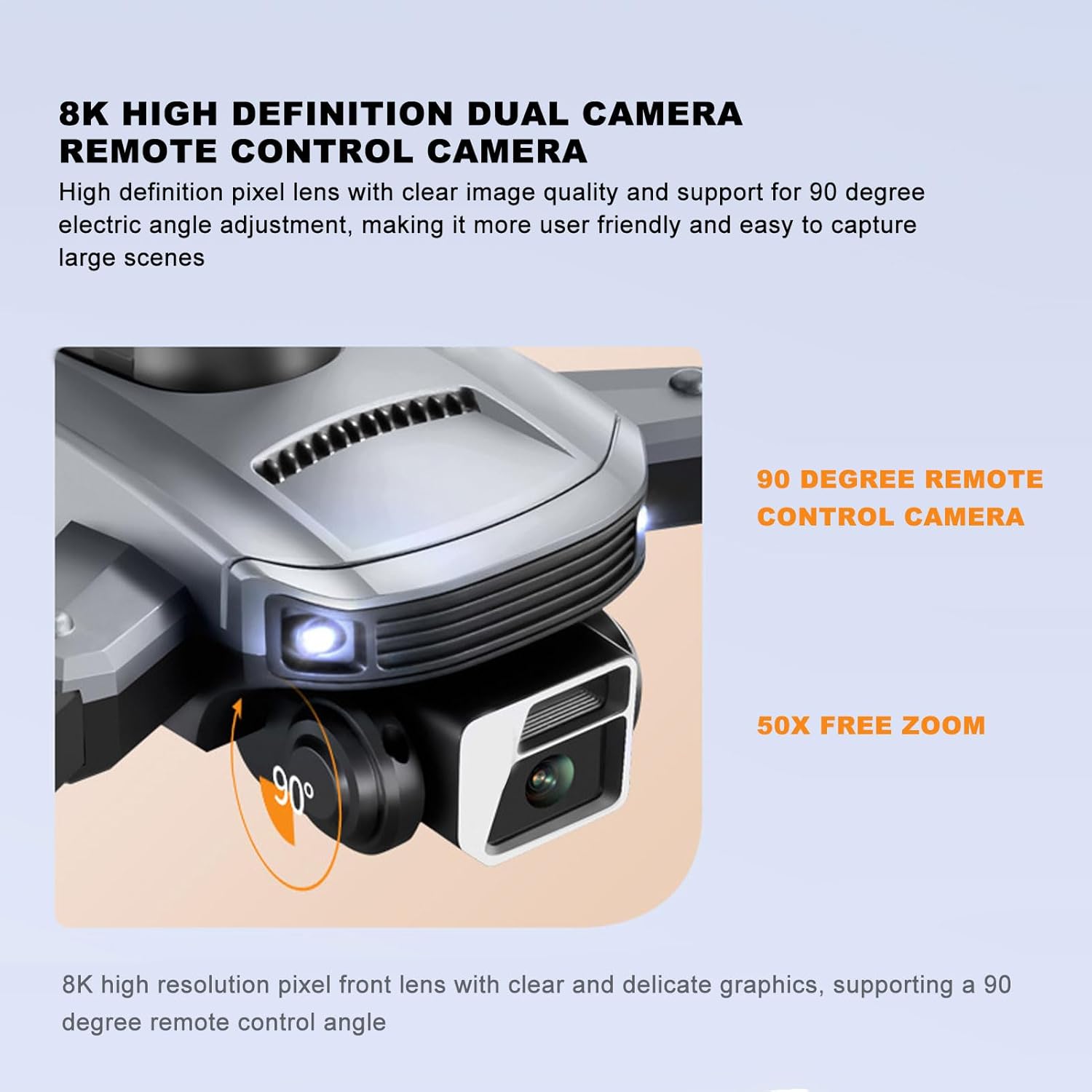
Image 5.4: Close-up of the drone's 4K camera, indicating its 90-degree remote control adjustment capability.
Immagine 5.5: Un'immagine aerea view demonstrating the 50x zoom feature, focusing on a person on a beach.
5.5. Evitare gli ostacoli
The S99 drone is equipped with four-way obstacle avoidance sensors (front, rear, left, right) that automatically detect and intelligently avoid obstacles, enhancing flight safety.
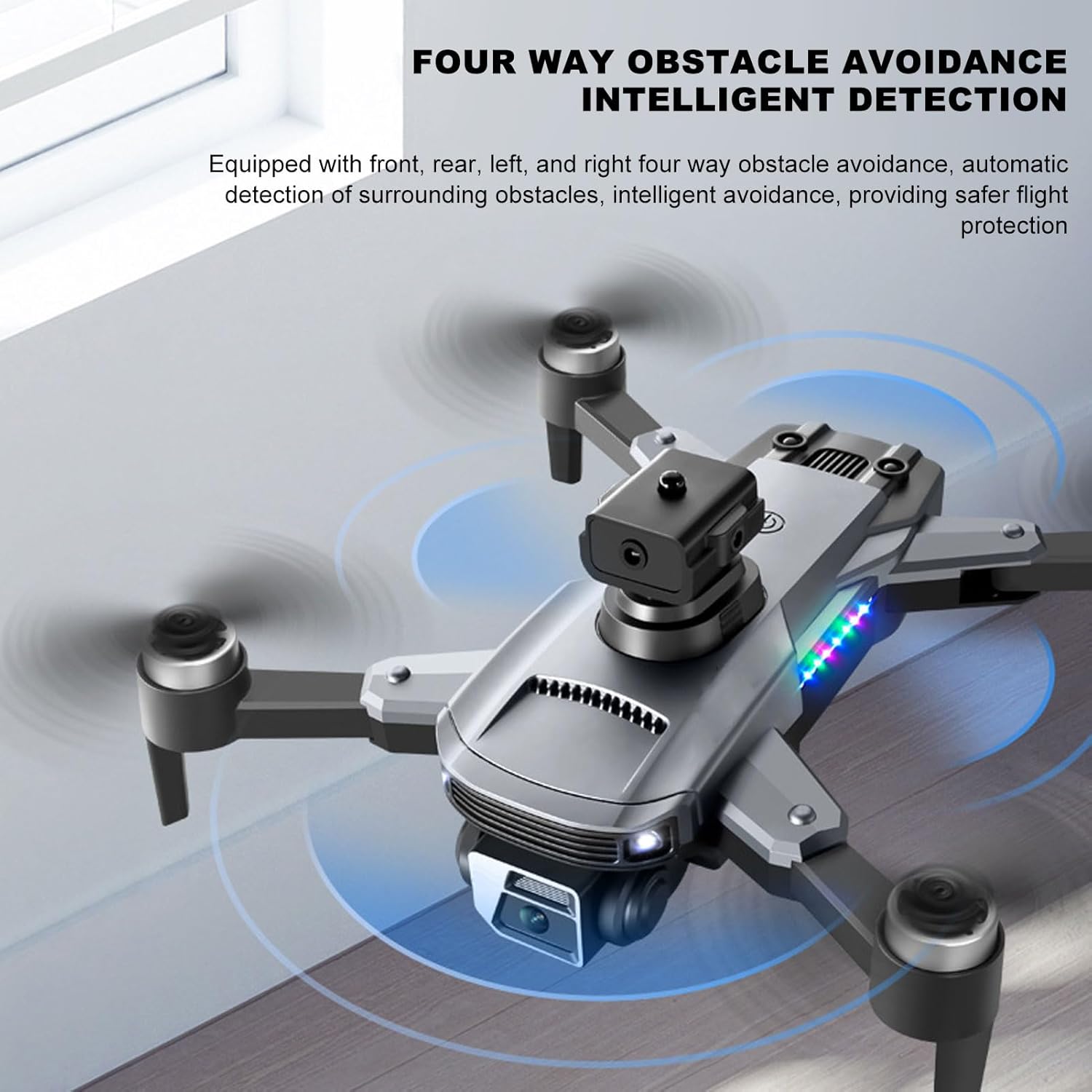
Image 5.6: The drone in flight with visual indicators of its four-way obstacle avoidance system detecting surrounding objects.
6. Manutenzione
- Pulizia: Gently wipe the drone body and camera lens with a soft, dry cloth. Avoid using liquids.
- Ispezione dell'elica: Regularly check propellers for damage (cracks, bends). Replace damaged propellers immediately.
- Cura della batteria: Conservare le batterie in un luogo fresco e asciutto. Non lasciare le batterie completamente scariche per periodi prolungati.
- Magazzinaggio: When not in use, store the drone and remote control in a protective case to prevent dust and physical damage.
7. Risoluzione Dei Problemi
| Problema | Possibile causa | Soluzione |
|---|---|---|
| Il drone non si accende | Batteria non installata correttamente o scarica | Assicurarsi che la batteria sia completamente carica e inserita correttamente. |
| Drone fails to pair with remote | Remote control or drone not powered on, or too far apart | Ensure both devices are on and within close proximity. Restart both if necessary. |
| Volo instabile o deriva | Propellers damaged, drone not calibrated, or strong wind | Check propellers for damage and replace if needed. Perform drone calibration as per app instructions. Avoid flying in windy conditions. |
| No real-time video feed | Smartphone not connected to drone's Wi-Fi, or app issue | Verify Wi-Fi connection. Restart the app and drone. |
| Durata breve della batteria | Degrado della batteria o ricarica non corretta | Ensure proper charging cycles. Consider replacing the battery if performance significantly degrades over time. |
8. Specifiche
| Caratteristica | Dettaglio |
|---|---|
| Marca | Cuifati |
| Nome del modello | CUIFATImu9824bk0w |
| Risoluzione di acquisizione video | 4K |
| Tecnologia di connettività | USB, Wi-Fi |
| Capacità della batteria | 2000 milioneamp Ore |
| Composizione delle celle della batteria | Litio |
| Tecnologia di controllo remoto | Frequenza radio 2.4 GHz |
| Portata massima | 100 metri |
| Peso dell'articolo | 1.14 libbre |
| Dimensioni del pacco | 10.12 x 7.05 x 3.7 pollici |
| Livello di abilità | Intermedio |
| Formato immagine supportato | Formato JPEG |
| Formato di acquisizione video | MP4 |
| Tecnologia dei sensori ottici | CMOS |
9. Garanzia e supporto
The Cuifati S99 4K Camera Drone comes with a 90-day warranty. For technical support, warranty claims, or further assistance, please contact Cuifati customer service or visit the official Cuifati store online.
Official Cuifati Store: Visit Cuifati Store

Image 9.1: The Cuifati brand logo, representing the manufacturer.