
Introduzione
This manual provides detailed instructions for the operation and maintenance of your Cuifati Portable Cassette Player with Auto Reverse. Please read this manual thoroughly before using the device to ensure proper functionality and to maximize your listening experience.
Contenuto della confezione
Verifica che tutti gli articoli elencati di seguito siano inclusi nel tuo pacchetto:
- 1 x Cuifati Portable Cassette Player
- 1 x cuffia
- 1 cavo di alimentazione USB
- 1 x Manuale utente
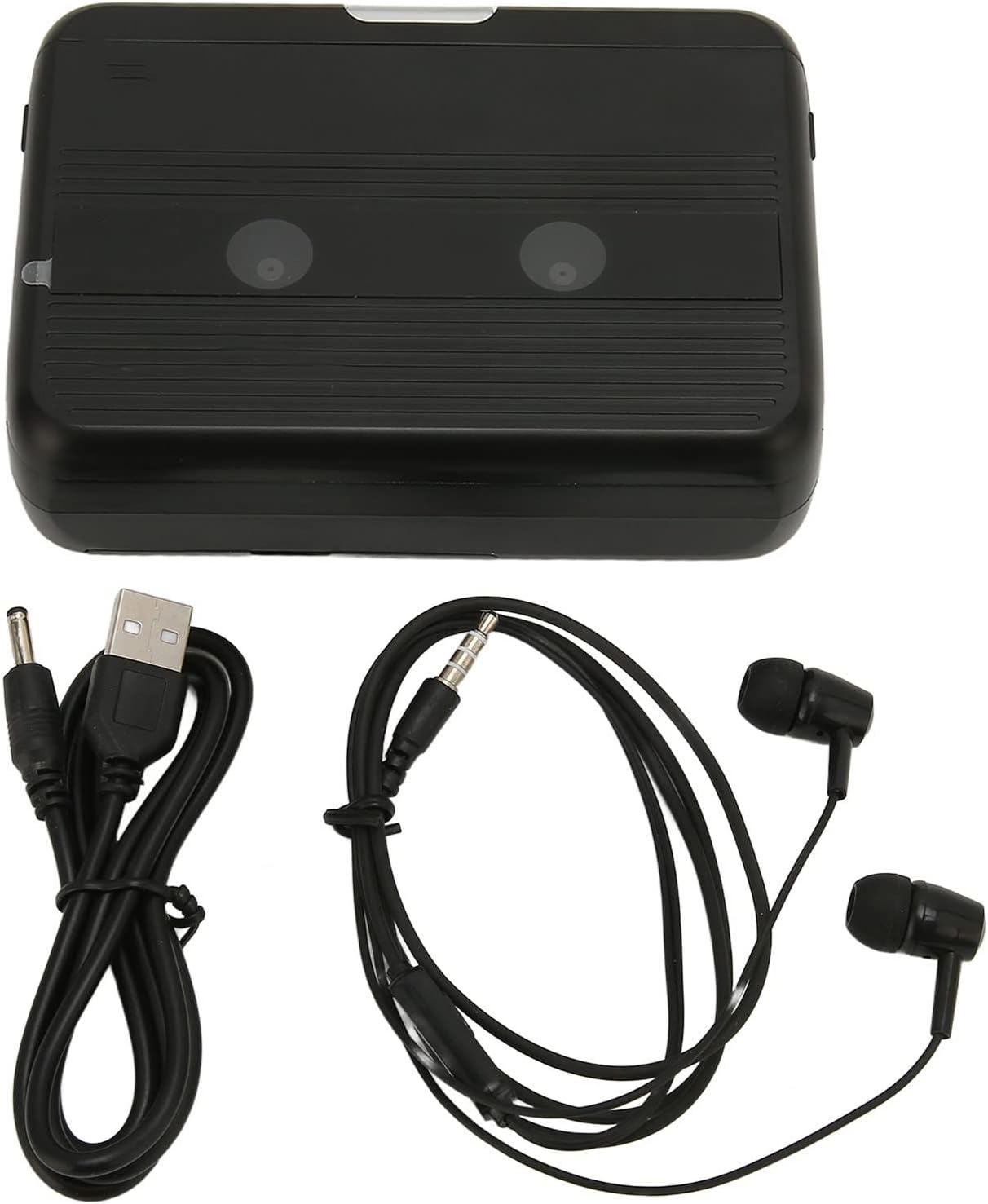
The Cuifati Portable Cassette Player shown alongside its included USB power cord and wired headphones.
Prodotto finitoview
Familiarizza con le varie parti e i comandi del tuo lettore di cassette.
Davanti View (Aprire)
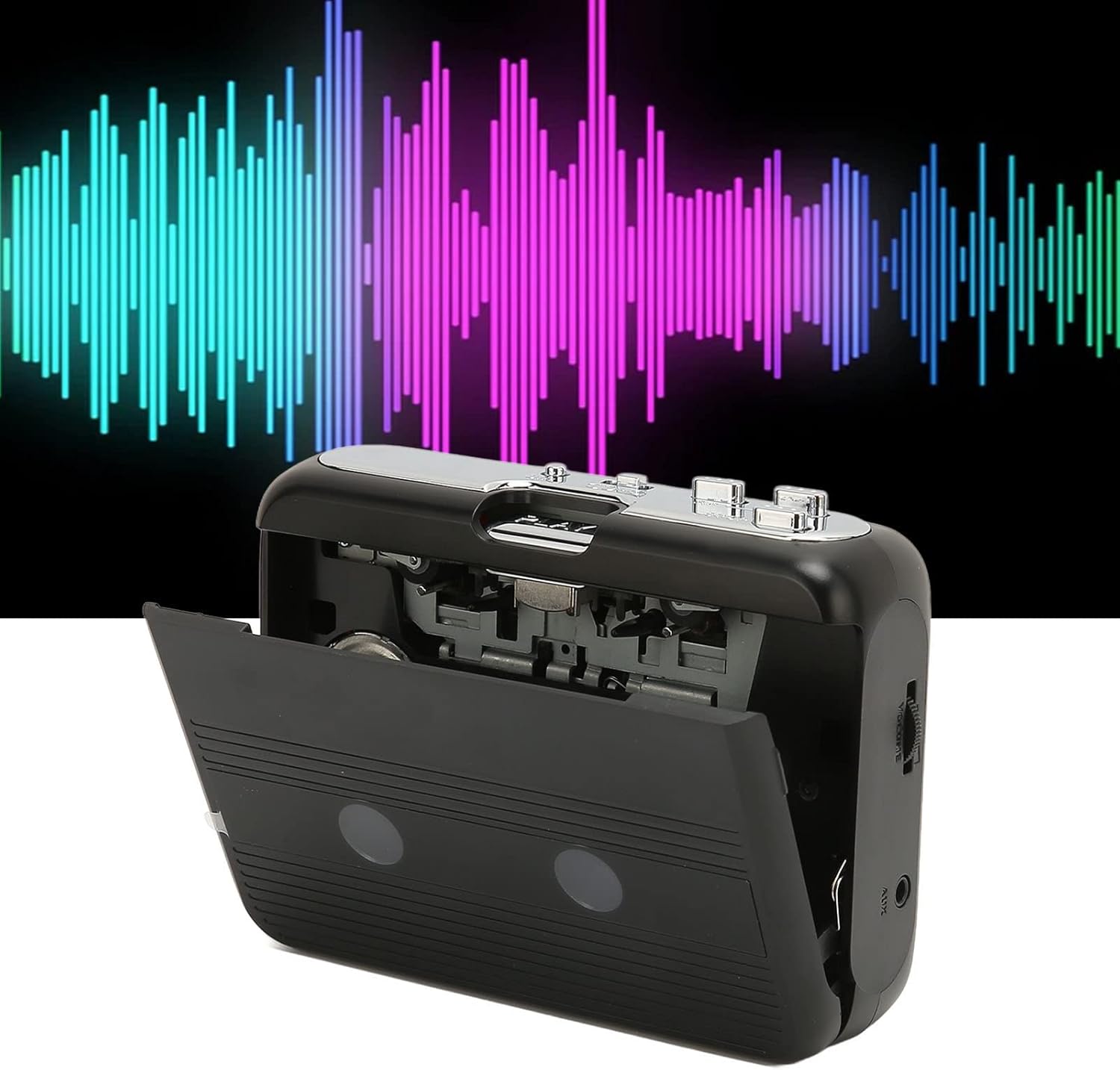
Davanti view of the Cuifati Portable Cassette Player with the cassette compartment door open, revealing the tape mechanism.
Davanti View (Chiuso)
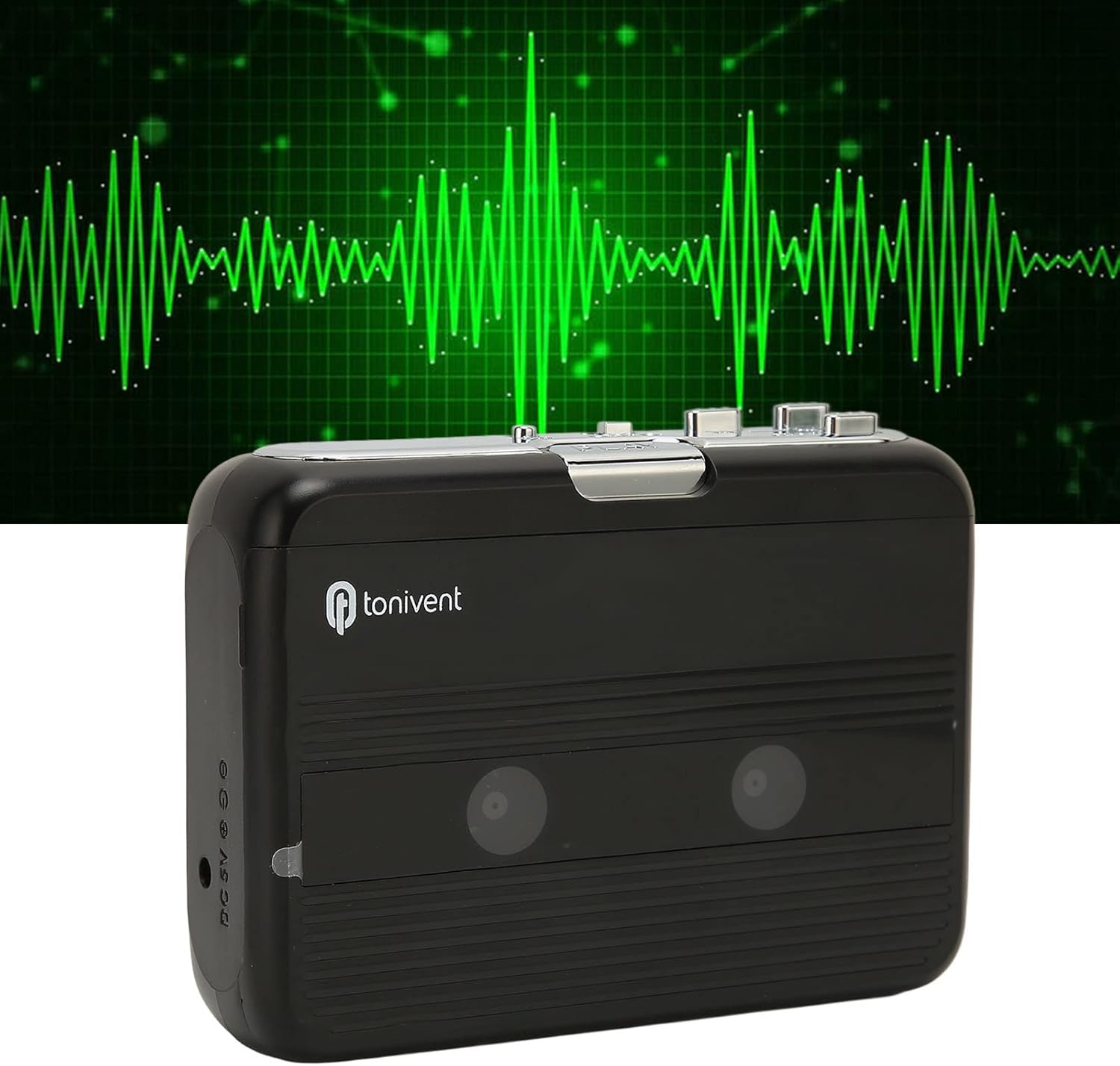
Davanti view of the Cuifati Portable Cassette Player with the cassette compartment door closed.
Cassette Mechanism

Avvicinamento view of the cassette player's internal mechanism, showing the tape heads and rollers.
Lato View (Controlli e porte)

Lato view of the cassette player, highlighting the volume control wheel and the AUX output port.
Controlli chiave:
- Pulsante di riproduzione: Avvia la riproduzione della cassetta.
- Pulsante di arresto: Halts playback.
- Pulsante Avanti veloce (FF): Fa avanzare rapidamente il nastro.
- Pulsante di riavvolgimento (REW): Riavvolge rapidamente il nastro.
- Auto Reverse Button: Changes tape direction during playback.
- Rotella di controllo del volume: Regola il livello di uscita audio.
- FM/Tape Switch: Selects between FM radio and cassette playback mode.
- Headphone/AUX Output Jack: Collega cuffie o dispositivi audio esterni.
- Ingresso CC 5 V: Per alimentazione USB.
Impostare
Alimentazione elettrica
The cassette player can be powered by two (2) AA batteries or via a USB power supply.
- Installazione della batteria:
- Aprire il coperchio del vano batteria situato sul retro del dispositivo.
- Inserire due batterie AA, assicurandosi che la polarità (+/-) sia corretta, come indicato all'interno del vano.
- Chiudere saldamente il coperchio del vano batterie.
- Collegamento di alimentazione USB:
- Connect the small end of the included USB power cord to the DC 5V input port on the cassette player.
- Collegare l'estremità USB standard a un adattatore di alimentazione USB (non incluso) o alla porta USB di un computer.
Inserimento di una cassetta
- Gently open the cassette compartment door.
- Insert a cassette tape with the exposed tape facing upwards and the side you wish to play facing the front.
- Chiudere lo sportello del vano cassetta finché non scatta in posizione.
Istruzioni per l'uso
Riproduzione di cassette
- Assicurarsi che la cassetta sia inserita correttamente.
- Set the FM/Tape switch to the "Tape" position.
- Premere il tasto Giocare pulsante per iniziare la riproduzione.
- Regolare il Rotella di controllo del volume al livello di ascolto desiderato.
- Per interrompere la riproduzione, premere il pulsante Fermare pulsante.
- Per avanzare velocemente, premere il tasto FF pulsante. Per riavvolgere, premere il pulsante RIVISTA pulsante. premere Fermare to disengage.
Funzione di inversione automatica
The player features an auto-reverse function, allowing the tape to play in both directions without needing to manually flip the cassette.
- Durante la riproduzione, premere il tasto Inversione automatica button to switch the tape direction. The player will automatically reverse and continue playing the other side of the tape.
Utilizzo della radio FM
- Set the FM/Tape switch to the "FM" position.
- Use the tuning dial (if present, otherwise the FF/REW buttons might serve as tuning) to scan for FM radio stations.
- Regolare il Rotella di controllo del volume al livello di ascolto desiderato.
Using the Built-in Speaker
The device includes a built-in speaker for direct audio output. No special action is required; audio will play through the speaker unless headphones are connected.
Connecting Headphones or External Audio Devices
For private listening or connecting to external speakers, use the 3.5mm headphone/AUX output jack.
- Plug the included headphones or your own 3.5mm audio cable into the Headphone/AUX Output Jack.
- When headphones are connected, audio will automatically switch from the built-in speaker to the headphones.

A person listening to music with headphones, illustrating the headphone usage.
Manutenzione
Proper care ensures the longevity and optimal performance of your cassette player.
- Pulizia: Utilizzare un panno morbido e asciutto per pulire l'esterno del dispositivo. Non utilizzare detergenti liquidi o materiali abrasivi.
- Testine del nastro: Periodically clean the tape heads with a specialized cassette head cleaner to maintain sound quality.
- Magazzinaggio: Quando non si utilizza il dispositivo per lunghi periodi, rimuovere le batterie per evitare perdite. Conservare il dispositivo in un luogo fresco e asciutto, lontano dalla luce solare diretta e da temperature estreme.
- Evitare la polvere: Keep the cassette compartment closed when not in use to prevent dust accumulation.
Risoluzione dei problemi
If you encounter issues with your cassette player, refer to the following common problems and solutions:
| Problema | Possibile causa | Soluzione |
|---|---|---|
| Nessun potere | Dead batteries; USB cable not connected; faulty power source. | Replace batteries; ensure USB cable is securely connected to a working power source. |
| Nessun suono dall'altoparlante/cuffie | Volume too low; headphones not fully plugged in; FM/Tape switch in wrong position; dirty tape heads. | Increase volume; ensure headphones are fully inserted; set switch to correct mode (Tape/FM); clean tape heads. |
| Poor sound quality (cassette) | Dirty tape heads; worn-out tape; incorrect tape insertion. | Clean tape heads; try a different tape; re-insert tape correctly. |
| Radio FM statica/scarsa ricezione | Segnale debole; interferenza. | Relocate the player to an area with better reception; try adjusting the player's orientation. |
| Tape not playing/moving | Tape jammed; mechanism issue; tape not inserted correctly. | Check for tape jams; ensure tape is inserted correctly; if issue persists, contact support. |
Specifiche
| Caratteristica | Dettaglio |
|---|---|
| Marca | Cuifati |
| Numero di modello | Cuifatibi73wk0z4p |
| ASIN | B0CDD42V9J |
| Alimentazione elettrica | 2 x AA Batteries or USB DC 5V |
| Funzioni | Cassette Playback, Auto Reverse, FM Radio, Built-in Speaker, Headphone Output |
| Uscita audio | 3.5mm Headphone/AUX Jack |
| Peso dell'articolo | 10.3 once |
Informazioni importanti sulla sicurezza
- Non esporre il dispositivo ad acqua, umidità o temperature estreme.
- Evitare di far cadere o sottoporre il dispositivo a forti impatti.
- Non tentare di smontare o riparare il dispositivo da soli. Per qualsiasi intervento di assistenza, rivolgersi a personale qualificato.
- Smaltire le batterie in modo responsabile, nel rispetto delle normative locali.
- L'ascolto prolungato ad alto volume può causare danni all'udito. Regolare il volume a un livello sicuro.
Garanzia e supporto
Per informazioni sulla garanzia o assistenza tecnica, consultare la documentazione fornita al momento dell'acquisto o contattare il rivenditore. Conservare la ricevuta d'acquisto come prova d'acquisto.