
1. Introduzione
The TRIGKEY S5 Mini PC is a compact and powerful desktop computer designed for various applications, from office work and content creation to home entertainment. It features an AMD Ryzen 7 5800H processor, integrated AMD Radeon Graphics, and supports multiple displays for enhanced productivity.

Immagine 1.1: anteriore view of the TRIGKEY S5 Mini PC, showcasingrazie al suo design compatto e alla disposizione delle porte.
2. Contenuto della confezione
Si prega di verificare che tutti gli articoli siano presenti nel pacco:
- Mini PC TRIGKEY S5
- Adattatore di alimentazione
- Cavo HDMI
- Manuale d'uso
- SATA Cable for 2.5" SSD (for optional storage expansion)
- Staffa di montaggio e viti
3. Fisico oltreview e porti
The TRIGKEY S5 Mini PC is designed with a durable ABS material body and a full metal mesh for efficient ventilation. Familiarize yourself with the various ports and components:

Immagine 3.1: Dettagliata view of the TRIGKEY S5 Mini PC's front and rear ports, including USB, HDMI, DisplayPort, and LAN connections.
Porte anteriori:
- USB 3.2 Gen2 (tipo A): Trasferimento dati ad alta velocità.
- USB-C: Supports video output and data transfer.
- Audio Jack (HP&MIC): For headphones and microphone.
- Pulsante di accensione: To power on/off the device.
Porte posteriori:
- HDMI (4K a 60 Hz): Connects to a display.
- DisplayPort (4K a 60 Hz): Connects to a display.
- USB 3.2 Gen2 (tipo A): Trasferimento dati ad alta velocità.
- USB 2.0 (tipo A): Standard USB connection.
- RJ45 LAN (1000M Mbps): Per la connessione di rete cablata.
- Ingresso DC: For power adapter connection.
4. Configurazione iniziale
- Collega le periferiche: Connect your keyboard, mouse, and any other USB devices to the available USB ports.
- Connetti display: Connect your monitor(s) to the HDMI, DisplayPort, or USB-C video output ports. The Mini PC supports up to three 4K displays simultaneously.
- Connettiti alla rete: For wired internet, connect an Ethernet cable to the RJ45 LAN port. For wireless internet, the device supports Wi-Fi 6.
- Collega l'alimentazione: Plug the power adapter into the DC input port on the Mini PC, then plug the adapter into a power outlet.
- Accendere: Press the power button on the front of the Mini PC. The system will boot up.
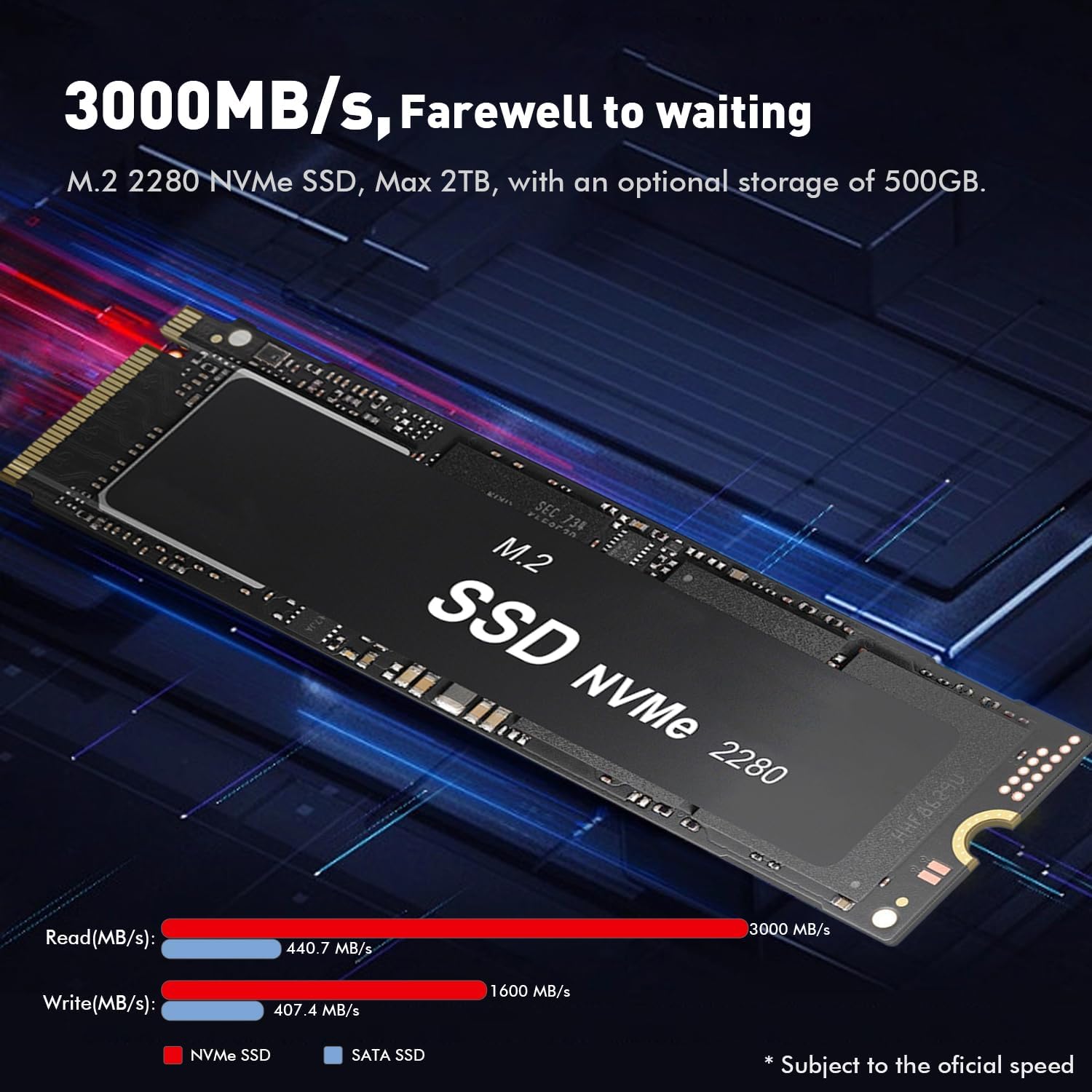
Image 4.1: The TRIGKEY S5 Mini PC connected to three external monitors, demonstrating its triple-screen display capability for multitasking.
5. Installazione del sistema operativo e dei driver
The TRIGKEY S5 Mini PC typically comes with Windows 11 pre-installed. If you need to reinstall the operating system or install drivers, follow the instructions below.
5.1. Installing Windows 11
This video provides a step-by-step guide on how to install Windows 11 on a Beelink Mini PC, which uses a similar process for the TRIGKEY S5.
Video 5.1: Instructions for installing Windows 11 on a Mini PC. This video demonstrates the process of creating a bootable USB drive and performing a clean installation of Windows 11.
- Prepare a USB Drive: Obtain a blank USB drive with a minimum capacity of 8GB. Back up any important data from the USB drive as it will be formatted.
- Download Media Creation Tool: On another computer, visit the official Microsoft website to download the Windows 11 Media Creation Tool.
- Create Bootable USB: Run the Media Creation Tool, select 'USB flash drive' as the media type, and follow the on-screen prompts to create a bootable Windows 11 installation drive.
- Connect USB Drive: Insert the bootable USB flash drive into a USB port on your TRIGKEY S5 Mini PC.
- Accedi al menu di avvio: Power on the Mini PC and repeatedly press the designated key (commonly F7 or Delete, refer to your specific model's boot instructions if F7 does not work) to enter the boot menu.
- Select USB Drive: From the boot menu, select your USB flash drive as the boot device and press Enter.
- Follow Windows Setup: The PC will enter the Windows 11 setup. Follow the on-screen instructions to select language, edition (e.g., Windows 11 Pro), accept license terms, and choose 'Custom: Install Windows only (advanced)'.
- Partition Management: If reinstalling on an old disk, it is recommended to delete existing partitions (after backing up data) to ensure a clean installation. Select the unallocated space and click 'Next' to install.
- Installazione completa: The system will install Windows 11 and restart multiple times. After the final restart, you will be guided through the basic Windows settings.
5.2. Installazione dei driver
After Windows 11 is installed, you may need to install specific drivers for optimal performance and functionality.
- Scarica i driver: Visit the official TRIGKEY support website (or the provided support email/phone for guidance) to download the latest drivers for your S5 Mini PC model. Unzip the downloaded driver package to a known location (e.g., Desktop).
- Apri Gestione dispositivi: Cercare 'Device Manager' in the Windows search bar and open it.
- Identify Missing Drivers: Look for devices listed under 'Other devices' or with a yellow exclamation mark, indicating missing or outdated drivers.
- Aggiorna driver: Right-click on the device with the missing driver, select 'Update driver', then 'Browse my computer for drivers'.
- Select Driver Folder: Navigate to the folder where you unzipped the downloaded drivers and click 'OK', then 'Next' to install. Repeat this process for all necessary drivers.
6. Aggiornamenti hardware
The TRIGKEY S5 Mini PC offers options for memory and storage expansion.
6.1. Memory (RAM) Upgrade
The Mini PC comes with 32GB of DDR4-3200MHz RAM (16GB x 2) and supports an upgrade to a maximum of 64GB (2 x 32GB) SO-DIMM DDR4-3200MHz RAM.

Image 6.1: Illustration of SO-DIMM DDR4 RAM modules, indicating support for up to 64GB memory upgrade.
6.2. Aggiornamento dello storage
The Mini PC includes a 500GB M.2 PCIe 2280 NVMe SSD. This can be expanded up to 2TB. Additionally, it supports adding a 500GB to 2TB 2.5-inch SATA HDD or SSD (not included).
Image 6.2: An M.2 2280 NVMe SSD, highlighting its high read/write speeds and capacity for storage expansion.
7. Sistema di raffreddamento
The TRIGKEY S5 Mini PC incorporates an efficient cooling system to maintain optimal performance. It features a large copper plate and double heat pipes, combined with a cooling fan, to dissipate heat effectively and smoothly.

Image 7.1: Diagram illustrating the heat dissipation system of the Mini PC, showing the large fan and heat sink design.
8. Specifiche
| Caratteristica | Specificazione |
|---|---|
| Processore | AMD Ryzen 7 5800H (8 core/16 thread, fino a 4.4 GHz) |
| Grafica | Integrated AMD Radeon Graphics (8 Cores, 2000MHz) |
| Memoria RAM | 32GB DDR4-3200MHz (2x16GB), expandable to 64GB |
| Magazzinaggio | 500GB M.2 PCIe 2280 NVMe SSD, expandable to 2TB M.2 NVMe SSD + 2.5-inch SATA HDD/SSD (up to 2TB) |
| Uscita video | HDMI (4K@60Hz), DisplayPort (4K@60Hz), USB-C (Video&Data) - Triple Display Support |
| Connettività wireless | Wi-Fi 6 (802.11ax), Bluetooth 5.2 |
| Connettività cablata | 1x RJ45 LAN (1000M Mbps) |
| Porte USB | 3x USB 3.2 Gen2, 1x USB 2.0, 1x USB-C |
| Audio | 1x Jack audio (HP e MIC) |
| Sistema operativo | Sistema operativo (in genere Windows 11) |
| Dimensioni | Dimensioni: 22.71 x 13.59 x 5.89 cm |
| Peso | 989 grammi |
9. Risoluzione Dei Problemi
- Nessun potere: Ensure the power adapter is securely connected to both the Mini PC and a working power outlet. Check the power button for any damage.
- Nessuna visualizzazione: Verify that display cables (HDMI, DisplayPort, USB-C) are firmly connected to both the Mini PC and the monitor. Ensure the monitor is powered on and set to the correct input source. Try connecting to a single display to isolate the issue.
- Nessuna connessione Internet: For wired connections, check the Ethernet cable and router. For Wi-Fi, ensure the Wi-Fi adapter drivers are installed and the correct network is selected with the right password.
- Prestazioni lente: Check for background applications consuming resources. Ensure sufficient free storage space. Consider upgrading RAM or SSD if performance issues persist.
- Periferica non rilevata: Try connecting the peripheral to a different USB port. Ensure necessary drivers for the peripheral are installed.
10. Garanzia e supporto
TRIGKEY provides online customer service and lifetime technical support for your Mini PC. If you encounter any issues not covered in this manual or require further assistance, please contact our support team.
- Supporto via e-mail: support@trigkey.com
- Supporto telefonico: +86 18138216795