
1. Prodotto finitoview
The UNI-T UT665 Industrial Endoscope is a non-destructive testing device designed for inspecting hard-to-reach areas. It features a high-definition probe, a 2.4-inch display, and IP67 waterproofing for reliable performance in various environments.

Image: The UNI-T UT665 Industrial Endoscope, showcasing its handheld unit and flexible camera probe.
2. Caratteristiche principali
- Real-time Clear Display: Equipped with a 2.4-inch TFT screen (480x234 resolution) for immediate viewing.
- Rotatable Images: Allows for image rotation to adjust vieworientamento.
- Flexible Camera Probe: Features a 1-meter coil length probe that can be bent and shaped for various inspection needs.
- Adjustable Image Saturation: 6 levels of image saturation adjustment for optimal visual clarity.
- Adjustable LED Brightness: 4 levels of LED light intensity for illuminating dark inspection areas.
- Sonda impermeabile IP67: The 9mm diameter probe is waterproof, suitable for wet environments.
- Distanza di messa a fuoco: Optimal focus range of 20mm to 100mm.
- Costruzione durevole: Outer shell wrapped with soft rubber for shock-proof, waterproof, wear-resistant, and corrosion-resistant performance.
- Design ergonomico: Handheld unit designed for comfortable and non-slip grip, lightweight and portable.
- Batteria a lunga durata: Provides 6-8 hours of operation on a single set of batteries.

Image: The UT665 endoscope designed for portable and comfortable use, highlighting its ergonomic grip.

Image: Detail of the UT665 endoscope, illustrating its robust and waterproof probe construction.
3. Istruzioni per l'installazione
3.1 Contenuto della confezione
Il pacchetto include:
- UT665 Main Unit
- Flexible Camera Probe
- Lithium Metal Batteries (4x 1.5V R6)
- Manuale d'uso
3.2 Installazione della batteria
- Locate the battery compartment cover on the handle of the main unit.
- Open the cover and insert four 1.5V R6 (AA) batteries, ensuring correct polarity (+/-).
- Chiudere saldamente il coperchio del vano batterie.
3.3 Collegamento della sonda
- Allineare il connettore della sonda flessibile della telecamera con la porta sulla parte superiore dell'unità principale.
- Spingere delicatamente il connettore della sonda nella porta.
- Tighten the threaded collar on the probe connector to secure it to the main unit. Ensure it is firmly attached to prevent disconnection during use.

Image: Visual guide for installing batteries and connecting the probe to the UT665 main unit.
Video: A demonstration of the battery installation and probe connection process for the UNI-T UT665 Endoscope.
4. Istruzioni per l'uso
4.1 Accensione/Spegnimento
- Per accendere il dispositivo, tenere premuto il tasto Energia pulsante (
 ) finché lo schermo non si illumina.
 - Per spegnere, tenere premuto il pulsante Energia nuovamente il pulsante finché lo schermo non si spegne.
4.2 Regolazione della luminosità del LED
- Premere il tasto Leggero pulsante () to cycle through the 4 levels of LED brightness.
- Select the appropriate brightness for your inspection environment.
4.3 Adjusting Image Saturation
- Premere il tasto Saturazione pulsante () to adjust the image saturation through 6 available levels.
- This helps optimize color representation for clearer viewing.
4.4 Rotazione dell'immagine
- The device supports image rotation. Refer to the on-screen indicators or specific button functions for rotating the displayed image if needed.
4.5 Uso generale
- Once powered on and the probe is connected, carefully insert the flexible probe into the area you wish to inspect.
- Observe the real-time image on the 2.4-inch display.
- Maneuver the probe as needed to get the desired view.

Image: The UT665 endoscope in use, demonstrating the clear imaging capabilities and adjustable settings.
5. Manutenzione
- Pulizia: After each use, gently wipe the probe and main unit with a soft, dry cloth. For stubborn dirt on the probe, use a slightly damp cloth and ensure it is completely dry before storage. Do not use abrasive cleaners or solvents.
- Magazzinaggio: Store the endoscope in a cool, dry place away from direct sunlight and extreme temperatures. Disconnect the probe from the main unit and remove batteries if storing for extended periods.
- Cura della batteria: Replace batteries when the low battery indicator appears. Always use fresh, high-quality batteries.
- Gestione della sonda: Avoid sharp bends or excessive force on the flexible probe to prevent internal damage.
6. Risoluzione Dei Problemi
| Problema | Possibile causa | Soluzione |
|---|---|---|
| Il dispositivo non si accende | Batterie scariche o esaurite; Installazione errata della batteria | Replace batteries with new ones; Check battery polarity. |
| Nessuna immagine sullo schermo | Probe not connected securely; Damaged probe cable | Ensure probe is firmly connected and collar is tightened; Contact support if probe is damaged. |
| L'immagine è sfocata o poco chiara | Lens is dirty; Object is outside focusing distance; Insufficient lighting | Clean the probe lens; Adjust the distance to the object (20mm-100mm); Increase LED brightness. |
| Le luci a LED non funzionano | LED brightness set to minimum; Faulty LEDs | Press the Light button to increase brightness; Contact support if LEDs remain non-functional. |
7. Specifiche
| Caratteristica | Dettaglio |
|---|---|
| Risoluzione dello schermo | 640x480 pixel |
| Diametro della lente | 9 mm (massimo 10 mm) |
| Dimensioni LCD | 2.4 pollici |
| Lunghezza della sonda | 1 m (3 m opzionale) |
| Tipo di schermo | Schermo a colori |
| Lunghezza focale | >20mm (Optimal: 20mm-100mm) |
| Segnale video | Analogico |
| Viewangolo di ing | 60° |
| Luminosità dell'immagine | 6 livelli regolabili |
| Illuminazione | 4 LED lights, 4 levels adjustable |
| Grado di impermeabilità | IP67 (solo sonda) |
| Immagine capovolgibile | SÌ |
| Indicatore di carica della batteria | SÌ |
| Fonte di alimentazione | 4x 1.5V R6 (AA) batteries |
| Colore del prodotto | Rosso e grigio |
| Peso netto del prodotto | 500g |
| Dimensioni del prodotto | Dimensioni: 196 mm x 74 mm x 38 mm |

Image: A detailed table outlining the technical specifications of the UT665 endoscope.
8. Applicazioni
The UNI-T UT665 Industrial Endoscope is suitable for various inspection tasks across multiple fields:
- Automobilistico: Inspecting engine components, exhaust systems, and other vehicle parts.
- Domestico: Checking pipes, drains, and hard-to-reach areas in homes.
- Macchinari: Examining internal components of industrial machinery for wear or damage.
- Riscaldamento, ventilazione e condizionamento (HVAC): Inspecting ducts, vents, and air conditioning units.
- Idraulica: Visual inspection of pipes and drainage systems.
- Costruzione: Checking structural integrity in confined spaces.

Immagine: Examples of the UT665 endoscope being used in auto repair, mechanical inspections, conduit checks, and other difficult-to-access locations.
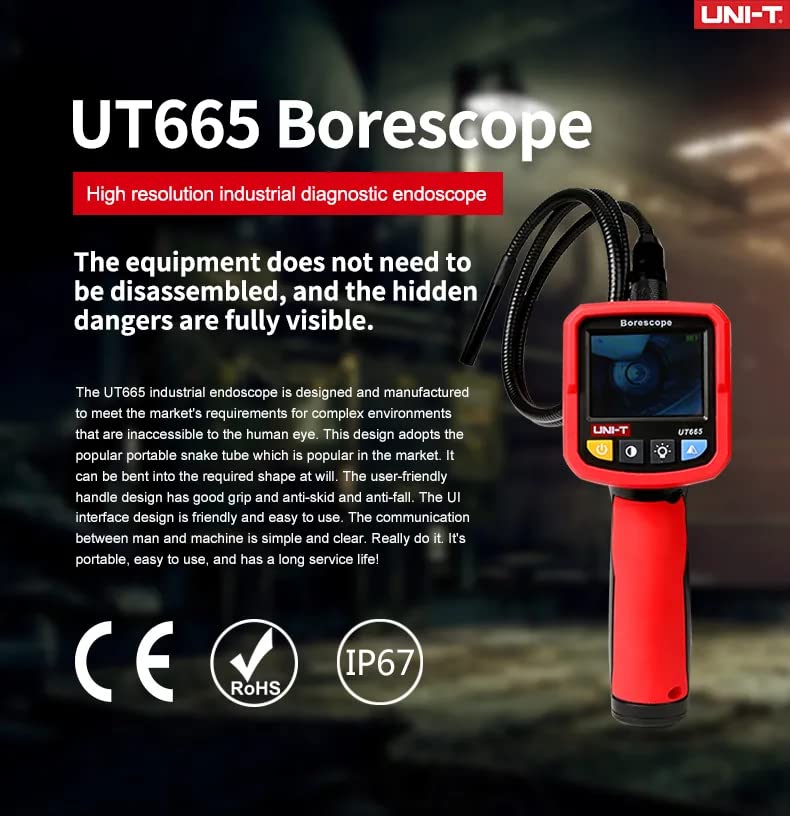
Image: The UT665 endoscope being used to inspect components within an automobile engine bay.
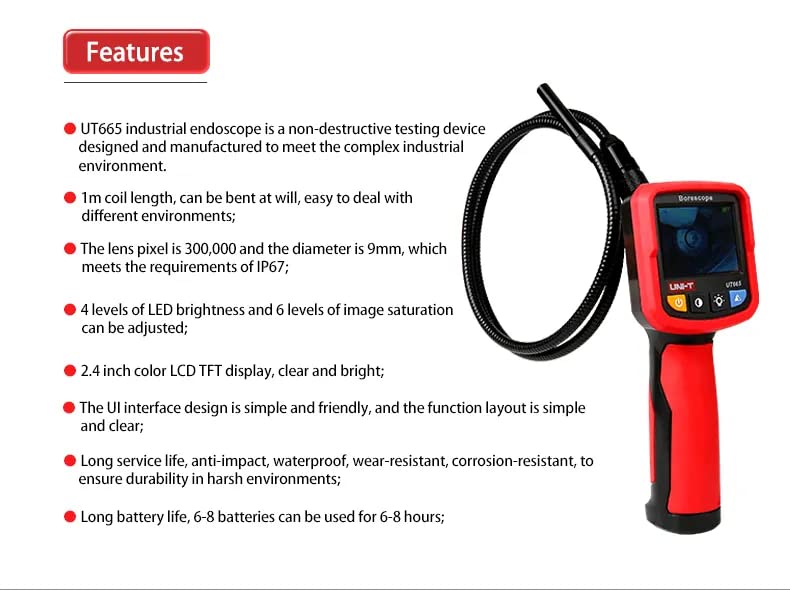
Image: The UT665 endoscope inspecting the interior of a pipe or conduit.
9. Garanzia e supporto
Per informazioni sulla garanzia e assistenza tecnica, consultare la documentazione inclusa con il prodotto o contattare direttamente il produttore. Conservare la ricevuta d'acquisto come prova d'acquisto.


