
1. Introduzione
This manual provides detailed instructions for the Fitonme 4G Kids Smartwatch. Please read this guide thoroughly before using the device to ensure proper operation and to maximize its features. This smartwatch is designed to offer communication, safety, and entertainment features for children, while providing peace of mind for parents through its tracking and emergency functions.
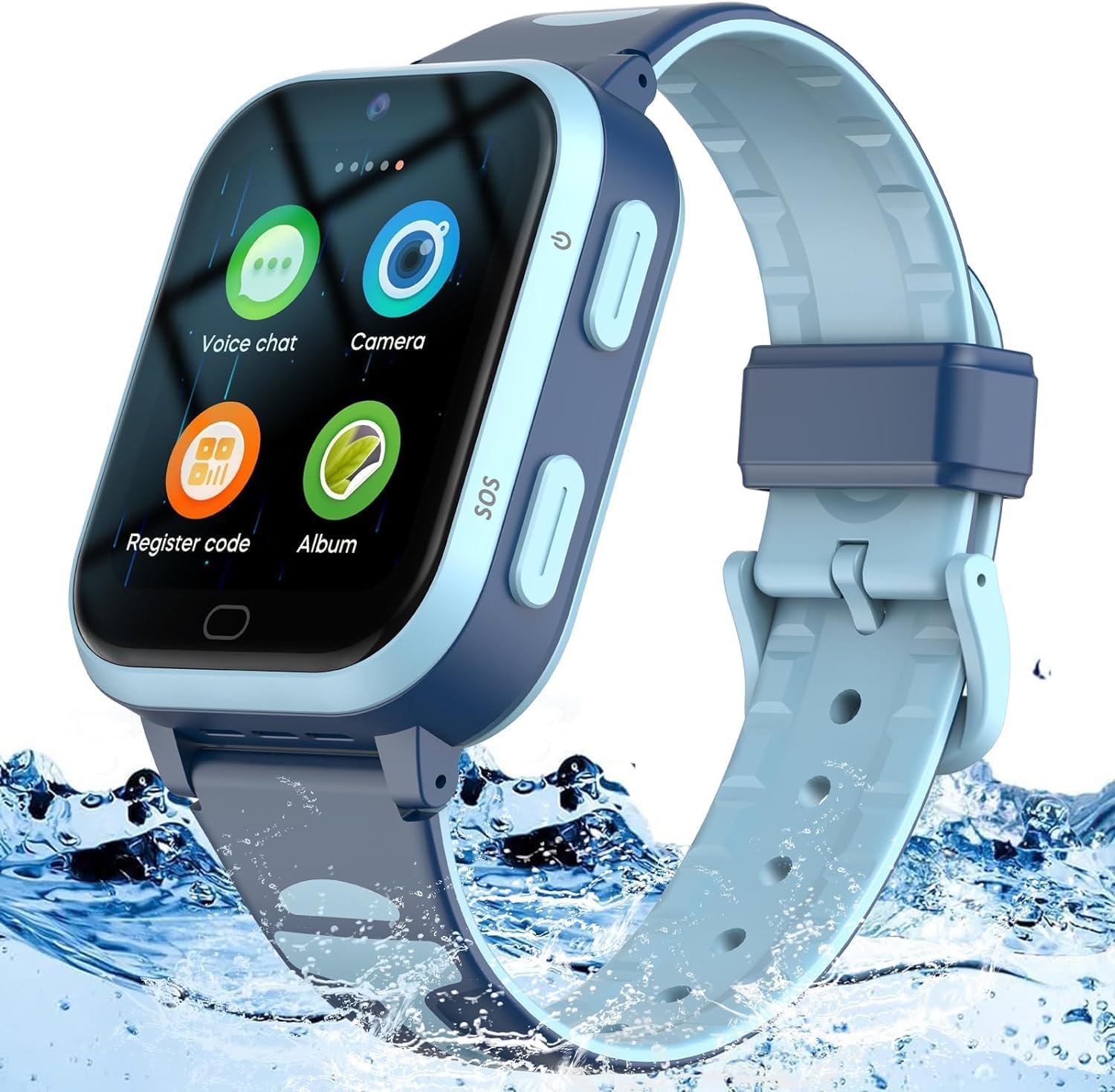
Image 1.1: The Fitonme 4G Kids Smartwatch, featuring a blue strap and a clear display, designed for durability and water resistance.
2. Contenuto della confezione
Si prega di controllare il contenuto della confezione al momento del disimballaggio. Se qualche articolo risulta mancante o danneggiato, contattare l'assistenza clienti.
- Fitonme 4G Kids Smartwatch
- Cavo di ricarica USB (magnetico)
- Manuale d'uso
- Strumento di espulsione della scheda SIM (se applicabile)
3. Impostazione
3.1 Installazione della scheda SIM
- Assicurarsi che lo smartwatch sia spento.
- Individuare lo slot per la scheda SIM sul lato dell'orologio.
- Utilizzare lo strumento di espulsione SIM in dotazione per aprire il vassoio della SIM.
- Insert a Nano-SIM card (4G compatible) into the tray with the gold contacts facing up, ensuring it is correctly oriented.
- Spingere delicatamente il vassoio della SIM nello slot finché non scatta in posizione.
3.2 Installazione e associazione dell'app
The Fitonme 4G Kids Smartwatch requires the Setracker2 application for full functionality and parental control.
- Scarica il Setracker2 app dall'app store del tuo smartphone (Google Play Store per Android o Apple App Store per iOS).
- Register a new account in the app using your email address and a secure password.
- On the smartwatch, navigate to the 'Register Code' or 'Device Info' section to find the unique registration code (QR code or numerical ID).
- In the Setracker2 app, select 'Add Device' and scan the QR code or manually enter the registration ID.
- Provide the required information, such as your child's name and your relationship to them.
- Once paired, you can configure settings, contacts, and tracking features from the app.

Image 3.1: The Setracker2 application interface on a smartphone, displaying location tracking and various settings for the smartwatch.
4. Istruzioni per l'uso
4.1 Funzioni di base
- Accensione/spegnimento: Press and hold the power button (usually on the side) for a few seconds to turn the watch on or off.
- Navigazione tramite touchscreen: Swipe left/right to browse applications, tap to select, and swipe down from the top for quick settings.
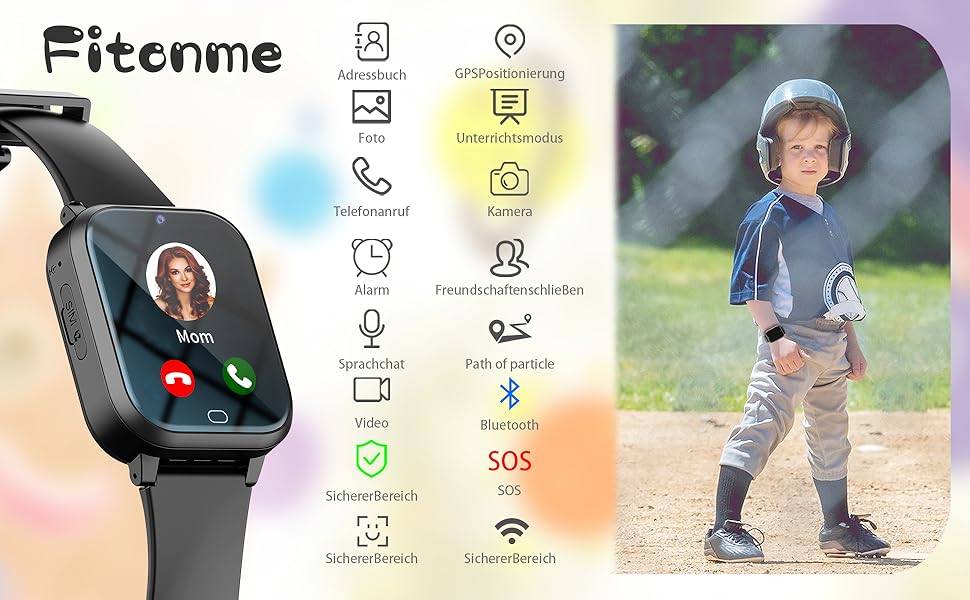
Immagine 4.1: Passoview of the smartwatch interface, highlighting icons for key functions such as calling, GPS, camera, and SOS.
4.2 Calling (Two-way & Video)
The smartwatch supports two-way voice calls and video calls with pre-approved contacts.
- Chiamata vocale: From the main screen, tap the 'Call' icon or 'Address Book' to select a contact. Tap the contact's name to initiate a voice call.
- Video chiamata: Select the 'Video Call' icon from the app menu. Choose a contact to start a video call. Both parties must have a stable internet connection.

Image 4.2: A child using a smartphone, demonstrating the communication capabilities that can be linked with the smartwatch.
4.3 Messaging (Voice Chat)
Children can send and receive voice messages with approved contacts.
- Tap the 'Voice Chat' icon.
- Press and hold the microphone icon to record a message. Release to send.
- Incoming voice messages will be indicated by a notification. Tap to listen.
4.4 GPS Tracking & Geofence
The smartwatch uses 4G, GPS, Wi-Fi, and LBS for precise location tracking, viewable via the Setracker2 app.
- Monitoraggio in tempo reale: Open the Setracker2 app on your smartphone to view la posizione attuale dello smartwatch su una mappa.
- Cronologia delle posizioni: L'app ti consente di riview the watch's movement history.
- Geofence (Electronic Fence): In the Setracker2 app, you can set up safe zones. If the smartwatch enters or exits these predefined areas, you will receive an alert on your smartphone. Up to 3 electronic fences can be configured.

Image 4.3: Illustration of the Geofence feature, showing how parents receive notifications when the smartwatch enters or leaves designated safe areas.
4.5 Funzione SOS
In caso di emergenza, il bambino può attivare la funzione SOS.
- Pulsante SOS: Press and hold the dedicated SOS button on the side of the watch for three seconds.
- The watch will automatically dial up to three pre-set emergency contacts in a loop until one answers.
- An SOS alert notification will also be sent to the parent's app.
4.6 Class Mode (Teaching Time)
Parents can set specific times during which certain watch functions are disabled to minimize distractions during school hours.
- Configure 'Class Mode' schedules through the Setracker2 app.
- During these times, only the time display and SOS function will be active on the watch.

Image 4.4: A child wearing the smartwatch in a classroom, illustrating the use of the device in an educational environment.
4.7 Altre caratteristiche
- Pedometro: Tiene traccia dei passi compiuti durante il giorno.
- Telecamera: Allows the child to take photos.
- Allarme: Imposta sveglie per promemoria o chiamate di sveglia.
- Calcolatrice: Funzioni aritmetiche di base.
- Dialer: Allows dialing numbers not in the address book (can be restricted by parents).
5. Manutenzione
5.1 Ricarica
Use the provided magnetic USB charging cable. Connect the magnetic end to the charging points on the back of the watch and the USB end to a compatible power adapter (not included) or computer USB port.
5.2 Resistenza all'acqua
The Fitonme 4G Kids Smartwatch is designed to be waterproof. However, it is recommended to avoid prolonged submersion in water or exposure to hot water/steam to maintain its integrity.
5.3 Pulizia
Pulire regolarmente l'orologio con un panno morbido e asciutto. Per lo sporco ostinato, utilizzare un panno leggermenteamp è possibile utilizzare un panno. Evitare prodotti chimici aggressivi o materiali abrasivi.
6. Risoluzione Dei Problemi
- L'orologio non si accende: Ensure the watch is fully charged. If it still doesn't turn on, try a different charging cable or power source.
- Nessun segnale di rete: Check if the SIM card is correctly inserted and activated. Ensure the area has 4G network coverage.
- Posizione GPS imprecisa: GPS accuracy can be affected by environmental factors (e.g., indoors, dense buildings). Ensure the watch has a clear view of the sky for optimal GPS performance. Wi-Fi and LBS provide supplementary positioning.
- Impossibile effettuare/ricevere chiamate: Verify that the SIM card has an active plan with call services. Check if the contact numbers are correctly saved in the app and synced to the watch. Ensure the watch is not in 'Class Mode'.
- L'app non si connette all'orologio: Ensure the watch is powered on and has network connectivity. Re-check the binding process in the Setracker2 app.
- La batteria si scarica rapidamente: High usage of features like video calls, GPS tracking, and games can consume battery faster. Adjust tracking frequency in the app to conserve battery.
7. Specifiche
| Nome del modello | Fitonme 4G Kids Smartwatch |
| Marca | Fitonme |
| Dimensioni dello schermo | 1.4 pollici |
| Connettività | Cellulare 4G, Wi-Fi, Bluetooth |
| Posizionamento | Integrated GPS, LBS, Wi-Fi |
| Caratteristiche speciali | Time Display, Video Call, GPS, Step Tracking, SOS, Geofence, Voice Chat, Camera, Alarm, Calculator |
| Dispositivi compatibili | Smartphone (tramite app Setracker2) |
| Tipo di batteria | Polimeri di litio (ricaricabili) |
| Archiviazione della memoria | 128 MB |
| Forma | Piazza |
8. Garanzia e supporto
Fitonme is committed to providing reliable products and customer service.
- Supporto a vita: We offer lifetime support to ensure your satisfaction with our products.
- 24-Hour Email Service: For quick assistance, contact our customer support via email.
- Sostituzione gratuita per 2 anno: Your Fitonme 4G Kids Smartwatch is covered by a 2-year free replacement warranty for manufacturing defects.
- Politica di reso di 30 giorni: You may return the product within 30 days of purchase without reason.
For any inquiries or support, please refer to the contact information provided with your purchase or visit the official Fitonme websito.