Introduzione
This manual provides detailed instructions for the installation, maintenance, and replacement of McbeAn compatible parts for the Xiaomi Mijia Robot Vacuum Mop 3C B106CN. Regular replacement of these components ensures optimal performance and extends the lifespan of your robot vacuum cleaner.
Prodotto finitoview
The McbeAn replacement kit includes essential components designed to maintain the cleaning efficiency of your Xiaomi Mijia Robot Vacuum Mop 3C B106CN. The specific contents of your kit may vary, but typically include:
- Main Brushes (Roller Brushes)
- Spazzole laterali
- Filtri HEPA
- Mop Pads (Mop Rags)
- Strumento di pulizia

Figure 1: Complete set of McbeAn replacement parts, including main brushes, side brushes, HEPA filters, mop pads, and a cleaning tool.
Guida all'installazione
Before installing any parts, ensure your robot vacuum is powered off and disconnected from its charging dock.
1. Main Brush Installation
- Capovolgere il robot aspirapolvere.
- Locate the main brush cover, usually secured by two tabs or latches. Press the tabs to release and remove the cover.
- Sollevare la vecchia spazzola principale.
- Insert the new main brush, ensuring the square and hexagonal ends align with their respective slots in the vacuum.
- Replace the main brush cover and press down until it clicks into place.

Figure 2: Detail of the main brush, showing its design for effective debris collection.
2. Installazione della spazzola laterale
- Capovolgere il robot aspirapolvere.
- Locate the side brush. It is typically held by a single screw. Use a screwdriver to remove the screw.
- Remove the old side brush.
- Place the new side brush into position, aligning the central hole.
- Fissare la nuova spazzola laterale con la vite.
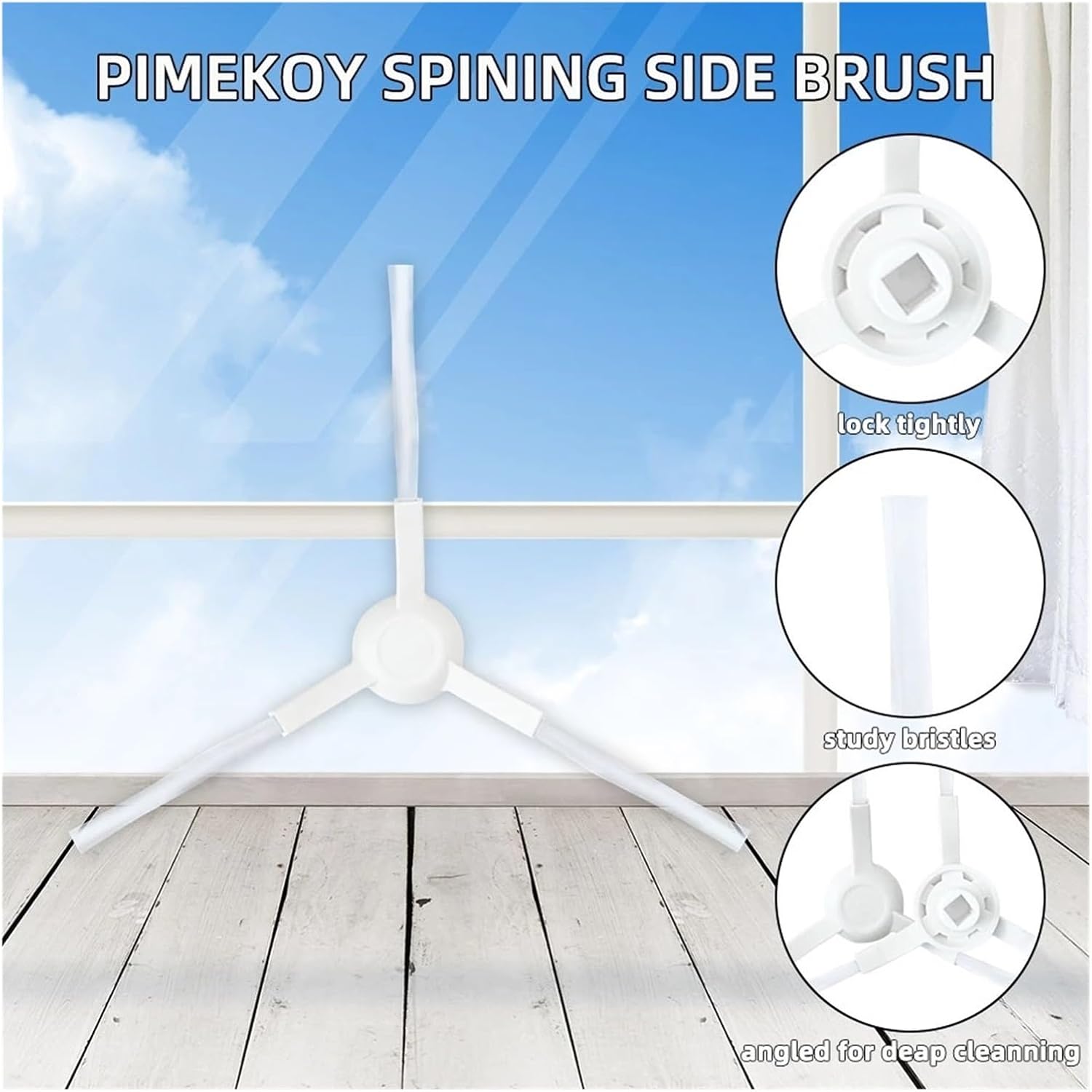
Figure 3: The three-arm side brush, designed to sweep debris from edges and corners.
3. Installazione del filtro HEPA
- Open the top cover of the robot vacuum to access the dustbin.
- Rimuovere il contenitore della polvere dal robot.
- Open the dustbin cover to reveal the filter compartment.
- Rimuovere il vecchio filtro HEPA.
- Inserire il nuovo filtro HEPA nell'apposito alloggiamento, assicurandosi che aderisca perfettamente.
- Close the dustbin cover and reinsert the dustbin into the robot vacuum.

Figure 4: The HEPA filter, designed to capture fine dust and allergens.
4. Installazione del panno per mocio
- Locate the water tank or mop module on your robot vacuum.
- If applicable, remove the old mop pad from the water tank or mop plate.
- Attach the new mop pad to the designated area on the water tank or mop plate, typically using hook-and-loop fasteners.
- Ensure the mop pad is securely attached and evenly spread.

Figure 5: Mop pads, designed for effective wet cleaning and reusability.

Figura 6: In basso view of the robot vacuum with all compatible parts installed.
Manutenzione
Regular cleaning and timely replacement of parts are crucial for maintaining the robot vacuum's performance.
Main Brush Maintenance
- Frequenza: Clean weekly, replace every 6-12 months depending on usage.
- Procedura: Remove the main brush. Use the provided cleaning tool or scissors to cut and remove tangled hair and debris. Ensure the brush is free of obstructions.
Manutenzione della spazzola laterale
- Frequenza: Clean monthly, replace every 3-6 months depending on usage.
- Procedura: Remove the side brush. Untangle any hair or debris from the bristles. If bristles are bent, soak them in warm water for a few minutes to help them regain their shape.
Manutenzione del filtro HEPA
- Frequenza: Clean every 2-4 weeks, replace every 3-6 months.
- Procedura: Remove the filter from the dustbin. Tap it gently over a trash can to dislodge dust. If the filter is washable (refer to your robot vacuum's manual), rinse it under running water. Ensure it is completely dry before reinstallation to prevent mold growth.
Manutenzione del panno per mocio
- Frequenza: Clean after each use, replace every 1-3 months depending on usage.
- Procedura: Remove the mop pad. Hand wash or machine wash with mild detergent. Air dry completely before reattaching. Do not tumble dry.
Specifiche
| Componente | Materiale | Compatibilità |
|---|---|---|
| Spazzola principale | ABS, Nylon | Xiaomi Mijia Robot Vacuum Mop 3C B106CN |
| Spazzola laterale | ABS, Nylon | Xiaomi Mijia Robot Vacuum Mop 3C B106CN |
| Filtro HEPA | HEPA filter paper, ABS | Xiaomi Mijia Robot Vacuum Mop 3C B106CN |
| Mocio Pad | Panno in microfibra | Xiaomi Mijia Robot Vacuum Mop 3C B106CN |
Risoluzione dei problemi
If your robot vacuum's cleaning performance decreases after replacing parts, consider the following:
- Aspirazione ridotta: Ensure the HEPA filter is clean and correctly installed. Check the dustbin for blockages.
- Poor Sweeping: Verify side brushes are free of tangles and installed correctly. Replace if bristles are excessively worn or bent.
- Lavaggio inefficace: Ensure mop pads are clean and wet. Check that the water tank is properly filled and installed.
- Rumori insoliti: Inspect main and side brushes for tangled hair or debris that might be causing friction.
For persistent issues, refer to your Xiaomi Mijia Robot Vacuum Mop 3C B106CN's original user manual or contact the robot vacuum manufacturer's support.
Supporto e garanzia
For questions regarding these replacement parts, please contact the seller directly through your purchase platform. Information regarding specific warranty terms for these compatible parts may be available from the seller at the time of purchase.