
OTOFIX OTOFIX D1 PRO
Manuale utente dello scanner diagnostico per la codifica della centralina OTOFIX D1 PROS
Model: OTOFIX D1 PRO
Guida completa per la configurazione, il funzionamento, la manutenzione e la risoluzione dei problemi.
1. Prodotto finitoview
The OTOFIX D1 PROS is an advanced ECU Coding Diagnostic Scanner designed for professional automotive diagnostics. It offers a wide range of functions including bi-directional control, extensive service resets, and advanced coding capabilities for various vehicle makes and models. This tool is engineered for efficiency and accuracy in vehicle system analysis and repair.

Figure 1: OTOFIX D1 PROS Diagnostic Scanner, VCI, and included carrying case.
2. Configurazione e utilizzo iniziale
Follow these steps to set up your OTOFIX D1 PROS scanner for the first time:
- Disimballaggio: Carefully remove all components from the carrying case. The package includes:
- 1 x OTOFIX D1 PRO Tablet (Main Unit)
- 1 x OTOFIX V1 Vehicle Communication Interface (VCI)
- 1 x AC/DC Power Adapter (12V)
- 1 x Cavo USB di tipo C
- 1 x Auxiliary Power Outlet Adapter
- 2 fusibili di ricambio
- 1 x USB to Ethernet Adapter
- 1 x Soft Cloth
- 1 x Guida di riferimento rapido
- 1 x Lista di imballaggio
- 1 x Custodia per il trasporto
- Caricare il Tablet: Connect the AC/DC Power Adapter to the tablet's charging port and plug it into a power outlet. Ensure the tablet is fully charged before first use. The battery capacity is 15000mAh.
- Accensione: Per accendere il tablet, tieni premuto il pulsante di accensione.
- Configurazione iniziale: Segui le istruzioni sullo schermo per selezionare la lingua, il fuso orario e connetterti a una rete Wi-Fi. È necessaria una connessione Internet stabile per gli aggiornamenti software e le funzioni online.
- Connessione VCI: Plug the OTOFIX V1 VCI into the vehicle's OBDII port. The VCI will establish a Bluetooth connection with the D1 PROS tablet. Ensure the VCI's indicator lights confirm a successful connection.
3. Utilizzo del dispositivo
The OTOFIX D1 PROS offers a comprehensive suite of diagnostic and service functions. Navigate through the intuitive Android 10.0 interface using the 10.1-inch touchscreen display.
3.1. OE-Level Diagnostics
Perform comprehensive diagnostics on all available vehicle systems, including Engine (ECM), Anti-lock Braking System (ABS), Supplemental Restraint System (SRS), Immobilizer (IMMO), Electronic Parking Brake (EPB), Tire Pressure Monitoring System (TPMS), and more. The AutoScan 2.0 feature allows for rapid all-system communication, detecting most system malfunctions within 10 seconds.

Figura 2: Oltreview of OE-level diagnostic capabilities for various vehicle systems.
Le principali funzioni diagnostiche includono:
- Informazioni sulla ECU: Recupera informazioni dettagliate sulle unità di controllo elettronico.
- Codici di lettura/cancellazione: Read Diagnostic Trouble Codes (DTCs) and clear them after repairs.
- Dati in tempo reale: View flussi di dati in tempo reale provenienti da vari sensori e componenti.
- Active Tests (Bi-directional Control): Send commands to vehicle actuators to test their functionality, such as radiator fan activation, injector tests, mirror tests, and more. This significantly aids in troubleshooting.

Figura 3: Esamples of active tests and bi-directional controls available.
3.2. ECU Coding and Special Functions
The D1 PROS supports both online and offline ECU coding, allowing for the rematching or recoding of replacement modules (e.g., CEM, ECM, TCM, ABS) and enabling/disabling specific vehicle functions (e.g., automatic mirrors, seatbelt warnings).
- Codifica online: Supported for brands like VW, Audi, Skoda, Peugeot, Citroen, DS.
- Codifica offline: Supported for brands like VW, Audi, Bentley, Lamborghini, Bugatti, Porsche, Daihatsu, Benz, Maybach, Land Rover, Jaguar, Subaru, Ford, Mazda, Hyundai, Kia, Chrysler, Opel, Vauxhall, Mitsubishi.
- Funzioni guidate VAG: Provides step-by-step guidance for matching, calibration, and basic settings on VAG vehicles, simplifying complex procedures.
- Hidden Functions Refresh: Unlock or modify hidden features on compatible vehicles.
3.3. 40+ Hot Services and Resets
Access a wide array of common maintenance and service resets, including but not limited to:
- Ripristino del freno di stazionamento elettronico (EPB)
- Ripristino dell'olio
- Rigenerazione del filtro antiparticolato diesel (DPF)
- Calibrazione del sensore dell'angolo di sterzata (SAS).
- Ripristino del sistema di monitoraggio della pressione dei pneumatici (TPMS)
- Ripristino del sistema di gestione della batteria (BMS)
- Codifica dell'iniettore
- Adattamento dell'acceleratore
- Calibrazione delle sospensioni
- Brake Bleed
- TEC-learn
- headlamp Regolazione
- Dopo il trattamento
- Odometro
- Ripristino dell'airbag
- E molti altri ancora.

Figura 4: Esamples of the 40+ service and reset functions.
3.4. FCA and Renault SGW Access
The OTOFIX D1 PROS is a licensed scan tool providing diagnostic access to 2018+ FCA (Fiat Chrysler Automobiles) and 2015+ Renault SGW (Security Gateway) equipped models. This allows for diagnostics without needing to dismantle the vehicle's security gateway module.
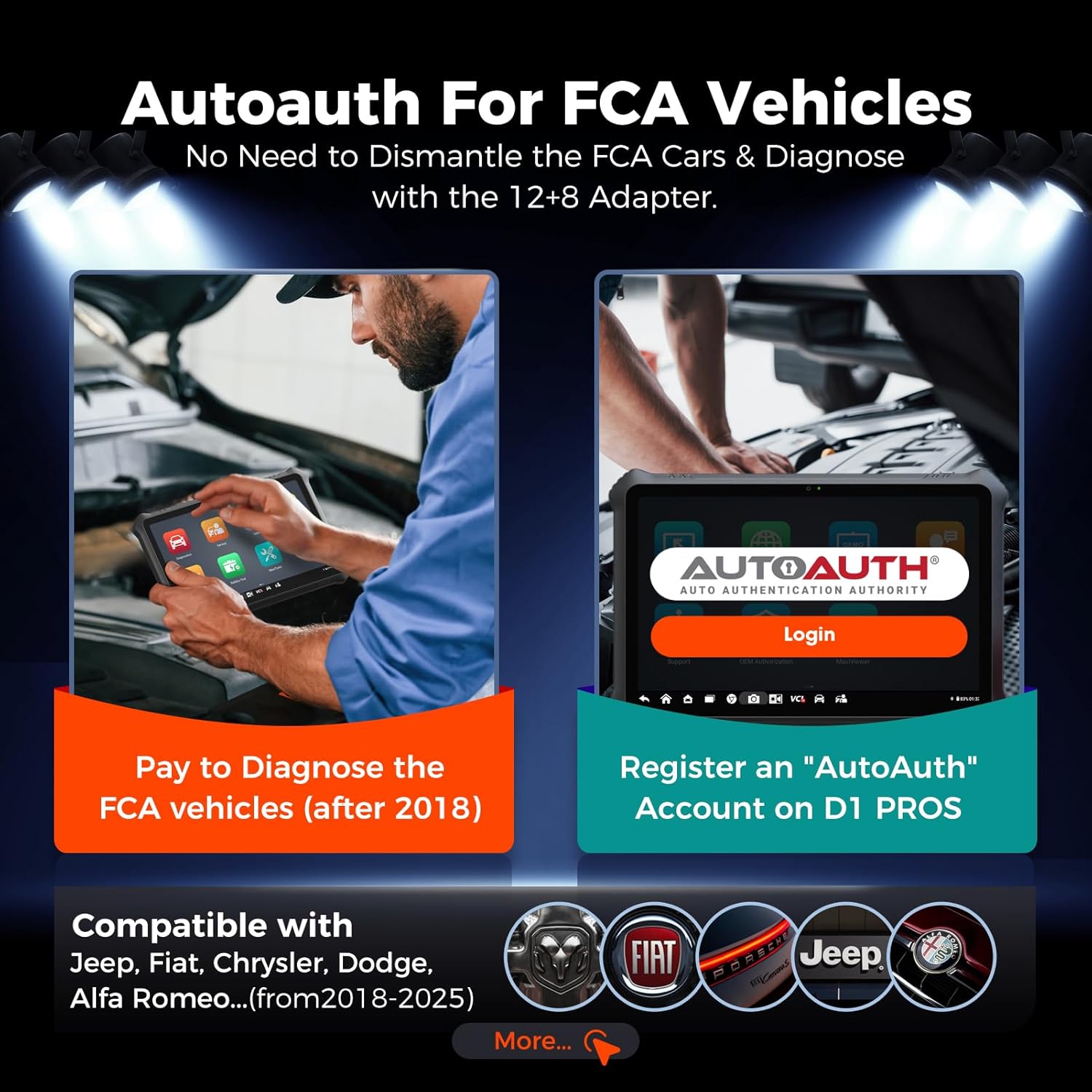
Figure 5: Process for AutoAuth access for FCA vehicles.
3.5. Pre-Post Scanning and Cloud Report Management
The device supports Pre-Post Scanning, which clearly records the vehicle status before and after diagnostics. This feature assists mechanics in developing repair plans and informing customers about the work and cost. Reports can be saved, printed, or emailed. Diagnostic reports can also be stored in the Cloud Server, allowing for easy access, printing, or sharing via QR code or message.
3.6. Video Integration
Nota: nessun video ufficiale del prodotto URLs were provided in the product data. If available, relevant official product videos from the seller would be embedded here to demonstrate specific features or operations, with a maximum width of 420px and a detailed text description.
4. Manutenzione
To ensure the longevity and optimal performance of your OTOFIX D1 PROS scanner, adhere to the following maintenance guidelines:
- Aggiornamenti software: Regularly check for and install software updates. The D1 PROS includes 2 years of free software updates from the date of purchase. Updates often include new vehicle coverage, bug fixes, and enhanced functionalities. The device will continue to function even if updates are not renewed after the initial period.
- Pulizia: Use the provided soft cloth to clean the touchscreen and device body. Avoid abrasive cleaners or solvents.
- Magazzinaggio: Store the device in its original carrying case in a cool, dry place when not in use to protect it from dust, moisture, and physical damage.
- Cura della batteria: Per una durata ottimale della batteria, evitare di scaricarla completamente frequentemente. Caricare il dispositivo regolarmente, soprattutto se si prevede di non utilizzarlo per un periodo prolungato.
5. Risoluzione Dei Problemi
If you encounter issues with your OTOFIX D1 PROS, consider the following common troubleshooting steps:
- Il dispositivo non si accende: Ensure the battery is charged. Connect the AC/DC adapter and try powering on again.
- Problemi di connessione VCI: Verify the VCI is securely plugged into the vehicle's OBDII port. Check the VCI's indicator lights. Ensure Bluetooth is enabled on the tablet and the VCI is paired. Try restarting both the tablet and the vehicle's ignition.
- Errori di comunicazione con il veicolo: Confirm the vehicle's ignition is on (engine off or running as required by the specific test). Check the OBDII port for any physical damage. Ensure the correct vehicle make, model, and year are selected in the software.
- Function Not Working as Expected: Some advanced functions like ECU programming or specific coding features may have vehicle-specific requirements or limitations. Ensure your software is up-to-date. If a function is advertised but not working, verify vehicle compatibility and consult the support team.
- Prestazioni lente: Close any unnecessary applications running in the background. Ensure sufficient storage space is available (128GB internal memory).
6. Specifiche
Detailed technical specifications for the OTOFIX D1 PROS Diagnostic Scanner:

Figure 6: Key hardware features of the OTOFIX D1 PROS.
| Caratteristica | Dettaglio |
|---|---|
| Modello | OTOFIX D1 PRO |
| Sistema operativo | Androide 10.0 |
| Processore | CPU a 8 core |
| Memoria | 4 GB di RAM / 128 GB di ROM |
| Display | Schermo LCD touchscreen da 10.1 pollici, risoluzione 1920x1200 |
| Telecamera | Rear: 16MP |
| Batteria | Ioni di litio da 15000 mAh |
| Connettività | Bluetooth, Wi-Fi, USB di tipo C |
| Dimensioni | 11.8 x 8.7 x 2 pollici |
| Peso dell'articolo | 2.6 libbre |
| Protocolli supportati | CANFD, DoIP, and more |
| Codice UPC | 850051166275 |
7. Garanzia e supporto
Garanzia: The OTOFIX D1 PROS comes with a 1-year quality backup from the manufacturer. Please retain your proof of purchase for warranty claims.
Aggiornamenti software: Enjoy 2 years of free software updates included with your purchase. After this period, updates can be purchased, but the device will remain functional with its last updated features.
Supporto tecnico: For any questions, technical assistance, or support inquiries, please contact the OTOFIX support team:
- E-mail: otofixaftersales-amz@outlook.com
- Disponibilità: Dal lunedì al venerdì, dalle 9:00 alle 6:00 EST
When contacting support, please provide your product model (OTOFIX D1 PROS) and any relevant details about your issue to facilitate a quicker resolution.
Ask a question about this manual
Ask about setup, troubleshooting, compatibility, parts, safety, or missing instructions. Manuals+ will review the question and use this page’s manual context to help answer it.