
1. Introduzione
Grazie per l'acquistoasing the Blaupunkt Rock & Roll PS150 Wireless Bluetooth Outdoor Party Speaker. This manual provides essential information for the safe and efficient operation of your device. Please read it thoroughly before use and retain it for future reference.
2. Informazioni sulla sicurezza
- Non esporre l'altoparlante a temperature estreme, alla luce solare diretta o a elevata umidità.
- Evitare di far cadere o di sottoporre l'altoparlante a forti urti.
- Do not attempt to disassemble or modify the speaker. Repairs should only be performed by qualified service personnel.
- Tenere l'altoparlante lontano dall'acqua e da altri liquidi per evitare scosse elettriche o danni.
- Assicurare una ventilazione adeguata durante l'uso dell'altoparlante.
3. Cosa c'è nella scatola
- Blaupunkt Rock & Roll PS150 Party Speaker
- Microfono per karaoke
- Cavo di ricarica
- Manuale d'uso
4. Prodotto finitoview
The Blaupunkt Rock & Roll PS150 is a portable outdoor party speaker designed for robust audio performance and ease of transport. It features a powerful 100W output, X-Bass enhancement, and multiple connectivity options.

Figura 1: Fronte view of the Blaupunkt Rock & Roll PS150 Party Speaker.
5. Controlli e collegamenti
The control panel on top of the speaker provides access to all functions.

Figura 2: dettagliata view del pannello di controllo dell'altoparlante.
- Pulsante di accensione: Press to turn the speaker ON/OFF.
- Pulsante sorgente: Select input source (Bluetooth, AUX, USB).
- X-Bass Button: Activate or deactivate the X-Bass sound enhancement.
- Pulsante Menu: Accedi a varie impostazioni.
- Track Select Buttons (< / >): Naviga tra le tracce.
- Pulsante TWS: Avvia l'associazione True Wireless Stereo.
- Quadrante del volume: Regola il volume principale.
- Pulsanti numerati (1-6): For direct track selection or preset functions.
- Porta AUX IN: Collegare dispositivi audio esterni tramite un cavo audio da 3.5 mm.
- Porta USB: For USB playback and charging (5V, 2000mAh).
6. Configurazione e ricarica
6.1 Carica iniziale
Before first use, fully charge the speaker. Connect the charging cable to the speaker's charging port and a suitable power adapter. The charging indicator will illuminate. A full charge ensures optimal battery life for the 4500mAh battery.
6.2 Accensione/Spegnimento
Tenere premuto il pulsante di accensione sul pannello di controllo per accendere o spegnere l'altoparlante.
7. Funzionamento
7.1 Associazione Bluetooth
- Accendi l'altoparlante. L'indicatore Bluetooth lampeggerà, indicando che è in modalità di associazione.
- Attiva il Bluetooth sul tuo smartphone o tablet e cerca i dispositivi disponibili.
- Select "Blaupunkt PS150" from the list.
- Una volta effettuato l'accoppiamento, l'indicatore Bluetooth smetterà di lampeggiare e rimarrà fisso.
7.2 Modalità ingresso AUX
Connect an external audio device (e.g., MP3 player) to the AUX IN port using a 3.5mm audio cable. Press the Source button to select AUX mode.
7.3 Riproduzione USB
Inserisci un'unità USB con audio files into the USB port. The speaker will automatically switch to USB mode and begin playback. Use the track select buttons to navigate.
7.4 Funzione Karaoke
Connect the provided karaoke microphone to the designated microphone input. Adjust the microphone volume as needed. The speaker is ready for karaoke performances.

Figure 3: Using the karaoke function with the PS150 speaker.
7.5 X-Bass Feature
Press the X-Bass button to enhance the bass output for a deeper, more impactful sound experience.

Figure 4: Visual representation of the X-Bass feature.
8. Portabilità e design
The PS150 is designed for portability with integrated wheels and a retractable handle, making it easy to transport to any location.
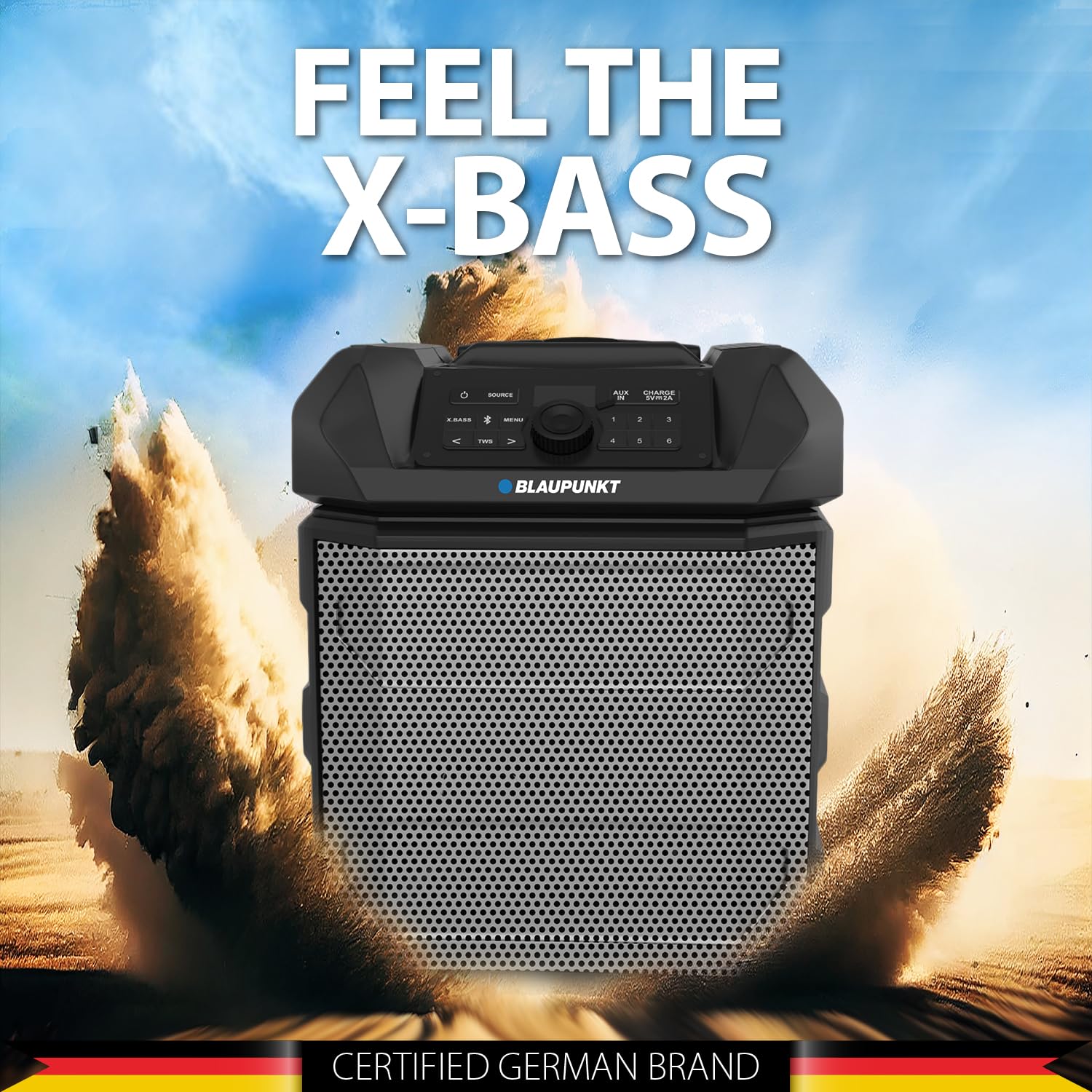
Figure 5: The PS150 speaker being transported with its wheels and handle.
9. Specifiche
| Caratteristica | Specificazione |
|---|---|
| Marca | BLAUPUNKT |
| Numero di modello | PS150 BK |
| Uscita Wattage | 100 Watt |
| Tecnologia di connettività | Bluetooth |
| Dispositivi compatibili | Smartphone, Tablet |
| Fonte di alimentazione | Alimentato a batteria |
| Capacità della batteria | 4500mAh |
| Ingresso audio | Ausiliario |
| Uscita USB | 5 V, 2000 mAh |
| Dimensioni articolo (L x P x A) | 43 x 31.5 x 52.5 centimetri |
| Peso dell'articolo | 7500 grammi |
| Materiale di recinzione | Acrilonitrile Butadiene Stirene (ABS) |
10. Manutenzione
- Pulire l'altoparlante con un panno morbido e asciutto. Non utilizzare detergenti abrasivi o solventi.
- Conservare l'altoparlante in un luogo fresco e asciutto quando non viene utilizzato.
- Evitare l'esposizione prolungata alla luce solare diretta o a temperature estreme.
11. Risoluzione Dei Problemi
11.1 Nessun potere
- Assicurarsi che l'altoparlante sia completamente carico.
- Controllare che il cavo di alimentazione sia collegato saldamente.
- Tieni premuto il pulsante di accensione per alcuni secondi per assicurarti che non si tratti di una pressione breve.
11.2 Nessun suono
- Aumentare il volume sia sull'altoparlante che sul dispositivo collegato.
- Ensure the correct input source (Bluetooth, AUX, USB) is selected.
- If using Bluetooth, ensure the device is properly paired.
- Se si utilizza AUX, controllare il collegamento del cavo.
11.3 Disconnessione Bluetooth
- Ensure the connected device is within the Bluetooth range (typically 10 meters).
- Avoid obstacles between the speaker and the device that may interfere with the signal.
- Prova a disaccoppiare e riassociare il dispositivo.
12. Garanzia e supporto
The Blaupunkt Rock & Roll PS150 comes with a 1-year warranty from the date of purchase. For warranty claims, technical support, or any other inquiries, please contact:
- Produttore: Envent Worldwide Pvt Ltd
- Assistenza clienti WhatsApp: 8860022600
- ID e-mail: wecare@blaupunktaudio.in