
1. Prodotto finitoview
The VTech CS1500 DECT cordless phone is designed for home use, offering essential communication features with enhanced convenience. This manual provides instructions for setting up, operating, and maintaining your phone.
Caratteristiche principali:
- Dual-Charging Design: Innovative design allows the handset to be charged face up for easy screen viewing or face down for a compact profile.
- Blocco delle chiamate: Block up to 60 unwanted numbers to prevent nuisance calls.
- ECO DECT Mode: Automatically adjusts radio frequency power based on distance from the base station, ensuring reduced energy consumption.
- Batteria a lunga durata: Provides up to 13 hours of talk time and 200 hours of standby time.
- Display retroilluminato: Clear, easy-to-read display for optimal visibility.
- Rubrica: Memorizza fino a 60 nomi e numeri per una chiamata rapida.
- ID chiamante/Chiamata in attesa: Stores up to 20 incoming call entries with name, number, time, and date.
- Ricomposizione ultimo numero: Easily redial the last 10 numbers called.
- Vivavoce vivavoce: For convenient conversations.
- Funzioni aggiuntive: Adjustable ringtone volume and melodies, alarm function, mute function, 3-way conference, call transfer, and intercom.

Figure 1: VTech CS1500 DECT Cordless Phone Handset in Charging Base.
2. Contenuto della confezione
Assicurati che il tuo pacco contenga i seguenti articoli:
- Telefono cellulare VTech CS1500
- Base Station with Power Adapter
- Cavo della linea telefonica
- Rechargeable Batteries (1 product specific - included)
- Manuale dell'utente (questo documento)
3. Guida all'installazione
3.1 Installazione della batteria
- Aprire il coperchio del vano batterie sul retro del portatile.
- Inserire le batterie ricaricabili in dotazione, rispettando la polarità corretta (+ e -).
- Chiudere saldamente il coperchio del vano batterie.
3.2 Base Station Placement and Connection
- Posizionare la stazione base su una superficie piana e stabile, lontano da fonti di calore e dalla luce solare diretta.
- Connect the small end of the power adapter to the power jack on the base station.
- Collegare l'estremità grande dell'adattatore di alimentazione a una presa a muro.
- Connect one end of the telephone line cord to the telephone line jack on the base station.
- Collegare l'altra estremità del cavo telefonico a una presa telefonica a muro.
3.3 Initial Charging and Handset Registration
- Place the handset in the base station to charge. The handset can be placed face up or face down.
- Lasciare caricare il telefono per almeno 16 ore prima del primo utilizzo per garantire la piena capacità della batteria.
- The handset is typically pre-registered to the base station. If not, follow the on-screen prompts or refer to the full manual for manual registration steps.

Figure 2: Handset dual-charging design, allowing face-up or face-down placement in the base.

Figure 3: Illustration of the phone's reliable long-range signal within a home environment.
4. Istruzioni per l'uso
4.1 Effettuare e ricevere chiamate
- Per effettuare una chiamata: Premere il tasto Parlare button (green phone icon), then dial the number. Alternatively, dial the number first and then press Parlare.
- Per ricevere una chiamata: Quando squilla il telefono, premere il tasto Parlare pulsante.
- Per terminare una chiamata: Premere il tasto FINE button (red phone icon) or place the handset back in the base station.
4.2 Utilizzo del vivavoce
Durante una chiamata, premere il tasto Vivavoce button (speaker icon) to activate hands-free mode. Press it again to return to handset mode.
4.3 Rubrica
The phonebook stores up to 60 names and numbers.
- Per aggiungere una voce: Navigate to the Phonebook menu, select 'Add New', enter the name and number, then save.
- Per chiamare dalla rubrica: Premere il tasto Elenco telefonico pulsante, scorrere fino alla voce desiderata e premere Parlare.
4.4 Blocco delle chiamate
Blocca le chiamate indesiderate aggiungendo numeri all'elenco di blocco delle chiamate (fino a 60 voci).
- Per bloccare un numero: During an incoming call or from the Caller ID log, press the Blocco chiamate button (shield icon) and confirm.

Figure 4: Close-up of the handset highlighting the call block button, used to prevent unwanted calls.
4.5 ID chiamante e registro chiamate
The phone displays the caller's information (if available) and stores the last 20 incoming calls.
- A View Registro chiamate: Premere il tasto CID button or navigate to the Call Log menu. Use the navigation keys to scroll through entries.
- Per chiamare dal registro chiamate: Select an entry from the Call Log and press Parlare.

Figure 5: Handset display showing caller ID information and a list of stored incoming calls.
4.6 Ricomposizione dell'ultimo numero
Il telefono memorizza gli ultimi 10 numeri chiamati.
- Per ricomporre il numero: Premere il tasto Ricomposizione pulsante, scorrere fino al numero desiderato e premere Parlare.

Figure 6: Handset display showing a number being redialed, illustrating the last 10 number redial function.
4.7 Altre funzioni
- Disattiva audio: Durante una chiamata, premere il tasto Muto button to temporarily disable your microphone.
- Allarme: Impostare una sveglia tramite il menu del telefono.
- Citofono: If you have multiple handsets, you can make internal calls between them.
- Conferenza a 3: Allows three parties to participate in a single call.

Figure 7: A user on a call, with an indicator showing the phone's 13-hour talk time capability.
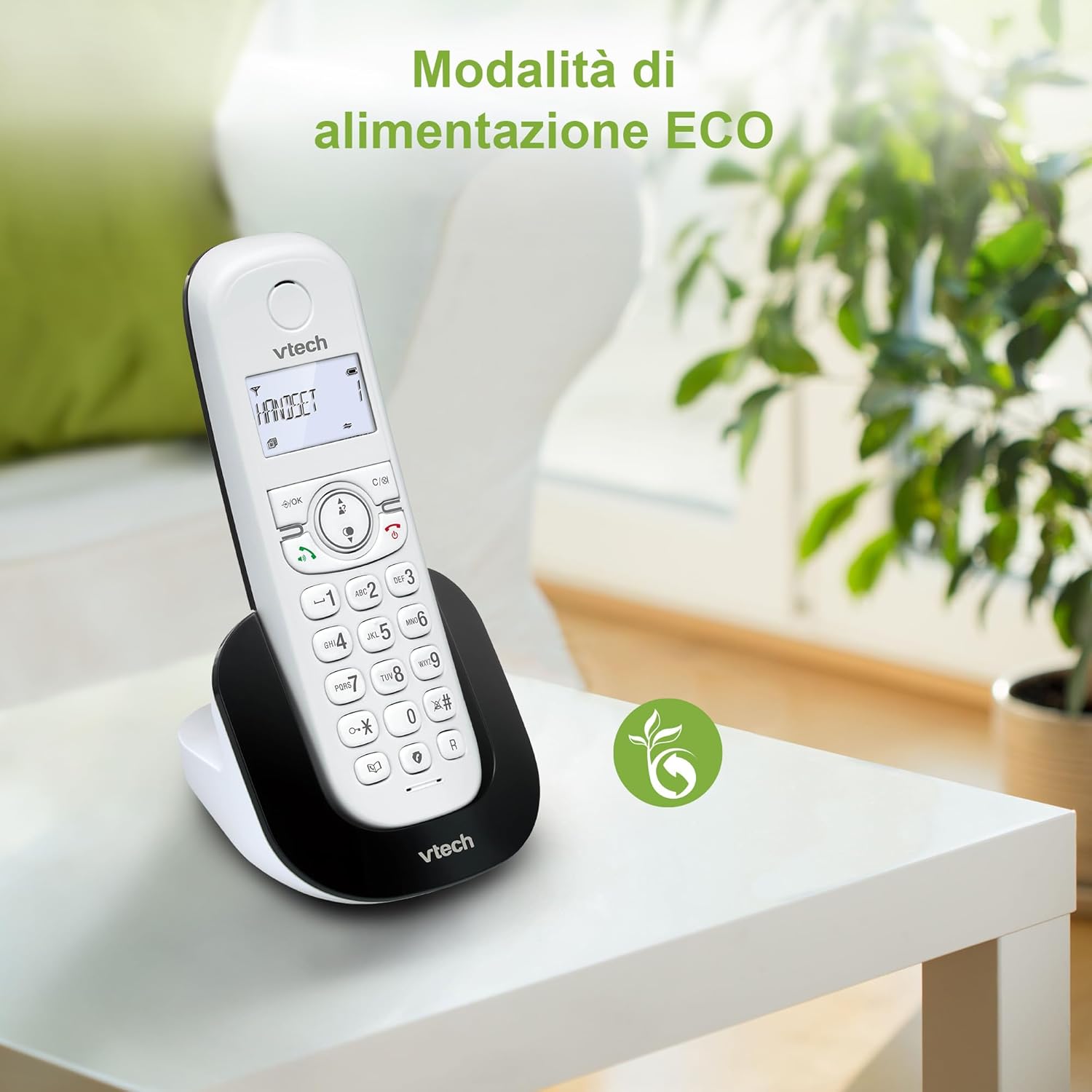
Figure 8: The phone in a home setting, indicating the energy-saving ECO power mode.
5. Manutenzione
5.1 Pulizia
- Pulisci il telefono e la stazione base con un panno morbido e asciutto.amp stoffa.
- Do not use cleaning sprays or harsh chemicals, as these can damage the surface or internal components.
5.2 Cura della batteria
- To maintain optimal battery performance, always return the handset to the base station when not in use.
- Se il telefono non verrà utilizzato per un periodo prolungato, rimuovere le batterie per evitare perdite.
- Replace batteries when their performance significantly degrades. Use only VTech-approved replacement batteries.
6. Risoluzione Dei Problemi
If you experience issues with your VTech CS1500, try the following solutions:
| Problema | Soluzione |
|---|---|
| Nessun tono di linea | Ensure the base station power adapter and telephone line cord are securely connected. Check if other phones on the same line are working. |
| Non è possibile effettuare/ricevere chiamate | Check the telephone line connection. Ensure the handset batteries are charged. If multiple handsets, ensure they are registered. |
| Scarsa qualità del suono | Move closer to the base station. Ensure there are no large metal objects or other electronic devices interfering with the signal. |
| Il display del portatile è vuoto | Place the handset in the base station to charge. The battery may be depleted. |
| Il portatile non si carica | Ensure the power adapter is connected to the base station and a working wall outlet. Clean the charging contacts on both the handset and base station. |
7. Specifiche
| Caratteristica | Dettaglio |
|---|---|
| Marca | VTech |
| Numero di modello | CS1500 |
| Colore | Bianco |
| Tipo di telefono | Senza fili |
| Caratteristiche speciali | Senza fili |
| Dispositivi compatibili | Linea telefonica pubblica |
| Numero di batterie | 1 (Product Specific - Included) |
| Materiale | Plastica |
| Fonte di alimentazione | Alimentato a batteria |
| Tipo di combinatore | Tastiera singola |
| Tipo di sistema di risposta | Digital (Note: Product description does not explicitly mention an answering machine feature.) |
| Peso dell'articolo | 350 grammi |
| Produttore | VTECH TELECOMUNICAZIONI LTD |
| Paese di origine | Cina |
8. Garanzia e supporto
For warranty information and technical support, please refer to the warranty card included with your product or visit the official VTech websito. In genere, lì puoi trovare i dettagli di contatto dell'assistenza, le FAQ e altre risorse.
VTech Official Websito: www.vtechphones.com