
1. Introduzione
Welcome to your Headwolf FPad2 8-inch Android 13 Tablet. This manual provides essential information for setting up, operating, and maintaining your device. Please read it carefully to ensure optimal performance and longevity of your tablet.
2. Informazioni sulla sicurezza
To ensure safe and proper use of your Headwolf FPad2 tablet, please observe the following safety guidelines:
- Evitare di esporre il dispositivo a temperature estreme, luce solare diretta o elevata umidità.
- Tenere la compressa lontana dall'acqua e da altri liquidi.
- Use only original or certified compatible charging accessories to prevent damage and ensure safety.
- Do not attempt to disassemble, repair, or modify the device yourself. Refer to qualified service personnel for assistance.
- Keep the device out of reach of small children to prevent accidental ingestion of small parts.
3. Contenuto della confezione
The Headwolf FPad2 package includes the following items:
- Headwolf FPad2 Tablet
- Adattatore di ricarica
- Cavo USB
- Strumento di espulsione della scheda SIM
- Manuale d'uso

Figure 3.1: Headwolf FPad2 tablet and included accessories.
4. Dispositivo suview
Familiarize yourself with the physical components and key features of your FPad2 tablet.
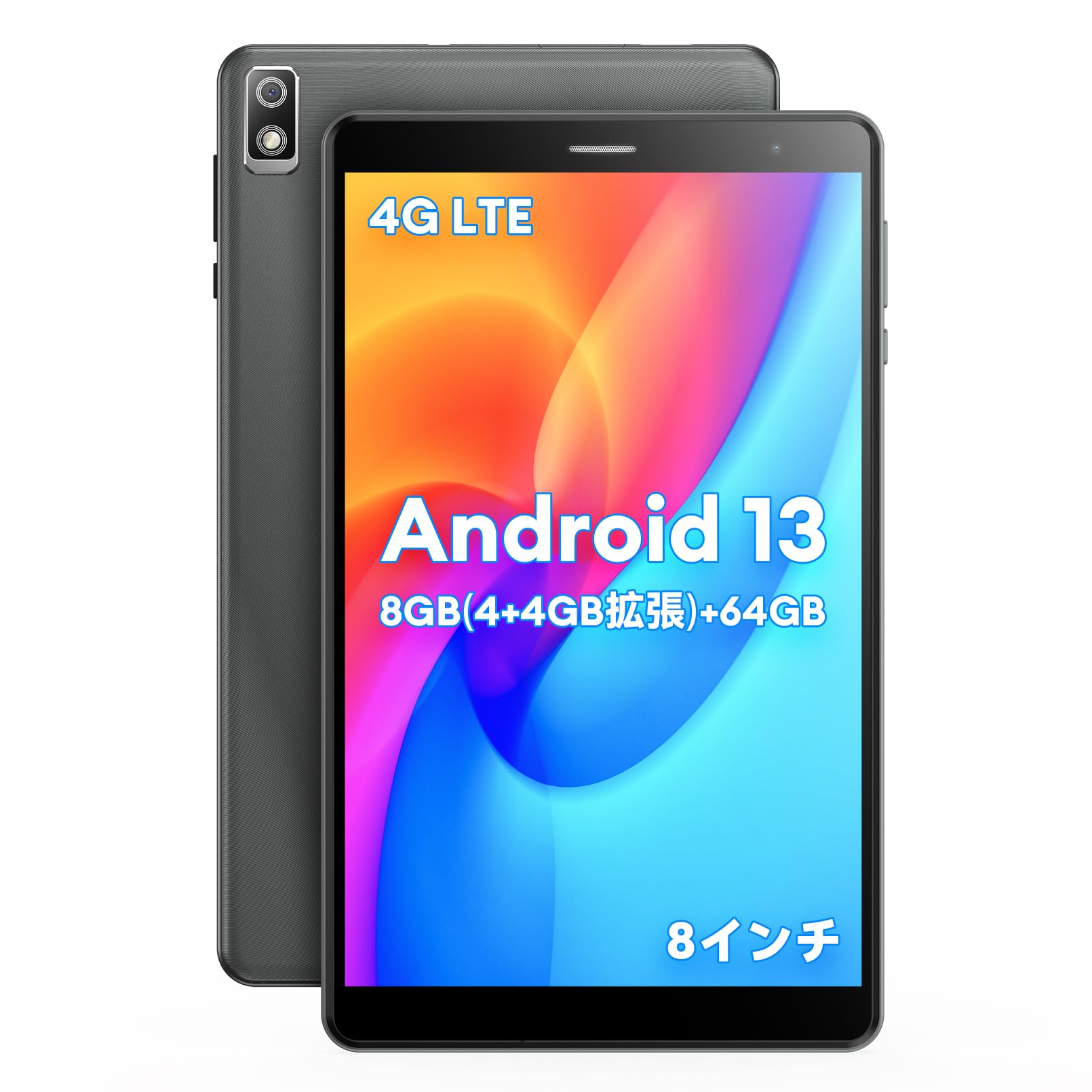
Figure 4.1: Headwolf FPad2 tablet with feature highlights.
The tablet features an 8-inch IPS display, 5MP front and rear cameras, and various ports for connectivity.

Figure 4.2: Headwolf FPad2 connectivity ports.
The device supports 4G LTE, dual-band Wi-Fi (2.4G/5G), and Bluetooth 5.0. It also includes a Type-C port for charging and data transfer, and a 3.5mm headphone jack for audio.
5. Impostazione
Follow these steps for the initial setup of your Headwolf FPad2 tablet:
- Accensione: Press and hold the power button located on the side of the tablet until the Headwolf logo appears on the screen.
- Selezione della lingua: Upon first boot, you will be prompted to select your preferred language. Scroll through the list and tap on your desired language (e.g., English, Japanese).
- Connessione Wi-Fi: Connect to a Wi-Fi network to complete the initial setup. Select your network from the list and enter the password. If no Wi-Fi is available, you can choose to proceed offline.
- Account Google: Sign in with your existing Google account or create a new one. This is necessary to access Google Play Store and other Google services.
- Data e ora: Set the correct date, time, and time zone for your region.
Video 5.1: Demonstration of language setup on an Alphawolf tablet. The general steps are similar for Android tablets, including the Headwolf FPad2.
6. Istruzioni per l'uso
6.1. Prestazioni e archiviazione
The FPad2 is powered by a T310 4-core CPU with a main frequency of up to 2.0GHz, ensuring smooth operation while minimizing heat and power consumption. It achieves an AnTuTu score of 160,000 points.

Figure 6.1: T310 4-core CPU performance.
The tablet comes with 8GB RAM (4GB physical + 4GB intelligent allocation from storage) and 64GB internal storage. You can expand the storage up to 512GB by inserting an SD card, allowing you to store a large number of photos, videos, and files without worry.

Figure 6.2: Memory and storage capabilities.
6.2. Display e fotocamera
The 8-inch IPS screen with 800x1280 resolution perfectly displays image colors and quality effects. It features 5MP front and 5MP rear cameras. The rear camera includes a flash function, making night photography and video recording more convenient and realistic.

Figure 6.3: Tablet display and camera features.
The Android tablet also features wireless projection, allowing you to display videos and photos from your tablet to a TV for a more vivid and impactful visual experience.
6.3. Connettività e navigazione
The FPad2 tablet supports simultaneous insertion of 1 SIM card and 1 TF card, connecting to 4G LTE, Bluetooth 5.0, and 2.4G/5G WiFi. This ensures stable communication and convenience for travel and business trips.
The triple GPS navigation system (GPS+BDS+GALILEO) covers the entire world without blind spots, making it suitable for use as a car navigation system.
6.4. Parental Control and Face Recognition
The FPad2 includes a secure parental control function, allowing parents to control the time children spend using the tablet, helping to balance study and entertainment. Face recognition unlock enhances device security and protects privacy.
Video 6.4.1: Un overview of the FPD tablet, showcasing various usage scenarios and features.
7. Gestione della batteria
The Headwolf FPad2 is equipped with a built-in 5500mAh cobalt acid lithium battery. This large-capacity battery offers excellent durability, high cycle count, strong resistance to degradation, and superior safety compared to ordinary batteries. A charging adapter is included with the tablet.

Figure 7.1: Battery capacity and charging.
To maximize battery life, avoid fully discharging the battery frequently and try to keep the charge level between 20% and 80%.
8. Manutenzione
Una corretta manutenzione aiuta a prolungare la durata del tuo tablet:
- Pulizia: Utilizzare un panno morbido e privo di lanugine per pulire lo schermo e il corpo. Evitare l'uso di prodotti chimici aggressivi o materiali abrasivi.
- Aggiornamenti software: Controlla e installa regolarmente gli aggiornamenti di sistema per garantire prestazioni e sicurezza ottimali.
- Gestione della memoria: Cancellare periodicamente ciò che non è necessario files and apps to free up storage space and improve performance.
- Condizioni ambientali: Store and operate the tablet within recommended temperature and humidity ranges.
9. Risoluzione Dei Problemi
If you encounter any issues with your Headwolf FPad2, refer to the following common troubleshooting steps:
- Il dispositivo non si accende: Ensure the battery is charged. Connect the tablet to the charger and try powering it on again.
- Problemi di connessione Wi-Fi: Check if Wi-Fi is enabled in settings and that the password is correct. Try restarting your Wi-Fi router and the tablet.
- Prestazioni lente o blocchi: Close unnecessary background applications. Clear the cache of frequently used apps. If the issue persists, consider a factory reset after backing up all important data.
- Lo schermo non risponde: Try restarting the device by holding down the power button. If the screen remains unresponsive, contact customer support.
- App che si bloccano: Ensure your apps are updated to their latest versions. Clear the app's cache or reinstall the app.
10. Specifiche tecniche
| Caratteristica | Specificazione |
|---|---|
| Marca | Testa di lupo |
| Nome del modello | FPad2 |
| Sistema operativo | Androide 13 |
| Dimensioni dello schermo | 8 pollici |
| Memoria RAM | 4 GB (espandibile a 8 GB virtuali) |
| Capacità di archiviazione | 64 GB (expandable up to 512GB with SD card) |
| Risoluzione della telecamera posteriore | 5 MP |
| Risoluzione della fotocamera frontale | 5 MP |
| Connettività | 4G LTE, 2.4GHz/5GHz WIFI, Bluetooth 5.0 |
| Batteria | 5500 mAh agli ioni di litio |
| Peso dell'articolo | 320 grammi |
| Dimensioni | Dimensioni: 22.4 x 14 x 4.9 cm |
11. Garanzia e supporto
Your Headwolf FPad2 tablet comes with a 12-month warranty. For any product incompatibilities or issues, please contact our customer support team. We are committed to providing satisfactory support to our customers.
Contact Procedure:
- Accedi al tuo account Amazon.
- Vai a "Cronologia ordini".
- Select the relevant order for your Headwolf FPad2.
- Click "Contact Seller" to reach our support team.