
1. Prodotto finitoview
The Tenveo VHD20U is a professional 1080P Full HD 60FPS video conference camera featuring a 20x optical zoom and AI tracking capabilities. Equipped with a 1/2.8-inch SONY CMOS sensor and 2.38 megapixels, it delivers crystal-clear images with accurate color reproduction. Its ultra-wide 60° viewing angle ensures all participants are visible. The camera supports smooth and silent pan/tilt movements, with 350° horizontal rotation (±175°) and 180° vertical rotation (±90°).
The VHD20U offers versatile connectivity options including USB3.0, HDMI, RS485, and RS232, making it suitable for various scenarios such as business meetings, educational institutions, medical applications, and live streaming events. It is compatible with popular conferencing software like Zoom, Microsoft Teams, Google Meet, Skype, and OBS, and supports Windows, Mac OS, Linux, and Android operating systems.
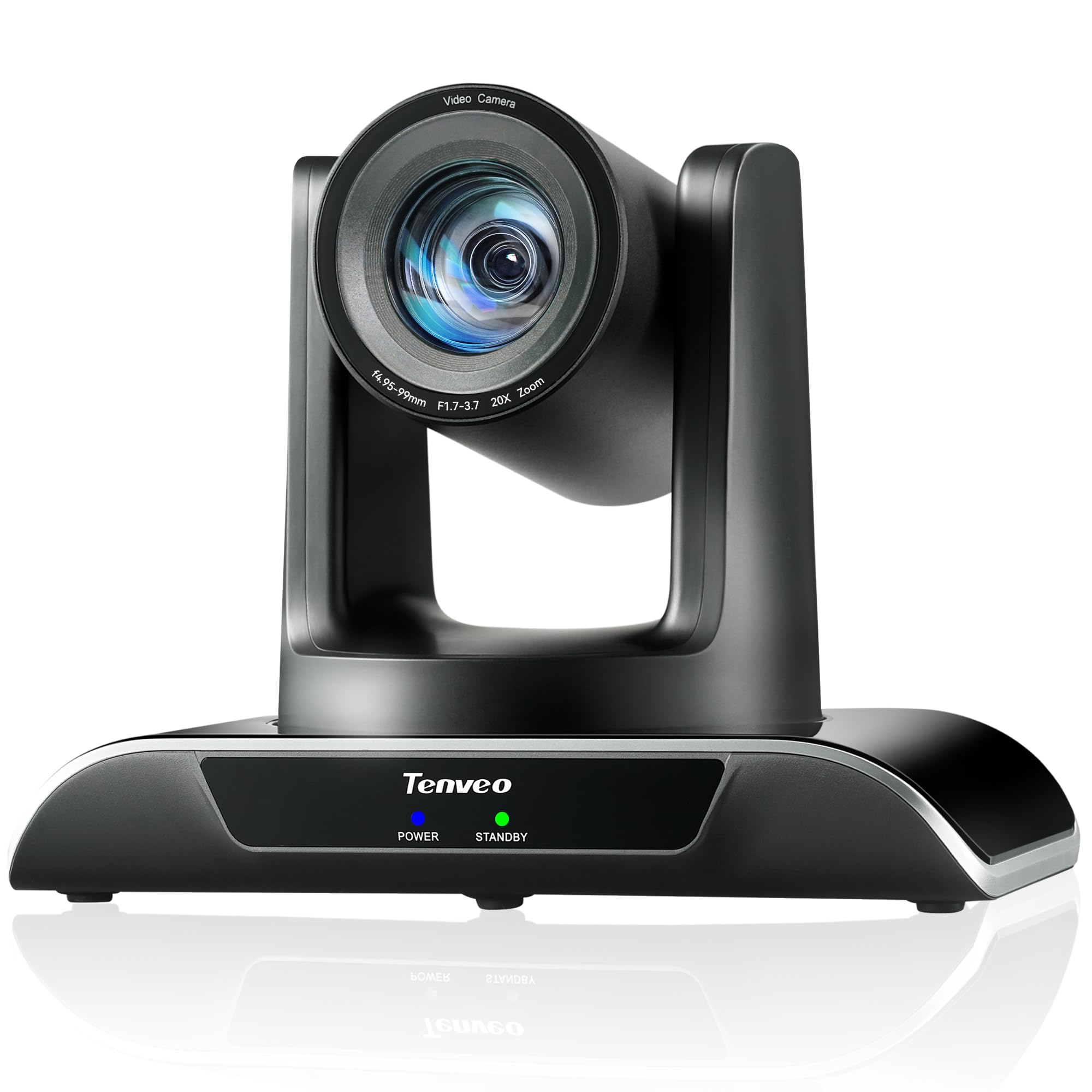
Figure 1: Tenveo VHD20U PTZ Conference Camera.

Figure 2: Tenveo VHD20U Conference Camera highlighting 20X Optical Zoom.
2. Contenuto della confezione
Si prega di selezionare la casella per i seguenti elementi:
- Tenveo VHD 20X HDMI PTZ Camera
- IR Remote Control (batteries not included)
- Cavo USB
- Staffa per montaggio a parete con viti
- Adattatore di alimentazione CC 12 V/2 A
- Manuale di istruzioni
3. Istruzioni per l'installazione
Follow these steps to set up your Tenveo VHD20U camera:
- Collegamento elettrico: Connect the DC 12V/2A power adapter to the camera's power input port and then plug it into a power outlet.
- Uscita video:
- Connessione USB: For direct connection to a computer, use the provided USB cable to connect the camera's USB3.0 port to your computer. This is plug-and-play for most operating systems.
- Connessione HDMI: For high-definition video output to a display or video switcher (e.g., Blackmagic ATEM Mini), connect an HDMI cable from the camera's HDMI port to your display device.
- Collegamenti di controllo (opzionali):
- RS232/RS485: For professional control systems, connect the appropriate serial cables to the RS232 or RS485 ports.
- Montaggio: The camera can be installed in various ways to suit your environment: desktop, tripod, ceiling, or wall mount. Use the included wall mount bracket and screws for wall installation. Ensure the camera is securely fastened in your chosen position.

Figure 3: Various installation methods for the Tenveo VHD20U camera.

Figure 4: HDMI 2.0 connectivity for video conferencing and live streaming.
4. Istruzioni per l'uso
4.1 Funzioni del telecomando
The included IR remote control allows for easy adjustment of camera settings and movement:
- Tasti di controllo PTZ: Use the arrow keys to pan (horizontal movement) and tilt (vertical movement) the camera.
- Zoom Keys: Use the '+' and '-' buttons to zoom in and out. The camera features 20x optical zoom.
- Focus Keys: Adjust the focus manually using the dedicated focus buttons. Auto-focus is the default setting.
- Preset Keys: The camera supports up to 10 presets via the IR remote. To set a preset, move the camera to the desired position, then press the 'PRESET' button followed by a number (0-9). To recall a preset, press the number button.
- Pulsante Menu: Access the On-Screen Display (OSD) menu for advanced settings.
- PTZ Reset Key: Riporta la telecamera nella posizione iniziale.

Figura 5: Disposizione e funzioni del telecomando.
4.2 Compatibilità software
The Tenveo VHD20U camera is designed for broad compatibility with leading video conferencing and streaming platforms:
- Ingrandire
- Team Microsoft
- Incontro di Google
- Chiamare Skype
- Cisco WebEx
- Jeans blu
- Studio OBS
- Miscelazione v
- And most other compatible conferencing software.

Figure 6: Universal compatibility with various platforms and operating systems.
5. Manutenzione
To ensure optimal performance and longevity of your Tenveo VHD20U camera, follow these maintenance guidelines:
- Pulizia: Use a soft, dry cloth to clean the camera body. For the lens, use a specialized lens cleaning cloth and solution. Avoid abrasive cleaners or solvents that could damage the surface.
- Magazzinaggio: Quando non viene utilizzata per lunghi periodi, conservare la fotocamera in un luogo fresco e asciutto, lontano dalla luce solare diretta e da polvere eccessiva.
- Gestione: Handle the camera with care to prevent physical damage. Avoid dropping or subjecting it to strong vibrations.
- Energia: Always use the provided power adapter. Disconnect power during electrical storms or when the camera is not in use.
6. Risoluzione Dei Problemi
If you encounter issues with your Tenveo VHD20U camera, refer to the following common troubleshooting tips:
- Nessuna uscita immagine/video:
- Ensure the camera is powered on and the power indicator light is active.
- Check all cable connections (USB, HDMI) are secure and correctly plugged into the camera and the receiving device.
- Verify that the correct input source is selected on your display or conferencing software.
- Try connecting the camera to a different USB port or computer.
- Il telecomando non risponde:
- Ensure batteries are inserted correctly and are not depleted. Replace batteries if necessary.
- Point the remote directly at the camera's IR receiver.
- Remove any obstructions between the remote and the camera.
- Scarsa qualità video:
- Assicurare un'illuminazione sufficiente nell'ambiente.
- Pulisci l'obiettivo della fotocamera con un panno morbido e privo di lanugine.
- Check your internet connection speed if streaming or conferencing online.
- Adjust camera settings (e.g., exposure, white balance) via the OSD menu if needed.
- Telecamera non rilevata dal computer:
- Riavvia il computer e la fotocamera.
- Assicurati che il tuo sistema operativo sia aggiornato.
- Prova un cavo USB o una porta USB diversi.
7. Specifiche
| Caratteristica | Specificazione |
|---|---|
| Marca | Tenveo |
| Numero di modello | VHD20U |
| Tecnologia | CMOS |
| Dimensioni del sensore ottico | 1/2.8 pollici |
| Effective Capture Resolution | 2.38 Megapixel |
| Risoluzione di registrazione video | Formato: 1080p |
| Risoluzione video efficace | 1080 pixel |
| Risoluzione massima dello schermo | Alta definizione completa |
| Zoom ottico | 20x |
| Viewangolo di ing | 60 gradi |
| Movimento Pan | ±175° |
| Movimento di inclinazione | ±90° |
| Tecnologia di connettività | HDMI, USB, RS485, RS232 |
| Tipo USB | USB3.0 |
| Sistemi operativi supportati | Windows 7/8.1/10, Mac OS X 10.4 or higher, Linux, Android |
| Usi consigliati del prodotto | Meetings, Education, Medical, Live Streaming, Conference |
| Stabilizzazione dell'immagine | NO |
| Tipo di messa a fuoco | Manuale, Automatico |
| Lunghezza focale massima | 60.0 millimetri |
| Lunghezza focale minima | 10.0 millimetri |
| Apertura massima | apertura f/3.9 |
| Apertura minima | apertura f/1.8 |
| Formato immagine supportato | Formato JPEG |
| Formato video supportato | MP4 o MOV |
8. Garanzia e supporto
Tenveo provides comprehensive support for your VHD20U camera:
- Garanzia: Il prodotto viene fornito con una garanzia di 3 anni che copre parti e manodopera.
- Garanzia soddisfatti o rimborsati: A 30-day no-questions-asked money-back guarantee is offered.
- Supporto tecnico: Enjoy lifetime technical support for your product.

Figure 7: Warranty and money-back guarantee information.

Figure 8: Lifetime technical support available.