
1. Finitaview
The BoxWave DirectSync PD Cable is a 10-foot USB-C to USB-C cable designed for efficient power delivery and high-speed data transfer. It supports up to 100 Watts of Power Delivery (PD), making it suitable for charging a wide range of devices, including laptops, tablets, and smartphones. The cable features a durable braided nylon construction and reinforced strain reliefs to ensure longevity and reliable performance.
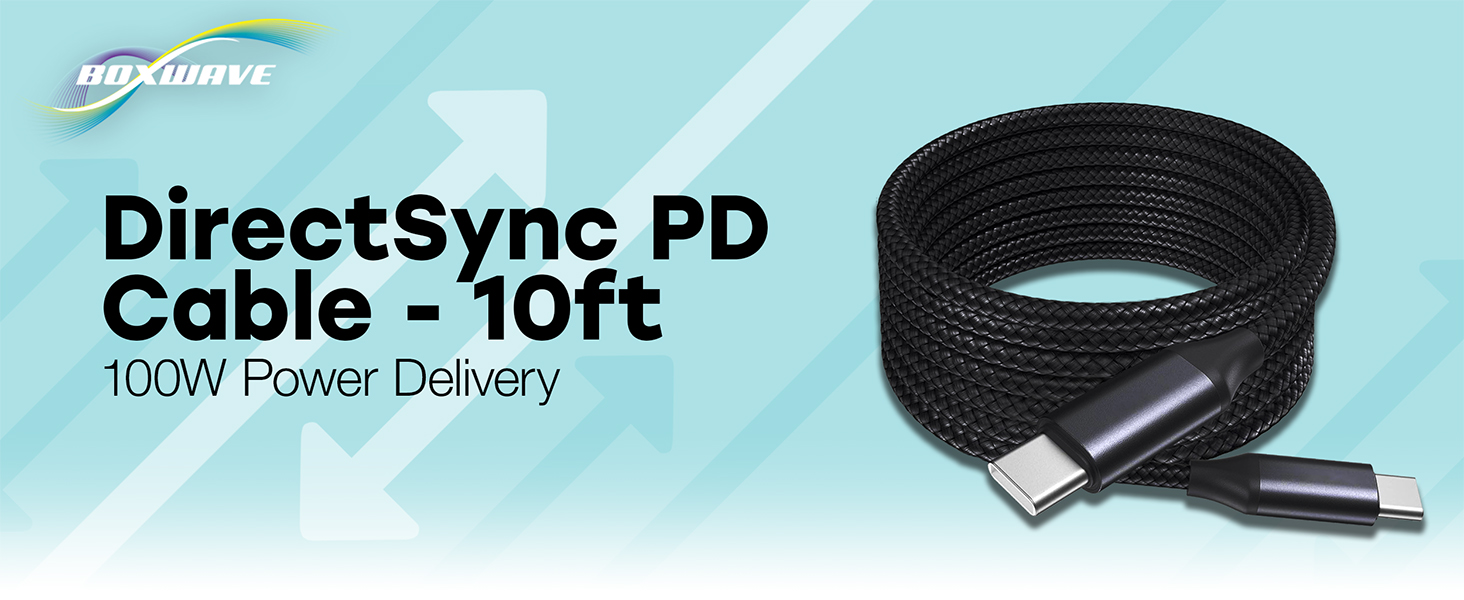
Image: The BoxWave DirectSync PD Cable, highlighting its 10-foot length and 100W Power Delivery capability.
2. Impostazione
Setting up your DirectSync PD Cable is straightforward. This cable is designed for universal compatibility with USB-C enabled devices.
- Identificare le porte: Ensure your charging adapter and device both have USB-C ports.
- Connetti alla fonte di alimentazione: Plug one end of the DirectSync PD Cable into a compatible USB-C power adapter or a computer's USB-C port.
- Connetti al dispositivo: Plug the other end of the cable into your device's USB-C port.
- Verifica connessione: Il dispositivo dovrebbe indicare che è in carica o è connesso per il trasferimento dati.

Image: A visual representation of the DirectSync PD Cable connected to a laptop and a smartphone, illustrating simultaneous charging and data synchronization.
3. Istruzioni per l'uso
The DirectSync PD Cable offers dual functionality for both charging and data transfer.
3.1 Ricarica del dispositivo
Connect the cable as described in the Setup section. The cable supports up to 100W Power Delivery, allowing for rapid charging of compatible devices. Charging speed will depend on your power adapter's output and your device's charging capabilities.
3.2 Trasferimento dati ad alta velocità
When connected to a computer, the DirectSync PD Cable facilitates high-speed data transfers up to 480Mbps. This allows you to sync files, photos, and videos between your device and computer efficiently while simultaneously charging.

Image: The DirectSync PD Cable connected to a laptop, illustrating its capability for high-wattage erogazione di potenza.
4. Manutenzione
To ensure the longevity and optimal performance of your BoxWave DirectSync PD Cable, follow these maintenance guidelines:
- Evitare curve strette: While the braided nylon is durable, avoid extreme bending or kinking, especially near the connectors.
- Connettori puliti: Periodically inspect and gently clean the USB-C connectors with a dry, soft cloth to remove dust or debris.
- Conservazione corretta: When not in use, coil the cable loosely. Avoid tightly wrapping it around objects or pulling it taut.
- Maneggiare con cura: Quando si collega o si scollega il cavo, afferrare sempre la testina del connettore, anziché tirare il cavo stesso.

Image: Detail of the cable's durable nylon braided exterior.

Immagine: un primo piano view of the reinforced rubberized strain relief at the connector, designed to prevent fraying.
5. Risoluzione Dei Problemi
If you encounter issues with your DirectSync PD Cable, refer to the following common problems and solutions:
- Dispositivo non in carica:
- Ensure both ends of the cable are securely plugged into the power source and your device.
- Verify that your power adapter is functioning correctly and provides sufficient power for your device.
- Test the cable with another compatible device or power source to rule out issues with the cable itself.
- Check your device's charging port for any obstructions or damage.
- Velocità di ricarica lenta:
- Confirm that your power adapter supports Power Delivery (PD) and provides adequate wattage (e.g., 100W for maximum speed).
- Ensure your device also supports fast charging via USB-C PD.
- Evitare di utilizzare il dispositivo in modo eccessivo durante la ricarica, poiché ciò potrebbe rallentare il processo.
- Problemi di trasferimento dati:
- Ensure the cable is connected directly between your device and computer, bypassing any hubs or adapters that might not support data transfer.
- Check your device's settings to ensure data transfer mode is enabled (e.g., 'File Transfer' or 'MTP').
- Riavvia sia il dispositivo che il computer.
- Prova una porta USB-C diversa sul tuo computer.
6. Specifiche
| Caratteristica | Dettaglio |
|---|---|
| Marca | ScatolaWave |
| Tipo di connettore | USB tipo C |
| Tipo di cavo | USB |
| Erogazione di potenza | Fino a 100W |
| Velocità di trasferimento dati | 480 Mbps |
| Lunghezza del cavo | 10 piedi (circa 3 metri) |
| Materiale | Braided Nylon Alloy |
| Colore | Nero pece |
| Connector Gender | da maschio a maschio |
| Caratteristica speciale | Braided, Strain Relief |
| Peso dell'articolo | 6 once |
7. Garanzia e supporto
BoxWave products are designed for quality and reliability. For specific warranty information regarding your DirectSync PD Cable, please refer to the packaging or the official BoxWave website. If you require technical assistance or have questions about your product, please contact BoxWave customer support through their official channels. Support contact information can typically be found on the product packaging or on the BoxWave websito.
Supporto online: Visit the BoxWave websito per FAQ, articoli di supporto e opzioni di contatto.
Supporto via e-mail: Per l'indirizzo email del servizio clienti, fare riferimento alla documentazione del prodotto.