
Amazon Basics 13aSB-A800ST-Q1T
Manuale utente della lampadina LED intelligente A19 di Amazon Basics
Model: 13aSB-A800ST-Q1T
Introduzione
The Amazon Basics Smart A19 LED Light Bulb offers convenient and energy-efficient lighting for your home. This color-changing smart bulb integrates seamlessly with Amazon Alexa, allowing for voice control and app-based management without the need for a separate hub. Enjoy customizable lighting with a wide range of colors and adjustable brightness to suit any mood or occasion.

Image: The Amazon Basics Smart A19 LED Light Bulb, showcasing its color-changing capabilities and packaging with key features.

Image: An illustration highlighting the bulb's features including Gen 2 Color Changing, Dimmable with Alexa, Preset Scenes, and suitability for every room.
Informazioni sulla sicurezza
- Do not use with standard dimmer switches. This bulb is dimmable only via the Alexa app or voice control.
- Ensure power is off before installation or removal to prevent electric shock.
- Adatto per damp posizioni, ma non per l'esposizione diretta all'acqua.
- Operare entro il volume specificatotage gamma (120 V CA).
- Non smontare o modificare la lampadina.
- Tenere fuori dalla portata dei bambini.
Impostare
Setting up your Amazon Basics Smart A19 LED Light Bulb is a simple process that requires only the Alexa app and a 2.4 GHz Wi-Fi network. No additional hub is needed.
- Installa la lampadina: Screw your Amazon Basics smart light bulb into any standard E26 light fixture. Ensure the fixture is powered off before installation.
- Accensione: Turn on the power to the light fixture. The bulb will flash twice, indicating it is ready for setup.
- Apri l'app Alexa: Open the Amazon Alexa app on your smartphone or tablet.
- Aggiungi dispositivo:
- Tap the "Devices" icon in the lower right menu.
- Fare clic sull'icona "+" nell'angolo in alto a destra.
- Seleziona "Aggiungi dispositivo".
- Choose "Light" from the list of device types.
- Select "Amazon Basics" as the brand.
- Scoperta: The Alexa app will automatically begin searching for your new bulb. You may receive a notification "First light bulb found".
- Scan Barcode (Optional): If prompted, you can scan the barcode located on the back of the quickstart guide provided with your bulb. For a zero-touch setup experience, ensure "Link device to your Amazon account to simplify setup" is checked during checkout.
- Connettiti al Wi-Fi: Follow the on-screen prompts to connect the bulb to your 2.4 GHz Wi-Fi network. Note: These bulbs work exclusively with Alexa and require a 2.4 GHz Wi-Fi connection.
- Dai un nome alla tua lampadina: Once connected, you can name your bulb (e.g., "Living Room Light," "Bedroom Lamp") for easy voice control.

Image: A visual guide showing the three simple steps to set up the smart bulb: screw in, open Alexa app, and control.
Istruzioni per l'uso
Controllo vocale con Alexa
Control your smart bulb using simple voice commands with any Alexa-enabled device (e.g., Echo, Echo Dot, Echo Show).
- Attiva/disattiva: "Alexa, turn on [bulb name]." or "Alexa, turn off [bulb name]."
- Regola luminosità: "Alexa, dim [bulb name] to 50%." or "Alexa, brighten [bulb name]."
- Cambiare colore: "Alexa, set [bulb name] to blue." (Choose from 16 preset colors).
- Scene ambientate: "Alexa, set [bulb name] to movie night." (If you have created custom scenes in the Alexa app).

Image: Two individuals enjoying a karaoke night with smart bulbs providing colorful ambient lighting, demonstrating voice control with Alexa.
Controllo tramite l'app Alexa
The Alexa app provides full control over your smart bulb from anywhere with an internet connection.
- Attiva/Disattiva: Tap the bulb's icon to turn it on or off.
- Regolazione della luminosità: Utilizzare il cursore per regolare la luminosità dall'5% al 100%.
- Selezione del colore: Choose from 16 preset colors or fine-tune your desired shade.
- Routine: Create custom routines to automate lighting based on time, sunrise/sunset, or other smart home events. For example, schedule lights to turn on automatically when you're away to make your house look occupied.
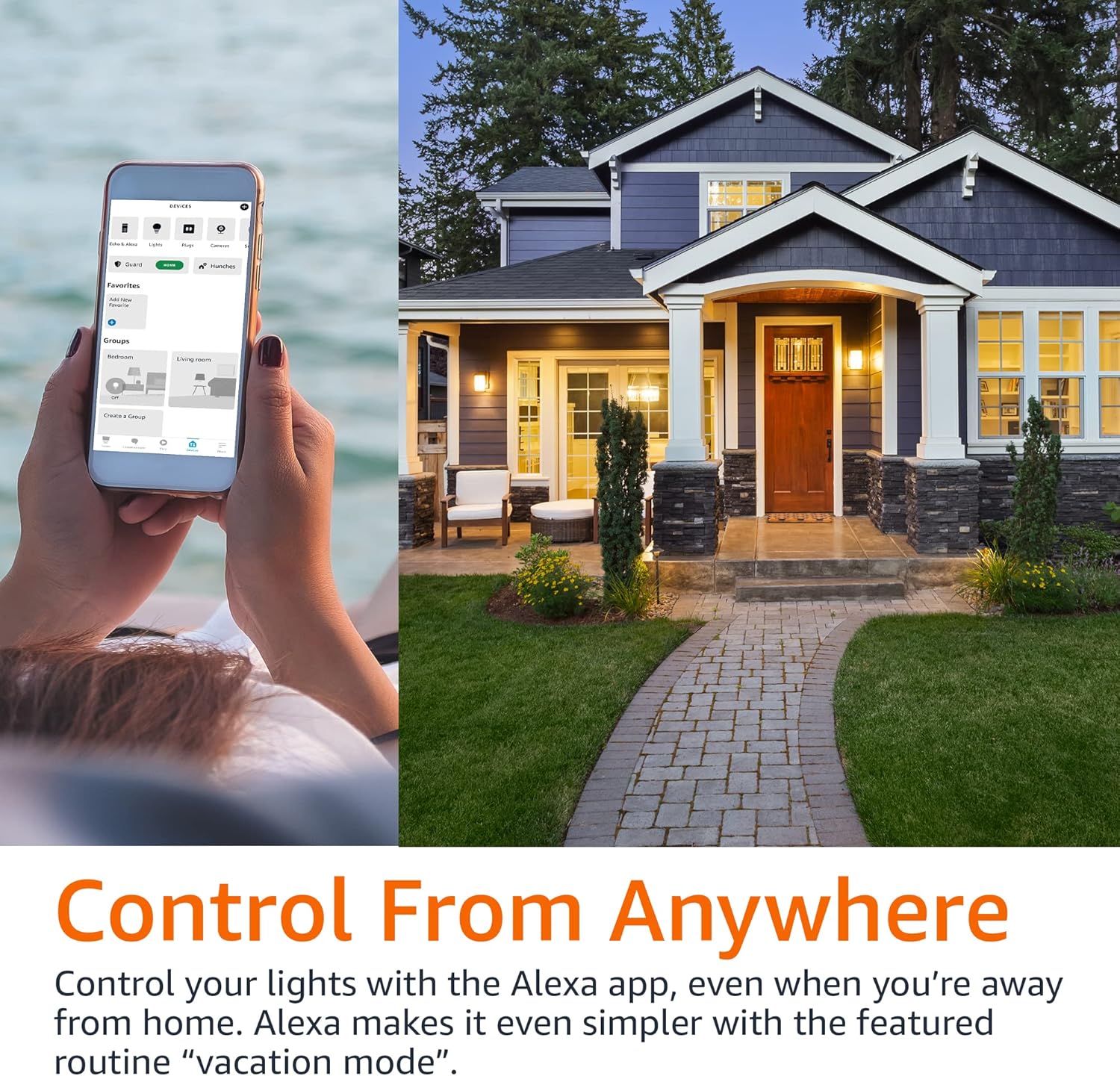
Image: A person using the Alexa app on their phone to control smart lights, with a house in the background, illustrating remote control capabilities.
Controllo di gruppo
Organize your smart bulbs into groups within the Alexa app for simultaneous control.
- Crea gruppi: In the Alexa app, go to Devices, tap the '+' icon, and select "Add Group". You can group lights by room (e.g., "Living Room," "Bedroom") or create custom groups.
- Gruppi di controllo: Once grouped, you can control all lights in that group with a single voice command or app action. For example, "Alexa, turn off the bedroom lights."

Image: A diagram illustrating a house with different rooms (Bedroom, Home Office, Living Room, Dining Room) connected to smart light icons, demonstrating the concept of group control.
Manutenzione
The Amazon Basics Smart A19 LED Light Bulb requires minimal maintenance.
- Pulizia: Assicurarsi che la lampadina sia spenta e fredda prima di pulirla. Pulire con un panno morbido e asciutto. Non utilizzare detergenti liquidi o abrasivi.
- Magazzinaggio: Se si conserva il bulbo per un periodo prolungato, tenerlo in un luogo fresco e asciutto, lontano dalla luce solare diretta e da temperature estreme.
- Sostituzione: LED bulbs have a long lifespan. Replace the bulb when its light output significantly diminishes or it ceases to function.
Risoluzione dei problemi
| Problema | Possibile causa | Soluzione |
|---|---|---|
| Bulb not connecting to Alexa. | Incorrect Wi-Fi band (requires 2.4 GHz), Wi-Fi signal too weak, bulb not in pairing mode, network interference. |
|
| Bulb does not respond to voice commands. | Alexa device not connected, incorrect bulb name, internet connectivity issues. |
|
| Bulb turns on automatically after power outage. | Default power-on behavior. | This is a standard behavior for many smart bulbs. There is typically no setting to change this. Consider using smart plugs for fixtures where this behavior is undesirable. |
Specifiche
| Caratteristica | Dettaglio |
|---|---|
| Numero di modello | 13aSB-A800ST-Q1T |
| Tipo | Smart A19 LED Light Bulb |
| Colore | Cambiamento di colore |
| Cosatage | 9 W (equivalente a 60 W) |
| Luminosità | 800 lumen |
| Connettività | 2.4 GHz Wi-Fi (Works with Alexa Only) |
| Hub richiesto | NO |
| Dimensioni | 2.36 x 2.36 x 4.21 pollici |
| Peso dell'articolo | 1.62 once |
| Materiale | Rame |
| Paese di origine | Cina |
Garanzia e supporto
Per informazioni sulla garanzia e sull'assistenza clienti, fare riferimento al sito ufficiale Amazon Basics website or contact Amazon customer service directly. Additional resources, including a detailed User Manual and Warranty information, are available in PDF format:
Ask a question about this manual
Ask about setup, troubleshooting, compatibility, parts, safety, or missing instructions. Manuals+ will review the question and use this page’s manual context to help answer it.