
1. Introduzione
The TECLAST M50 is a 10.1-inch Android 13 tablet designed for versatile use, from entertainment to productivity. It features an Octa-Core processor, 12GB RAM, 128GB internal storage expandable up to 1TB, and supports Dual SIM 4G LTE connectivity. This manual provides essential information for setting up, operating, maintaining, and troubleshooting your device.
2. Cosa c'è nella scatola
Upon unboxing your TECLAST M50 tablet, please ensure all the following items are present:
- TECLAST M50 Tablet
- Adattatore di alimentazione (caricabatterie)
- Cavo USB di tipo C.
- Strumento di espulsione della SIM
- Manuale d'uso
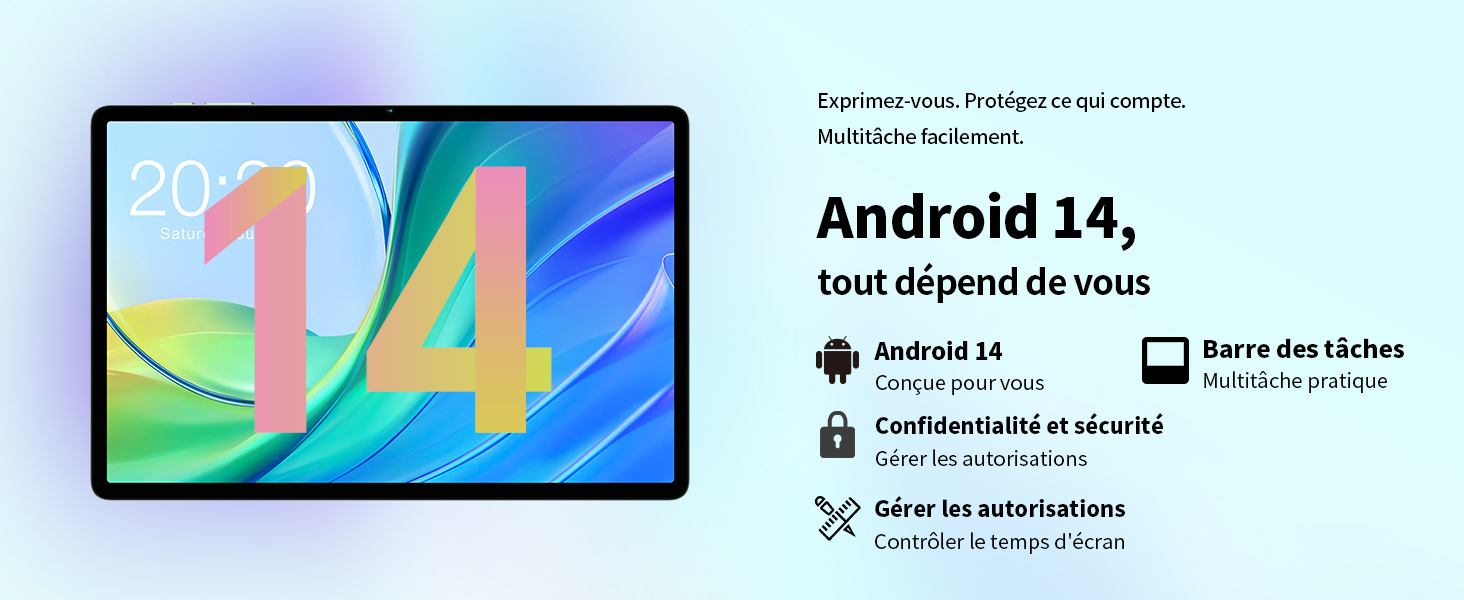
Image: Contents of the TECLAST M50 tablet box, showing the tablet, power adapter, USB cable, SIM ejector tool, and user manual.
3. Prodotto finitoview
The TECLAST M50 tablet features a sleek design with a 10.1-inch display and a lightweight build of approximately 460 grams. It measures 23L x 20l x 1Ép centimeters. Familiarize yourself with the tablet's physical components:

Image: TECLAST M50 tablet from various angles, illustrating the location of the power button, volume controls, USB-C port, 3.5mm headphone jack, and speaker grilles.
Componenti chiave:
- Pulsante di accensione: Situato sul lato, serve per accendere/spegnere o riattivare/sospendere il dispositivo.
- Pulsanti del volume: Regola il volume dell'audio.
- Porta USB di tipo C: Per la ricarica e il trasferimento dei dati.
- Jack per cuffie da 3.5 mm: Collegare le cuffie cablate.
- Griglie degli altoparlanti: Quattro altoparlanti stereo per un'uscita audio migliorata.
- Fotocamera frontale: 5MP camera for video calls and facial unlock.
- Telecamera posteriore: Fotocamera da 13 MP per foto e video.
- Slot per scheda SIM/MicroSD: Insert SIM cards for cellular connectivity and a MicroSD card for expanded storage.
4. Impostazione
4.1 Carica iniziale
Before first use, it is recommended to charge the TECLAST M50 tablet for at least 30 minutes. Connect the USB Type-C cable to the tablet's charging port and the power adapter to a wall outlet. The battery icon on the screen will indicate charging status.
4.2 Accensione/Spegnimento
- Per accendere: Premere e tenere premuto il pulsante di accensione finché non appare il logo TECLAST.
- Per spegnere: Tenere premuto il pulsante di accensione finché non viene visualizzato il menu delle opzioni di alimentazione, quindi selezionare "Spegni".
- Ricominciare: Tieni premuto il pulsante di accensione, quindi seleziona "Riavvia".
4.3 Inserimento delle schede SIM e MicroSD
The TECLAST M50 supports dual SIM cards for 4G LTE connectivity and a MicroSD card for storage expansion up to 1TB.
- Individuare il vassoio per la scheda SIM/MicroSD sul lato del tablet.
- Inserire lo strumento di espulsione della SIM nel piccolo foro accanto al vassoio e premere delicatamente finché il vassoio non fuoriesce.
- Carefully place your Nano-SIM cards and/or MicroSD card into the designated slots on the tray. Ensure the gold contacts are facing down and the cards are correctly oriented.
- Spingere delicatamente il vassoio nel tablet finché non scatta in posizione.

Image: Illustration of inserting SIM cards and a MicroSD card into the tablet's tray.
4.4 Configurazione iniziale di Android
After powering on for the first time, follow the on-screen prompts to complete the initial setup process. This includes selecting your language, connecting to a Wi-Fi network, signing in with your Google account, and setting up security features like facial unlock.
5. Istruzioni per l'uso
5.1 Funzionalità di visualizzazione
The TECLAST M50 features a 10.1-inch TDDI HD display with a resolution of 1280x800 pixels. The TDDI technology integrates touch sensors directly into the LCD, providing a more responsive touch experience. It also supports Widevine L1, allowing for high-definition streaming from platforms like Disney+ and Amazon Prime Video.

Image: Visual representation of the TECLAST M50's 10.1-inch HD display with 1280x800 resolution and IPS wide viewangolo di ing.
5.2 Prestazioni e archiviazione
Powered by an Octa-Core UNISOC T606 processor and Mali-G57 GPU, the M50 delivers efficient performance. It comes with 6GB of RAM, expandable to 12GB using virtual memory technology, and 128GB of internal storage. Storage can be further expanded up to 1TB via a MicroSD card.

Image: Details of the UNISOC T606 Octa-Core processor and Mali-G57 graphics processor.

Image: Information on RAM and ROM capacity, including expandable storage options.
5.3 Connettività
Stay connected with the TECLAST M50's comprehensive connectivity options:
- Doppia SIM 4G LTE: Supports TD-LTE and FDD-LTE networks for mobile data and VoLTE calls.
- Wi-Fi dual-band: Connect to 2.4GHz and 5GHz Wi-Fi networks (802.11ac).
- Bluetooth 5.0: Per collegare accessori wireless come cuffie e tastiere.
- Navigazione GPS: Supports GPS, BeiDou, GLONASS, and Galileo for accurate positioning.

Immagine: Oltreview of Wi-Fi, Bluetooth, and 4G LTE capabilities.

Image: Tablet showing GPS navigation in use.
Funzionalità della fotocamera 5.4
The M50 is equipped with a 13MP rear camera and a 5MP front camera. The rear camera features AI-based auxiliary optimization for improved focus and image results, especially in low-light conditions. The 5MP front camera supports facial unlock for convenient device access.

Image: Details of the tablet's front and rear cameras.
5.5 Sistema audio
Experience immersive sound with the M50's Momentum III audio system, featuring four stereo speakers and a Smart K amplifier for clear and rich audio output.

Image: Representation of the tablet's 4-speaker audio system.
5.6 Funzionalità di Android 13
The tablet runs on Android 13, offering enhanced privacy controls, a convenient taskbar for multitasking, and improved permission management. It also includes features for parental controls to manage screen time and application access.

Image: Android 13 interface showcasing privacy and multitasking features.

Image: Parental control interface for managing tablet usage.
6. Manutenzione
6.1 Cura della batteria
The TECLAST M50 is equipped with a 6000mAh battery, providing up to 15 hours of usage. To maximize battery life:
- Evitare temperature estreme.
- Utilizzare il caricabatterie e il cavo forniti.
- Evitare di scaricare completamente la batteria frequentemente.
- Per conservarlo a lungo termine, caricare il tablet a circa il 50% e spegnerlo.

Image: Battery capacity and charging method.
6.2 Pulizia
Per pulire il tablet, utilizzare un panno morbido e privo di lanugine. Per le macchie ostinate, leggermente dampImmergere il panno in acqua o in un detergente per schermi specifico per dispositivi elettronici. Evitare l'uso di prodotti chimici aggressivi o materiali abrasivi.
6.3 Aggiornamenti software
Periodically check for system updates to ensure your tablet has the latest features and security patches. Navigate to Impostazioni > Sistema > Aggiornamento di sistema per verificare e installare gli aggiornamenti disponibili.
7. Risoluzione Dei Problemi
If you encounter issues with your TECLAST M50 tablet, try the following basic troubleshooting steps:
- Il dispositivo non si accende: Assicurarsi che la batteria sia carica. Collegare il caricabatterie e attendere qualche minuto prima di riprovare ad accendere.
- Schermo bloccato o non risponde: Per forzare il riavvio, tenere premuto il pulsante di accensione per circa 10-15 secondi.
- Problemi di connettività Wi-Fi/Bluetooth: Try toggling Wi-Fi/Bluetooth off and on. Restart your tablet and/or your router/Bluetooth device.
- App che si bloccano: Cancella la cache e i dati dell'app problematica (Impostazioni > App > [Nome app] > Archiviazione > Cancella cache/Cancella dati). Se il problema persiste, disinstalla e reinstalla l'app.
- Prestazioni lente: Chiudi le app in background non necessarie. Cancella i dati memorizzati nella cache. Valuta di eseguire un ripristino delle impostazioni di fabbrica come ultima risorsa (esegui prima un backup dei dati).
- Scheda SIM non rilevata: Ensure the SIM card is correctly inserted and activated with your carrier. Restart the tablet.
For more complex issues, refer to the official TECLAST support resources.
8. Specifiche
| Caratteristica | Specificazione |
|---|---|
| Nome del modello | TECLAST M50 |
| Sistema operativo | Androide 13 |
| Processore | UNISOC T606 Octa-Core (1.6 GHz) |
| Processore grafico | Mali-G57 MP1 |
| Memoria RAM | 12 GB (6 GB fisici + 6 GB di espansione) |
| Memoria interna | 128 GB |
| Archiviazione espandibile | MicroSD fino a 1 TB |
| Dimensioni dello schermo | 10.1 pollici |
| Risoluzione dello schermo | 1280x800 Pixels (TDDI, IPS) |
| Telecamera posteriore | 13 MP |
| Fotocamera frontale | 5 MP |
| Capacità della batteria | 6000 mAh (22 Wh) |
| Durata della batteria (media) | 15 ore |
| Connettività | 4G LTE (Dual SIM), Wi-Fi (802.11ac), Bluetooth 5.0 |
| Navigazione | GPS, BeiDou, GLONASS, Galileo |
| Audio | 4 Stereo Speakers (Momentum III) |
| Porti | 1x USB Type-C, 1x 3.5mm Headphone Jack |
| Peso | 460 grammi |
| Dimensioni (L x P x A) | Dimensioni: 23 x 20 x 1 cm |
9. Garanzia e supporto
9.1 Informazioni sulla garanzia
The TECLAST M50 tablet comes with a manufacturer's warranty of 1 anno dalla data di acquisto. La presente garanzia copre i difetti di materiali e fabbricazione in condizioni di normale utilizzo. Si prega di conservare la prova d'acquisto per eventuali reclami in garanzia.
9.2 Assistenza clienti
For any questions, technical assistance, or warranty inquiries, please contact TECLAST customer support. Our team provides professional advice and aims to respond to all inquiries within one working day. You can find contact information on the official TECLAST websito o tramite il tuo rivenditore.
Risorse online: For additional support and FAQs, please visit the official TECLAST websito: TECLAST Brand Store