
1. Introduzione
This manual provides instructions for the installation and use of your new Generic phone case for the KRIP K60, which includes a tempered glass screen protector. This product is designed to offer protection and enhanced functionality for your device.
2. Contenuto della confezione
Si prega di verificare che tutti gli articoli siano presenti nel pacco:
- 1 x Phone Case for KRIP K60
- 1 x Pellicola protettiva in vetro temperato per lo schermo
3. Configurazione e installazione
3.1 Installazione della pellicola protettiva in vetro temperato
- Pulisci lo schermo: Use the provided cleaning wipes (if included, otherwise a microfiber cloth) to thoroughly clean your phone's screen. Ensure there is no dust, smudges, or fingerprints.
- Allinea il protettore: Carefully align the tempered glass screen protector with your phone's screen. Pay attention to the cutouts for the speaker, camera, and home button (if applicable).
- Applica il Protettore: Once aligned, gently lower the protector onto the screen. It will adhere automatically. If bubbles appear, gently push them towards the edges with a soft cloth.

Figure 1: Tempered Glass Screen Protector Features. This image illustrates the key protective features of the included screen protector, such as 9H high hardness, shatterproof design, and anti-fingerprint coating.
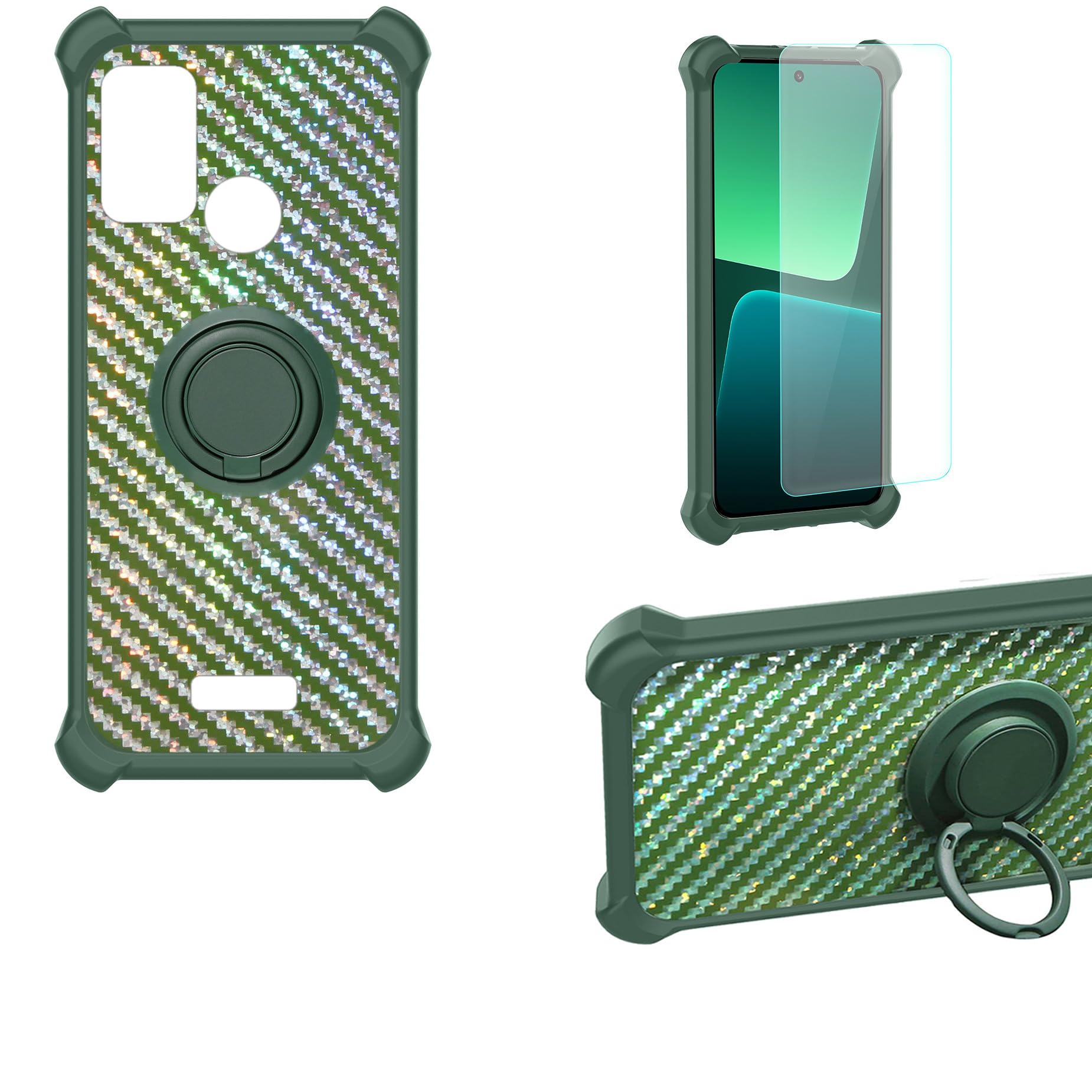
Figure 2: Screen Protector Scratch Resistance Test. This image shows a hammer impacting the screen protector, highlighting its scratch-proof and impact-resistant properties.
3.2 Installazione della custodia del telefono
- Inserisci telefono: Gently place your KRIP K60 phone into the case, ensuring all edges are properly seated.
- Verifica adattamento: Verify that all buttons, ports, and camera cutouts align correctly with the case.

Figure 3: Case Shockproof Design. This image highlights the shock-absorbing features of the case, including the soft silicone frame and thickened corners for enhanced protection.
4. Istruzioni per l'uso
4.1 Using the 360° Rotatable Ring Holder
The integrated ring holder provides a secure grip and functions as a kickstand.
- Presa sicura: Fai scorrere il dito attraverso l'anello per una presa più sicura del telefono, riducendo il rischio di cadute accidentali.
- Funzione cavalletto: Rotate the ring to your desired angle (up to 360°) and prop your phone up on a flat surface for hands-free viewing di video o videochiamate.
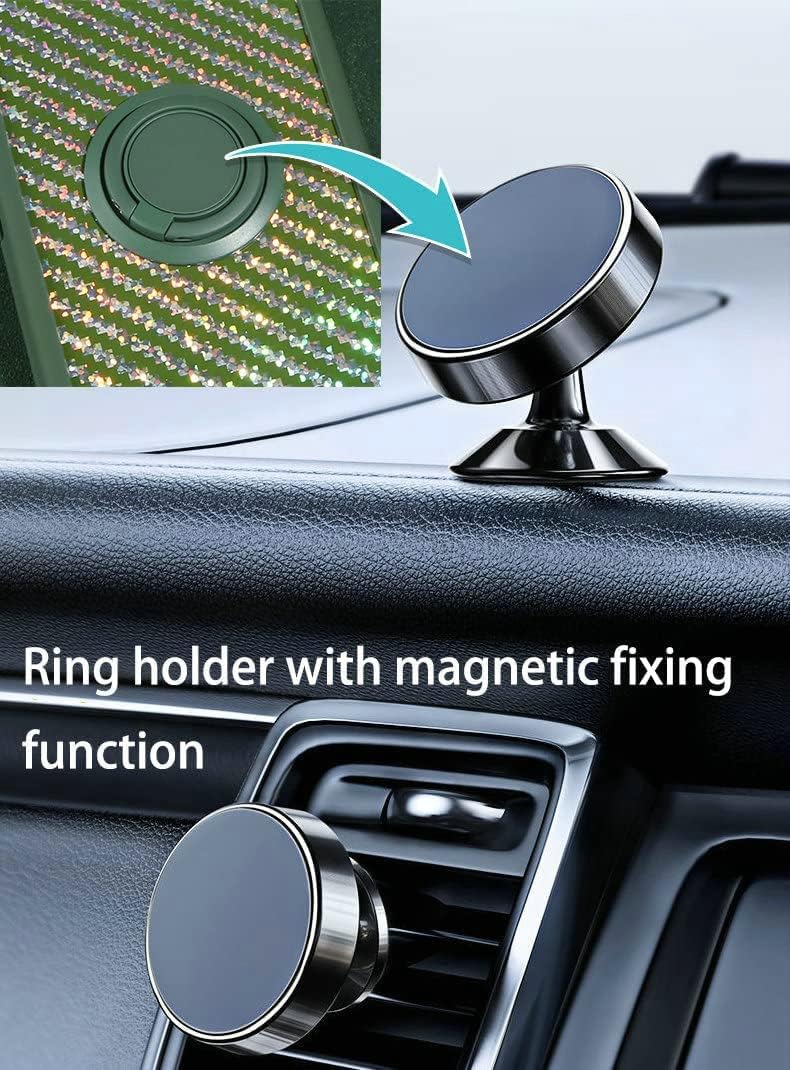
Figure 4: Using the Ring Holder. This image demonstrates how to use the ring holder for a secure grip on the phone.
4.2 Magnetic Car Mount Compatibility
The case features a built-in metal plate within the ring holder, allowing it to attach to magnetic car mounts (not included).
- Allegato: Simply place the back of your phone case onto a compatible magnetic car mount. The case will adhere directly without the need for additional patches.
- Nota: This case does not support wireless charging due to the integrated metal plate.
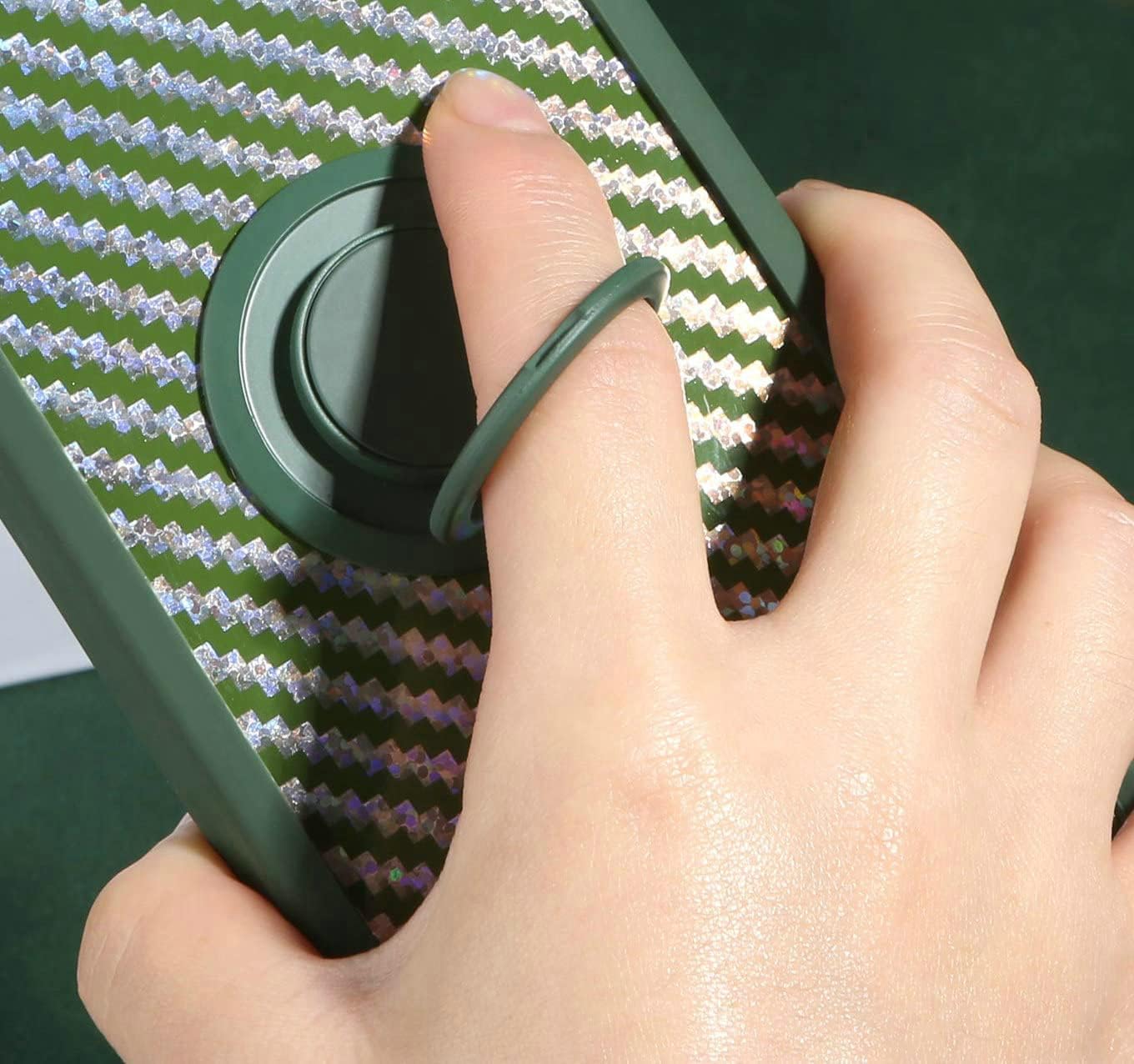
Figure 5: Magnetic Car Mount Functionality. This image illustrates the case's compatibility with magnetic car mounts and the rotational capabilities of the ring holder.

Figure 6: Case on Magnetic Car Mount. This image shows the phone case securely mounted on a magnetic car holder, demonstrating its practical use in a vehicle.
5. Manutenzione e cura
- Pulizia della custodia: Wipe the phone case with a soft, damp cloth to remove dust and smudges. Avoid harsh chemicals or abrasive cleaners.
- Pulizia della pellicola protettiva per lo schermo: Use a microfiber cloth to gently clean the screen protector. For stubborn smudges, a screen cleaner spray designed for electronics can be used.
- Evitare temperature estreme: Do not expose the case or screen protector to extreme heat or cold, as this may affect their material integrity.
6. Risoluzione Dei Problemi
- Bolle di protezione dello schermo: If bubbles appear after installation, gently lift the nearest edge of the protector and re-apply, pushing the air out with a soft cloth. Small bubbles may disappear on their own within 24-48 hours.
- Custodia non adatta: Ensure you have the correct case model for your KRIP K60 phone. Double-check that the phone is inserted correctly and all corners are seated.
- Magnetic Mount Issues: If the case does not adhere properly to your magnetic mount, ensure the mount itself is clean and functioning correctly. The case's magnetic plate is designed for standard magnetic mounts.
7. Specifiche
| Caratteristica | Dettaglio |
|---|---|
| Modello di telefono compatibile | KRIP K60 |
| Materiale della cassa | Hard PC (Polycarbonate) + Soft Silicone (TPU) |
| Materiale della protezione dello schermo | Tempered Glass (9H Hardness) |
| Caratteristiche aggiuntive | 360° Rotatable Ring Holder, Magnetic Car Mount Compatible (mount not included), Shockproof Design, Anti-fingerprint, Scratch-proof |
| Colore | TZZH-LV (Specific pattern/color variant) |
| Numero di parte del produttore | GX-230828-8770 TZZH-LV |
8. Garanzia e supporto
For any questions, concerns, or support regarding your Generic KRIP K60 phone case and screen protector, please refer to the retailer where the product was purchased. Specific warranty details may vary by retailer or region.