
Introduzione
This manual provides detailed instructions for the proper setup, operation, and maintenance of your Cuifati Caller ID Corded Phone. Please read this manual thoroughly before using the product to ensure optimal performance and longevity. This phone is designed for reliable communication in both home and office environments, featuring a clear caller ID display, convenient call storage, and adjustable volume controls.

The Cuifati Caller ID Corded Phone, featuring a clear display and large buttons, designed for reliable communication.
Impostare
1. Connecting the Phone Line
Locate the telephone line input port on the back of the phone. Connect one end of the provided telephone line cord to this port and the other end to your wall telephone jack.

The back of the phone includes the telephone line input and slots for optional wall mounting.
2. Collegamento del telefono
Connect the coiled handset cord to the designated port on the side of the phone base and to the handset itself. Ensure both connections are secure.

The phone comes with a standard coiled cord for the handset, providing flexibility during calls.
3. Montaggio a parete (opzionale)
The phone can be wall-mounted using the integrated slots on the back. Securely attach the phone to a wall using appropriate hardware (not included).
This video showcases the phone's design and demonstrates its wall-mounting capability.
Istruzioni per l'uso
1. Effettuare una chiamata
- Sollevate il microtelefono.
- Ascolta il segnale di linea.
- Comporre il numero di telefono desiderato utilizzando la tastiera.
- Una volta completata la chiamata, riattaccare il ricevitore.
2. Ricevere una chiamata
- Quando il telefono squilla, sollevare la cornetta per rispondere.
- Una volta completata la chiamata, riattaccare il ricevitore.
3. Caller ID Function
The phone's display will show the incoming caller's number (if available) before you answer. This feature supports DTMF standard caller ID.

The phone's display clearly shows caller ID information, including call number and time, for easy identification.

The large display and clear caller ID make the phone convenient for both home and office use.
4. Call Number Storage and Inquiry
The phone stores up to 30 groups of incoming call numbers. You can long-press the 'CALL IN' button to quickly review stored call information. It also has a built-in 5-group call number and call time query function, supporting callback and one-key replay.
5. Controllo del volume
Adjust the ringer volume using the two-level volume control switch located on the side of the phone base.
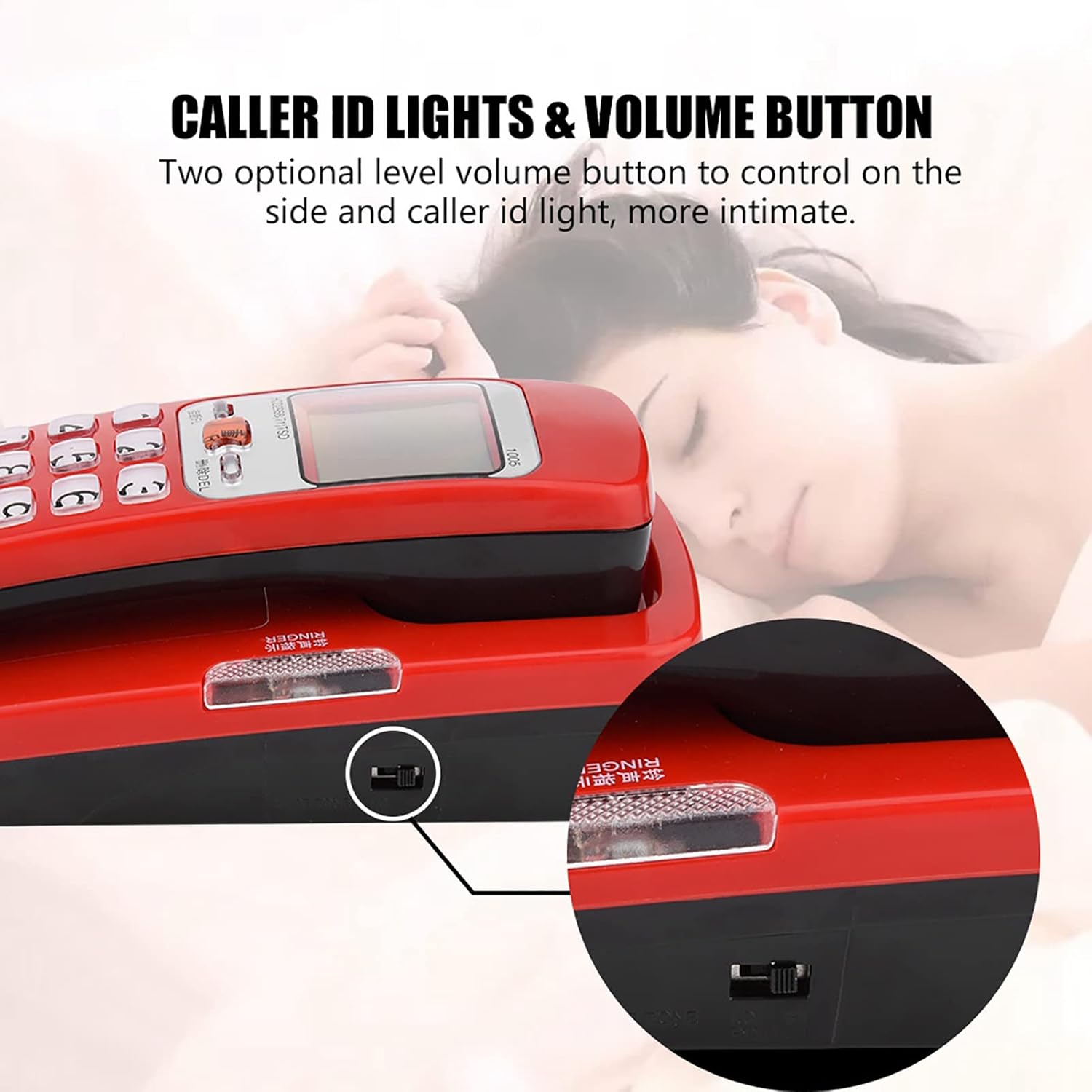
Adjust the ringer volume using the two-level volume control switch located on the side of the phone.
6. Anti-Jamming Function
The phone is equipped with an anti-jamming function to ensure clear and uninterrupted communication.
This video provides a visual guide to the features and operation of a corded phone, including FSK/DTMF caller ID functionality and the ease of use provided by large number buttons.
Manutenzione
To maintain your Cuifati Caller ID Corded Phone in good condition:
- Pulisci la superficie del telefono con un panno morbido eamp stoffa. Evitare l'uso di prodotti chimici aggressivi o detergenti abrasivi.
- Keep the phone away from direct sunlight, excessive heat, and moisture.
- Ensure the phone is placed on a stable surface or securely wall-mounted to prevent accidental falls.
- Controllare regolarmente tutti i collegamenti dei cavi per accertarsi che siano saldi.
Risoluzione dei problemi
Nessun tono di linea
- Controllare che il cavo della linea telefonica sia collegato saldamente sia al telefono che alla presa a muro.
- Test the wall jack with another working phone to ensure the line is active.
- Ensure the handset cord is properly connected.
ID chiamante non visualizzato
- Verifica che il tuo fornitore di servizi telefonici offra il servizio di identificazione del chiamante.
- Ensure the phone is correctly connected to the telephone line.
- Some calls, especially international or private numbers, may not display Caller ID.
La suoneria non funziona
- Check the volume control switch on the side of the phone and ensure it is not set to the lowest level or 'Off'.
- Ensure the phone line is active and receiving calls.
Specifiche
| Nome del marchio | Cuifati |
| Peso dell'articolo | 10.2 once |
| Dimensioni del pacco | 7.48 x 3.27 x 3.15 pollici |
| Numero modello articolo | CUIFATIvyt497cxe2-01 |
| ASIN | B0CH3L3WRL |
| Data prima disponibilità | 1 settembre 2023 |

Physical dimensions of the phone are 18cm (7.09 inches) in length, 7.5cm (2.95 inches) in width, and 6.5cm (2.56 inches) in height.
Garanzia e supporto
For warranty information or technical support, please refer to the product packaging or contact your retailer. Keep your purchase receipt as proof of purchase for any warranty claims.