
Introduzione
Grazie per l'acquistoasing the SNAKEBYTE GAMEPAD RGB X SB922312 wired controller. This manual provides essential information for setting up, operating, and maintaining your new gaming controller. Please read this manual thoroughly before use to ensure optimal performance and longevity of your device.

Davanti view of the SNAKEBYTE GAMEPAD RGB X SB922312 wired controller, showcasinil suo design ergonomico e la disposizione dei pulsanti.
Contenuto della confezione
Verificare che tutti gli articoli siano presenti nel pacco:
- SNAKEBYTE GAMEPAD RGB X SB922312 Wired Controller
- Cavo USB-C (3 metri)
- Manuale dell'utente (questo documento)
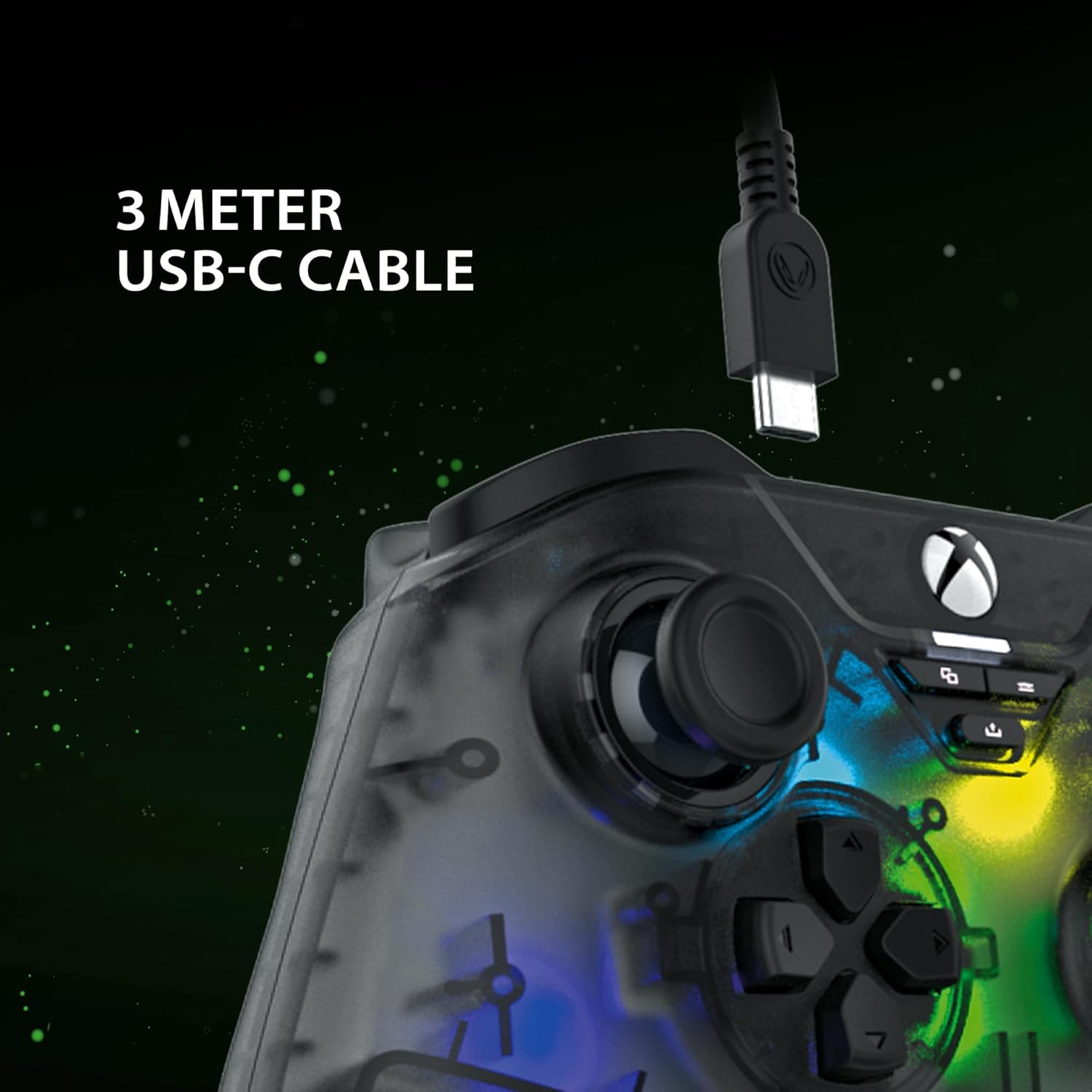
The included 3-meter USB-C cable for connecting the controller to your device.
Istruzioni di installazione
- Connect to Xbox Series X:
- Plug the USB-C end of the cable into the controller.
- Plug the USB-A end of the cable into an available USB port on your Xbox Series X console.
- Il controller si collegherà automaticamente e sarà pronto per l'uso.
- Connetti al PC:
- Plug the USB-C end of the cable into the controller.
- Collegare l'estremità USB-A del cavo a una porta USB disponibile sul PC.
- Your PC should automatically detect and install the necessary drivers. If not, please visit the SNAKEBYTE support websito per il download dei driver.
- The controller is compatible with Windows operating systems.
Istruzioni per l'uso
Layout e funzioni dei pulsanti
The controller features a standard Xbox-style button layout. Familiarize yourself with the following components:
- Stick analogici: Due stick analogici cliccabili per movimenti precisi e controllo della telecamera.
- Tasto direzionale: Tastierino direzionale per la navigazione nei menu e per input di gioco specifici.
- Pulsanti di azione (A, B, X, Y): Pulsanti di azione standard per i comandi di gioco.
- Pulsanti delle spalle (LB, RB): Located on the top edge for quick actions.
- Trigger (LT, RT): Analog triggers for variable input, such as acceleration or aiming.
- View Pulsante: Accedi alle mappe o ai menu del gioco.
- Pulsante Menu: Access game menus or system options.
- Pulsante Xbox: Power on/off the console or access the Xbox Guide.
- Pulsante Condividi: Capture screenshots or record game clips.
- Jack per cuffie da 3.5 mm: Connect a compatible headset for audio and chat.

The 3.5mm headset jack located at the bottom of the controller for audio connectivity.
Controllo dell'illuminazione RGB
The controller features customizable RGB lighting. Specific buttons or combinations of buttons can be used to cycle through different static and dynamic color modes. Refer to the controller's dedicated RGB control button (if present) or the manufacturer's software for detailed customization options.

The controller displaying its customizable RGB lighting effects.
Caratteristiche principali
- Sensori ad effetto Hall: The analog sticks and triggers utilize Hall Effect sensors, which provide precise input and reduce wear, minimizing stick drift over time.
- Illuminazione RGB personalizzabile: Personalize your gaming experience with multiple static and dynamic RGB color modes.
- Connettività cablata: Ensures a stable, low-latency connection for competitive gaming.
- Jack per cuffie da 3.5 mm: Conveniently connect your gaming headset directly to the controller.
- High Polling Rate (PC): Offers a 1000 Hz polling rate on PC for ultra-responsive input.

An illustration of the Hall Effect sensor technology used in the analog sticks for enhanced precision and durability.

The Hall Effect triggers, designed for responsive and accurate input.
Manutenzione
Proper maintenance ensures the longevity of your controller:
- Pulizia: Utilizzare un panno morbido e asciutto per pulire il controller. Per lo sporco ostinato, leggermente dampLavare il panno con acqua. Evitare prodotti chimici aggressivi o materiali abrasivi.
- Magazzinaggio: Conservare il controller in un luogo fresco e asciutto, lontano dalla luce solare diretta e da temperature estreme.
- Cura del cavo: Avoid bending or twisting the USB-C cable excessively. Always grasp the plug, not the cable, when disconnecting.
Risoluzione dei problemi
| Problema | Soluzione |
|---|---|
| Controller not recognized by Xbox/PC. |
|
| I pulsanti o gli stick analogici non rispondono. |
|
| Headset audio not working. |
|
Specifiche
| Caratteristica | Dettaglio |
|---|---|
| Numero di modello | SB922312 |
| Connettività | Wired USB (USB-C to USB-A cable) |
| Lunghezza del cavo | 3 metri |
| Compatibilità | Xbox Series X, PC (Windows) |
| Caratteristiche speciali | RGB Lighting, Hall Effect Sensors (sticks & triggers), 3.5mm Headset Jack |
| Frequenza di polling (PC) | Frequenza 1000 Hz |
| Numero di pulsanti | 17 |
| Dimensioni | Dimensioni: 10 x 5 x 1.27 cm |
| Peso | 250 grammi |
| Tipo di materiale | Acrilico |
Video ufficiale del prodotto
Questo video fornisce una visione a 360 gradi view of the SNAKEBYTE GAMEPAD RGB X SB922312 controller, showcasinil suo design da tutte le angolazioni.
Garanzia e supporto
For warranty information, technical support, or further assistance, please visit the official SNAKEBYTE websito o contattare il servizio clienti. Conservare la prova d'acquisto per eventuali reclami in garanzia.
Produttore: SNAKEBYTE
Websito: http://www.snakebyte.com (Exampil collegamento (il collegamento effettivo può variare)