
1. Prodotto finitoview
The AOPUTTRIVER AP-5000A is a professional digital light meter designed for accurate measurement of illumination in various environments. It supports measurement of fluorescent, incandescent, and LED lamps up to 400,000 Lux (40,000 FC). Key features include a 270-degree rotatable detector, data logging capabilities, and connectivity for real-time monitoring.

Figure 1: AOPUTTRIVER AP-5000A Digital Light Meter highlighting its main features.
2. Contenuto della confezione
Verificare che tutti gli articoli elencati di seguito siano presenti e in buone condizioni all'apertura della confezione. Se alcuni articoli risultano mancanti o danneggiati, contattare l'assistenza clienti.
- AP-5000A Light Meter x 1
- Borsa per il trasporto x 1
- Batterie AAA x 2
- Cacciavite x 1
- Manuale utente x 1

Figure 2: All items included in the AP-5000A package.
3. Componenti del prodotto
Familiarize yourself with the different parts of your AP-5000A Digital Light Meter:
- Fotorilevatore: Sensor for light measurement.
- Display a cristalli liquidi (LCD): Displays measurement readings and settings.
- Pulsante ON/OFF: Accende o spegne il dispositivo.
- Pulsante ATTESA: Blocca la misurazione corrente sul display.
- Pulsante MEM: Accesses data logging memory.
- Pulsante LUX/FC: Toggles between Lux and Foot-Candle measurement units.
- Pulsante MAX/MIN: Visualizza i valori massimi o minimi registrati.
- Backlight Switch Button: Attiva o disattiva la retroilluminazione LCD.

Figure 3: Labeled components of the AP-5000A Digital Light Meter.
4. Impostazione
4.1 Installazione della batteria
- Individuare il vano batteria sul retro del dispositivo.
- Utilizzare il cacciavite in dotazione per aprire il coperchio del vano batteria.
- Inserire due batterie AAA, assicurandosi della corretta polarità (+/-).
- Riposizionare il coperchio del vano batteria e fissarlo con la vite.
4.2 Accensione iniziale
Premere il tasto ACCESO/SPENTO button to power on the device. The LCD will illuminate and display the current light and temperature readings.
5. Istruzioni per l'uso
5.1 Esecuzione delle misurazioni
Remove the protective cap from the photodetector. Point the photodetector towards the light source you wish to measure. The current light intensity will be displayed on the LCD.
5.2 Selezione dell'unità (Lux/FC)
Premere il tasto LUX/FC button to switch between Lux and Foot-Candle measurement units. The selected unit will be indicated on the LCD.
5.3 Selezione dell'unità di temperatura (°C/°F)
The device also measures temperature. Refer to the manual for specific button combinations to switch between Celsius (°C) and Fahrenheit (°F) temperature units.
5.4 Conservazione dei dati
Premere il tasto PRESA button to freeze the current reading on the display. Press it again to release and resume live measurement.
5.5 Misurazione MAX/MIN
Premere il tasto Massimo/minimo button to cycle through maximum, minimum, and real-time values recorded during a measurement session. This helps identify peak and lowest light levels.
5.6 Funzionamento della retroilluminazione
Premere il tasto Interruttore di retroilluminazione button to turn the LCD backlight on or off, improving readability in low-light conditions.
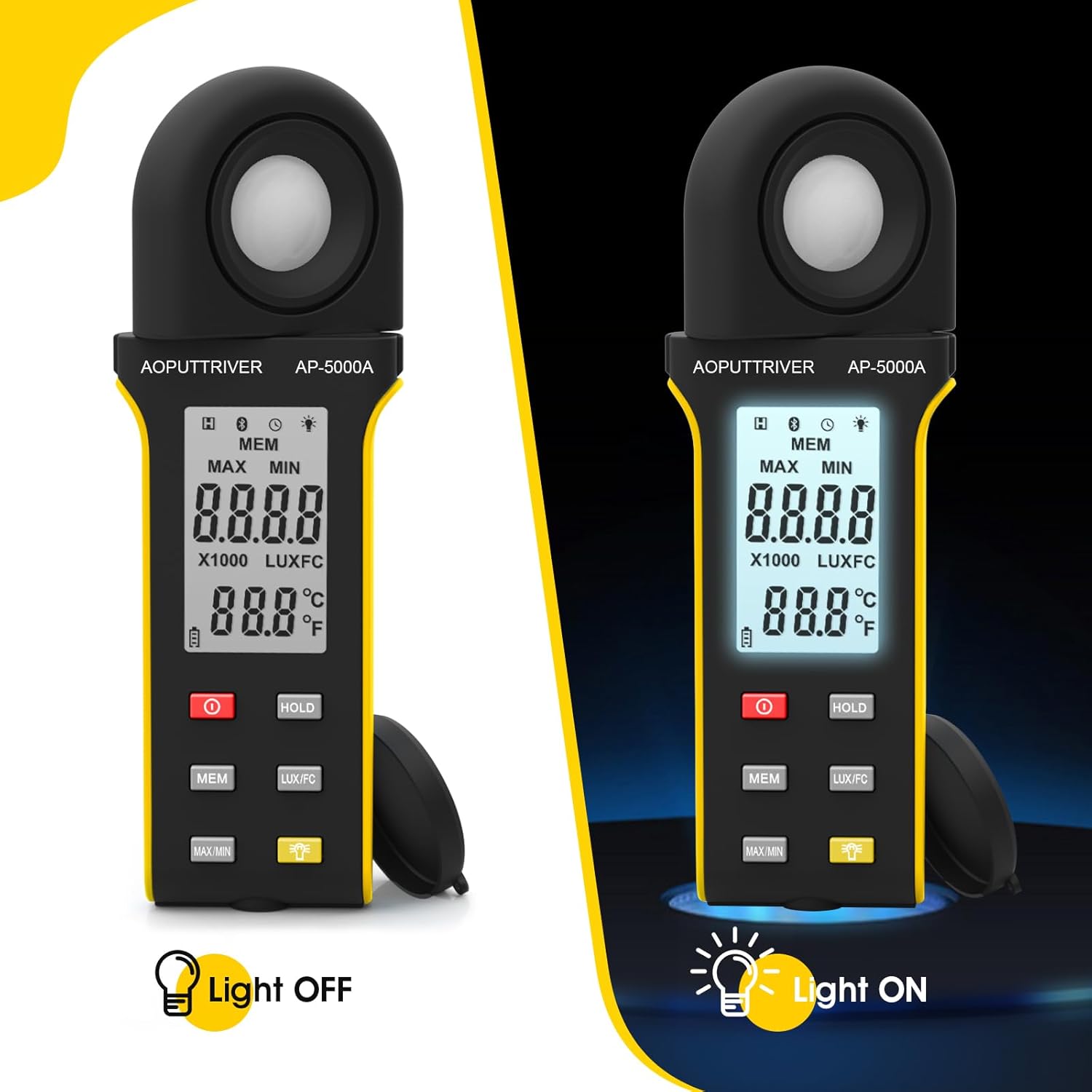
Figure 4: Comparison of the AP-5000A with backlight off and on.
6. Rotatable Detector
The AP-5000A features a 270-degree rotatable silicon filter diode sensor. This design allows you to measure photometric intensity from various angles without needing to reposition the entire meter. Simply rotate the sensor to face the light source while keeping the display visible for easy reading.
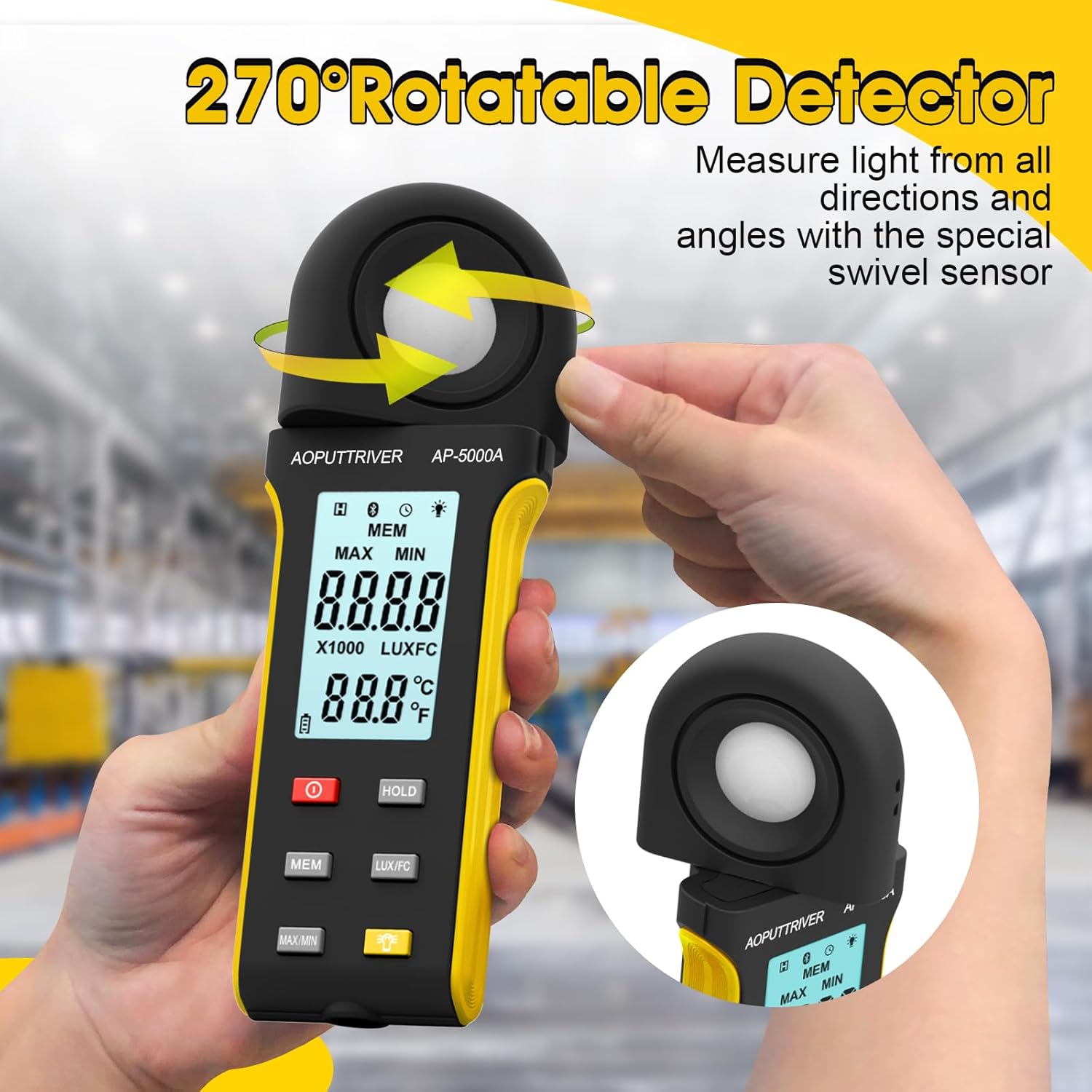
Figure 5: The 270-degree rotatable detector for flexible measurement.
7. Registrazione dei dati
The meter supports data logging for up to 30 groups of measurements. This feature allows you to record and review light level data over time, which is useful for monitoring changes in lighting conditions for applications like plant growth or aquarium environments. Refer to the detailed instructions in the full user manual for specific steps on how to initiate, save, and recall data logs using the MEM pulsante.
8. Connettività dell'app
The AP-5000A can connect to a smartphone application via Bluetooth. This allows for real-time tracking of data, remote control of certain functions, and advanced data analysis. Download the official AOPUTTRIVER app from your device's app store and follow the in-app instructions to pair your light meter.
9. Applicazioni
The AOPUTTRIVER AP-5000A is a versatile tool suitable for a wide range of applications requiring precise light measurement:
- Indoor Plant Growing: Optimizing light levels for various plant species.
- Acquari: Ensuring appropriate lighting for aquatic life.
- Fotografia e videografia: Setting up ideal lighting conditions.
- Workplace and School Environments: Assessing illumination for comfort and productivity.
- Spazi pubblici: Measuring light in libraries, stages, and street lighting.
- Impostazioni industriali: Monitoring lighting in factories and warehouses.

Figure 6: Diverse applications of the AP-5000A Light Meter.
10. Manutenzione e cura
- Pulizia: Use a soft, dry cloth to clean the device. Do not use abrasive cleaners or solvents. Ensure the photodetector is kept clean and free of dust for accurate readings.
- Magazzinaggio: When not in use, store the meter in its carrying bag with the protective cap on the photodetector. Store in a cool, dry place away from direct sunlight and extreme temperatures.
- Sostituzione della batteria: Replace batteries when the low battery indicator appears on the LCD to ensure continuous accurate operation.
- Spegnimento automatico: Il dispositivo è dotato di una funzione di spegnimento automatico dopo 15 minuti di inattività per preservare la durata della batteria.
11. Risoluzione Dei Problemi
- Nessun display/accensione: Controllare l'installazione delle batterie e assicurarsi che non siano scariche. Sostituirle se necessario.
- Letture imprecise: Ensure the photodetector is clean and unobstructed. Verify that the correct measurement unit (Lux/FC) is selected. Avoid measuring in rapidly changing light conditions.
- Problemi di connessione dell'app: Ensure Bluetooth is enabled on your smartphone and the meter. Restart both the app and the meter. Check that the app is up to date.
- Visualizzazione "OL": Indicates an overload, meaning the measured light intensity exceeds the meter's maximum range.
12. Specifiche
| Caratteristica | Specificazione |
|---|---|
| Numero di modello | Modello AP-5000A |
| Campo di misura | 0.1 ~ 400,000 Lux (0.1 ~ 40,000 FC) |
| Risoluzione | 0.1 LUX/FC |
| Precisione | ≤10000Lux: +/-4% rgd+/-1.0% f.s. ≥10,000Lux: ±5% rgd+/-1.5% f.s ≥200,000Lux: +/-8% rdg+/-2.0%f.s |
| Detector Rotation | 270 gradi |
| Capacità di registrazione dei dati | Fino a 30 gruppi |
| Spegnimento automatico | Dopo 15 minuti di inattività |
| Display | HD Backlight LCD |
| Fonte di alimentazione | 2 batterie AAA |
| Peso dell'articolo | 7.8 once |
| Dimensioni del pacco | 7.99 x 3.43 x 1.93 pollici |
13. Garanzia e supporto
AOPUTTRIVER products are manufactured to high-quality standards. For warranty information, technical support, or service inquiries, please refer to the contact details provided on the product packaging or visit the official AOPUTTRIVER websito. Conservare la ricevuta d'acquisto come prova d'acquisto per eventuali reclami in garanzia.