
SOVMIKU CG6
SOVMIKU 3CG6 2K Solar Security Camera User Manual
Modello: CG6
1. Prodotto finitoview
The SOVMIKU 3CG6 is a 2K wireless outdoor security camera designed for reliable surveillance. It features solar power capabilities, PIR motion detection, two-way audio, and color night vision. The camera operates on 2.4GHz Wi-Fi and supports local storage via an SD card slot, as well as cloud storage options.
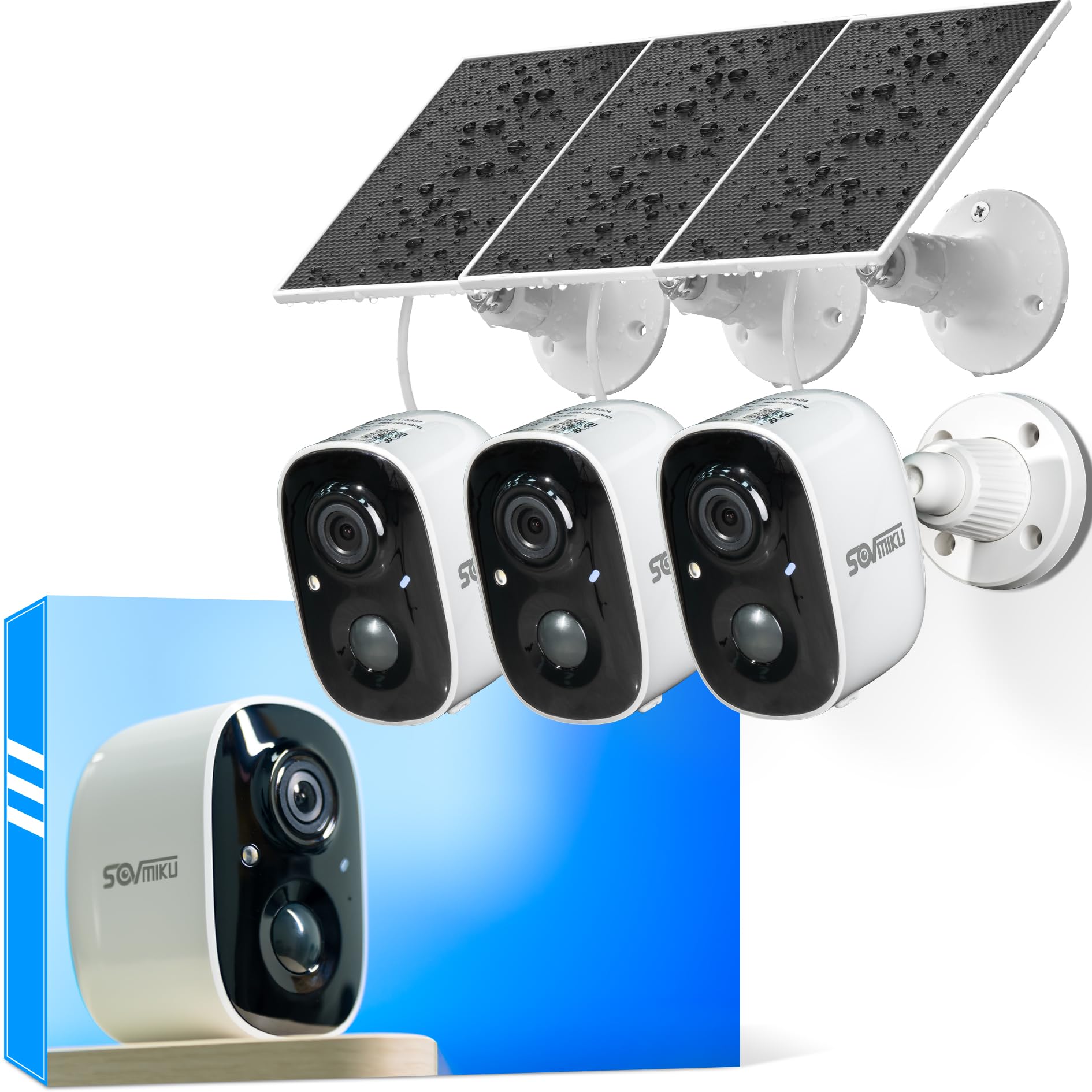
Figure 1: SOVMIKU 3CG6 2K Solar Security Camera with solar panel.
Caratteristiche principali:
- Risoluzione video 2K: Captures clear 3-megapixel images, providing detailed footage.
- Alimentato ad energia solare: Equipped with monocrystalline silicon solar panels for continuous charging, extending battery life up to 50 days on a full charge.
- Rilevamento di movimento PIR: Passive Infrared Sensor detects warm bodies (humans, animals) to trigger recording and alerts.
- Audio bidirezionale: Consente la comunicazione in tempo reale tramite la telecamera.
- Audible & Flashlight Siren: Activates a siren and flashlight upon motion detection for deterrence.
- Visione notturna a colori: Offre una visibilità migliorata in condizioni di scarsa illuminazione.
- Resistenza alle intemperie IP65: Designed to withstand splashes, water, and dust for outdoor installation.
- Archiviazione locale e cloud: Supports microSD cards up to 128GB and offers optional cloud storage services.
- Vicohome App Integration: Manages camera settings, live view, and notifications via the Vicohome application.
2. Contenuto della confezione
Verificare che tutti i componenti siano presenti nella confezione:
- SOVMIKU 3CG6 Security Camera
- Pannello solare
- Staffa di fissaggio
- Viti di montaggio e tasselli a parete
- Cavo di ricarica USB
- Manuale dell'utente (questo documento)
3. Guida all'installazione
3.1 Carica iniziale
Before installation, fully charge the camera using the provided USB cable. This ensures the internal battery is ready for operation, especially if solar charging is initially limited.
3.2 Installazione dell'app e creazione dell'account
- Download the "Vicohome" app from your smartphone's app store (iOS or Android).
- Apri l'app e crea un nuovo account o accedi se ne hai già uno.
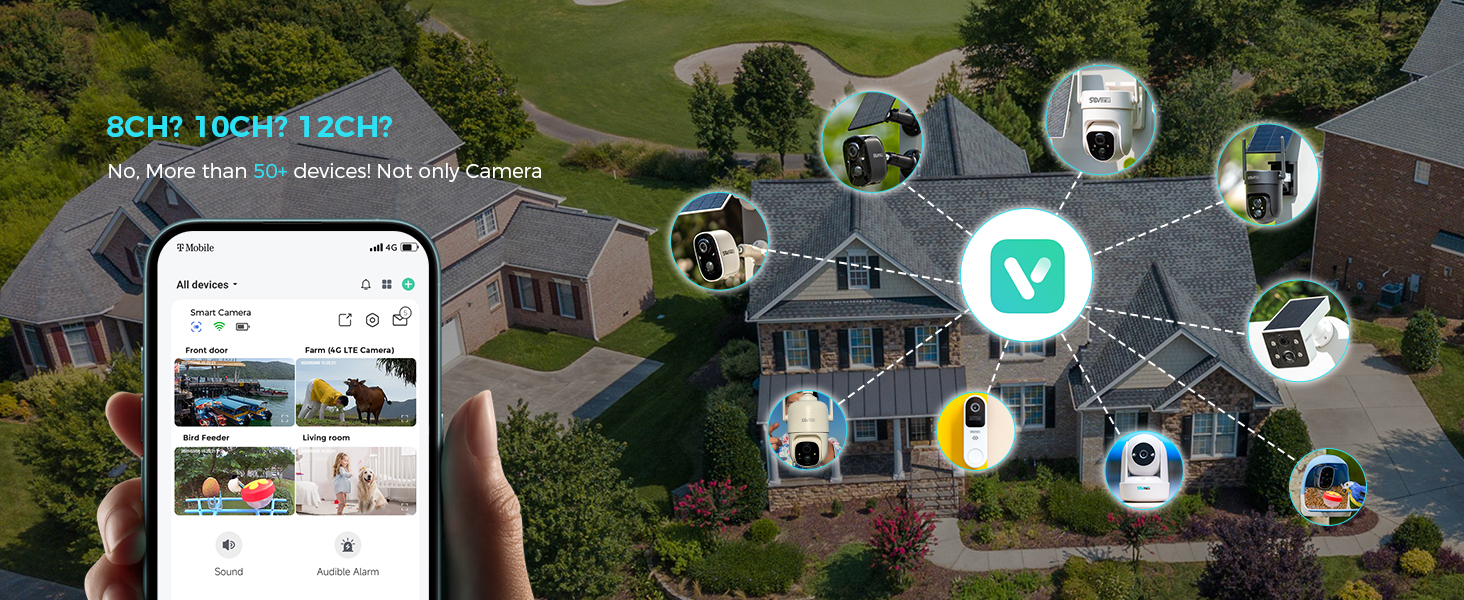
Figure 2: The Vicohome app allows management of multiple devices and simultaneous viewfino a quattro telecamere.
3.3 Abbinamento della fotocamera
- In the Vicohome app, tap the "+" icon to add a new device.
- Follow the on-screen instructions to connect the camera to your 2.4GHz Wi-Fi network. Ensure your router is within range.
- The camera supports 2.4GHz Wi-Fi only for optimal range and stability.
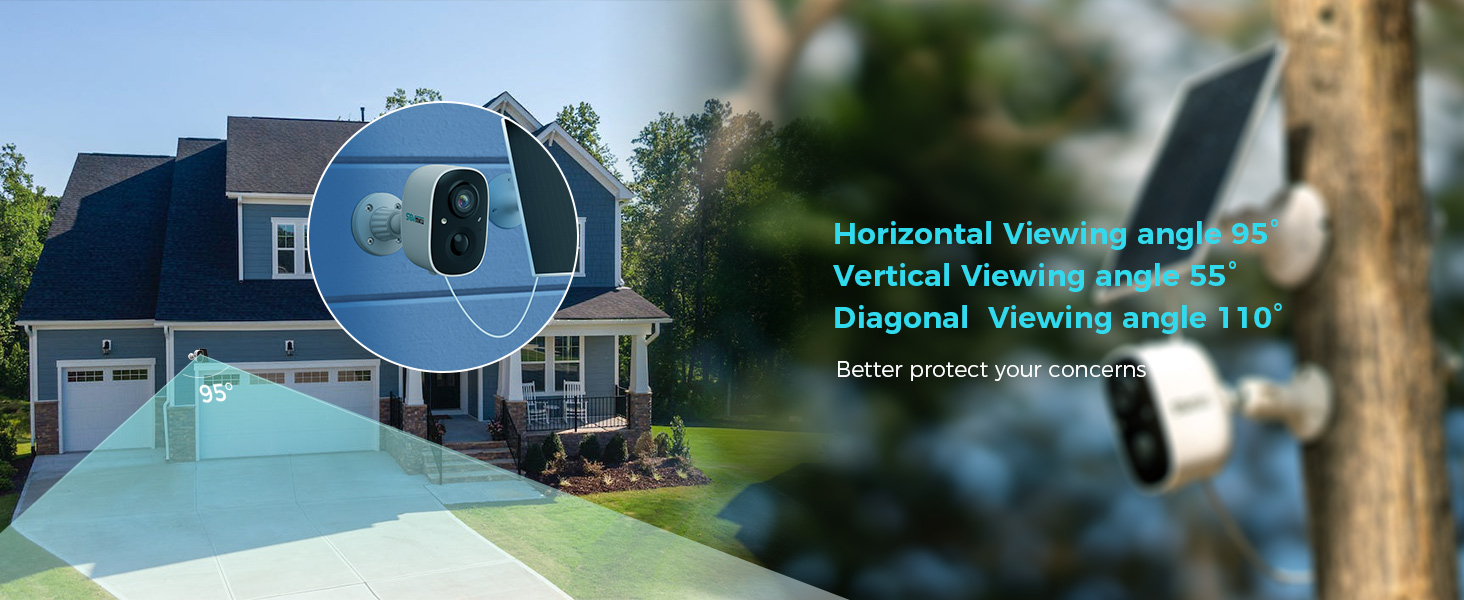
Figure 3: Illustration of 2.4GHz Wi-Fi coverage, suitable for security cameras due to its larger range.
3.4 Installazione della scheda MicroSD (facoltativa)
To enable local recording, install a microSD card (up to 128GB, not included) into the designated slot on the camera. Ensure the camera is powered off before inserting or removing the card.
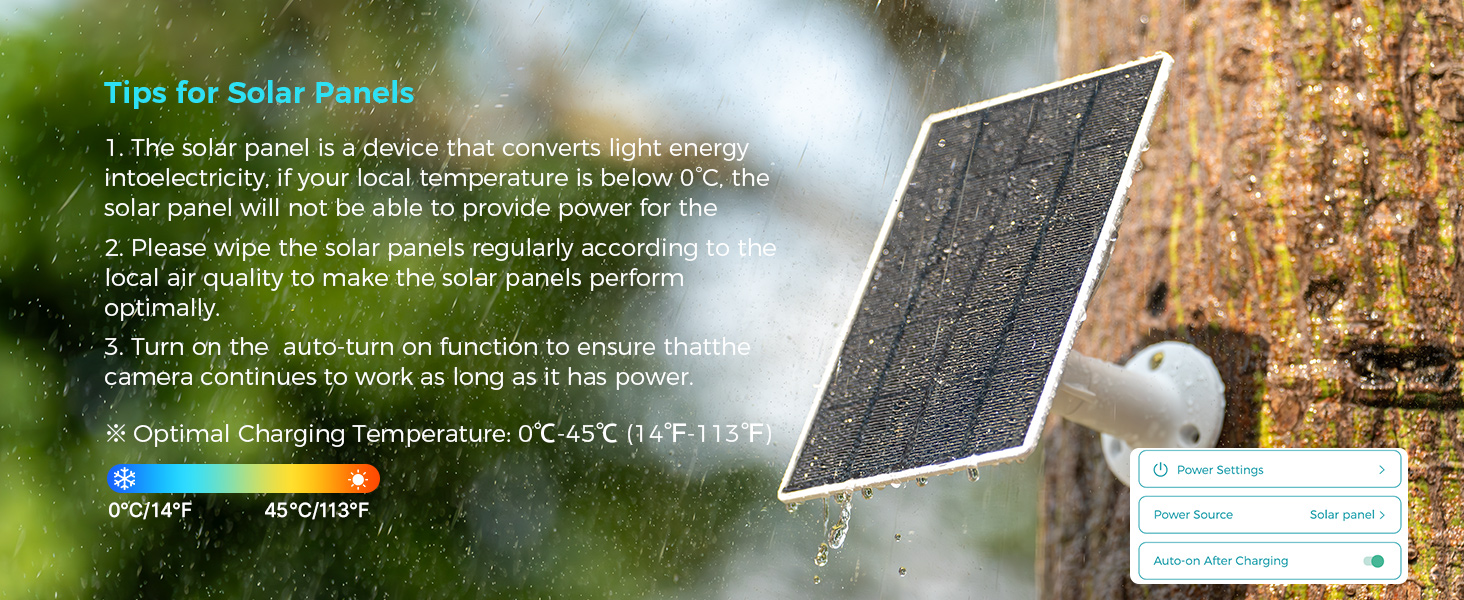
Figure 4: Inserting a microSD card into the camera's slot for local storage.
3.5 Montaggio della telecamera e del pannello solare
Scegli una posizione che fornisca una visione chiara view dell'area che desideri monitorare e riceve ampla luce solare per il pannello solare.
- Fissare la staffa di montaggio alla superficie desiderata utilizzando le viti e i tasselli a muro forniti.
- Fissare la telecamera alla staffa di montaggio.
- Montare il pannello solare in un luogo esposto alla luce solare diretta per la maggior parte della giornata.
- Connect the solar panel cable to the camera's charging port. Ensure the silicone waterproof protective plug is securely in place.
Figure 5: Step-by-step guide for connecting the solar panel to the camera.
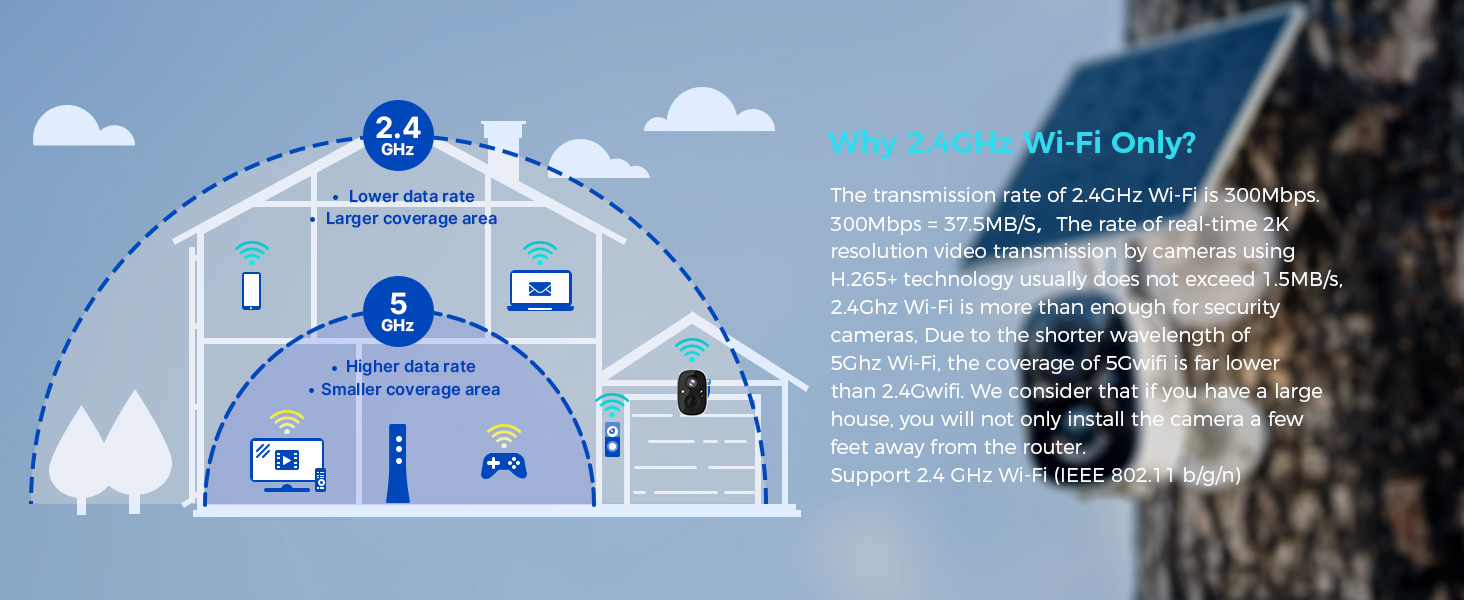
Figure 6: Visual guide for optimal solar panel placement to maximize sunlight exposure.
4. Istruzioni per l'uso
4.1 Vivere View e Registrazione
Access the Vicohome app to view cibo vivotage dalla tua fotocamera. Puoi registrare manualmente video o catturare screenshot direttamente dal vivo view interfaccia.
4.2 Rilevamento del movimento e avvisi
The camera utilizes a Passive Infrared (PIR) sensor for motion detection. When a warm body is detected, the camera activates and begins recording. You will receive push notifications on your smartphone or connected smartwatch.
- Sensore PIR: Always active, triggers camera recording within milliseconds of detecting a warm body.
- Sensibilità regolabile: Motion detection sensitivity can be adjusted in the app settings.
- Caratteristiche dell'allarme: Enable the Flashlight Alarm and Audible Siren in the app to deter intruders upon motion detection.

Figura 7: Esample of a motion detection alert displayed on a smartwatch.

Figure 8: The camera's flashlight and audible siren activating upon detecting an intruder.
4.3 Audio bidirezionale
Use the two-way audio feature in the Vicohome app to speak through the camera and hear audio from its vicinity.
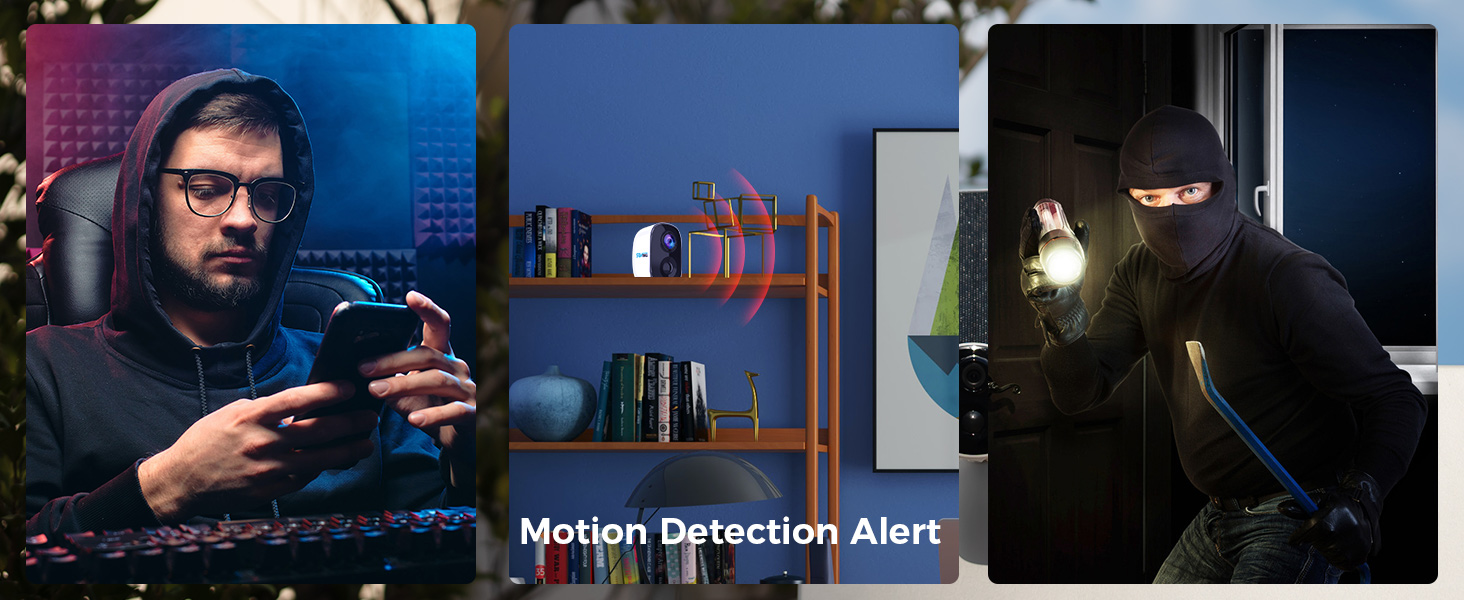
Figure 9: Demonstrating two-way audio communication through the camera.
4.4 Visione notturna
The camera features color night vision, providing clearer and more detailed images in low-light conditions compared to traditional black and white night vision.
4.5 Multi-Device and Multi-User Support
The Vicohome app supports connecting up to 50 cameras simultaneously. You can also share camera access with up to 10 different users, with support for three accounts viewing concurrently.

Figure 10: The Vicohome app supports multiple cameras for comprehensive coverage.

Figure 11: Sharing camera access with family members through the app.
5. Manutenzione
5.1 Cura dei pannelli solari
To ensure optimal performance and charging efficiency, regularly wipe the solar panels clean. Dust, dirt, and debris can reduce energy conversion. If your local temperature is below 0°C, the solar panel may not provide power effectively.
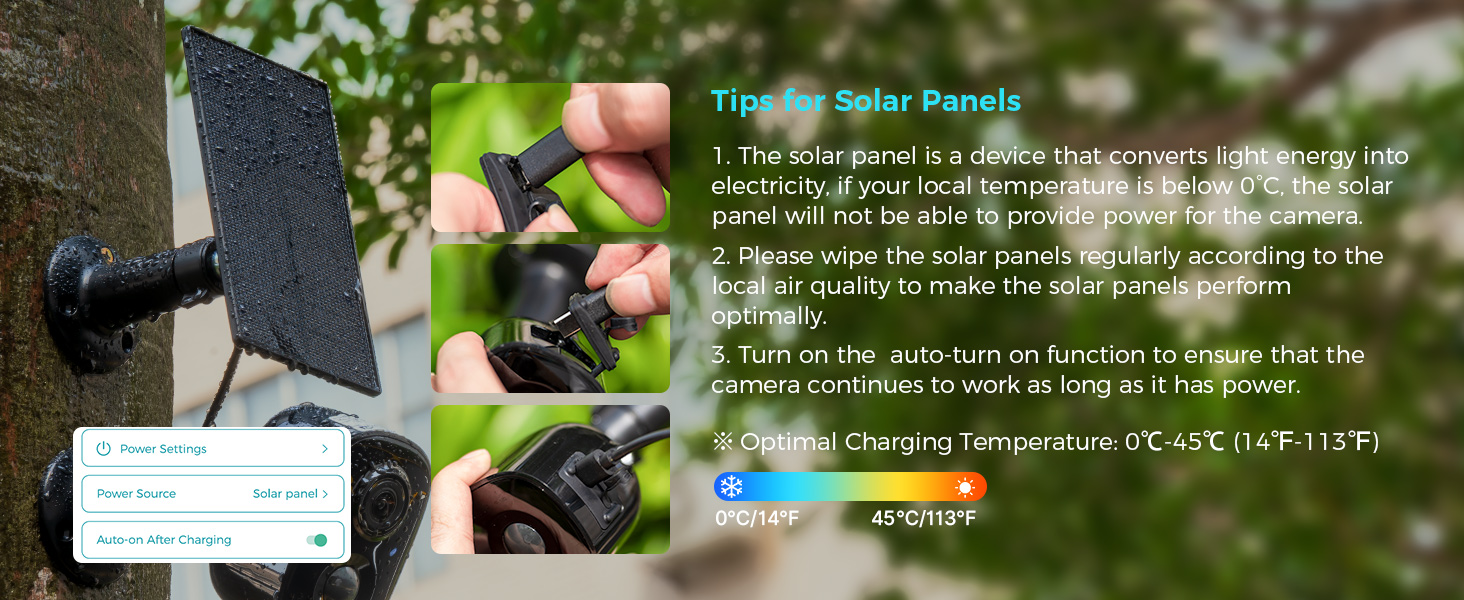
Figure 12: Important tips for maintaining your solar panel's efficiency.
5.2 Resistenza alle intemperie
The SOVMIKU 3CG6 camera is rated IP65 for splash, water, and dust resistance. While designed for outdoor use, resistance may decrease over time due to normal wear. Ensure the charging interface's silicone protective plug is always sealed when not charging to maintain water resistance.
6. Risoluzione Dei Problemi
- La fotocamera non si connette al Wi-Fi:
- Assicurati che la tua rete Wi-Fi sia a 2.4 GHz. La telecamera non supporta la rete Wi-Fi a 5 GHz.
- Verifica che la telecamera si trovi nel raggio di azione del router Wi-Fi.
- Verificare che la password Wi-Fi inserita nell'app sia corretta.
- Riavvia il router e la telecamera, quindi prova nuovamente ad associarli.
- Scarsa qualità video:
- Check your Wi-Fi signal strength at the camera's location. A weak signal can affect streaming quality.
- Assicurarsi che l'obiettivo della fotocamera sia pulito e libero da ostruzioni.
- In the app settings, verify the recording resolution is set to 2K if available.
- Battery not charging via solar panel:
- Assicurarsi che il pannello solare sia posizionato in modo da ricevere la luce solare diretta per diverse ore al giorno.
- Pulisci la superficie del pannello solare per rimuovere sporco o detriti.
- Check the connection cable between the solar panel and the camera for damage or loose connections.
- Note that solar charging efficiency decreases significantly in temperatures below 0°C (32°F).
- Rilevamento del movimento non funzionante o troppo sensibile:
- Adjust the motion detection sensitivity in the Vicohome app settings.
- Ensure there are no objects (e.g., tree branches, flags) that might cause false alarms due to movement in the detection zone.
- Verificare che il sensore PIR non sia ostruito.
7. Specifiche
| Caratteristica | Dettaglio |
|---|---|
| Nome del modello | 3CG6 |
| Risoluzione di acquisizione video | 2K (3 Megapixel) |
| Tecnologia di connettività | Senza fili (Wi-Fi a 2.4 GHz) |
| Fonte di alimentazione | Solar Powered, Battery (5200 mAh) |
| Uso interno/esterno | All'aperto |
| Caratteristiche speciali | 2-Way Audio, PIR Motion Detection, Audible Flashlight Siren, Color Night Vision |
| Valutazione internazionale di protezione | Grado di protezione IP65 |
| Magazzinaggio | MicroSD Card (up to 128GB), Cloud Storage (optional) |
| Frequenza dei fotogrammi | 25 fotogrammi al secondo |
| Dimensioni (L x P x A) | 3.14 x 2.3 x 2 pollici |
| Peso dell'articolo | 4 libbre (1.82 chilogrammi) |
| Temperatura di esercizio | -20°C a 50°C (-4°F a 122°F) |
8. Garanzia e supporto
SOVMIKU is committed to providing excellent customer service. If you encounter any issues or have questions regarding your 3CG6 security camera, please contact us.
- Assistenza clienti: You can reach us by telephone or email. We aim to respond to all email inquiries within 12 hours.
- Politica di cambio: We offer a 180-day exchange policy. If you are not satisfied with your product, you may submit a request for an exchange within 180 days of purchase.
Figure 13: Information regarding the 180-day exchange policy.