Introduzione
Thank you for choosing the Y02 Wireless Arcade Stick. This manual provides detailed instructions on how to set up, operate, and maintain your device. Designed for a wide range of gaming platforms, the Y02 offers a classic arcade experience with modern features like multi-platform compatibility, TURBO function, and macro programming. Please read this manual thoroughly before use to ensure optimal performance and longevity of your arcade stick.
Prodotto finitoview
The Y02 Wireless Arcade Stick is a versatile gaming controller featuring a classic arcade layout with a joystick and multiple action buttons. It supports various connection methods and is compatible with numerous gaming platforms.
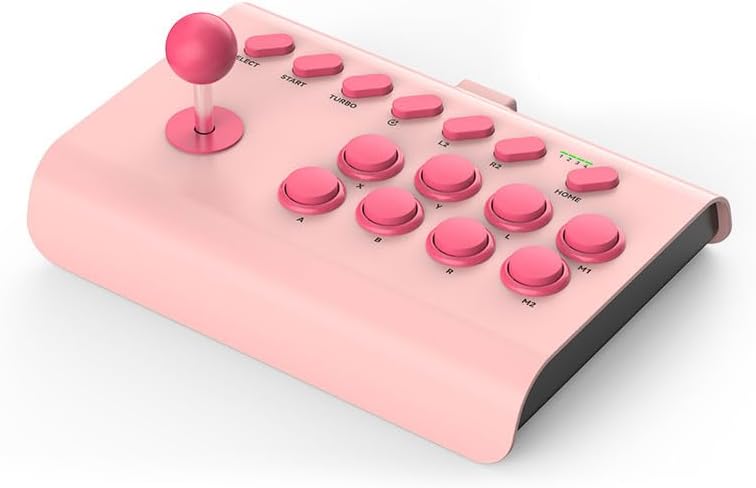
Image: The Y02 Wireless Arcade Stick in a pink color, showcasing its joystick and button layout.
Caratteristiche principali:
- Compatibilità multipiattaforma: Supports PS4, Nintendo Switch, PC, Android phones, iOS phones, and TV set-top boxes.
- Tre modalità di connessione: Offers wired (USB-C), Bluetooth wireless, and 2.4G wireless connectivity for flexible gaming.
- Funzione TURBO: Enables one-key automatic continuous shooting and continuous attack with adjustable burst speeds (Low, Mid, High).
- Programmazione Macro: Allows for custom one-key combo configurations for advanced gameplay.
- Batteria integrata: Equipped with a 600 mAh high-capacity battery for extended play sessions.
- Design ergonomico: Features a conventional arcade design with standardized, sensitive, and precise professional combat buttons.
- Supporto per telefono integrato: Includes an extensible stand that supports phones with a width of 48-91 mm.

Image: Visual representation of the Y02 Arcade Stick's multi-platform compatibility, including icons for PS4/PS3, Switch, Computer, Set-top box, Android, and iOS MFI.

Image: Diagram illustrating the three available connection modes: Wired (USB icon), Bluetooth Wireless (Bluetooth icon), and 2.4G Wireless (Wi-Fi icon).
Impostare
Contenuto della confezione:
- 1 x Y02 Wireless Arcade Stick
- Supporto del telefono 1 x
- Cavo di ricarica 1 x USB-C
- 1 x Manuale utente
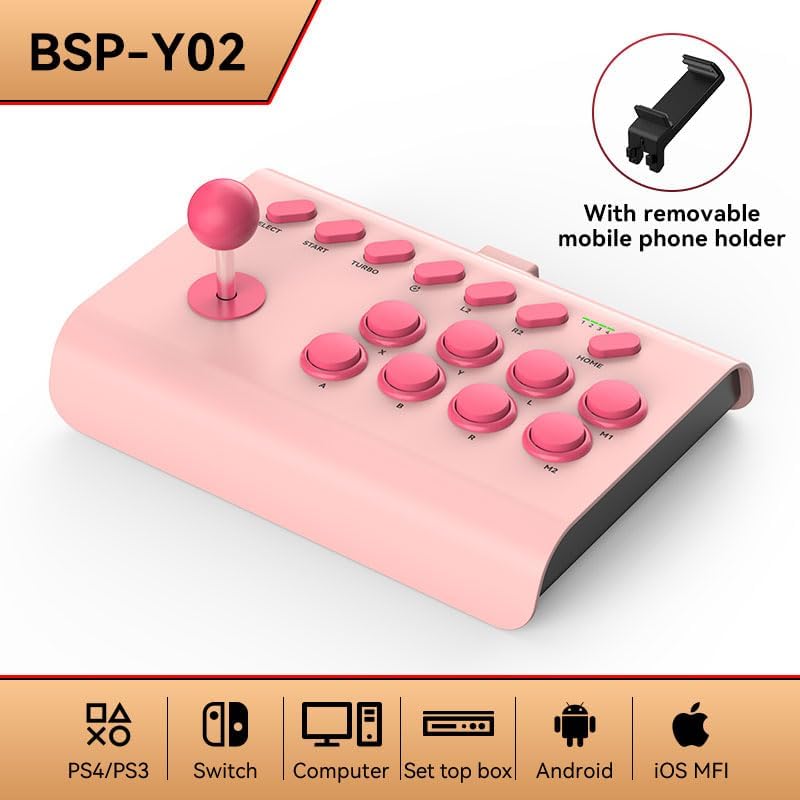
Image: The Y02 Wireless Arcade Stick shown with its included removable mobile phone holder, highlighting the accessory.
Ricarica del dispositivo:
Before first use, fully charge the arcade stick. Connect the included USB-C charging cable to the TYPE-C port on the device and the other end to a USB power source (e.g., computer, wall adapter). The charging indicator will show the charging status. A full charge takes approximately 2 hours.
Connecting to Platforms:
The Y02 Arcade Stick supports three connection methods:
- Connessione cablata:
Connect the USB-C cable from the arcade stick directly to your PC, PS4, Switch dock, or set-top box. The device should be recognized automatically.
- Connessione senza fili Bluetooth:
- Ensure the arcade stick is powered on.
- On your device (e.g., Android phone, iOS phone, PC with Bluetooth), go to Bluetooth settings and search for new devices.
- Select "Y02 Arcade Stick" or similar from the list of available devices to pair.
- Once paired, the connection indicator on the arcade stick will stabilize.
- Connessione wireless 2.4G:
(Note: A 2.4G USB dongle is typically required for this mode, usually included with the product if supported. Please check your package contents.)
- Plug the 2.4G USB dongle into an available USB port on your PC, PS4, Switch dock, or set-top box.
- Power on the arcade stick. It should automatically connect to the dongle.
Istruzioni per l'uso
Controlli di base:
The Y02 Arcade Stick features a standard arcade layout:
- joystick: Per il movimento direzionale.
- Action Buttons (A, B, X, Y, L, R, L2, R2, M1, M2): Per le azioni di gioco.
- Pulsanti SELECT/START: For game menus and pausing.
- Tasto CASA: For system-level functions (e.g., returning to console home screen).
Funzione TURBO:
La funzione TURBO consente di premere un pulsante in modo rapido e continuo.
- Activate TURBO: Premere e tenere premuto il pulsante di azione desiderato, quindi premere il Turbosoffiante button. The button will now continuously register presses as long as it's held down.
- Regola la velocità TURBO: Mentre si tiene premuto il Turbosoffiante pulsante, muovi il joystick UP or GIÙ to cycle through burst speeds:
- Low Gear: 8 times per second
- Mid Range: 15 times per second
- High Gear: 25 times per second
- Deactivate TURBO: Press and hold the TURBO-enabled action button, then press the Turbosoffiante di nuovo il pulsante.
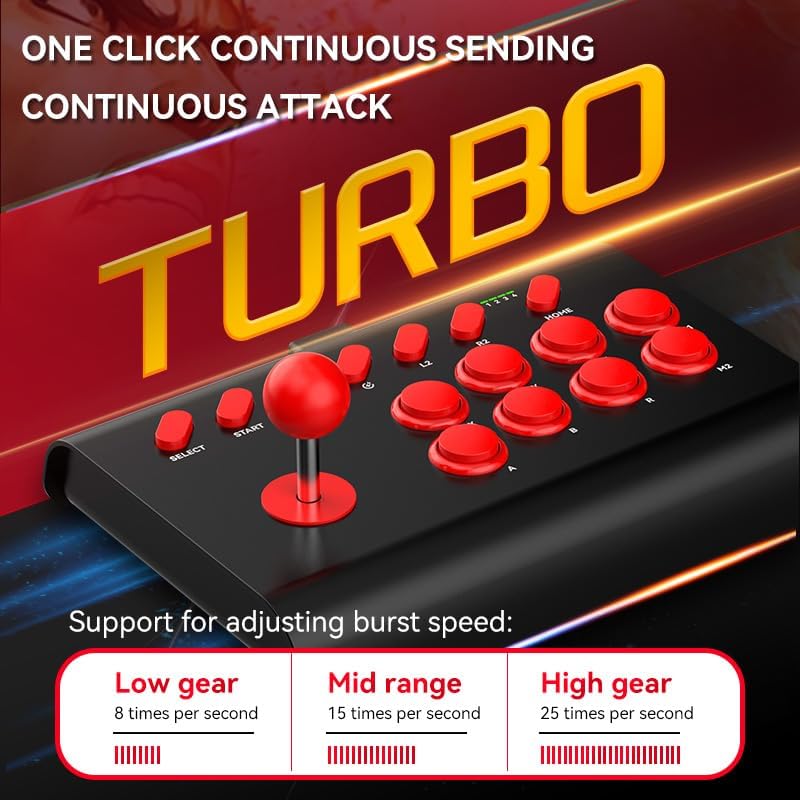
Image: The Y02 Arcade Stick highlighting the TURBO function and its adjustable burst speeds: Low (8/sec), Mid (15/sec), and High (25/sec).
Programmazione Macro:
The Y02 supports macro configurations for one-key combos. Specific instructions for macro programming are typically detailed in the included user manual. Generally, this involves entering a programming mode, inputting a sequence of button presses, and then assigning that sequence to a specific macro button (M1 or M2).
Utilizzo del supporto per telefono:
Attach the provided phone holder to the designated slot on the arcade stick. Extend the holder to securely grip your smartphone (48-91mm width) for mobile gaming.
Manutenzione
- Pulizia: Use a soft, dry cloth to wipe the surface of the arcade stick. Do not use harsh chemicals or abrasive cleaners.
- Magazzinaggio: Conservare il dispositivo in un luogo fresco e asciutto, lontano dalla luce solare diretta e da temperature estreme.
- Cura della batteria: Per prolungare la durata della batteria, evitare di scaricarla completamente frequentemente. Caricare il dispositivo regolarmente, anche se non viene utilizzato per periodi prolungati.
- Evitare l'impatto: Do not drop or subject the arcade stick to strong impacts, as this may damage internal components.
Risoluzione dei problemi
| Problema | Possibile causa/soluzione |
|---|---|
| Il dispositivo non si accende. | Battery is low or depleted. Charge the device for at least 30 minutes. |
| Impossibile connettersi tramite Bluetooth. |
|
| Buttons or joystick are unresponsive. |
|
| La funzione TURBO non funziona. | Ensure you are pressing the correct button combination to activate/deactivate TURBO. Refer to the "Operating Instructions" section. |
Specifiche
| Nome del modello | Y02 Wireless Arcade Stick with Stand |
| Numero di modello | BSP-Y02 |
| Materiale | addominali |
| Tipo di interfaccia | TIPO-C |
| Dimensioni (L x P x A) | Dimensioni: 283 x 198 x 116 mm |
| Metodi di connessione | Wired, Bluetooth Wireless, 2.4G Wireless |
| Vibrazione | Nessuna vibrazione |
| Capacità della batteria | 600 mAh (integrato) |
| Tempo di ricarica | Circa 2 ore |
| Durata della batteria | Circa 15 ore |
| Piattaforme compatibili | PC, iOS, Android, PS3/PS4, Nintendo Switch, Set-top Boxes |
| Supporto per larghezza supporto telefono | 48-91 millimetri |
Garanzia e supporto
This product comes with a standard manufacturer's warranty. Please refer to the warranty card included in your package for specific terms and conditions. For technical support, troubleshooting assistance, or warranty claims, please contact the retailer or manufacturer directly using the contact information provided with your purchase.
For the latest information and support, please visit the official product website (if available) or contact customer service.


