
Prodotto finitoview
The Nkove Digital Kitchen Timer NK-A9 is a versatile timing device designed for various applications including cooking, baking, meetings, exercise, and study. It features a large display, multiple timing modes, and flexible placement options to suit your needs.
Caratteristiche principali
- All-in-One Timing Magic: Switch seamlessly between countdown timer, count up timer, and clock modes. Press the MODALITÀ button to switch between 3 modes. Countdown maximum 24 hours.
- Eye-Catching Large Display: Enjoy the convenience of a large, crystal-clear display that makes reading the time easy.
- Magnetic Marvel: With 3 powerful magnets, this timer sticks effortlessly to your fridge or oven hood.
- Buzzer/Mute Function: Toggle between silent mode (flashing light) for focused sessions and a loud alarm for audible alerts.
- Comandi intuitivi: Experience hassle-free operation with user-friendly buttons, memory functions, and a fast forward option. Pause and resume your timing with just a click.
- Design portatile: Battery-operated and compact, this portable timer is your perfect sidekick for various activities.
- Garanzia di tranquillità: Enjoy a 2-year warranty.
Contenuto della confezione
- 1 x Nkove Digital Kitchen Timer NK-A9
- 1 batteria AAA (inclusa)
- 1 x Manuale di istruzioni (questo documento)
Diagramma del prodotto

Descrizione dell'immagine: Davanti view of the Nkove Digital Kitchen Timer. It is a white square device with a black border and a large digital display. Below the display are three blue circular buttons labeled 'MIN', 'CLEAR', and 'SEC'. Above these are smaller buttons for 'HOUR', 'MODE', and 'START/STOP'. The display shows '00:00:00'.
Descrizione dell'immagine: Indietro view of the Nkove Digital Kitchen Timer. It shows a retractable kickstand, three circular magnets for attachment to metal surfaces, and a battery compartment.
Impostare
1. Installazione della batteria
- Aprire il coperchio del vano batterie sul retro del timer.
- Inserire 1 batteria AAA, assicurandosi della corretta polarità (+/-).
- Chiudere il coperchio del vano batterie.
Descrizione del video: A short video demonstrating how to open the battery compartment, insert two AAA batteries, and close the cover. The timer then powers on and displays '00:00:00'.
2. Accensione/spegnimento
Locate the ON/OFF switch on the back of the timer. Slide the switch to the "ON" position to power on the device. Slide to "OFF" to conserve battery when not in use.
Istruzioni per l'uso
1. Switching Modes (Timer/Clock)
Premere il tasto MODALITÀ button to cycle between the three available modes:
- Modalità timer: For countdown and count-up functions.
- Modalità orologio: Visualizza l'ora corrente.

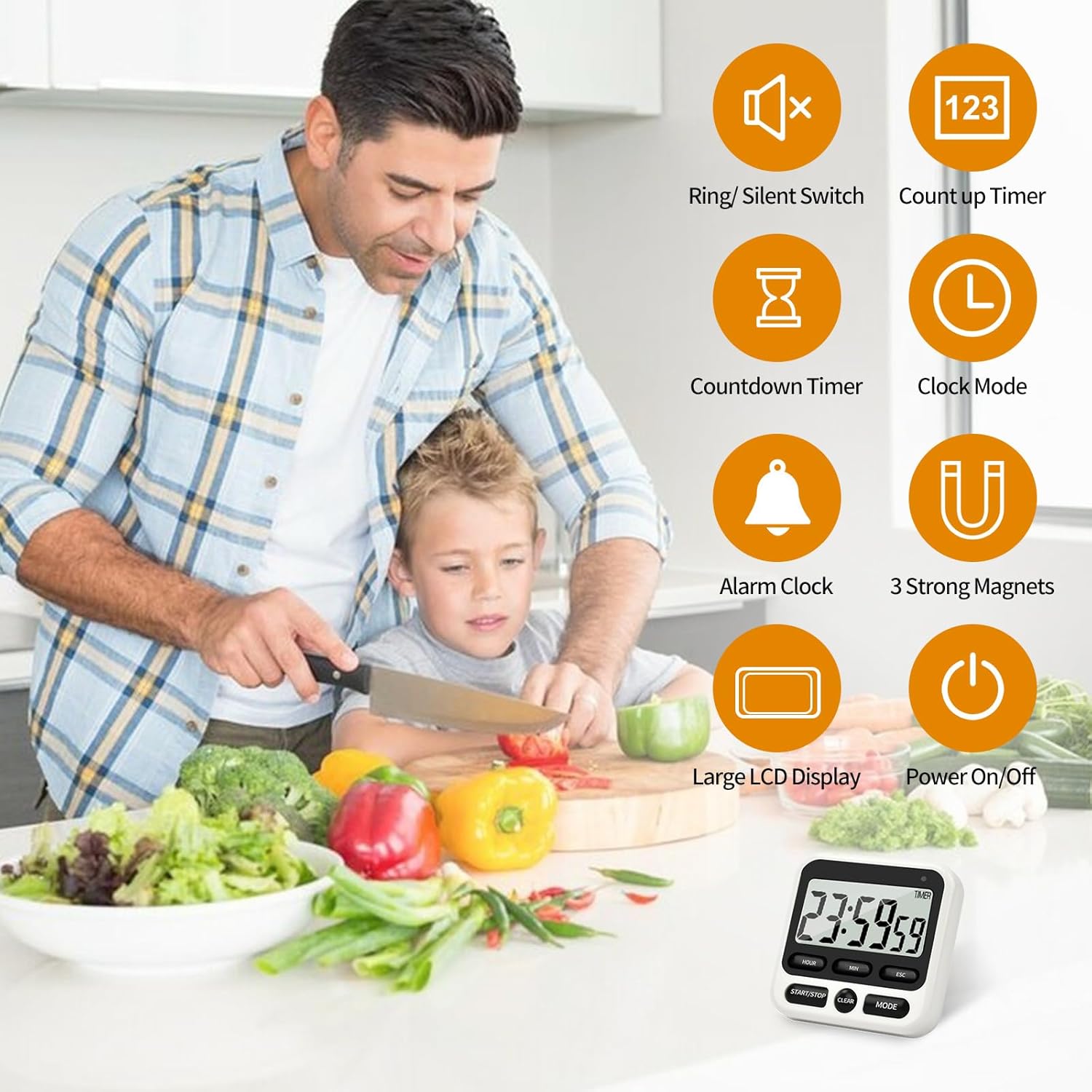
Descrizione dell'immagine: A graphic illustrating the multifunctionality of the timer, showing icons for ring/silent switch, count up timer, alarm clock, 3 strong magnets, countdown timer, clock mode, large LCD display, and power on/off.
2. Impostazione dell'orologio
- In Clock Mode, press and hold the MODALITÀ button until "CLOCK" appears on the screen.
- Tieni premuto il AVVIO/ARRESTO button for three seconds until the digits stop blinking.
- Premere il tasto ORA, MINIMO, E SEC pulsanti per impostare l'ora desiderata.
- Premere il tasto AVVIO/ARRESTO button to activate the clock; the ":" symbol will begin to blink.

Descrizione dell'immagine: A four-step visual guide demonstrating how to set the clock. Each step shows a hand pressing a specific button (MODE, START/STOP, HOUR/MIN/SEC) and the corresponding display change.
3. Count-Up Function
- In Timer Mode, ensure the display shows "00:00:00". If not, press CHIARO.
- Premere AVVIO/ARRESTO per iniziare a contare.
- Premere AVVIO/ARRESTO di nuovo per mettere in pausa.
- Premere CHIARO to reset to "00:00:00".
Descrizione del video: A user demonstrates the count-up function of the kitchen timer. They press the start button, and the timer begins counting seconds, then minutes. The video highlights the ease of starting and stopping the count-up.
4. Count-Down Function
- In Timer Mode, press ORA, MINIMO, E SEC buttons to set your desired countdown time. Long press for faster adjustment.
- Premere AVVIO/ARRESTO per iniziare il conto alla rovescia.
- Premere AVVIO/ARRESTO di nuovo per mettere in pausa.
- When the countdown reaches zero, the alarm will sound. Press any button to stop the alarm.
- Premere CHIARO to reset to "00:00:00".

Descrizione dell'immagine: A three-step visual guide demonstrating how to set the countdown timer. Each step shows a hand pressing specific buttons (MODE, HOUR/MIN/SEC, START/STOP) to set and start the countdown.
5. Mute/Buzzer Function
Use the toggle switch on the back of the timer to select between Modalità suoneria (audible alarm) and Modalità silenziosa (flashing light only).
Descrizione del video: A demonstration of the timer's mute function. The video shows the timer counting down silently, with a flashing light indicating the end of the countdown, suitable for quiet environments.
Opzioni di posizionamento
- Attacco magnetico: The three strong magnets on the back allow the timer to be securely attached to metal surfaces like refrigerators, ovens, or whiteboards.
- kickstand: A retractable kickstand allows the timer to stand upright on any flat surface, such as a countertop or desk.
- Foro per appendere: A small hole on the back allows the timer to be hung on a hook.

Descrizione dell'immagine: This image displays the versatile placement options for the timer: magnetically attached to a refrigerator, standing on a table using its kickstand, and hanging from a wall hook.
Manutenzione
- Pulizia: Pulire il timer con un panno morbido, damp stoffa. Non utilizzare detergenti abrasivi né immergere in acqua.
- Sostituzione della batteria: Replace the AAA battery when the display dims or the timer functions become erratic.
- Magazzinaggio: Quando non si utilizza il timer per lunghi periodi, conservarlo in un luogo fresco e asciutto.
Risoluzione dei problemi
- Il display è vuoto: Check battery installation and ensure the ON/OFF switch is in the "ON" position. Replace batteries if necessary.
- L'allarme non suona: Check the mute/buzzer toggle switch on the back of the timer. Ensure it is set to Modalità suoneria.
- Visualizzazione dell'ora errata: Reset the clock following the "Setting the Clock" instructions.
Specifiche
| Caratteristica | Dettaglio |
|---|---|
| Marca | Nkove |
| Numero di modello | NK-A9 |
| Materiale | Plastica |
| Dimensioni del prodotto | 0.8"P x 3.1"L x 3.1"A |
| Peso dell'articolo | 2.24 once |
| Fonte di alimentazione | 1 batteria AAA (inclusa) |
| Dimensioni dello schermo | 3.1 pollici |
| Codice UPC | 769293818500 |
Garanzia e supporto
The Nkove Digital Kitchen Timer NK-A9 comes with a 2-year warranty. For support or warranty claims, please contact Nkove customer service through the retailer where the product was purchased.