
Prodotto finitoview
The ApeStellar AS-DH01 Keyless Entry Door Lock Set provides a secure and convenient solution for your home or rental property. This electronic deadbolt with handle set offers multiple entry options, including keypad codes, and is designed for easy installation and reliable performance in various weather conditions.

Image: ApeStellar AS-DH01 Keyless Entry Door Lock Set in Satin Nickel finish.
Caratteristiche principali:
- Accesso senza chiave: Create up to 50 passcodes for family members, temporary one-time passcodes for visitors, or service personnel.
- Costruzione durevole: Made of heavy zinc alloy, certified ANSI Grade 3 for enhanced security and durability.
- Auto Lock & One-Touch Lock: Customizable automatic door locking (5-900 seconds) and a dedicated one-touch lock button for convenience.
- Funzionalità intuitive: Includes anti-peep code protection, backlit keypad, vacation mode, mute mode, and low battery warning.
- Installazione semplice: Designed for quick replacement of existing deadbolt handle sets with minimal tools.
- Resistente alle intemperie: IP54 rated for water resistance, with high and low temperature resistance for reliable operation in all weather.
Configurazione e installazione
The ApeStellar AS-DH01 lock set is designed for easy installation, typically requiring only a screwdriver. It is compatible with all American standard left and right-handed doors.
Door Compatibility and Dimensions:
Per una corretta installazione, assicurati che la tua porta soddisfi le seguenti specifiche:
- Entrata: Adjustable to fit 2-3/8" or 2-3/4" (60 or 70mm).
- Foro porta (diametro): Only for 2-1/8" (54mm).
- Spessore della porta: Da 1-3/8" a 2" (da 35 mm a 50 mm).
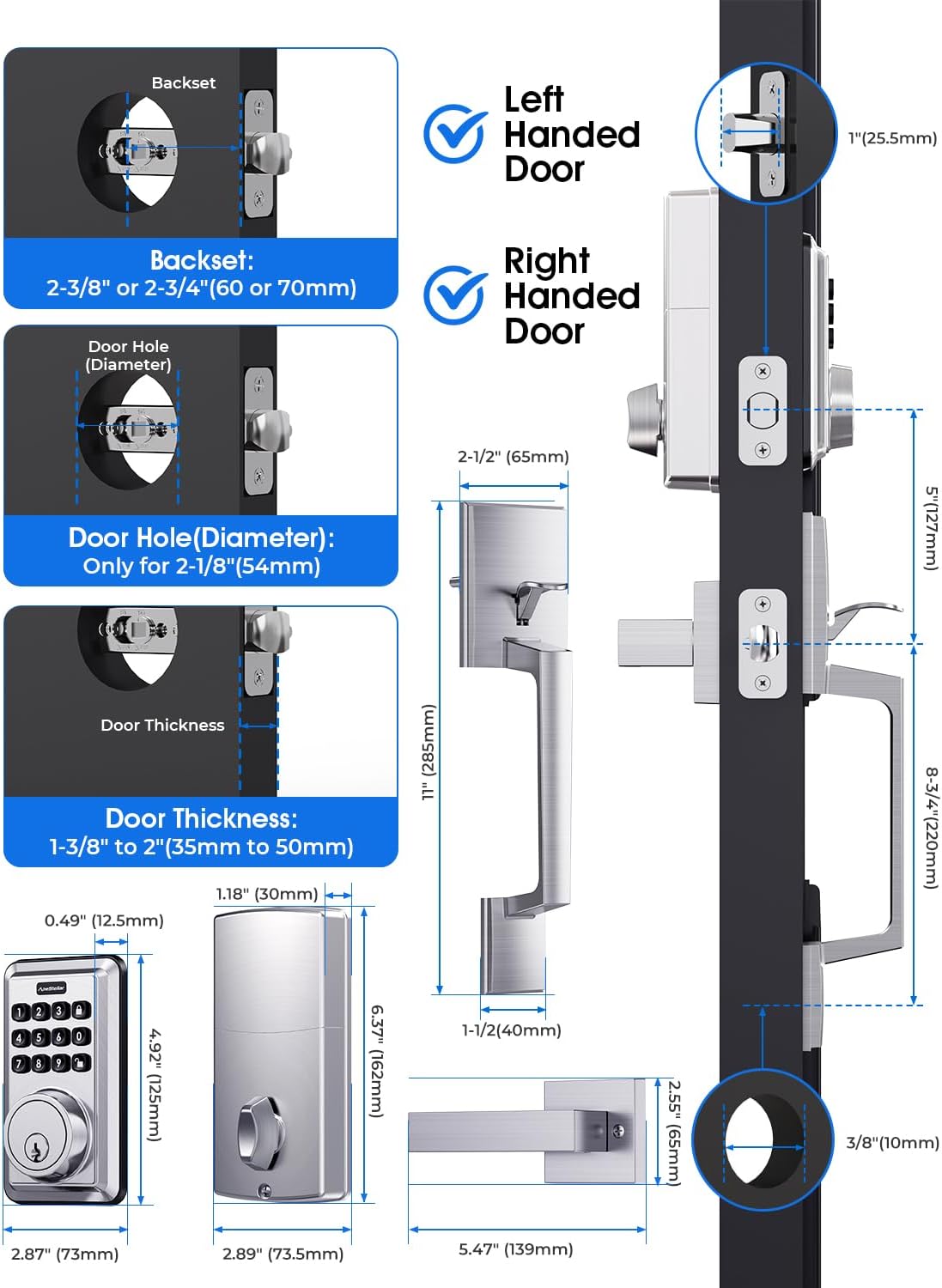
Image: Detailed diagram showing door dimensions and compatibility for the lock set.
Fasi di installazione:
- Prepare the door and frame according to the provided template.
- Installare il chiavistello e la piastra di battuta.
- Install the exterior assembly and interior mounting plate.
- Collegare il cavo e installare il gruppo interno.
- Install the handle set.
- Insert batteries and test the lock.

Image: A person demonstrating the ease of installation using a screwdriver.
Istruzioni per l'uso
This section covers the basic operation and programming of your ApeStellar electronic door lock.
Funzionamento della tastiera:
The backlit keypad allows for easy code entry, even in low light conditions. The lock supports up to 50 user codes, including temporary one-time passcodes.

Image: Visual representation of various users (family, guests, couriers) who can be assigned PIN codes.
Istruzioni di programmazione:
Watch the official programming video for a step-by-step guide on setting up your lock's codes and features.
Video: ApeStellar Electronic Door Lock Programming Guide. This video demonstrates how to create administrator codes, add and delete user codes, and configure auto-lock and mute modes.
Creating Administrator Code:
The administrator code is essential for managing all other lock settings. The default admin code is 123456. It is recommended to change this immediately after installation.
Aggiunta di un codice utente:
User codes allow individuals to unlock the door. You can add multiple user codes for different family members or frequent visitors.
Eliminazione di un codice utente:
Individual user codes can be deleted as needed, for example, after a temporary visitor no longer requires access.
Deleting All User Codes:
This function allows you to clear all programmed user codes simultaneously, useful for resetting the lock or preparing it for new occupants.
Setting Auto Lock:
The auto-lock feature automatically locks the door after a set period (5-900 seconds) once it has been unlocked. This enhances security by ensuring the door is always locked behind you.

Image: Illustration of the one-touch locking button and the auto-lock function.
Cancel Auto Lock:
If you prefer to manually lock the door, you can disable the auto-lock feature.
Setting Mute Mode:
Mute mode disables the sound feedback from the keypad, providing silent operation. This is useful for quiet environments or late-night entries/exits.

Image: A family enjoying a quiet moment, illustrating the benefit of the mute mode feature.
Suono acceso:
Re-enable sound feedback for audible confirmation of keypad presses and lock operations.
Caratteristiche aggiuntive:
- Codice PIN monouso: Generate temporary codes for single use, ideal for deliveries or service appointments.
- Password anti-peeping: Enter random digits before or after your actual code to prevent others from guessing your passcode.
- Modalità Vacanza: A security feature to disable all user codes for a period, ensuring no unauthorized access while you are away.
- Wrong Code Attempt Limit: The lock will temporarily disable the keypad if too many incorrect code attempts are made, preventing brute-force attacks.

Image: A delivery person receiving a one-time PIN code for access, highlighting the convenience of this feature.

Image: Diagram illustrating how to use random digits before and after the actual password for enhanced security.

Image: A woman with luggage, symbolizing the use of vacation mode for extended absences.

Image: A hand pointing to the keypad, illustrating the code protection function that locks out after multiple wrong attempts.
Manutenzione
Proper maintenance ensures the longevity and optimal performance of your ApeStellar door lock.
- Sostituzione della batteria: The lock operates on batteries (not included). A low battery warning will alert you when replacement is needed. Replace all batteries simultaneously with new ones of the same type. The lock is designed for up to 1 year of battery life.
- Pulizia: Pulisci la tastiera e le superfici esterne con un panno morbido eamp panno. Evitare detergenti abrasivi o solventi che potrebbero danneggiare la finitura o i componenti elettronici.
- Protezione dalle intemperie: The lock is IP54 weather resistant, designed to withstand various conditions including high and low temperatures (-22°F to 158°F).
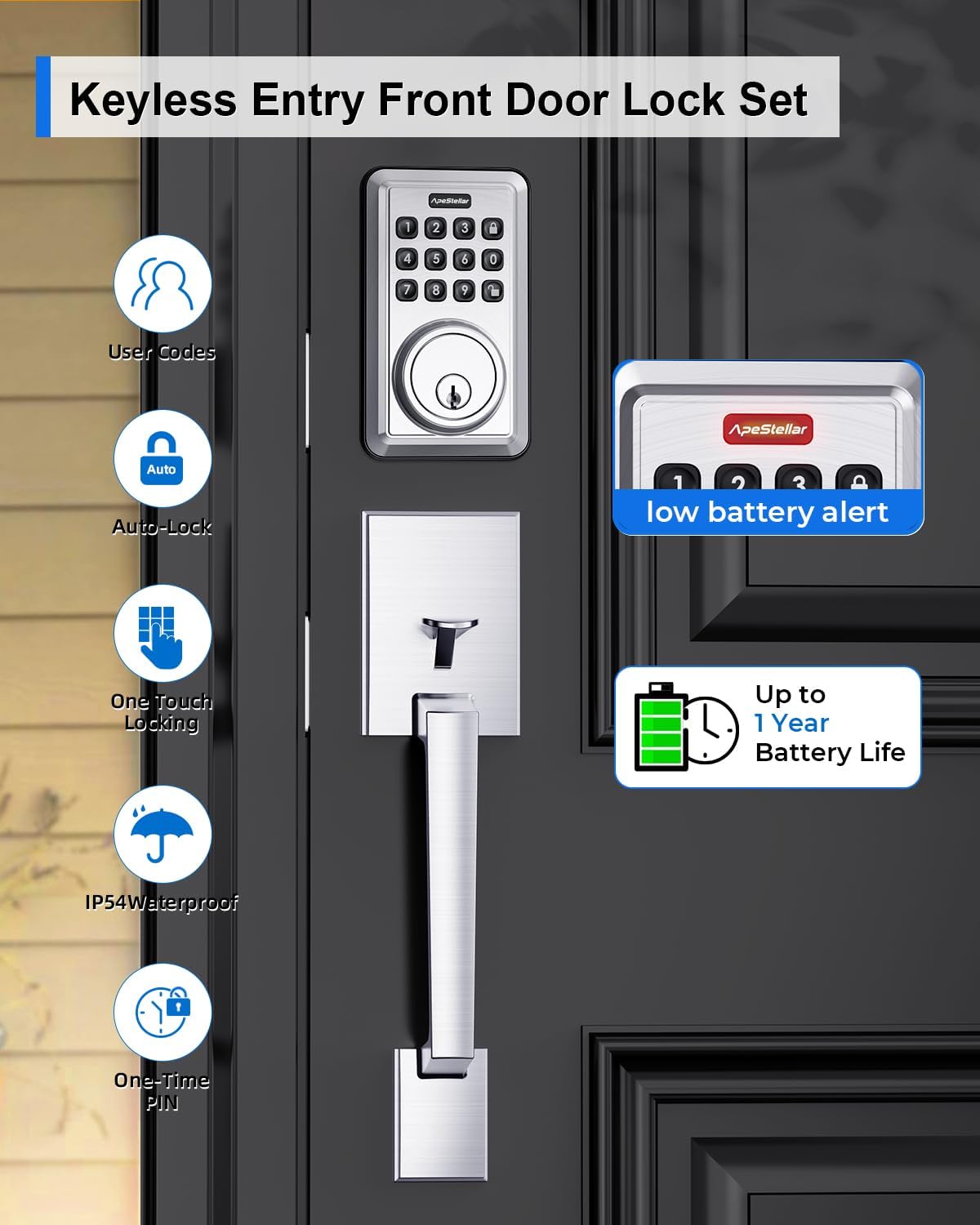
Image: Display showing a low battery alert and an icon indicating up to 1 year of battery life.

Image: The lock shown in a snowy, rainy environment, highlighting its all-weather capability and temperature resistance.
Risoluzione dei problemi
If you encounter issues with your ApeStellar door lock, refer to the following common troubleshooting tips:
- Blocco non risponde: Check battery levels. Replace batteries if low. Ensure the keypad is awake by pressing any button.
- Codice non funzionante: Verify the code is entered correctly. Ensure the lock is not in vacation mode or locked out due to too many incorrect attempts. Re-program the code if necessary.
- Deadbolt Not Extending/Retracting: Verificare la presenza di eventuali ostruzioni nel telaio della porta o nella piastra di battuta. Assicurarsi che la serratura sia correttamente allineata e installata.
- La tastiera non si illumina: This may indicate low batteries or a power issue. Replace batteries.
- Suoni insoliti: If the lock makes unusual grinding or clicking noises, check for proper alignment and ensure all components are securely fastened.
For further assistance, please contact ApeStellar customer support.
Specifiche
| Caratteristica | Specificazione |
|---|---|
| Marca | ApeStellar |
| Nome del modello | AS-DH01 |
| Tipo di blocco | Deadbolt, Combination Lock, Keypad, Pin Tumbler |
| Materiale | Zinco |
| Colore | Nichel satinato |
| Peso dell'articolo | 4.9 libbre |
| Dimensioni del prodotto | 14 x 11.7 x 3.1 pollici |
| Caratteristica speciale | Senza chiave |
| Usi consigliati | Front Door, Back Door, Side Door, Bedroom Door or Garage Door, Laundry Door, Airbnb short-term rental room, apartment |
| Tipo di controllore | Hand Control, Push Button, Mechanical dial |
| Protocollo di connettività | Non connesso |
| Sono necessarie batterie? | SÌ |
| Grado ANSI | 3 |
| Resistenza alle intemperie | Grado di protezione IP54 |
Garanzia e supporto
ApeStellar is committed to providing high-quality products and customer satisfaction. For warranty information, technical support, or any inquiries regarding your AS-DH01 Keyless Entry Door Lock Set, please refer to the contact details provided in your product packaging or visit the official ApeStellar websito.
Ti consigliamo di registrare il tuo prodotto per ricevere aggiornamenti e supporto.