
1. Introduzione
This manual provides detailed instructions for the installation, operation, and maintenance of your Septekon 2K Outdoor Security Camera P30. Please read this manual thoroughly before using the product to ensure proper setup and functionality. Keep this manual for future reference.

Image 1.1: Septekon 2K Outdoor Security Camera P30 with live view su uno smartphone.
2. Prodotto finitoview
2.1 Contenuto della confezione
- Septekon 2K Outdoor Security Camera P30
- Adattatore di alimentazione
- Viti e ancoraggi di montaggio
- Manuale d'uso
2.2 Caratteristiche principali
- 2K Ultra Clear Image: 3MP high-definition lens with 2304x1296 resolution for detailed video.
- Visione notturna avanzata: Equipped with 8 infrared LEDs, providing clear vision up to 65 feet in darkness.
- Real-Time Motion Alert & Smart Siren: Instant mobile alerts and an audible siren to deter intruders.
- Improved Dual Wi-Fi Antenna: Ensures a stable 2.4G WiFi connection over longer distances.
- Audio bidirezionale: Microfono e altoparlante integrati per la comunicazione.
- IP66 impermeabile: Progettato per l'uso esterno, resistente alla polvere e all'acqua.
- Archiviazione sicura: Supports local storage via Micro SD card (up to 128GB, not included) and optional cloud storage with AES256 encryption.
- Accesso multiutente: Condividi l'accesso alla telecamera con familiari e amici tramite l'app.
- Compatibile con Amazon Alexa: Integrate with Alexa for voice control and viewing.
3. Guida all'installazione
3.1 Installazione fisica
- Scegli una posizione: Selezionare una posizione all'aperto con una chiara view of the area you wish to monitor. Ensure the location is within range of your 2.4G WiFi network and has access to a power outlet.
- Montare la fotocamera: Use the provided mounting screws and anchors to securely attach the camera to a wall or suitable surface. Adjust the camera angle for optimal coverage.
- Connetti alimentazione: Plug the power adapter into the camera and then into a power outlet. The camera will power on.
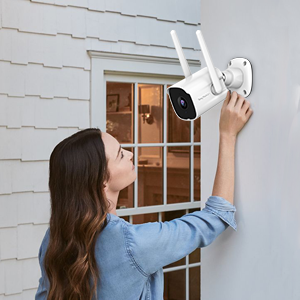
Image 3.1: Proper installation of the security camera on an exterior wall.
3.2 Download dell'app e creazione dell'account
- Scarica l'App: Cercare the "Septekon" app in your smartphone's app store (iOS or Android) and download it.
- Creare un account: Apri l'app e segui le istruzioni sullo schermo per creare un nuovo account utente.
3.3 Connessione di rete
- Aggiungi dispositivo: In the Septekon app, tap the "+" icon to add a new device. Select your camera model.
- Connettiti al Wi-Fi: Follow the app's instructions to connect the camera to your 2.4G WiFi network. Ensure your smartphone is also connected to the same 2.4G network during setup. The camera's dual antenna design enhances signal stability.
- Abbinamento: L'app ti guiderà attraverso il processo di associazione, che in genere prevede la scansione di un codice QR visualizzato sul tuo telefono con l'obiettivo della fotocamera.

Image 3.2: Illustration of two-way audio functionality and the stable WiFi connection provided by dual antennas.
4. Istruzioni per l'uso
4.1 Vivere View
Once connected, open the Septekon app and select your camera to view the live feed. You can monitor your property in real-time with 2K resolution.

Image 4.1: Demonstrates the 2K ultra-clear video quality, capable of capturing fine details like a license plate.
4.2 Audio bidirezionale
Tocca l'icona del microfono nella modalità live view to speak through the camera's speaker. This allows for direct communication with visitors or to deter unwanted individuals.
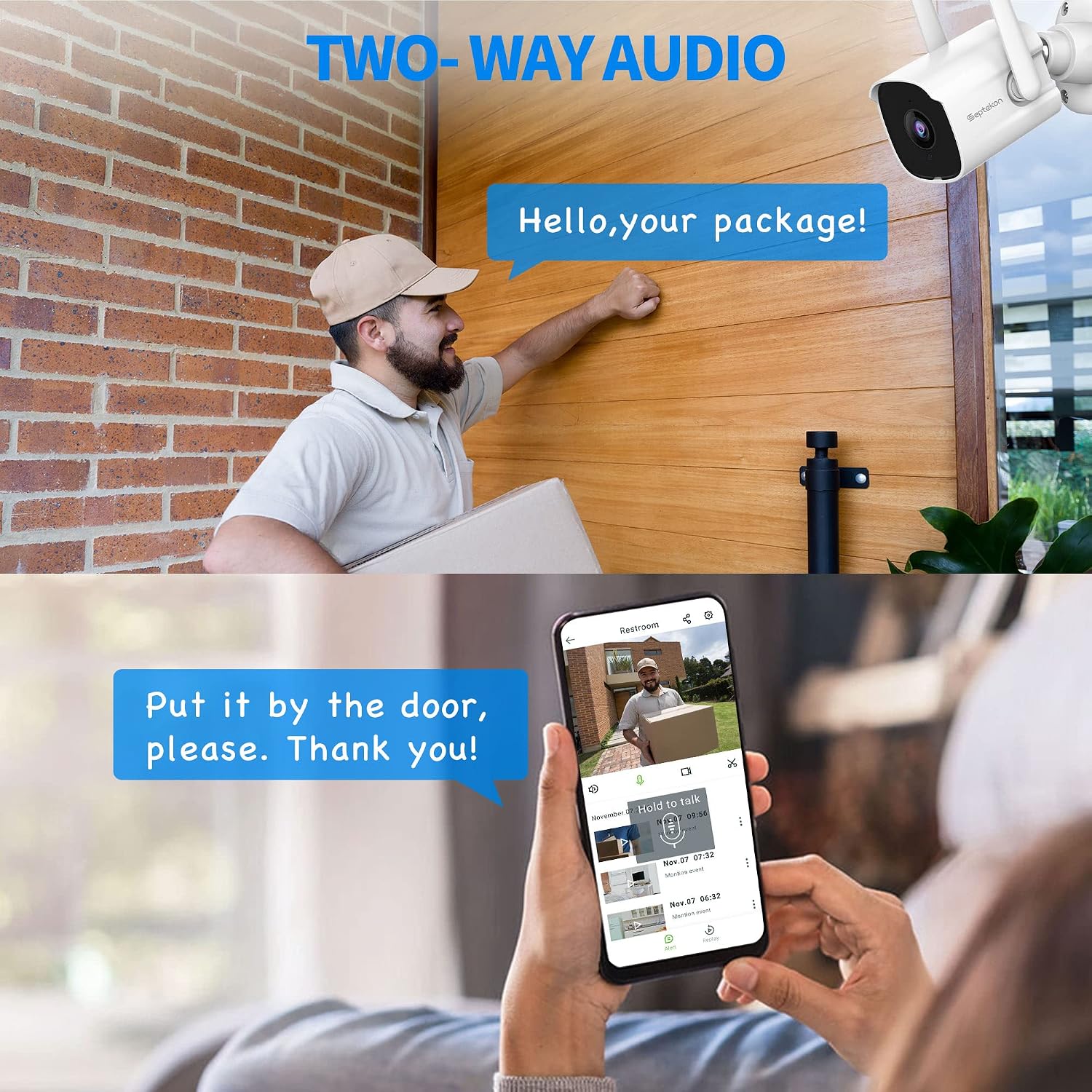
Image 4.2: Using the two-way audio feature to communicate with a delivery person at the door.
4.3 Rilevamento del movimento e avvisi
The camera automatically detects motion and sends instant alerts to your mobile phone. You can customize motion detection zones and sensitivity settings within the app. In case of suspicious activity, the smart siren can be activated remotely to scare away intruders.
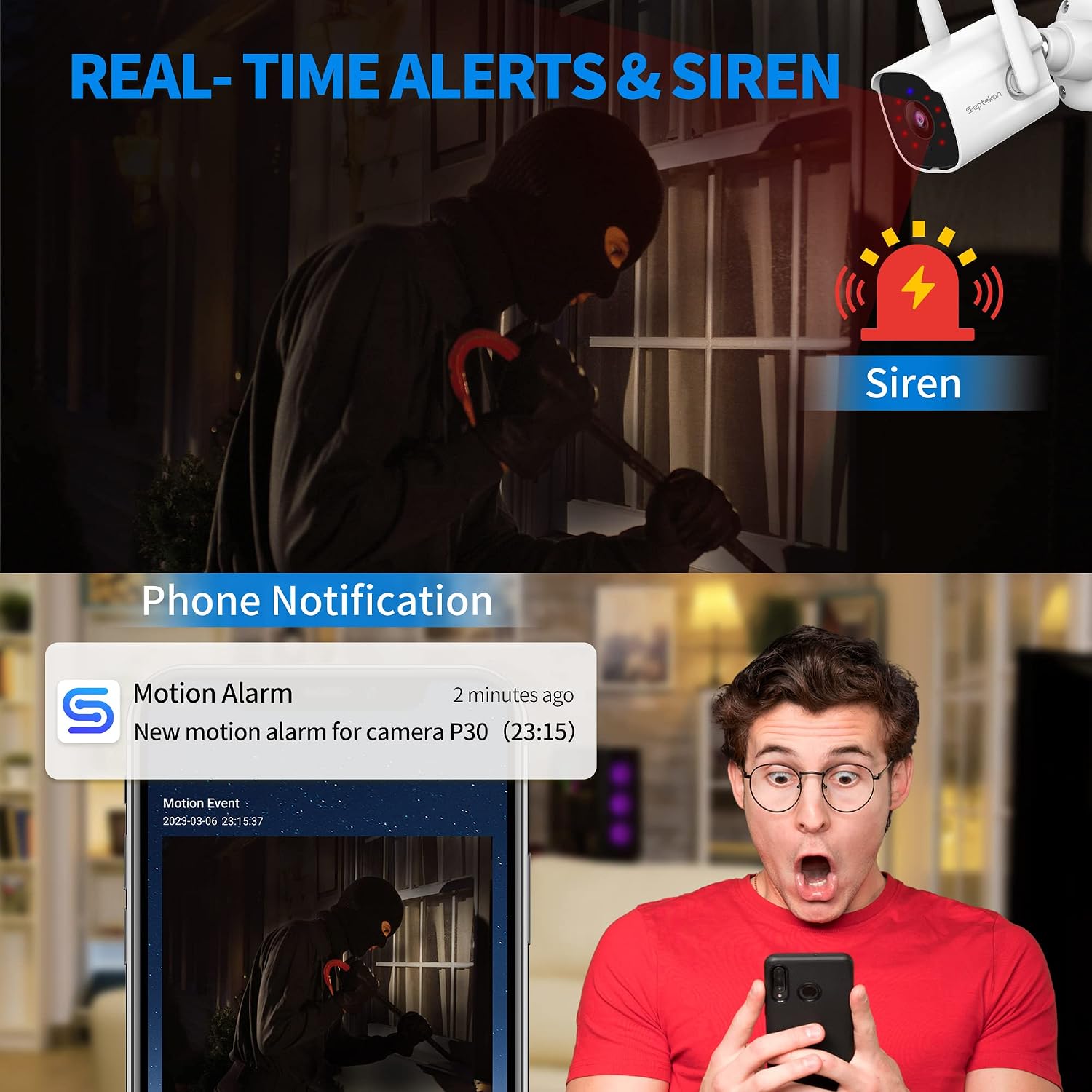
Image 4.3: A smartphone displaying a motion detection alert from the Septekon app, indicating an event and the option to activate a siren.
4.4 Visione notturna
In condizioni di scarsa illuminazione, la telecamera passa automaticamente alla visione notturna a infrarossi avanzata, garantendo video nitidi in bianco e nero fino a 65 metri di distanza.

Image 4.4: A smartphone displaying the enhanced night vision capabilities of the camera, showing a clear view nell'oscurità.
4.5 Registrazione e archiviazione
Recordings can be stored locally on a Micro SD card (not included, up to 128GB) or via optional cloud storage. All data is protected with enterprise-class AES256 encryption.

Image 4.5: The cloud storage interface on a smartphone, displaying various recorded video events.
4.6 Accesso multiutente
You can create guest accounts within the Septekon app to share live views and recorded videos with family members or trusted individuals.
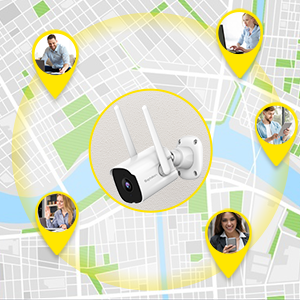
Image 4.6: Illustration of multiple users accessing the camera feed simultaneously from various locations.
4.7 Integrazione con Amazon Alexa
The camera is compatible with Amazon Alexa. Enable the Septekon skill in your Alexa app to view your camera feed on compatible Alexa-enabled devices by voice command (e.g., "Alexa, show me the backyard").
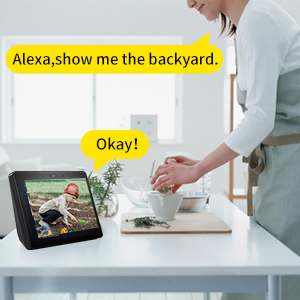
Image 4.7: A user interacting with an Alexa-enabled smart display to view il feed della telecamera.
5. Manutenzione
- Pulizia: Pulire periodicamente l'obiettivo e il corpo della fotocamera con un panno morbido e asciutto.amp panno per rimuovere polvere e sporco. Non utilizzare prodotti chimici aggressivi.
- Verifica della connessione: Regularly verify that the camera has a stable power supply and a strong Wi-Fi connection.
- Aggiornamenti del firmware: Check the Septekon app for available firmware updates to ensure optimal performance and security.
6. Risoluzione Dei Problemi
- Fotocamera non in linea: Ensure the camera is powered on and connected to a stable 2.4G WiFi network. Restart the camera and your router if necessary.
- Scarsa qualità dell'immagine: Check the lens for dirt or obstructions. Ensure adequate lighting for optimal day vision. For night vision, ensure no strong light sources are directly facing the camera.
- Avvisi di movimento non ricevuti: Verify motion detection settings in the app. Check your phone's notification settings for the Septekon app.
- Problemi con l'audio bidirezionale: Ensure your phone's microphone is enabled for the app and the camera's speaker is not obstructed.
- La scheda SD non registra: Assicurati che la scheda SD sia inserita correttamente e formattata nell'app. Controlla che la scheda non sia piena o danneggiata.
7. Specifiche
| Modello | P30 |
| Risoluzione di acquisizione video | 3 MP (2304x1296) |
| Connettività | 2.4G Wi-Fi (Wired Power) |
| Gamma di visione notturna | Fino a 65 piedi |
| Resistenza alle intemperie | IP66 impermeabile |
| Opzioni di archiviazione | Scheda Micro SD (fino a 128 GB), archiviazione cloud |
| Audio | Audio bidirezionale |
| Rilevamento del movimento | Yes, with Smart Siren |
| Dispositivi compatibili | Smartphone (iOS/Android), Amazon Alexa |
| Fonte di alimentazione | Elettrico con cavo (6 watt) |
| Tipo di montaggio | Montaggio a parete |
| Viewangolo di ing | 105 gradi |
| Peso dell'articolo | 10.8 once |
8. Garanzia e supporto
For warranty information, technical support, or any inquiries regarding your Septekon 2K Outdoor Security Camera P30, please refer to the contact information provided on the Septekon official website or within the Septekon app. Please retain your proof of purchase for warranty claims.