
1. Introduzione
Thank you for choosing the CHIQ L40G7V 40-inch Google TV. This manual provides essential information for setting up, operating, maintaining, and troubleshooting your new television. Please read it thoroughly before use and retain it for future reference.
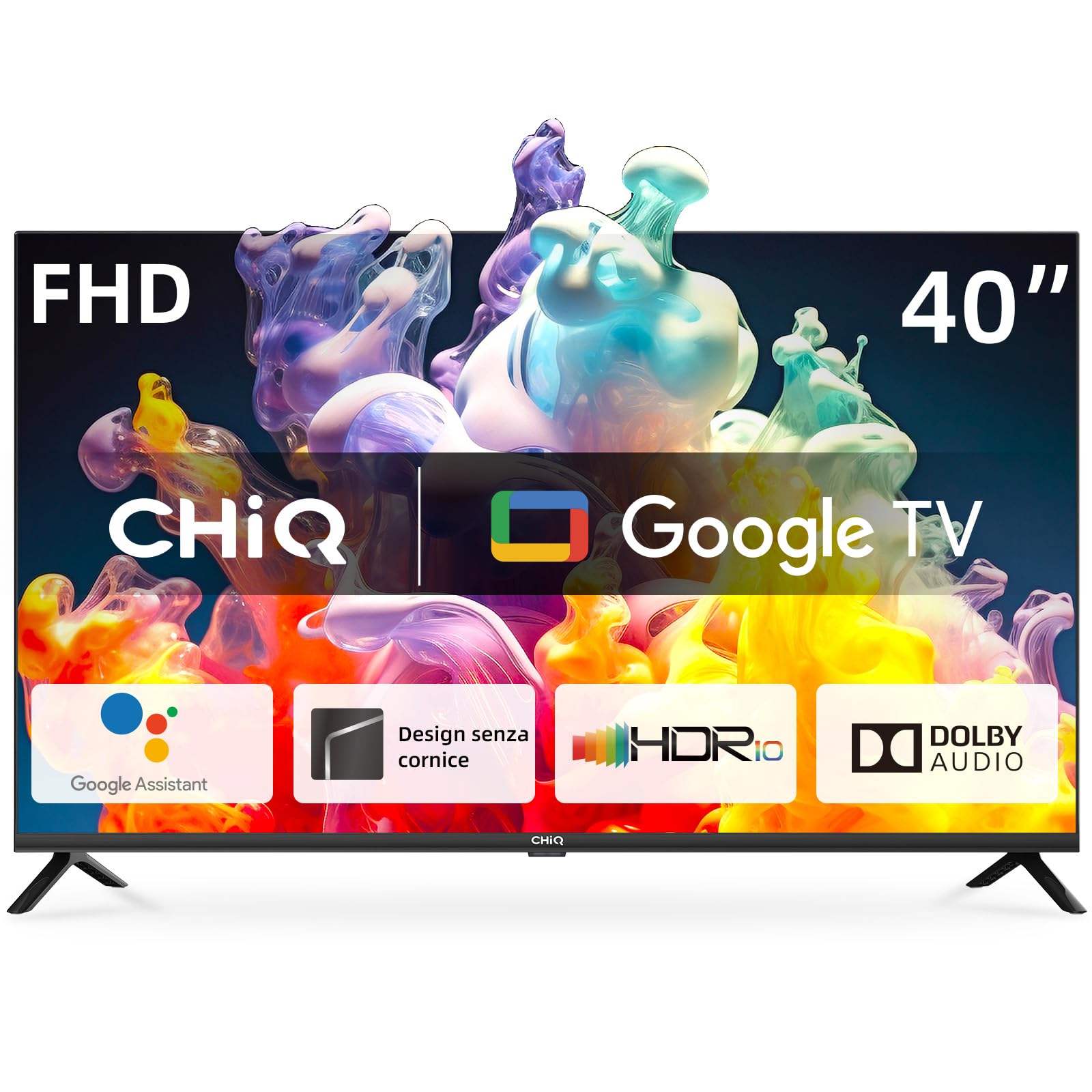
Image 1.1: The CHIQ L40G7V 40-inch Google TV.
2. Informazioni sulla sicurezza
Always follow basic safety precautions when using this television to reduce the risk of fire, electric shock, and injury. Keep this manual near the TV for quick reference.
- Non esporre il televisore alla pioggia o all'umidità.
- Non aprire la TV casing; affidare ogni intervento di manutenzione a personale qualificato.
- Garantire un'adeguata ventilazione intorno al televisore.
- Utilizzare solo il cavo di alimentazione fornito con il televisore.
- Tenere il televisore lontano dalla luce solare diretta e da fonti di calore.
- Pulire il televisore esclusivamente con un panno morbido e asciutto.
3. Contenuto della confezione
Verificare che tutti gli articoli siano presenti nel pacco:
- CHIQ L40G7V 40-inch Google TV
- Controllo remoto Bluetooth
- Batterie AAA (2x)
- Supporto TV (2 pezzi)
- Viti per il montaggio del supporto
- Cavo di alimentazione
- Manuale dell'utente (questo documento)
- Scheda di garanzia

Immagine 3.1: Passoview of the CHIQ L40G7V TV and its remote control, with key specifications.
4. Configurazione fisica
4.1 Montaggio del supporto
Carefully place the TV face down on a soft, flat surface to prevent screen damage. Attach the two stand pieces to the bottom of the TV using the provided screws. Ensure they are securely fastened.

Image 4.1: Detail of the TV stand securely attached to the television base.
4.2 Montaggio a parete (opzionale)
If you choose to wall mount your TV, ensure you use a VESA compatible mount (200x200 mm) and follow the instructions provided with your wall mount kit. Remove the stand before mounting.
4.3 Collegamento di dispositivi esterni
Il televisore è dotato di diverse porte per il collegamento di dispositivi esterni:
- Porte HDMI (x2): For connecting Blu-ray players, game consoles, set-top boxes, etc. One port supports HDMI ARC.
- Porta USB 2.0 (x1): Per collegare dispositivi di archiviazione USB per riprodurre contenuti multimediali.
- Antenna Inputs (x2): For connecting terrestrial (DVB-T2) or satellite (DVB-S2) antennas.
- Porta LAN (x1): Per una connessione Internet cablata.
- Slot CI+ (x1): Per i moduli di accesso condizionale (CAM) per decrittare i canali della TV a pagamento.
- Ingresso AV (x1): Per dispositivi più vecchi che utilizzano video composito e audio stereo.
- Digital Audio Output (x1): Per il collegamento a sistemi audio esterni.

Immagine 4.2: posteriore view del televisore, evidenziando le varie porte di ingresso e di uscita.
4.4 Collegamento di alimentazione
Connect the power cable to the TV and then to a suitable wall outlet. The TV operates on 220 VAC 50 Hz.
5. Configurazione iniziale
5.1 Prima accensione
After connecting the power, press the power button on the remote control or the TV. The TV will guide you through the initial setup process.
5.2 Configurazione di Google TV
Follow the on-screen instructions to set up Google TV. This includes:
- Selezione della lingua e della regione.
- Connecting to a network (Wi-Fi or LAN). The TV supports 5G WLAN.
- Signing in with your Google account to access Google Play Store, Google Assistant, and personalized recommendations.
- Scanning for available TV channels (DVB-T2/S2/C).
5.3 Accoppiamento telecomando
The included remote control uses Bluetooth. During initial setup, you will be prompted to pair it with the TV. Follow the on-screen instructions, typically involving holding down specific buttons on the remote.
6. Istruzioni per l'uso
6.1 Interfaccia di Google TV
Google TV organizes your entertainment from various apps and subscriptions into a single, personalized interface. You can browse movies, shows, and live TV, or discover new content based on your viewabitudini.
6.2 Accesso alle applicazioni
Access popular streaming services like YouTube, Netflix, Disney+, and Amazon Prime Video directly from the Google TV home screen. More applications can be downloaded from the Google Play Store.

Image 6.1: The Google TV home screen displaying a selection of available streaming applications.
6.3 Controllo vocale con Google Assistant
Premi il pulsante Google Assistant sul tuo telecomando e parla nel microfono per cercare contenuti, controllare i dispositivi della smart home, ottenere risposte e altro ancora.
6.4 Chromecast integrato
Use Chromecast Built-in to cast movies, shows, photos, and more from your phone, tablet, or laptop directly to your TV screen.
6.5 Impostazioni immagine e audio
Navigate to the settings menu to adjust picture and sound preferences. The TV supports Dolby Audio and offers four sound modes: News, Movie, Night, and Music.
7. Manutenzione
7.1 Pulizia del televisore
Always unplug the TV before cleaning. Use a soft, dry cloth to wipe the screen and exterior surfaces. Do not use liquid cleaners or aerosol sprays directly on the TV.
7.2 Aggiornamenti software
The TV may receive automatic software updates via the internet. Ensure your TV is connected to the internet to receive the latest features and security patches.
8. Risoluzione Dei Problemi
Se riscontri problemi con il tuo televisore, fai riferimento ai seguenti problemi comuni e alle relative soluzioni:
| Problema | Possibile soluzione |
|---|---|
| Nessun potere | Check if the power cable is securely connected to both the TV and the wall outlet. Ensure the outlet has power. Try a different outlet. |
| Nessuna immagine, ma l'audio è presente | Controlla la sorgente di ingresso. Assicurati che i dispositivi esterni siano accesi e collegati correttamente. Prova a riavviare il televisore. |
| Nessun suono, ma l'immagine è presente | Check the volume level and mute status. Ensure external audio systems are connected correctly and powered on. Check audio output settings. |
| Il telecomando non funziona | Sostituisci le batterie. Assicurati che non ci siano ostacoli tra il telecomando e il televisore. Se necessario, riassocia il telecomando Bluetooth. |
| Problemi di connessione di rete | Check your router and modem. Restart them if needed. Ensure Wi-Fi password is correct. For wired connections, check the LAN cable. |
9. Specifiche
Detailed technical specifications for the CHIQ L40G7V TV:
| Caratteristica | Specificazione |
|---|---|
| Nome del modello | L40G7V |
| Dimensioni dello schermo | 40 pollici |
| Tecnologia di visualizzazione | GUIDATO |
| Risoluzione | 1080p (1920 x 1080 pixel) |
| Frequenza di aggiornamento | Frequenza 60 Hz |
| Sistema operativo | TV di Google |
| Caratteristiche speciali | Google Assistant, Play Store, Netflix, YouTube, Amazon Prime Video, Dolby Audio, Chromecast Built-in, Bluetooth 5.0, Frameless Design, AI Pont, HbbTV2.0, Google Smart Home, LAN, Wi-Fi (5G WLAN) |
| Modalità di uscita audio | Dolby Audio (2 x 8W speakers) |
| Connettività | 2x HDMI 1.4 (1x ARC), 1x USB 2.0, 1x AV, 1x Digital Audio Out, 2x ANT, 1x LAN, CI+ Slot, Bluetooth 5.0, Wi-Fi |
| Dimensioni (con supporto) | 89.8 x 18.0 x 56.0 cm (L x P x A) |
| Dimensioni (senza supporto) | 89.8 x 8.7 x 51.5 cm (L x P x A) |
| Peso dell'articolo | 5.8 kg |
| Norma VESA | 200x200 millimetri |
| Classe di efficienza energetica | F |
| Consumo energetico | 39 kWh/1000h (SDR) |

Image 9.1: EU Energy Label for the CHIQ L40G7V TV. For more details, visit the official EPREL database: https://eprel.ec.europa.eu/qr/1519620

Image 9.2: Detailed dimensions of the CHIQ L40G7V television, including width, height, and depth with the stand.
10. Garanzia e supporto
10.1 Garanzia del prodotto
The CHIQ L40G7V television comes with a Garanzia limitata di 2 annoPer i termini e le condizioni specifici, fare riferimento alla scheda di garanzia inclusa.
10.2 Assistenza clienti
For technical assistance, troubleshooting beyond this manual, or warranty claims, please contact CHIQ customer support. Contact details can typically be found on the CHIQ official websul sito o sulla scheda di garanzia.