
EBTOOLS EBTOOLSpxvk7fmb38
EBTOOLS LGA 1155 Motherboard User Manual
Model: EBTOOLSpxvk7fmb38
Prodotto finitoview
The EBTOOLS LGA 1155 Motherboard is designed for desktop PC systems, offering robust performance and extensive connectivity. It features a multiphase power chipset for stable CPU performance and supports 2nd/3rd generation LGA1155 Pin Series Processors. This Mini ITX motherboard provides a high-definition visual experience through its VGA and HD Multimedia Interface outputs.
Le caratteristiche principali includono:
- Slot CPU LGA 1155: Designed for stable performance with compatible processors.
- Multiphase Power: Ensures stable and accurate power delivery to the CPU.
- HD Interfaces: Equipped with VGA and HD Multimedia Interface for digital HD video output.
- Channel DDR3: Features a DDR3 memory slot to enhance motherboard performance.
- Ampia connettività: Includes 6 USB2.0 interfaces and 4 SATA2.0 interfaces for various peripherals and storage devices.
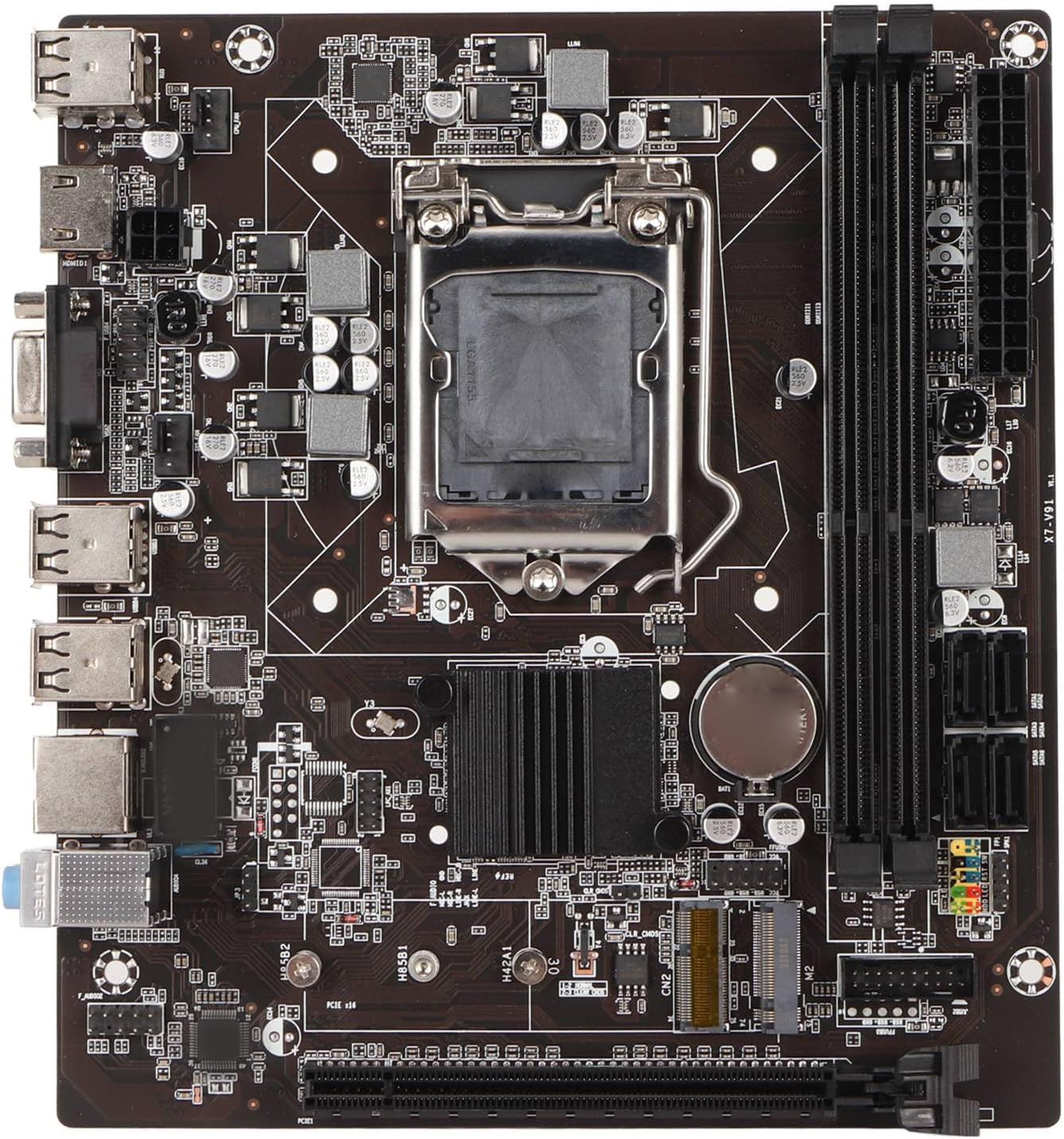
Figura 1: Dall'alto verso il basso view of the EBTOOLS LGA 1155 Motherboard, showing the CPU socket, RAM slots, and various ports.
Configurazione e installazione
This section provides instructions for installing your EBTOOLS LGA 1155 Motherboard into a compatible PC case and connecting essential components.
Contenuto della confezione
Prima di iniziare l'installazione, assicurati che tutti i componenti elencati di seguito siano presenti nella confezione:
- 1 x LGA 1155 Motherboard
- 1 x Metal I/O Plate
- 1 x Connecting Wire (likely SATA data cable)

Figure 2: The motherboard alongside its included metal I/O plate and a connecting wire, typically a SATA data cable.
Fasi di installazione
- Preparare il caso: Ensure your PC case is compatible with Mini ITX motherboards. Install the metal I/O plate into the designated slot at the rear of the case.
- Installare la CPU: Carefully open the CPU socket retention arm. Align the triangular marker on your LGA 1155 processor with the corresponding marker on the motherboard's socket. Gently place the CPU into the socket, ensuring it sits flush. Close the retention arm to secure the CPU.
- Installare il dissipatore della CPU: Apply thermal paste to the CPU (if not pre-applied on the cooler). Mount your compatible LGA 1155 CPU cooler according to its manufacturer's instructions.
- Installa RAM: Open the clips on the DDR3 memory slots. Align the notch on your DDR3 RAM module with the key in the slot. Press firmly on both ends of the RAM module until the clips snap into place. This motherboard supports 2 x DDR3 slots.
- Montare la scheda madre: Carefully place the motherboard into the PC case, aligning the screw holes on the motherboard with the standoffs in the case. Secure the motherboard with screws.
- Connetti alimentazione: Connect the 24-pin ATX power connector from your power supply to the motherboard. Connect the 4-pin or 8-pin CPU power connector (if applicable) to the motherboard.
- Collegare i dispositivi di archiviazione: Use the provided connecting wire (SATA cable) to connect your SATA storage devices (HDD/SSD) to the SATA2.0 ports on the motherboard. This motherboard has 4 SATA2.0 interfaces.
- Collegare i cavi del pannello frontale: Connect the power button, reset button, USB ports, and audio jacks from your PC case's front panel to the corresponding headers on the motherboard. Refer to your case manual for specific pin layouts.
- Installare le schede di espansione: If using a dedicated graphics card or other expansion cards, insert them into the PCIE X16 slot or other extended interfaces (1 x , 1 x M.2) as needed.
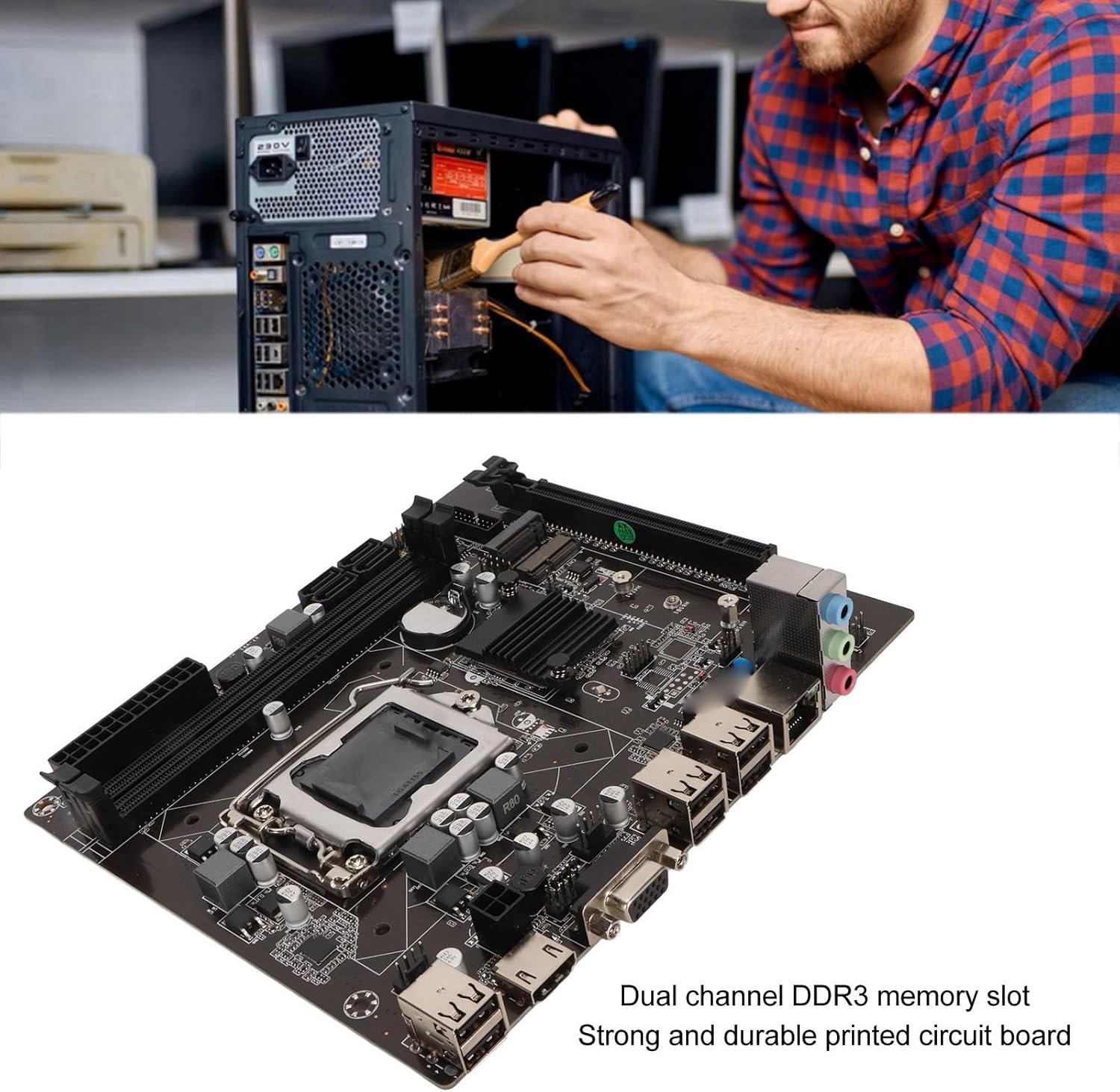
Figure 3: A user performing an installation within a PC case, demonstrating the typical environment for motherboard setup.

Figura 4: dettagliata view of the LGA 1155 CPU socket and adjacent DDR3 memory slots, crucial areas for component installation.
Linee guida operative
Once the motherboard and other components are installed, the system is ready for operation. This motherboard supports various operating systems compatible with 2nd/3rd Gen LGA1155 processors.
Configurazione BIOS/UEFI
Upon first boot, you may need to enter the BIOS/UEFI setup to configure boot order, system time, and other settings. Typically, you can access the BIOS by pressing DEL or F2 during the initial boot screen.
Installazione del driver
After installing your operating system, it is essential to install the necessary drivers for the motherboard's components, including chipset, network card, and integrated graphics (if used). These drivers are usually provided on a CD/DVD with the motherboard or can be downloaded from the manufacturer's websito.
Connettività
Utilize the available ports for your peripherals:
- Porte USB: 2.0 For connecting keyboards, mice, external drives, and other USB devices.
- VGA/HD Multimedia Interface: Per collegare i display.
- Porta Ethernet: For wired network connectivity (100M Netword Card).
- Jack audio: Per altoparlanti, cuffie e microfoni.
Manutenzione
Una corretta manutenzione può prolungare la durata della scheda madre e garantire prestazioni stabili del sistema.
- Mantienilo pulito: Regularly clean dust from inside your PC case, especially from the motherboard and CPU cooler fins, using compressed air. Dust accumulation can lead to overheating.
- Garantire un flusso d'aria adeguato: Make sure your PC case has adequate ventilation and that fans are functioning correctly to prevent heat buildup.
- Aggiornamenti del BIOS: Controllare periodicamente le istruzioni del produttore webSito per gli aggiornamenti BIOS/UEFI. Gli aggiornamenti possono migliorare compatibilità, stabilità e prestazioni. Seguire attentamente le istruzioni di aggiornamento.
- Aggiornamenti driver: Mantieni aggiornati i driver del tuo sistema per garantire prestazioni ottimali e compatibilità con nuovi software e hardware.
- Batteria CMOS: The motherboard uses a CR2032 battery for CMOS settings. If your system consistently loses time or BIOS settings, the battery may need replacement.
Risoluzione dei problemi
Questa sezione affronta i problemi più comuni che potresti riscontrare con la tua scheda madre.
- Nessuna alimentazione/Nessun avvio:
- Controllare tutti i collegamenti di alimentazione (ATX a 24 pin, alimentazione CPU).
- Assicurarsi che l'alimentazione sia funzionante e accesa.
- Verificare la connessione del pulsante di accensione del pannello frontale alla scheda madre.
- Nessuna visualizzazione:
- Ensure the monitor is connected to the correct video output (VGA or HD Multimedia Interface).
- Reseat RAM modules. Try booting with one RAM stick if you have multiple.
- Reseat the CPU and check for bent pins (handle with extreme care).
- Se si utilizza una scheda grafica dedicata, assicurarsi che sia inserita correttamente e che sia alimentata.
- Instabilità/arresti anomali del sistema:
- Controllare le temperature di CPU e GPU. Assicurarsi che il raffreddamento sia adeguato.
- Eseguire strumenti di diagnostica della memoria per verificare la presenza di RAM difettosa.
- Assicurarsi che tutti i driver siano installati correttamente e aggiornati.
- Check for loose connections or components.
- Dispositivi USB non riconosciuti:
- Ensure USB drivers are installed.
- Prova diverse porte USB.
- Check BIOS settings for USB controller enablement.
Specifiche
Detailed technical specifications for the EBTOOLS LGA 1155 Motherboard:
| Caratteristica | Specificazione |
|---|---|
| Tipo di articolo | Scheda madre LGA 1155 |
| Materiale | Printed Circuit Board, Metal |
| Batteria integrata | CR2032 x 1 (240mAh) |
| Supporto CPU | 2nd/3rd Gen LGA1155 Pin Series Processors (for Celeron, for , for Core) |
| Chipset | H61 Chipset Series |
| Slot di memoria | 2 x DDR3 |
| Capacità massima di memoria | 16 GB |
| Interfaccia USB | 6 x USB2.0, USB Pin x 1 |
| Interfaccia SATA | 4 x SATA2.0 |
| Scheda di rete | 100M Network Card |
| Slot per scheda grafica | 1 x PCIE X16 |
| Interfaccia estesa | 1 x , 1 x M.2 |
| Dimensioni del pacco | 10.2 x 7.83 x 2.05 pollici |
| Peso dell'articolo | 1.16 libbre |
| Numero di modello | EBTOOLSpxvk7fmb38 |
| ASIN | B0CKVL89BD |

Figura 5: Una prospettiva angolata della scheda madre, mostrataasing its compact Mini ITX form factor and port layout.
Garanzia e supporto
For warranty information and technical support, please refer to the official EBTOOLS websito o contattare il servizio clienti. Conservare la ricevuta d'acquisto come prova d'acquisto.
While specific warranty details are not provided in this manual, general product warranties typically cover manufacturing defects for a limited period from the date of purchase.
Per una protezione aggiuntiva, prendi in considerazione i piani di protezione disponibili:
- Piano di protezione biennale
- Piano di protezione biennale
- Complete Protect (piano mensile)
These plans are offered separately and provide extended coverage beyond the standard manufacturer's warranty.
Produttore: EBTOOL
Data prima disponibilità: 11 ottobre 2023
Video ufficiali dei prodotti
Al momento non sono disponibili video ufficiali del venditore per questo prodotto.
Ask a question about this manual
Ask about setup, troubleshooting, compatibility, parts, safety, or missing instructions. Manuals+ will review the question and use this page’s manual context to help answer it.