
Introduzione
This manual provides essential information for the safe and efficient operation of your CHIQ U55QH7C 55-inch 4K QLED Smart TV. Please read it thoroughly before using the product and retain it for future reference.
The CHIQ U55QH7C is a 55-inch 4K QLED Smart TV featuring Dolby Vision HDR10, a frameless design, and Android TV OS with integrated Google Play, Netflix, and Prime Video. It supports Bluetooth 5.0, HDMI 2.0, and USB 2.0 connectivity, and is compatible with Alexa.

Immagine: Un overview of the CHIQ U55QH7C TV's key features, including QLED, 4K HDR, Dolby Vision, Android TV OS, 1.07 billion colors, Google Assistant, 2GB RAM + 16GB ROM, frameless design, dbx-tv, and Dolby Audio.
Informazioni sulla sicurezza
Please read and follow these safety precautions to prevent damage to your TV and ensure your safety:
- Fonte di energia: Only use the power cord and adapter supplied with the TV. Ensure the voltage corrisponde all'alimentazione elettrica locale.
- Ventilazione: Non ostruire le aperture di ventilazione. Lasciare spazio sufficiente attorno al televisore per un corretto flusso d'aria.
- Acqua e umidità: Non esporre il televisore a pioggia o umidità e non posizionare oggetti contenenti liquidi sopra o vicino al televisore.
- Fonti di calore: Tenere il televisore lontano da fonti di calore quali termosifoni, bocchette di ventilazione, stufe o altri apparecchi che producono calore.
- Pulizia: Unplug the TV before cleaning. Use a soft, dry cloth. Never use harsh chemicals or abrasive cleaners.
- Montaggio: If wall-mounting, ensure the wall mount is compatible with the TV's VESA standards and installed by qualified personnel.
- Bambini: Non permettere ai bambini di arrampicarsi sul televisore o sul supporto.
- Fulmine: Scollegare il televisore durante i temporali o quando non viene utilizzato per lunghi periodi.
Cosa c'è nella scatola
Dopo aver disimballato, assicurarsi che siano presenti tutti i seguenti componenti:
- CHIQ U55QH7C 55-inch 4K QLED Smart TV
- Supporto della televisione
- Controllo remoto Bluetooth
- 2 batterie AAA (per il telecomando)
- Caricatore di potere
- Manuale d'uso

Image: The CHIQ U55QH7C TV with its included Bluetooth remote control.
Istruzioni di installazione
1. Disimballaggio e posizionamento
Carefully remove the TV from its packaging. Place the TV on a stable, flat surface or mount it on a wall using a compatible VESA mount.

Image: Diagram showing the dimensions of the CHIQ U55QH7C TV with and without the stand. Dimensions with stand: 1230.9 x 275 x 768.4 mm (W x D x H). Dimensions without stand: 1230.9 x 88.6 x 713.4 mm (W x D x H).
- Dimensions with Stand (W x D x H): Dimensioni: 1230.9 x 275 x 768.4 mm
- Dimensions without Stand (W x D x H): Dimensioni: 1230.9 x 88.6 x 713.4 mm
- Compatibilità montaggio VESA: VESA MIS-F 200 x 200 mm, 200 x 100 mm
2. Collegamento di periferiche
Il televisore offre diverse possibilità di connettività per dispositivi esterni.

Immagine: Posteriore view of the CHIQ U55QH7C TV, illustrating the location of various input and output ports.
- Porte HDMI: 3 (HDMI 2.0) for connecting Blu-ray players, game consoles, etc.
- Porte USB: 1 (USB 2.0) for connecting USB drives.
- Bluetooth: Version 5.0 for wireless audio devices or the remote control.
- Altri porti: Includes composite video input (1), component input (2), and audio output ports (2).
3. Collegamento elettrico
Connect the power charger to the TV and then plug it into a suitable power outlet (AC100-240V/50-60HZ).
4. Impostazione del telecomando
Insert the two AAA batteries into the Bluetooth remote control. Follow the on-screen instructions to pair the remote with your TV during initial setup.
Istruzioni per l'uso
1. Accensione iniziale e configurazione di Android TV
Press the power button on the remote control. The TV will guide you through the initial Android TV setup process, including network connection, Google account login, and channel scanning.

Image: The Android TV home screen of the CHIQ U55QH7C, displaying various apps and content recommendations.
2. Navigazione su Android TV
Use the Bluetooth remote control to navigate the Android TV interface. Access your favorite streaming applications like Netflix, Prime Video, and Google Play directly from the home screen.

Image: The CHIQ U55QH7C TV displaying a grid of popular streaming applications available on Android TV.
3. Funzionalità intelligenti
- Assistente Google: Use the voice control feature on your remote to search for content, launch apps, or get information.
- Chromecast integrato: Trasmetti film, programmi, foto e altro ancora dal tuo telefono o tablet direttamente sulla tua TV.
- Compatibilità con Alexa: Integra la tua TV con i dispositivi abilitati Alexa per il controllo vocale.

Image: The CHIQ U55QH7C TV screen showing the Google Assistant interface, ready for voice commands.

Image: The CHIQ U55QH7C TV displaying content cast from a mobile device, illustrating the Chromecast built-in feature.
4. Impostazioni immagine e audio
Access the TV settings menu to adjust picture modes, brightness, contrast, and sound profiles. The TV features QLED technology, 4K resolution, Dolby Vision HDR10, and Dolby Audio for an enhanced viewesperienza di ing e di ascolto.
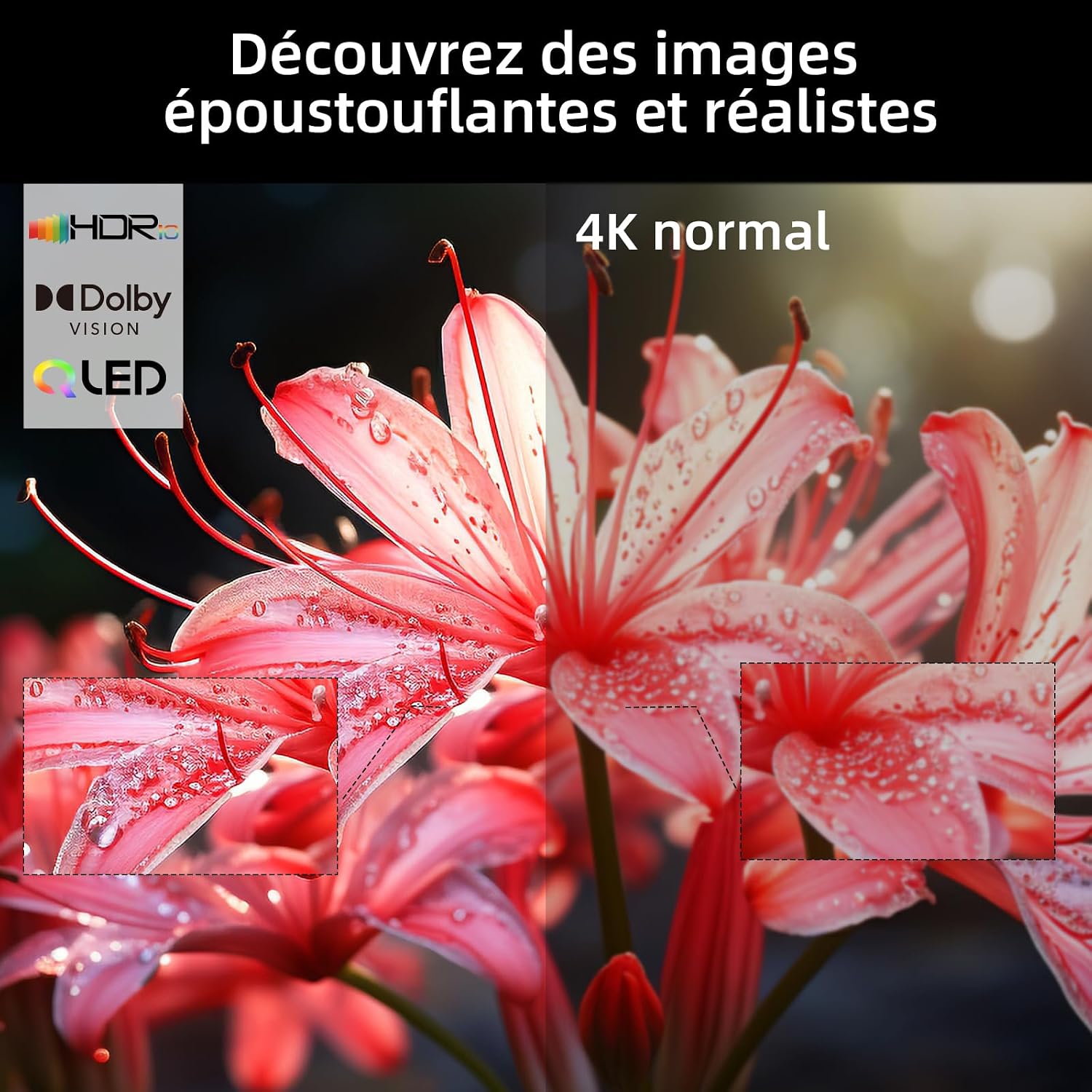
Image: A visual comparison on the CHIQ U55QH7C TV demonstrating the enhanced detail and color of HDR and 4K content versus standard 4K.

Immagine: un primo piano view of the CHIQ U55QH7C TV highlighting its frameless design for a more immersive visual experience.
Manutenzione
To ensure the longevity and optimal performance of your CHIQ U55QH7C TV, follow these maintenance guidelines:
- Pulizia dello schermo: Pulire delicatamente lo schermo con un panno morbido, asciutto e privo di lanugine. Per macchie ostinate, strofinare leggermenteampInumidire il panno con acqua o con un detergente specifico per schermi (non spruzzare direttamente sullo schermo).
- Pulizia del corpo: Utilizzare un panno morbido e asciutto per pulire la cornice e il supporto del televisore. Evitare detergenti abrasivi o solventi.
- Ventilazione: Assicurarsi che le aperture di ventilazione sul retro del televisore non siano ostruite per evitare il surriscaldamento.
- Cavo di alimentazione: Controllare regolarmente il cavo di alimentazione per verificare la presenza di eventuali danni. In caso di danni, contattare l'assistenza clienti per la sostituzione.
Risoluzione dei problemi
Se riscontri problemi con la tua TV, fai riferimento ai seguenti passaggi comuni per la risoluzione dei problemi:
- Nessun potere:
- Controllare che il cavo di alimentazione sia collegato saldamente sia al televisore sia alla presa a muro.
- Assicurati che la presa di corrente sia funzionante testandola con un altro dispositivo.
- Premere il pulsante di accensione sul televisore stesso, non solo sul telecomando.
- Nessuna immagine/suono:
- Verificare che sia selezionata la sorgente di ingresso corretta (ad esempio, HDMI 1, AV).
- Verificare che tutti i collegamenti dei cavi (HDMI, antenna, ecc.) siano saldi.
- Assicurarsi che il volume non sia disattivato o impostato su zero.
- Il telecomando non funziona:
- Sostituire le batterie AAA nel telecomando.
- Assicurarsi che non vi siano ostacoli tra il telecomando e la TV.
- Re-pair the Bluetooth remote control if necessary (refer to initial setup).
- Scarsa qualità dell'immagine:
- Controllare il collegamento dell'antenna o del cavo.
- Regolare le impostazioni dell'immagine (luminosità, contrasto, nitidezza) nel menu TV.
- Se si utilizza un dispositivo esterno, verificare le impostazioni di risoluzione dell'output.
- Problemi di connettività Internet:
- Riavvia il router Wi-Fi.
- Controllare le impostazioni di rete del televisore per assicurarsi che sia connesso alla rete corretta.
- Try connecting via an Ethernet cable if Wi-Fi issues persist.
For further assistance, please contact CHIQ customer support.
Specifiche
| Caratteristica | Dettaglio |
|---|---|
| Nome del modello | U55QH7C |
| Marca | CHIC |
| Dimensioni dello schermo | 55 pollici |
| Tecnologia di visualizzazione | QLED |
| Risoluzione | Risoluzione 4K (3840 x 2160) |
| Frequenza di aggiornamento | Frequenza 120 Hz |
| Supporto formato HDR | Dolby Vision, HDR10 |
| Sistema operativo | TV Androide |
| Tecnologia di connettività | Bluetooth 5.0, HDMI 2.0 (3 ports), USB 2.0 (1 port) |
| Compatibilità con la casa intelligente | Works with Alexa, Google Smart Home, Chromecast Built-in |
| Formato audio | Dolby Audio (2.0 channels, 18W output) |
| Consumo energetico | 84 Watt |
| Classe di efficienza energetica | G |
| Montaggio VESA | 200 x 200 mm, 200 x 100 mm |
| Componenti inclusi | TV, TV Stand, Bluetooth Remote, Batteries (2x AAA), Charger, User Manual |

Image: The energy efficiency label for the CHIQ U55QH7C TV, indicating an energy class G and 84 kWh/1000h consumption.
For detailed product information, refer to the EU EPREL database: https://eprel.ec.europa.eu/qr/1743257
Garanzia e supporto
CHIQ provides a comprehensive warranty and support for your television:
- Garanzia del prodotto: 24 months after-sales service.
- Supporto prodotto minimo garantito: 7 anni.
- Minimum General Warranty Offered by Supplier: 2 anni.
- Disponibilità di pezzi di ricambio: Minimum 7 years from the end of market placement.
For technical support, warranty claims, or service inquiries, please refer to the contact information provided in your warranty card or visit the official CHIQ websito.