
1. Introduzione
This manual provides detailed instructions for the Varmilo VA Series V2 Aurora Bluetooth White LED Mechanical Keyboard. It covers setup, operation, maintenance, and troubleshooting to ensure optimal performance and user experience. The VA Series V2 features an upgraded design with a standard USB-C cable, a double-section kickstand for enhanced adjustability, North-facing LEDs, and sound-proof silicone pads for a quieter typing experience. Indicator lights are positioned on the top right to minimize distractions.
2. Contenuto della confezione
Si prega di controllare il contenuto della confezione al momento del disimballaggio. Se qualche articolo risulta mancante o danneggiato, contattare l'assistenza clienti.
- Varmilo VA Series V2 Aurora Mechanical Keyboard
- Cavo USB-C
- Manuale dell'utente (questo documento)
3. Impostazione
3.1 Configurazione fisica
- Disimballare la tastiera: Estrarre con cautela la tastiera e tutti gli accessori dalla confezione.
- Regolare i cavalletti: La tastiera è dotata di due tastitage height adjustable feet. Flip out the desired kickstands on the underside of the keyboard to achieve your preferred typing angle.

Image: The underside of the keyboard, highlighting the two-stage adjustable kickstand for ergonomic positioning.
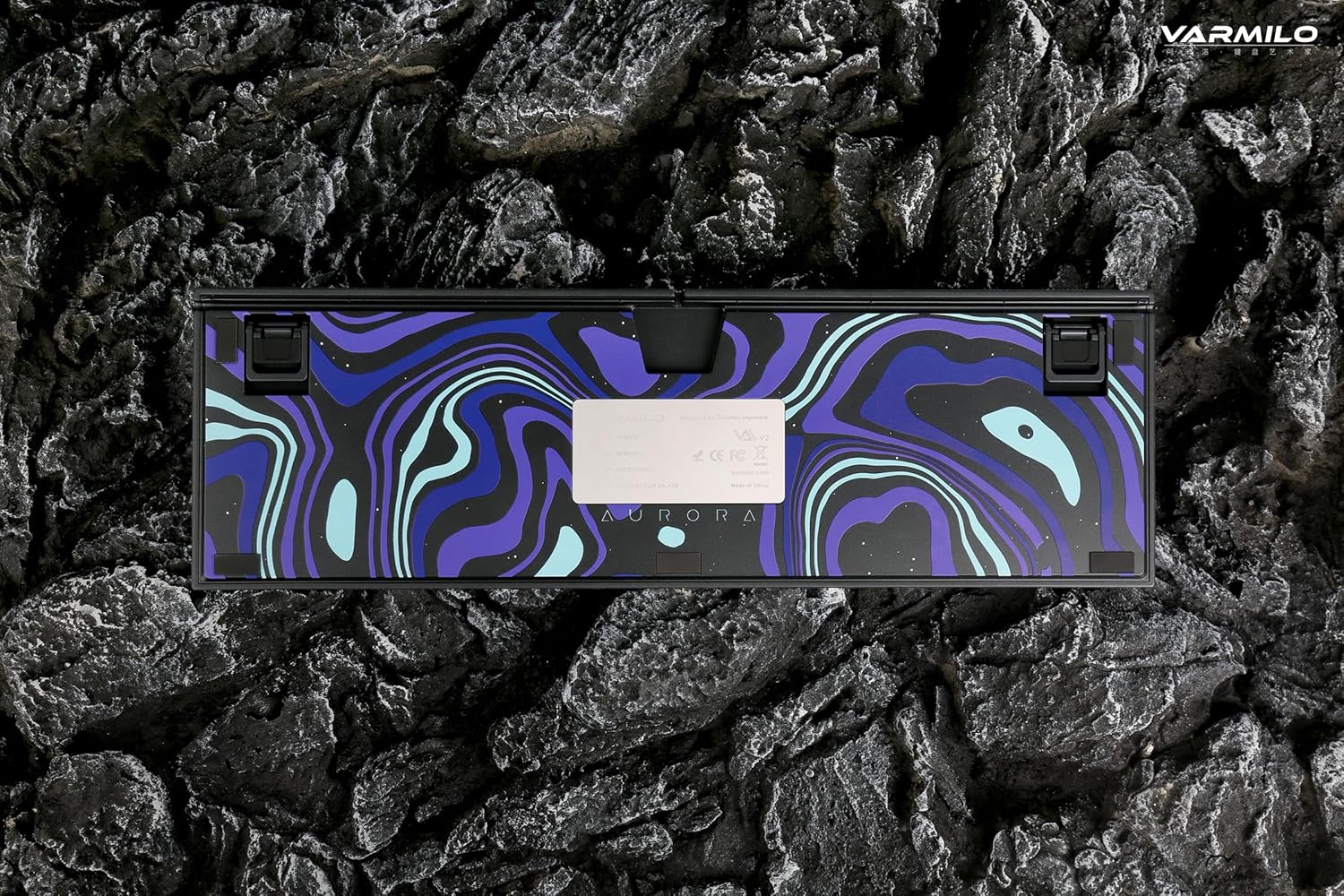
Image: The bottom of the keyboard, illustrating the cable grooves that allow the USB-C cable to exit from the left, right, or middle.
3.2 metodi di connessione
3.2.1 Connessione cablata (USB-C)
- Individuare la porta USB-C sul retro della tastiera.
- Connect the provided USB-C cable to the keyboard and the other end to an available USB port on your computer or device.
- The keyboard will be automatically recognized by your operating system. The indicator light will show charging status if the battery is low.
3.2.2 Connessione wireless Bluetooth
The Varmilo VA Series V2 Aurora keyboard supports connecting up to 3 devices wirelessly via Bluetooth.
- Passa alla modalità Bluetooth: Locate the mode switch on the keyboard (usually on the back or side) and set it to Bluetooth mode.
- Entra in modalità di associazione: Premere e tenere premuto Fn + Inserisci (per il dispositivo Bluetooth 1), Fn + Casa (per il dispositivo Bluetooth 2), oppure Fn + Pagina su (for Bluetooth device 3) for 3-5 seconds until the indicator light flashes rapidly, indicating pairing mode.
- Abilita il Bluetooth sul tuo dispositivo: On your computer, smartphone, or tablet, go to Bluetooth settings and turn on Bluetooth.
- Seleziona tastiera: Look for "Varmilo VA2" or a similar name in the list of available devices and select it to pair.
- Conferma associazione: Once paired, the indicator light on the keyboard will stop flashing and remain solid for a few seconds, then turn off or show battery status.
- Associa dispositivi aggiuntivi: Repeat steps 2-5 using a different Fn key combination (Fn + Home or Fn + Page Up) to pair up to two more devices.
4. Istruzioni per l'uso
4.1 Passaggio da un dispositivo all'altro
- To switch to Bluetooth device 1: Press Fn + Inserisci.
- To switch to Bluetooth device 2: Press Fn + Casa.
- To switch to Bluetooth device 3: Press Fn + Pagina su.
- To switch to Wired mode: Set the mode switch on the keyboard to Wired mode.
Controllo della retroilluminazione a LED 4.2
The keyboard features a White LED backlight. Use the following key combinations to control the backlight:
- Fn + < (Left Arrow): Ridurre la luminosità della retroilluminazione.
- Fn + > (Right Arrow): Aumentare la luminosità della retroilluminazione.
- Fn + Freccia su: Change backlight mode/effect.
- Fn + Freccia giù: Change backlight mode/effect (reverse direction).
- Fn + Z: Attiva/disattiva la retroilluminazione.
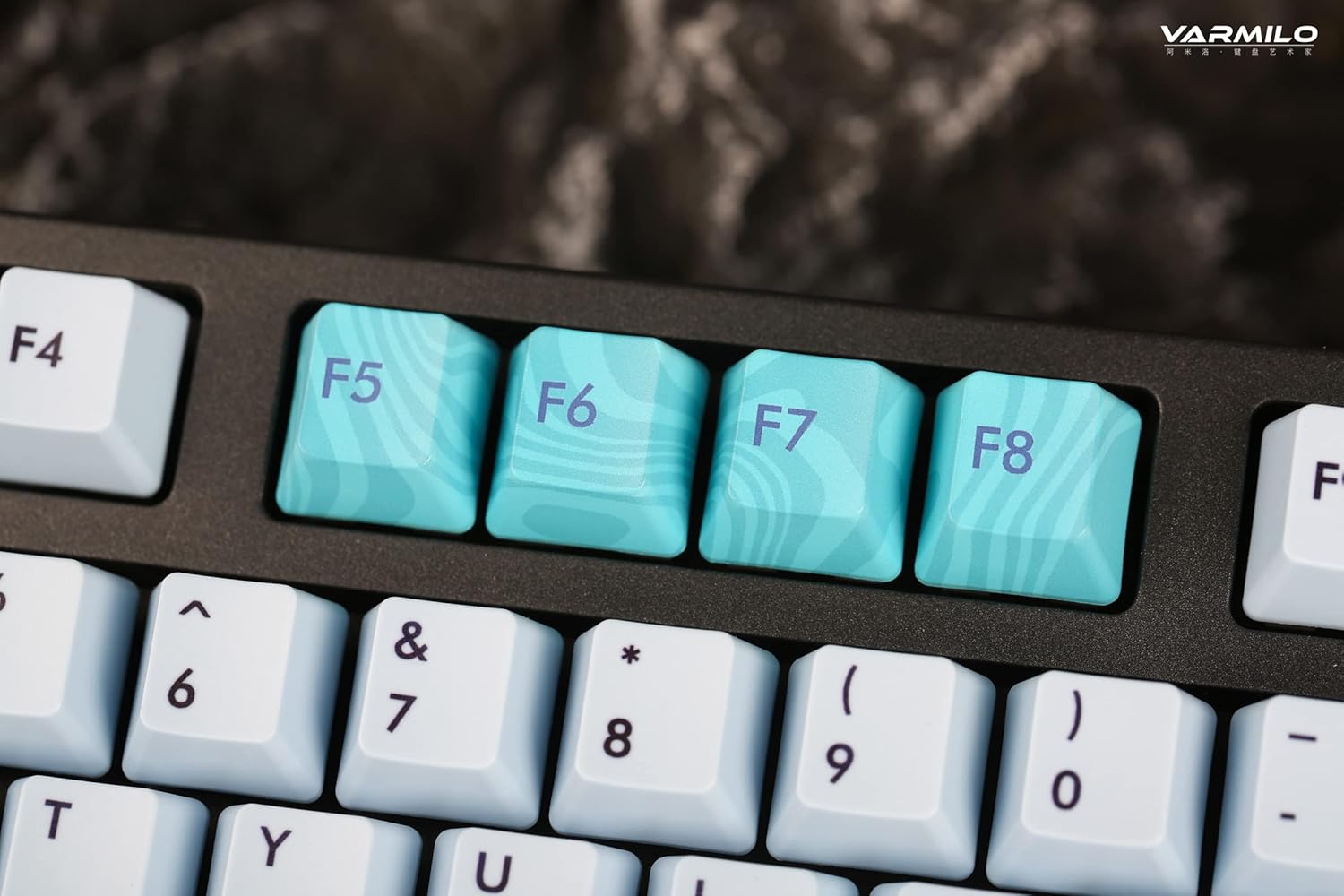
Image: Close-up of the arrow keys, which are used in combination with the Fn key to control backlight brightness and modes.
4.3 Tasti funzione e controlli multimediali
The keyboard features a full-size (104 + 4) layout with dedicated function keys and multimedia controls accessible via the Fn chiave.
- Fn + F1-F12: Access various system functions (e.g., media playback, volume control, screen brightness). Refer to your operating system's settings for specific mappings or common keyboard shortcuts.
- Fn + tasto Windows: Blocca/sblocca il tasto Windows per evitare pressioni accidentali durante il gioco.
- Fn + Ctrl destro: Switch between Mac/Windows layout (if applicable, check specific model features).

Immagine: un primo piano view of the F5-F8 keys, showcasing their unique design and potential secondary functions.
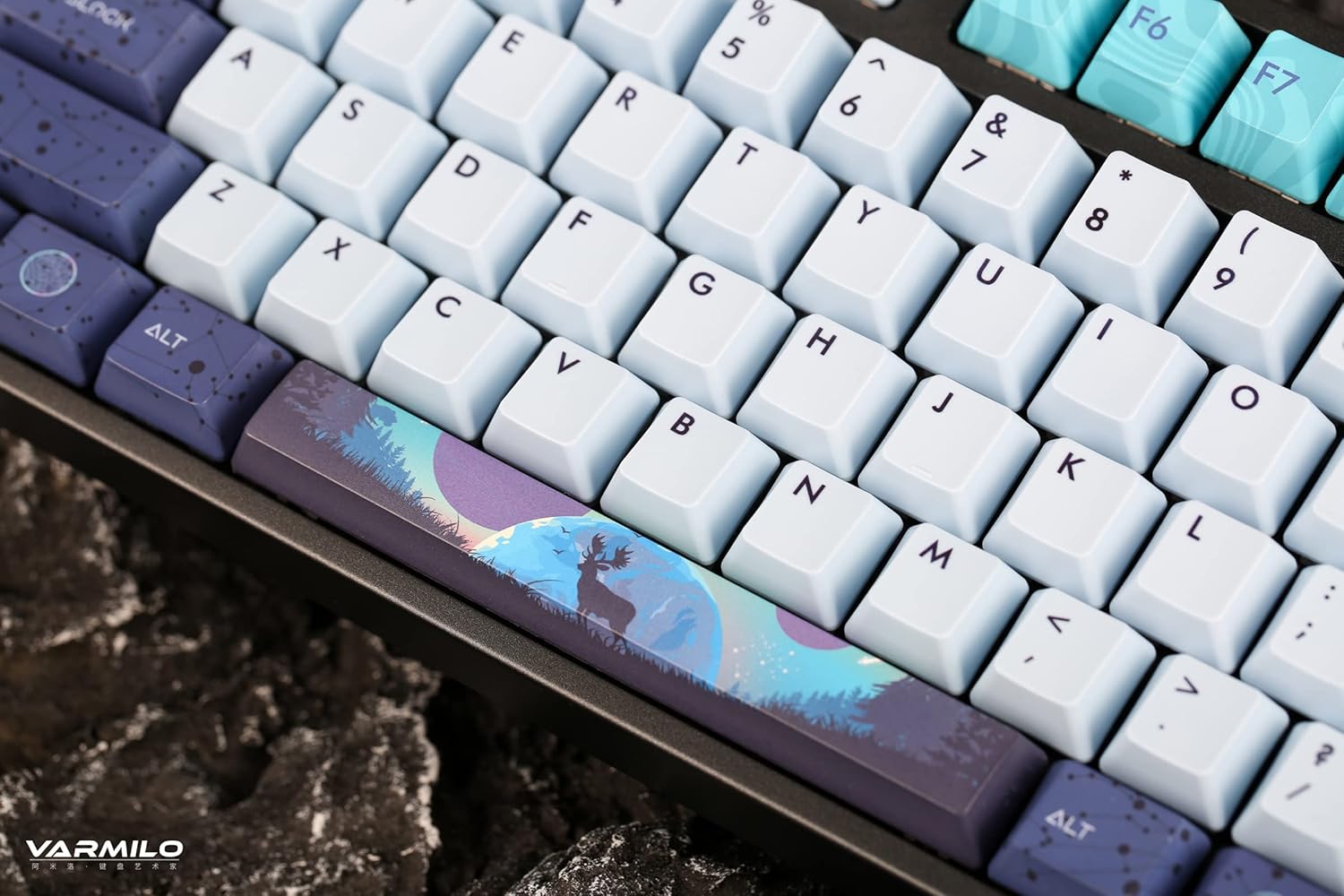
Immagine: Un dettaglio view of the keyboard's keycaps, including a custom-designed spacebar, highlighting the thick Dye Sub PBT keycaps.
5. Manutenzione
Proper maintenance ensures the longevity and performance of your Varmilo keyboard.
- Pulizia: Use a soft brush or compressed air to remove dust and debris from between the keycaps. For stubborn dirt, gently wipe the keycaps with a damp panno e una soluzione di sapone neutro, assicurandosi che nessun liquido entri nella tastiera.
- Rimozione dei tasti: If you need to clean under the keycaps or replace them, use a keycap puller. Gently pull the keycap straight up to avoid damaging the switch. The keyboard features durable Dye Sub PBT keycaps.
- Magazzinaggio: Quando non si utilizza la tastiera per lunghi periodi, conservarla in un ambiente asciutto e privo di polvere.
- Evitare i liquidi: Non esporre la tastiera a liquidi. Eventuali versamenti possono causare danni permanenti.
6. Risoluzione Dei Problemi
| Problema | Possibile causa | Soluzione |
|---|---|---|
| La tastiera non risponde (cablata) | Loose USB-C cable connection; faulty USB port; incorrect mode. |
|
| La tastiera non risponde (Bluetooth) | Not paired; out of range; low battery; incorrect Bluetooth channel selected. |
|
| Retroilluminazione non funzionante | Backlight turned off; brightness set to minimum; low battery. |
|
| Tasti non registrati o digitati due volte | Dust/debris under keycap; switch malfunction; software issue. |
|
7. Specifiche
| Caratteristica | Dettaglio |
|---|---|
| Marca | Varmilo |
| Modello | VA Series V2 Aurora |
| Tipo di tastiera | Meccanico |
| Tipo di interruttore | Kailh Prestige Red |
| Connettività | USB-C (Wired), Bluetooth (Wireless) |
| Dispositivi senza fili | Connects up to 3 devices wirelessly |
| keycaps | Thick Dye Sub PBT |
| Retroilluminazione | White LED, North-facing |
| Disposizione | Full-size (104 + 4 keys) |
| Dispositivi compatibili | Computer portatile, PC, smartphone, tablet |
| Caratteristiche speciali | Due-stage height adjustable feet, Sound-proof silicone pads, Cable grooves |
| Materiale | Silicone (internal sound dampening) |
8. Garanzia e supporto
Varmilo products are designed for quality and durability. For warranty information, technical support, or service inquiries, please refer to the official Varmilo websito o contattare il rivenditore.
You can visit the official Varmilo Store for more information: Varmilo Store on Amazon.