
Introduzione
This manual provides essential instructions for the safe and effective use of your LITEON PA-1300-04 AC Adapter Charger. This power supply is designed to provide reliable power to compatible DELL Latitude 10 ST, ST2, T03G, and T07G tablets. Please read this manual thoroughly before using the product and retain it for future reference.
Informazioni sulla sicurezza
- Fonte di energia: Use only with appropriate AC power outlets (100-240V AC, 50/60Hz).
- Ventilazione: Assicurare un'adeguata ventilazione attorno all'adattatore. Non coprire l'adattatore né posizionarlo in uno spazio chiuso durante il funzionamento.
- Umidità: Keep the adapter away from water, high humidity, and extreme temperatures. Do not operate with wet hands.
- Danno: Do not use the adapter if the cable or housing is damaged. Contact qualified service personnel for repairs.
- Bambini: Tenere fuori dalla portata dei bambini.
- Smontaggio: Non tentare di smontare o modificare l'adattatore. Ciò invaliderà la garanzia e potrebbe causare scosse elettriche o incendi.
- Compatibilità: Use only with specified compatible devices (DELL Latitude 10 ST, ST2, T03G, T07G tablets).
Impostare
- Disimballare: Estrarre con cautela l'adattatore CA dalla confezione.
- Ispezionare: Check the adapter and cable for any visible damage. If damage is found, do not use the product.
- Collegare alla presa di corrente: Plug the AC power cord (if detachable) into the adapter, then plug the adapter's AC plug into a standard wall outlet.
- Connetti al dispositivo: Insert the specialized multi-pin connector of the adapter into the charging port of your compatible DELL Latitude tablet. Ensure a firm and secure connection.
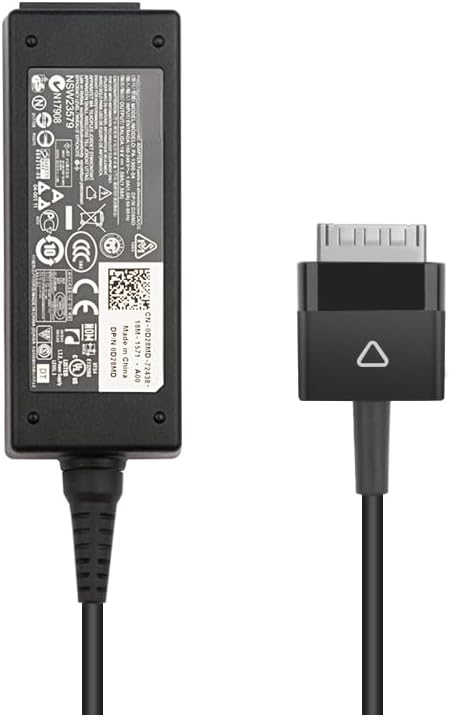
Image: The LITEON PA-1300-04 AC Adapter showing the main power brick and the specialized multi-pin connector for DELL Latitude tablets.
Istruzioni per l'uso
Once properly connected, the adapter will begin charging your DELL Latitude tablet. The charging status is typically indicated by an LED on your tablet or on the adapter itself (if present). Refer to your tablet's user manual for specific charging indicators.
- Ricarica: The adapter provides a stable 19V DC output at 1.58A, totaling 30W, suitable for your tablet's power requirements.
- Disconnessione: To disconnect, first unplug the connector from your tablet, then unplug the adapter from the wall outlet.
- Magazzinaggio: When not in use, store the adapter and cable neatly. Avoid tightly coiling the cable to prevent damage.
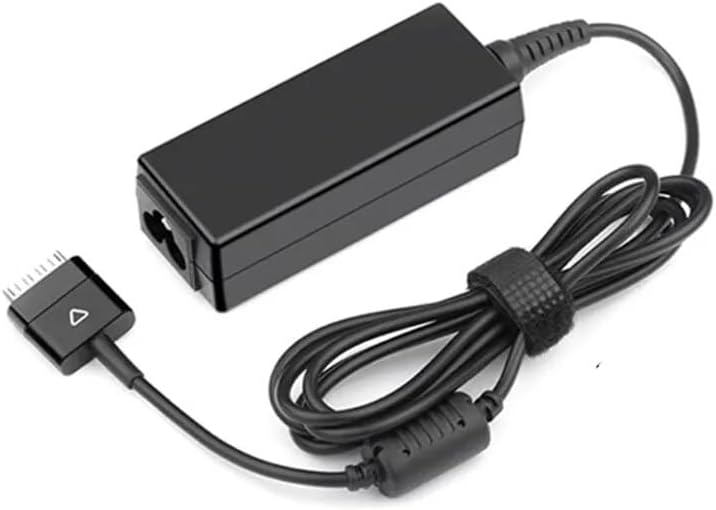
Image: The LITEON PA-1300-04 AC Adapter with its cable coiled, demonstrating proper storage.
Manutenzione
- Pulizia: Disconnect the adapter from all power sources before cleaning. Use a soft, dry cloth to wipe the surface. Do not use liquid cleaners or solvents.
- Cura del cavo: Avoid bending or crimping the cable excessively, especially near the connectors. This can lead to internal wire damage.
- Magazzinaggio: Quando non lo si utilizza, conservare l'adattatore in un luogo fresco e asciutto.
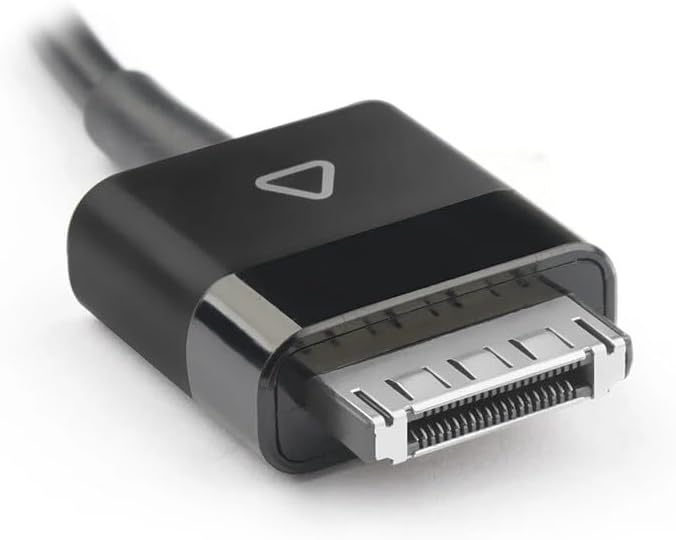
Immagine: Un dettaglio view of the specialized multi-pin connector, highlighting its design for DELL Latitude tablets.
Risoluzione dei problemi
| Problema | Possibile causa | Soluzione |
|---|---|---|
| Il tablet non si carica. |
|
|
| L'adattatore è caldo. |
|
|
Specifiche
- Modello: PA-1300-04 / AD065G2Uz
- Ingresso: 100-240V AC, 50/60Hz (Standard AC input for power adapters)
- Volume di uscitatage: 19V CC
- Corrente di uscita: 1.58A
- Potenza in uscita: 30W
- Tipo di connettore: Specialized multi-pin connector for DELL Latitude tablets
- Dispositivi compatibili: DELL Latitude 10 ST, DELL Latitude ST2, DELL Latitude T03G, DELL Latitude T07G tablets
- Origine: Cina continentale
Garanzia e supporto
For warranty information and technical support, please refer to the documentation provided with your purchase or contact the vendor directly. Keep your proof of purchase for warranty claims.